1. Introduction
This manual provides essential instructions for the safe and effective use of your BELLV Ni-MH battery replacement. Please read this guide thoroughly before installation and operation to ensure optimal performance and longevity of your battery.
2. Safety Information
WARNING: Failure to follow these safety instructions may result in fire, electric shock, injury, or damage to the battery or device.
- Do not attempt to disassemble, open, or service the battery pack. Unauthorized modifications can lead to hazards.
- Do not crush, puncture, short external contacts, or dispose of in fire or water. These actions can cause the battery to overheat, ignite, or explode.
- Do not store above 60°C (140°F). High temperatures can degrade battery performance and pose a safety risk.
- New battery packs must be fully charged before initial use. This ensures proper calibration and performance.
- Read all instructions in the operating guide of your device before using the battery. Ensure compatibility and correct usage procedures.
3. Product Overview
The BELLV Ni-MH battery is designed as a replacement for various Fisher camcorder models. It provides reliable power for your device.

Image 1: Top view of the BELLV Ni-MH battery, highlighting the electrical contact points and a portion of the product label.
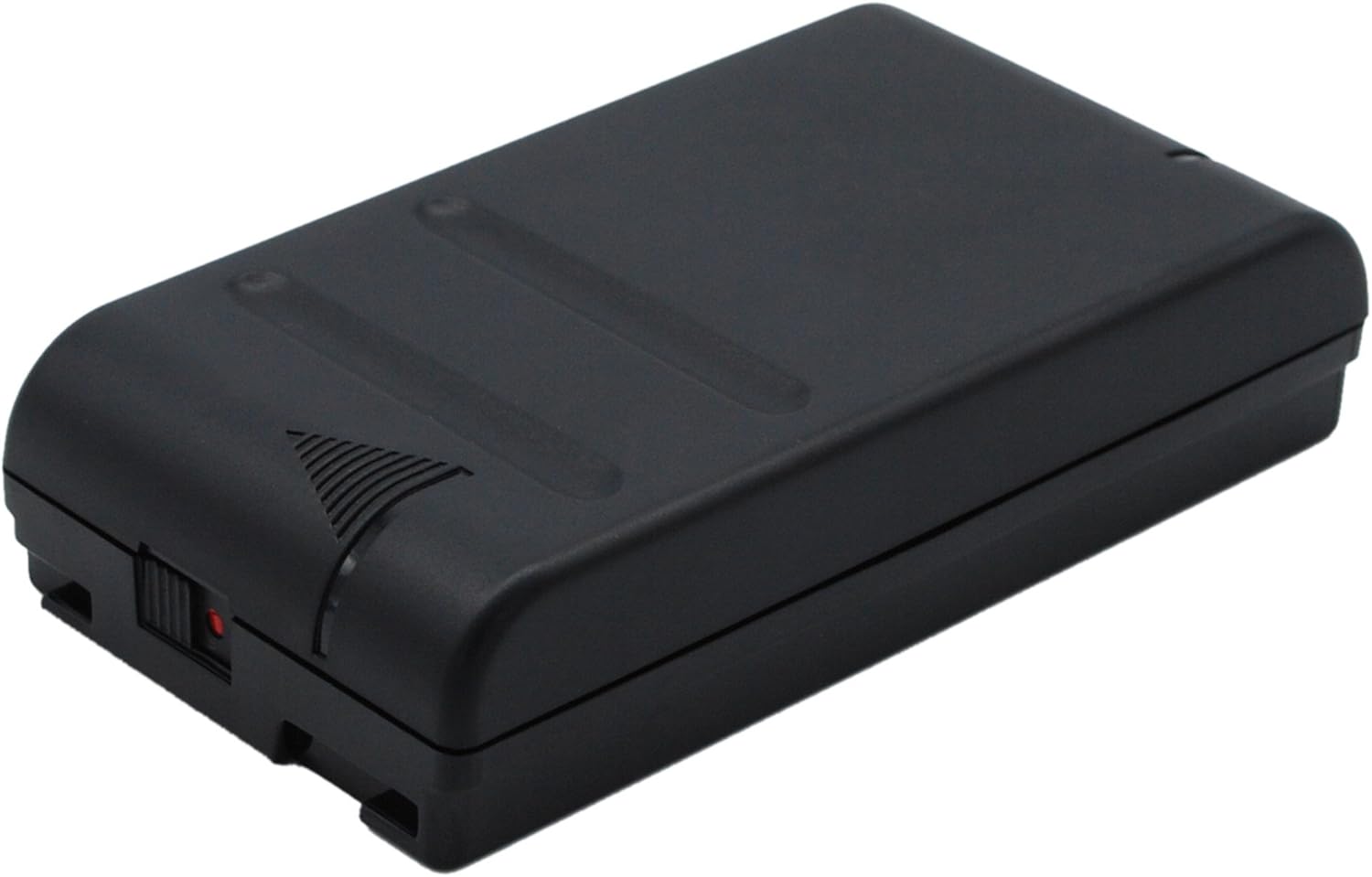
Image 2: Side view of the BELLV Ni-MH battery, illustrating its compact, rectangular form factor.

Image 3: Opposite side view of the BELLV Ni-MH battery, providing a complete visual of its exterior.

Image 4: Bottom view of the BELLV Ni-MH battery, displaying the detailed product label with model numbers, capacity, voltage, and important safety warnings.
Key Features:
- Battery Type: Ni-MH
- Voltage: 6.0V
- Capacity: 4200mAh
- Dimensions: 88.95 x 47.55 x 36.86mm
- Weight: Approximately 383.0 grams
4. Setup and Installation
Before installing the battery, ensure it is the correct model for your device. Refer to your camcorder's user manual for specific battery compartment instructions.
- Verify Compatibility: Carefully review the product images, part numbers, and dimensions of this battery against your original battery and camcorder specifications to avoid incompatibility.
- Power Off Device: Ensure your camcorder is completely powered off and disconnected from any power source before attempting battery installation.
- Locate Battery Compartment: Open the battery compartment on your camcorder. This is typically located on the bottom or side of the device.
- Insert Battery: Align the battery with the contacts inside the compartment. Gently slide the battery into place until it clicks or locks securely. Do not force the battery.
- Close Compartment: Close the battery compartment cover firmly.
5. Operating Instructions
Initial Charge:
For optimal performance and battery life, it is crucial to fully charge the new battery pack before its first use.
- Connect Charger: Use a compatible charger designed for Ni-MH camcorder batteries. Connect the charger to a power outlet and then to your camcorder (with the battery installed) or directly to the battery if your charger supports it.
- Charge Fully: Allow the battery to charge until the charging indicator on your camcorder or charger signals a full charge. This may take several hours.
Regular Use:
- Monitor Battery Level: Regularly check the battery indicator on your camcorder to avoid unexpected power loss during recording.
- Recharge as Needed: Recharge the battery when its power level is low. Frequent partial discharges followed by full recharges can help maintain Ni-MH battery health.
- Remove for Extended Storage: If the camcorder will not be used for an extended period, remove the battery and store it separately.
6. Maintenance
Storage:
- Store the battery in a cool, dry place, away from direct sunlight and extreme temperatures.
- Do not store above 60°C (140°F).
- For long-term storage, charge the battery to approximately 50% capacity.
Cleaning:
- Wipe the battery's exterior with a soft, dry cloth.
- Keep the metal contacts clean and free of dust or debris to ensure proper connection.
Disposal:
Do not dispose of batteries in household waste. Ni-MH batteries contain recyclable materials and should be disposed of at designated recycling centers. Consult your local regulations for proper battery disposal.
7. Troubleshooting
- Battery Not Charging:
- Ensure the battery is correctly inserted into the camcorder or charger.
- Verify that the charger is properly connected to a power source.
- Check for any visible damage to the battery or charger contacts.
- Short Operating Time:
- Ensure the battery has been fully charged before use.
- Ni-MH batteries can experience a memory effect if not fully discharged periodically. Consider performing a full discharge/recharge cycle.
- Battery capacity naturally degrades over time and with usage cycles.
- Battery Overheating:
- Immediately discontinue use and charging if the battery becomes excessively hot.
- Ensure proper ventilation around the camcorder and charger during operation.
- Refer to the safety warnings regarding temperature limits.
8. Specifications
| Attribute | Value |
|---|---|
| Brand | BELLV |
| Battery Type | Ni-MH |
| Voltage | 6.0V |
| Capacity | 4200mAh |
| Dimensions (L x W x H) | 88.95 x 47.55 x 36.86mm |
| Weight | 383.0g |
| Compatible Models | Fisher FVC-P800, FVC-P880, FVC-P9000, FVC-P901, FVC-P950, FVC-P990, FVC-S2, FVH-P200, FVP-803, NP-55, NP-66, NP-77 |
| ASIN | B0CPHW2YTF |
| Date First Available | April 12, 2024 |
9. Warranty and Support
Warranty Information:
This BELLV battery replacement comes with a 12-month warranty from the date of purchase. Additionally, a 14-day Money Back Guarantee is offered.
Customer Support:
Your satisfaction is important to us. If you have any questions, concerns, or require assistance with your BELLV battery, please do not hesitate to contact our customer support team. We offer 24/7 email support.
For support, please refer to the contact information provided with your purchase or visit the official BELLV website.


