
1. Introduction
This manual provides essential information for the safe and efficient operation of your OUKITEL P5000PRO Portable Power Station. Please read this manual thoroughly before using the product and retain it for future reference.
The OUKITEL P5000PRO is a high-capacity portable power station designed to provide reliable power for various applications, including home backup, outdoor activities, and professional use. It features a 5120Wh LiFePO4 battery, 3600W AC output, and multiple charging options, including solar.
2. Safety Instructions
General Safety:
- Do not disassemble, repair, or modify the unit.
- Keep the unit away from heat sources, direct sunlight, and flammable materials.
- Do not expose the unit to rain or moisture.
- Use only original or certified accessories.
- Ensure proper ventilation during use and charging.
- Keep out of reach of children and pets.
- In case of fire, use a dry powder fire extinguisher.
Battery Safety:
- The unit contains a LiFePO4 battery. Do not puncture, drop, or damage the battery.
- Do not charge or store the unit in extreme temperatures.
- If the battery leaks, avoid contact with skin and eyes. Rinse with water and seek medical attention.
3. Package Contents
Verify that all items are present in your package:
- 1x OUKITEL P5000PRO Portable Power Station
- 2x 400W Solar Panels (PV400)
- 1x AC Charging Cable
- 1x Car Charger (XT60 Car Charging Cable)
- 1x Solar Charging Cable (XT60-MC4 Solar Charging Cable)
- 1x User Manual
- 1x Safety Guide
Note: Due to the product's weight, the power station and solar panels may be delivered in separate packages.

Image: Contents of the OUKITEL P5000PRO package.
4. Product Overview
The OUKITEL P5000PRO is designed for ease of use and portability, featuring a robust build and intuitive interface.
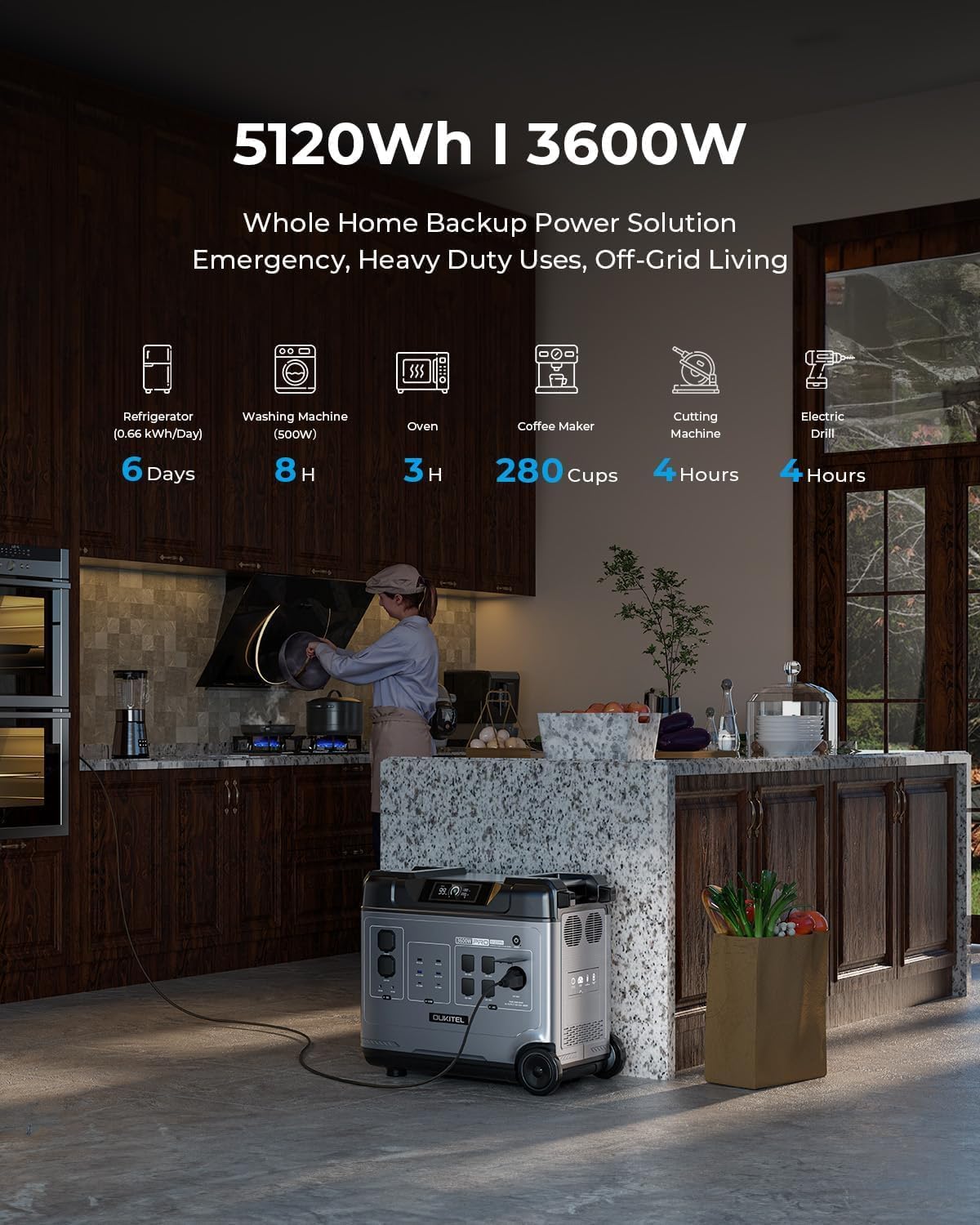
Image: Front panel of the OUKITEL P5000PRO, highlighting its multiple output ports and digital display.
4.1. Key Features
- High Capacity: 5120Wh LiFePO4 battery for extended power supply.
- High Output: 3600W Max AC output, capable of powering 99% of devices.
- Fast Charging: Fully charged in 2 hours via home outlet (1800W).
- Solar Charging: Supports up to 1000W solar input, full charge in 5 hours with 2x400W panels.
- UPS Functionality: Automatic switchover within 0.01s during power outages (max 1400W output in UPS mode).
- Long Lifespan: LiFePO4 battery with over 5000+ charge cycles, offering a 10-year lifespan.
- Multiple Outlets: 15 outlets including 5x AC, 4x USB-A, 2x USB-C (100W), 2x DC, 1x cigarette lighter, and 1x airline outlet.
- Portability: Equipped with a high-quality tension bar and 2 removable wheels for easy transport.
- Built-in Storage: Convenient storage space on top for cables and accessories.
5. Setup
5.1. Initial Inspection
Upon receiving your OUKITEL P5000PRO, carefully inspect the packaging and the unit for any signs of damage. If any damage is found, do not operate the unit and contact customer support immediately.
5.2. First Use
Before first use, it is recommended to fully charge the power station. This ensures optimal battery performance and calibration.
5.3. Positioning the Unit
Place the power station on a flat, stable surface. Ensure there is adequate ventilation around the unit to prevent overheating. Keep it away from direct sunlight, heat sources, and moisture.
6. Operating Instructions
6.1. Powering On/Off
- To power on the unit, press and hold the main power button for a few seconds until the display illuminates.
- To power off the unit, press and hold the main power button again until the display turns off.
6.2. Using AC Outlets
- Press the AC power button to activate the AC outlets. The AC indicator on the display will light up.
- Plug your AC devices into the available AC outlets.
- Ensure the total power consumption of your devices does not exceed 3600W.
- To turn off AC power, press the AC power button again.
6.3. Using USB Outlets
- The USB-A and USB-C ports are typically active when the unit is powered on.
- Connect your USB devices for charging. The USB-C ports support up to 100W Power Delivery.
6.4. Using DC Outlets
- Press the DC power button to activate the DC outlets (including the cigarette lighter port). The DC indicator will light up.
- Connect your DC devices.
- To turn off DC power, press the DC power button again.
6.5. UPS Function
The P5000PRO features an Uninterruptible Power Supply (UPS) function. When connected to a wall outlet and powering devices, if the grid power fails, the unit will automatically switch to battery power within 0.01 seconds. This prevents data loss or interruption for connected devices. The maximum output in UPS mode is 1400W.

Image: Illustration of the UPS function, demonstrating seamless power transition.
7. Charging Methods
The OUKITEL P5000PRO offers multiple charging options:
7.1. AC Wall Charging
- Connect the AC charging cable to the AC input port on the power station and then to a standard wall outlet.
- The unit supports up to 1800W input, allowing a full charge in approximately 2 hours.
7.2. Solar Charging
- Connect the solar charging cable (XT60-MC4) to the PV input port on the power station.
- Connect the MC4 connectors to your solar panels.
- The unit supports up to 1000W solar input. Using 2x400W solar panels, a full charge can be achieved in approximately 5 hours under ideal sunlight conditions.

Image: Instructions for connecting solar panels to the power station.
7.3. Car Charging
- Connect the car charger (XT60 Car Charging Cable) to the car charging port on the power station and to your vehicle's 12V cigarette lighter socket.
7.4. Combined Charging
- For the fastest charging, combine AC wall charging and solar charging simultaneously. This can achieve a full charge in approximately 2 hours (2800W combined input).

Image: Visual representation of various charging methods and their approximate times.
8. Maintenance
8.1. Storage
- Store the unit in a cool, dry place, away from direct sunlight and extreme temperatures.
- For long-term storage, charge the unit to 50-80% every 3-6 months to prolong battery life.
8.2. Cleaning
- Use a dry, soft cloth to clean the exterior of the unit.
- Do not use abrasive cleaners or immerse the unit in water.
8.3. Battery Management System (BMS)
The integrated BMS monitors battery conditions such as temperature and current, ensuring safe and efficient operation. This system helps protect the battery from overcharge, over-discharge, over-current, and short circuits.
9. Troubleshooting
| Problem | Possible Cause | Solution |
|---|---|---|
| Unit does not power on. | Battery is depleted; Power button not pressed correctly. | Charge the unit; Press and hold the power button for a few seconds. |
| AC outlets not working. | AC output not activated; Overload protection triggered. | Press the AC power button; Reduce connected load, then restart AC output. |
| Slow charging via solar. | Insufficient sunlight; Panels not optimally angled; Incorrect connection. | Ensure panels are in direct sunlight and angled correctly; Check cable connections. |
| Unit overheating. | Poor ventilation; Excessive load. | Ensure clear airflow around the unit; Reduce connected load. |
If the problem persists after attempting these solutions, please contact OUKITEL customer support.
10. Specifications
| Feature | Detail |
|---|---|
| Model Name | P5000PRO |
| Battery Type | LiFePO4 |
| Capacity | 5120Wh |
| AC Output Power | 3600W (Max) |
| AC Input Power | 1800W |
| Solar Input (MPPT) | 1000W |
| UPS Switchover Time | 0.01s (10ms) |
| Lifespan | 5000+ cycles (to 80% capacity) / 10 years |
| AC Outlets | 5 |
| USB-A Ports | 4 |
| USB-C Ports | 2 (100W PD each) |
| DC Outlets | 2 |
| Cigarette Lighter Port | 1 |
| Airline Outlet | 1 |
| Dimensions (L x W x H) | 21.6" x 11.4" x 18.9" |
| Weight | 114.4 lbs (52 kg) |
11. Warranty and Support
The OUKITEL P5000PRO comes with an exclusive 5-year warranty (2 years standard + 3-year extended). For warranty claims or technical assistance, please contact OUKITEL customer service.
Customer Service:
- 24/7 Support Service
- Access to over 100 experts and engineers
For more information, visit the official OUKITEL website or refer to the contact details provided in your safety guide.

Image: OUKITEL customer support and warranty information.
12. Product Video Demonstration
Video: An overview of the OUKITEL P5000PRO Portable Power Station, demonstrating its features and portability. This video is provided by OUKITEL Official.