
1. Introduction and Overview
Thank you for choosing the HITBOX HB-001 Solar Auto-Darkening Welding Helmet. This manual provides essential information for the safe and effective operation, maintenance, and troubleshooting of your welding helmet. The HB-001 is designed to offer superior eye protection and comfort for various welding applications, including MIG, TIG, ARC, MMA, and Stick welding, as well as plasma cutting.
Key features include an intelligent auto-darkening filter, a comfortable and lightweight design, and a wide application range. The helmet is constructed from durable PP material, offering shock, corrosion, and flame resistance.
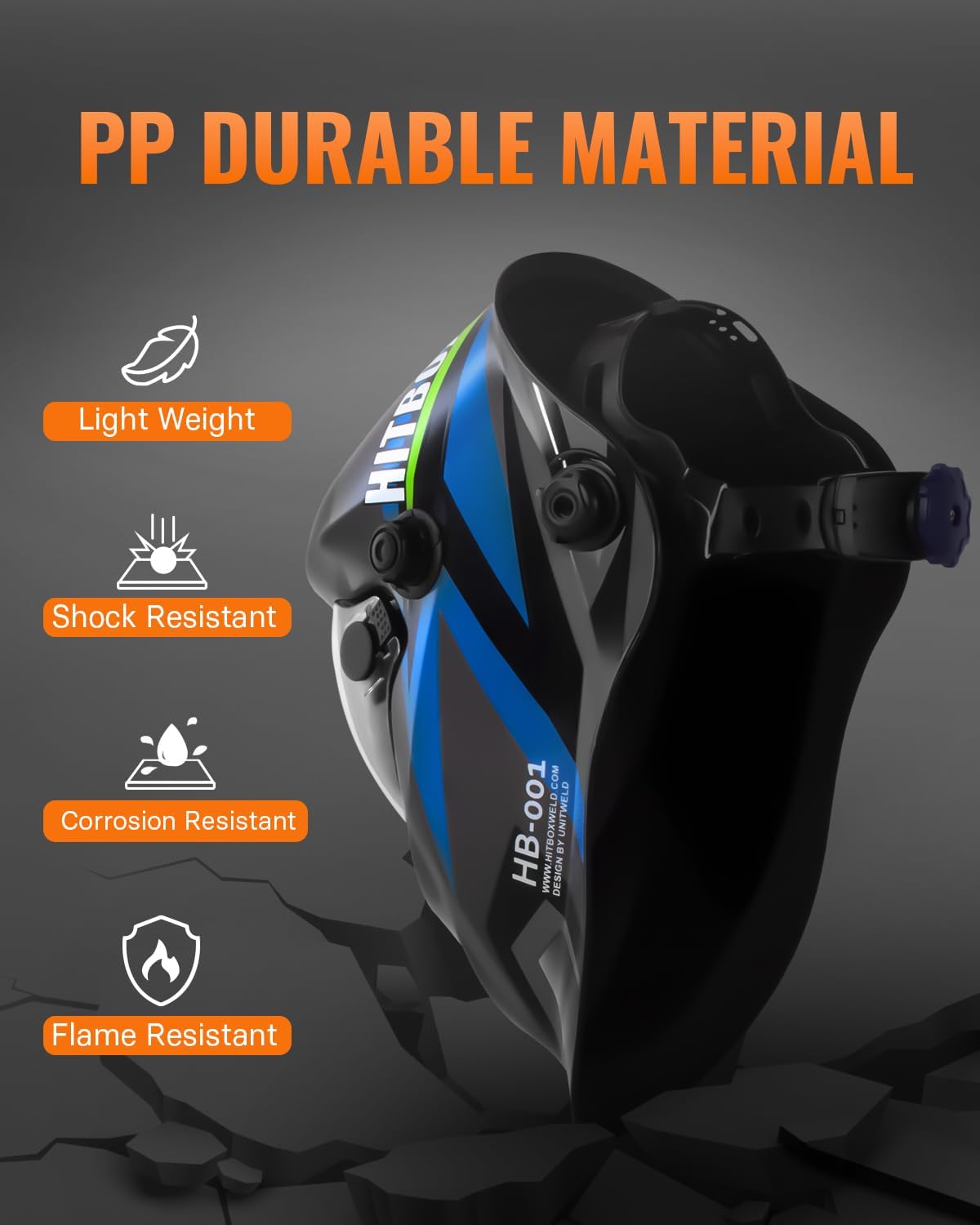
Figure 1: HITBOX HB-001 Welding Helmet showcasing its durable PP material construction, emphasizing lightweight, shock, corrosion, and flame resistance.
2. Safety Information
WARNING: Read and understand all safety instructions before using this welding helmet. Failure to follow these instructions may result in serious personal injury or damage to the equipment.
- Always inspect the helmet and auto-darkening filter (ADF) for any damage before each use. Do not use if damaged.
- This helmet is designed to protect eyes and face from sparks, spatter, and harmful radiation under normal welding conditions. It is not suitable for laser welding or overhead welding applications.
- The ADF will protect against UV and IR radiation even in the light state. However, direct exposure to welding arc without the lens darkening can cause eye damage.
- Ensure the helmet is properly fitted and adjusted to your head for maximum protection and comfort.
- Do not modify the helmet or ADF. Use only genuine replacement parts.
- Avoid contact with solvents on the helmet or ADF.
- If the ADF does not darken immediately upon striking an arc, stop welding immediately and inspect the helmet.
3. Product Components
The HITBOX HB-001 welding helmet consists of the following main components:
- Helmet Shell: Provides physical protection to the face and head.
- Auto-Darkening Filter (ADF): The electronic lens that automatically darkens when an arc is struck.
- Headgear: Adjustable system for securing the helmet comfortably on the head.
- External Controls: Knobs for adjusting Shade, Sensitivity, and Delay settings.
- Arc Sensors: Detect the welding arc to trigger the ADF.
- Solar Panel: Powers the ADF and extends battery life.
- UV/IR Filter: Provides constant protection against harmful ultraviolet and infrared radiation.
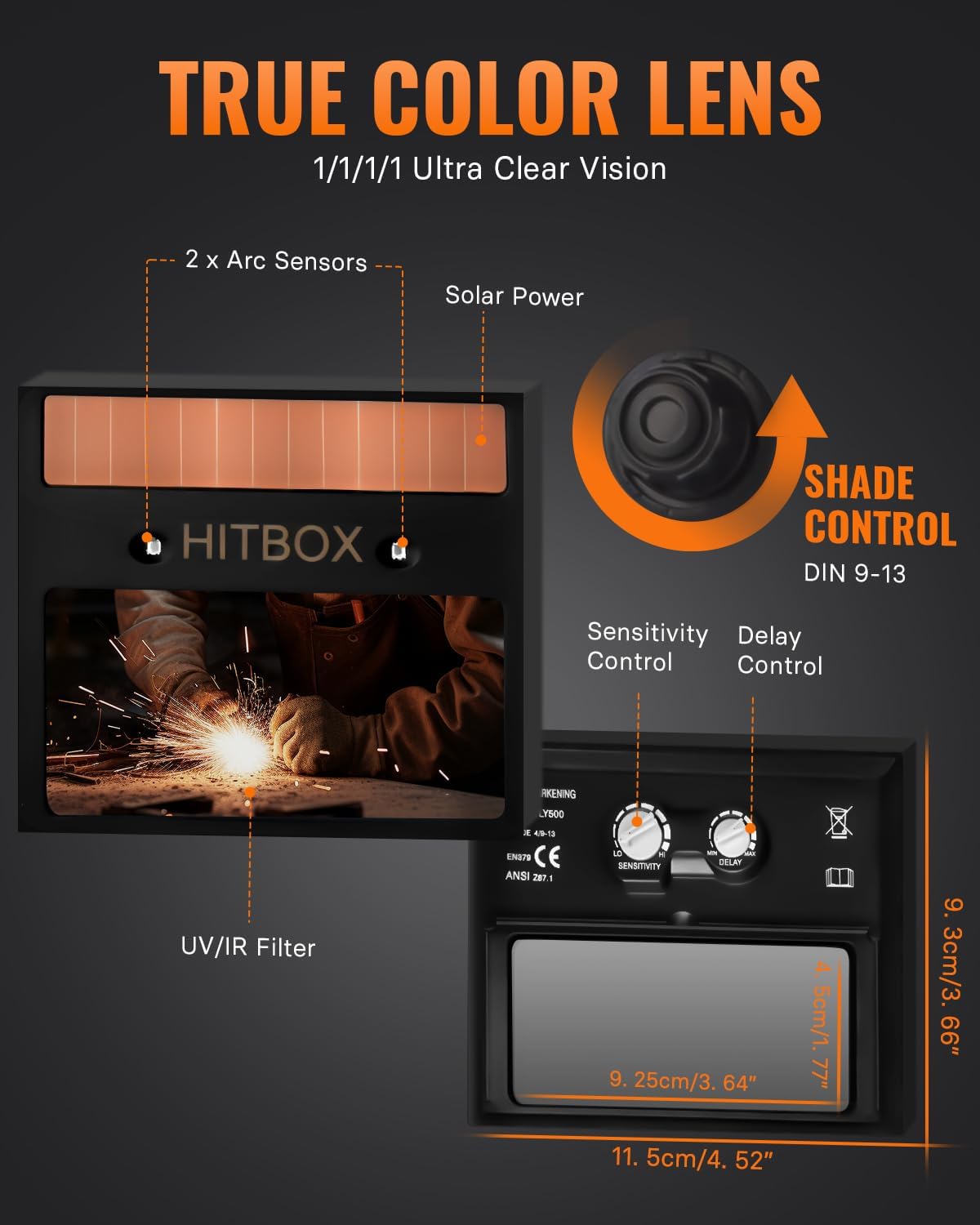
Figure 2: Internal view of the ADF and controls, showing arc sensors, solar power, UV/IR filter, and adjustment knobs.
4. Setup
Proper setup ensures comfort and optimal protection.
- Headgear Adjustment:
Adjust the top strap and rear headband knob to fit your head snugly and comfortably. The helmet should sit securely without being too tight. Ensure the distance between your eyes and the lens is consistent and comfortable. - Helmet Tilt Adjustment:
Use the side knobs to adjust the tilt of the helmet when in the down position. This allows for optimal viewing angle and balance. - Initial Function Test:
Before welding, perform a quick test. Hold the helmet up to a bright light source (not the sun or a welding arc) and observe if the lens darkens. If it does not, check the sensitivity settings and ensure the solar panel is exposed to light.

Figure 3: Adjustable headgear and helmet design for a comfortable and secure fit.
5. Operating Instructions
The HITBOX HB-001 helmet features intuitive controls for various welding conditions.
5.1 Control Settings
- Shade Control (DIN 9-13): This knob adjusts the darkness level of the lens. Select a shade appropriate for your welding process and amperage. Refer to standard welding shade charts for guidance. The light state is DIN 4.
- Sensitivity Control: Adjusts how sensitive the arc sensors are to the welding arc. Turn it up for low amperage TIG welding or when the arc is partially obscured. Turn it down to prevent false triggering from ambient light or other welders nearby.
- Delay Control (0.1s - 0.8s): Determines how long the lens remains dark after the welding arc stops. A shorter delay is suitable for tack welding, while a longer delay is recommended for high amperage welding to protect eyes from afterglow.

Figure 4: Explanation of Shade, Delay, and Sensitivity controls.
5.2 True Color Technology
The HB-001 incorporates True Color Technology, providing a clearer and more natural view of your workpiece in both light and dark states. This enhances visibility and color recognition, improving welding precision.

Figure 5: True Color Technology provides superior clarity compared to conventional lenses.
5.3 Application Modes
The helmet is suitable for a wide range of welding and cutting processes. Recommended settings are general guidelines and may need adjustment based on specific conditions.
- MIG Welding: Recommended Shade: DIN 10-13, Recommended Delay: 0.1-0.25s (Light) to 0.85-1.0s (Heavy).
- STICK Welding: Recommended Shade: DIN 9-13, Recommended Delay: 0.1-0.25s.
- TIG Welding: Recommended Shade: DIN 9-13, Recommended Delay: 0.1-0.25s.
- CUT (Plasma Cutting): Recommended Shade: DIN 5-9, Recommended Delay: None.

Figure 6: Wide application for various welding and cutting processes.
6. Maintenance
Regular maintenance ensures the longevity and proper functioning of your welding helmet.
- Cleaning the Helmet: Clean the helmet shell with mild soap and water. Avoid harsh chemicals or abrasive cleaners.
- Cleaning the Lenses: Gently wipe the inner and outer cover lenses with a soft, clean cloth. If heavily soiled, replace them. Do not use abrasive materials or solvents on the ADF.
- Inspection: Regularly inspect the helmet for cracks, damage to the headgear, or scratches on the ADF or cover lenses. Replace any damaged parts immediately.
- Storage: Store the helmet in a clean, dry place away from direct sunlight and extreme temperatures.
7. Troubleshooting
If you encounter issues with your HITBOX HB-001 welding helmet, refer to the following troubleshooting guide:
| Problem | Possible Cause | Solution |
|---|---|---|
| Lens does not darken when arc is struck. | Low sensitivity setting. Arc sensors obstructed/dirty. Insufficient light for solar panel. | Increase sensitivity setting. Clean arc sensors. Ensure solar panel is exposed to light. |
| Lens flickers or darkens intermittently. | Low sensitivity setting. Arc sensors partially obstructed. Other light sources interfering. | Increase sensitivity setting. Clean arc sensors. Adjust sensitivity or position to minimize interference. |
| Poor visibility through the lens. | Cover lenses dirty or scratched. Incorrect shade setting. | Clean or replace inner/outer cover lenses. Adjust shade setting to appropriate level. |
| Helmet feels uncomfortable or loose. | Headgear not properly adjusted. | Adjust the headgear straps and rear knob for a secure and comfortable fit. |
8. Specifications
| Feature | Specification |
|---|---|
| Model Number | HB-001 |
| Manufacturer | HITBOX |
| Optical Class | 1/1/1/1 |
| Light State Shade | DIN 4 |
| Dark State Shade | DIN 9-13 (Adjustable) |
| Switching Time | 1/25,000 seconds (Light to Dark) |
| Delay Time | 0.1s - 0.8s (Adjustable) |
| Sensitivity | Stepless Control (Adjustable) |
| Arc Sensors | 2 |
| UV/IR Protection | DIN 16 (Constant) |
| Power Supply | Solar Powered |
| Material | PP (Polypropylene) |
| Weight | 770 grams (approx.) |
| Package Dimensions | 30 x 26.1 x 20.5 cm (approx.) |
9. Warranty and Support
HITBOX products are manufactured to high-quality standards. For warranty information, please refer to the warranty card included with your product or contact your retailer. Keep your purchase receipt as proof of purchase.
For technical support, spare parts, or any inquiries regarding your HITBOX HB-001 welding helmet, please contact HITBOX customer service through their official website or the retailer where the product was purchased. Please have your model number (HB-001) and purchase date ready when contacting support.

