
BAOFENG UV-21R
Contents
BAOFENG UV-21R Two-Way Radio Instruction Manual
Model: UV-21R
Introduction
This manual provides comprehensive instructions for the operation, maintenance, and troubleshooting of your BAOFENG UV-21R Two-Way Radio. Designed for long-range communication, this handheld radio features a USB charger, rechargeable battery, 999 channels, VOX function, and NOAA weather reception. Please read this manual thoroughly to ensure proper use and to maximize the performance and longevity of your device.

Figure 1: BAOFENG UV-21R Two-Way Radio and Included Accessories.
Setup
1. Package Contents
Before beginning, verify that all items are present in your package:
- BAOFENG UV-21R Two-Way Radio (2 units if 2-pack)
- Rechargeable Lithium Ion Batteries (2 included)
- USB Type-C Charging Cables
- Base Chargers
- Antennas (Standard and 771 High Gain Antenna)
- Headsets
Video 1: Baofeng Ham Radio UV-21R Product Overview. This video provides a quick look at the radio's features and included accessories.
2. Battery Installation and Charging
The UV-21R radio is powered by a rechargeable Lithium Ion battery. Ensure the battery is fully charged before first use.
- Align the battery with the back of the radio and slide it into place until it clicks securely.
- To charge, you have two options:
- Base Charging: Place the radio into the provided charging cradle. Ensure the charging contacts align.
- USB Type-C Fast Charging: Connect the USB Type-C cable directly to the radio's Type-C port. This allows charging from various USB power sources like wall adapters, power banks, or car chargers.
- The charging indicator light on the radio or base charger will show the charging status.

Figure 2: Two available charging methods for the UV-21R.

Figure 3: Base charger installation steps.

Figure 4: Radio ports and connectors.
3. Antenna Attachment
Screw the desired antenna (standard or 771 high gain) clockwise onto the antenna connector at the top of the radio until it is finger-tight. Do not overtighten.
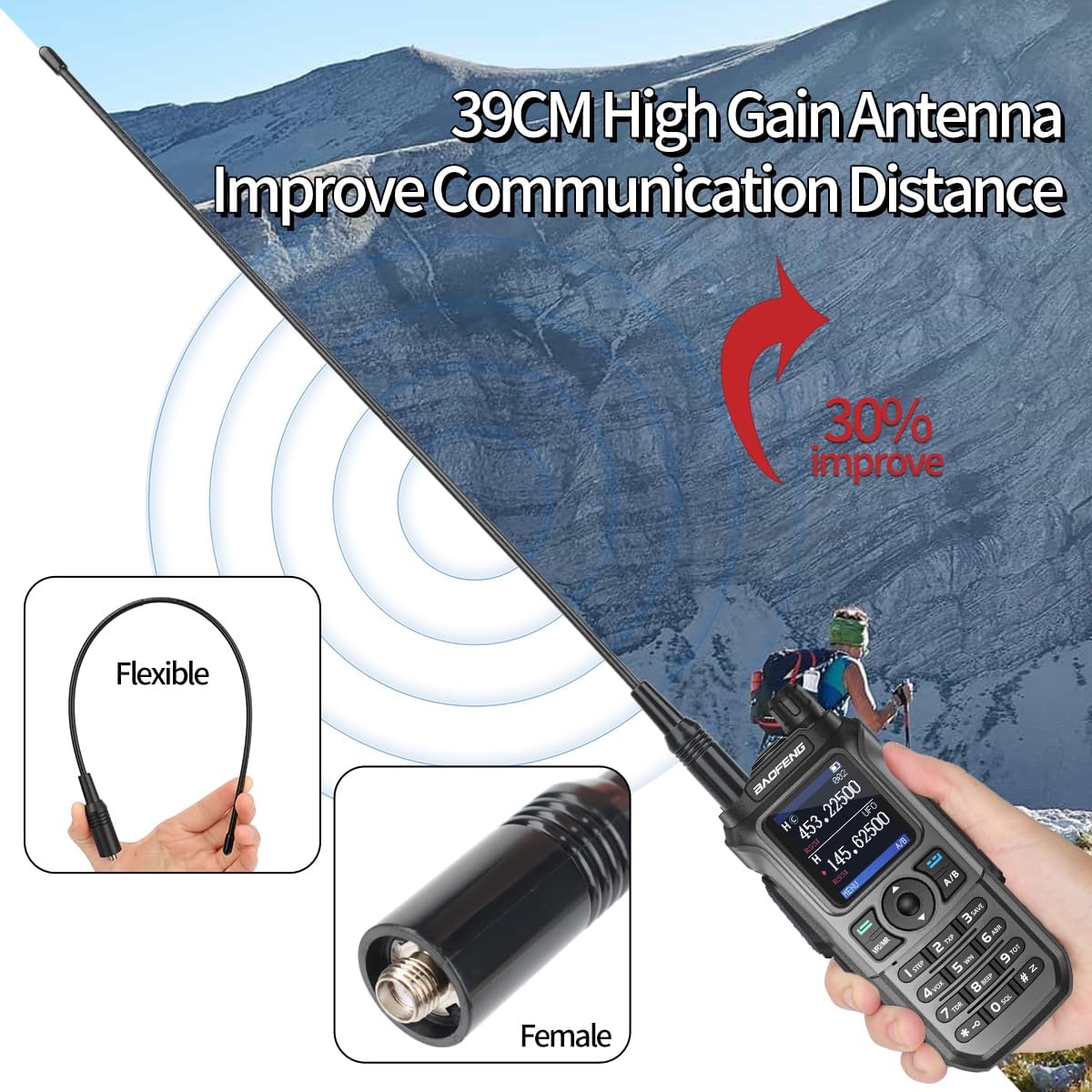
Figure 5: High Gain Antenna for improved communication.
4. Programming the Radio (CHIRP Software)
The BAOFENG UV-21R can be programmed using CHIRP software for advanced channel management and customization. This requires a programming cable (not included in all packages).
- Connect the radio to your computer using a compatible programming cable.
- Download and install the latest version of CHIRP software from the official CHIRP website.
- Open CHIRP, select the correct COM port, and choose "Baofeng UV-17PRO" as the radio model for programming the UV-21R.
- Follow the on-screen instructions within CHIRP to read from or write to the radio.

Figure 6: Programming the UV-21R with CHIRP software.
For a visual guide on programming, please watch the official video below:
Video 2: Baofeng UV-21R Programming Guide. This video demonstrates the steps to connect your radio to a computer and use CHIRP software for programming channels and settings.
Operating Instructions
1. Power On/Off and Volume
To power on the radio, rotate the Power/Volume switch (located on top of the radio) clockwise. Continue rotating to increase the volume. Rotate counter-clockwise to decrease volume and turn off the radio.
2. Frequency Copy Function
The UV-21R features a quick frequency copy function, allowing you to easily match frequencies with another radio.
- Power on your UV-21R radio.
- Press and hold the "2" key to activate the frequency search mode. The display will show "SEEK".
- Place the UV-21R near the other walkie-talkie you wish to copy from.
- When the UV-21R detects a transmitting frequency, it will automatically store it.
- Switch to channel mode to begin communicating on the newly copied frequency.

Figure 7: Quick Frequency Copy in action.
3. Channel Selection and Modes
The radio supports 999 channels. Use the navigation keys to scroll through channels or frequencies. The radio operates in both VFO (Frequency Mode) and MR (Channel Mode). Press the VFO/MR button to switch between these modes.

Figure 8: Radio components and controls.
4. VOX Function
The Voice Operated Exchange (VOX) function allows for hands-free transmission. When activated, the radio will transmit automatically when it detects your voice, eliminating the need to press the PTT (Push-To-Talk) button.
- To activate/deactivate VOX, navigate to the VOX setting in the menu and adjust the sensitivity level.
5. NOAA Weather Channel
The UV-21R includes a NOAA weather receiver, providing access to 10 NOAA weather stations for real-time weather alerts and forecasts. This feature is crucial for staying informed about severe weather conditions.
- To access NOAA weather channels, hold the 0 button.

Figure 9: NOAA Weather Channel feature.
6. LED Flashlight
The radio is equipped with a built-in LED flashlight for convenience in low-light environments. The flashlight is located at the top of the radio.
- Press the dedicated flashlight key (refer to Figure 8) to turn the flashlight on or off.
Maintenance
1. Cleaning
Regularly clean the radio's exterior with a soft, damp cloth. Do not use harsh chemicals or abrasive cleaners. Ensure all ports are free of dust and debris.
2. Battery Care
To prolong battery life:
- Avoid overcharging or completely draining the battery.
- Store the radio and battery in a cool, dry place when not in use.
- If storing for extended periods, charge the battery to about 50% capacity.
3. Storage
When storing the radio, especially for long durations, remove the battery. Keep the radio in a protective case to prevent physical damage and exposure to extreme temperatures or moisture.
Troubleshooting
If you encounter issues with your BAOFENG UV-21R, please refer to the following common problems and solutions:
| Problem | Possible Cause | Solution |
|---|---|---|
| Radio does not power on. | Low or dead battery; improperly installed battery. | Charge the battery fully. Ensure the battery is correctly installed and clicked into place. |
| Cannot transmit or receive. | Incorrect frequency/channel; antenna not properly attached; low battery. | Verify frequency/channel settings. Ensure antenna is securely attached. Charge the battery. |
| Poor audio quality. | Weak signal; incorrect squelch setting; damaged speaker/microphone. | Move closer to the other radio. Adjust squelch level. Check for physical damage. |
| Programming issues with CHIRP. | Incorrect COM port; wrong radio model selected; driver issues. | Ensure correct COM port is selected. Use "Baofeng UV-17PRO" model. Reinstall programming cable drivers if necessary. Refer to Video 2 for programming guidance. |
Specifications
- Model: UV-21R
- Brand: BAOFENG
- Frequency Range: VHF/UHF
- Channels: 999
- Power: High Power
- Battery: Lithium Ion (2 included)
- Voltage: 7.2 Volts
- Battery Life: Approximately 10 Hours
- Talking Range Maximum: 5 Miles
- Display: 1.77" Color Display
- Charging: USB Type-C and Base Charger
- Features: VOX, FM Radio, NOAA Receiver, LED Flashlight, Wireless Copy Frequency, CTCSS/DCS
- International Protection Rating: IP54
- Item Weight: 2.72 pounds (approx. 1.23 kg)
- Package Dimensions: 9.45 x 8.23 x 4.37 inches (approx. 24 x 20.9 x 11.1 cm)
Warranty and Support
Warranty Information
This product comes with a standard manufacturer's warranty. Please refer to the product packaging or the seller's information for specific warranty terms and duration. Keep your purchase receipt as proof of purchase.
Customer Support
For technical assistance, troubleshooting beyond this manual, or warranty claims, please contact the seller or manufacturer directly through the platform where the product was purchased. Provide your model number (UV-21R) and a detailed description of the issue for efficient support.
Documents and downloads
Ask a question about this manual
Ask about setup, troubleshooting, compatibility, parts, safety, or missing instructions. Manuals+ will review the question and use this page’s manual context to help answer it.