
Introduction
This manual provides comprehensive instructions for the proper setup, operation, and maintenance of your Tebild H2008 Humidifier Remote Control. Please read this manual thoroughly before using the device to ensure optimal performance and longevity.
The Tebild H2008 remote control is designed to provide convenient wireless control over compatible humidifiers, enhancing user experience by allowing adjustments from a distance.
Product Overview
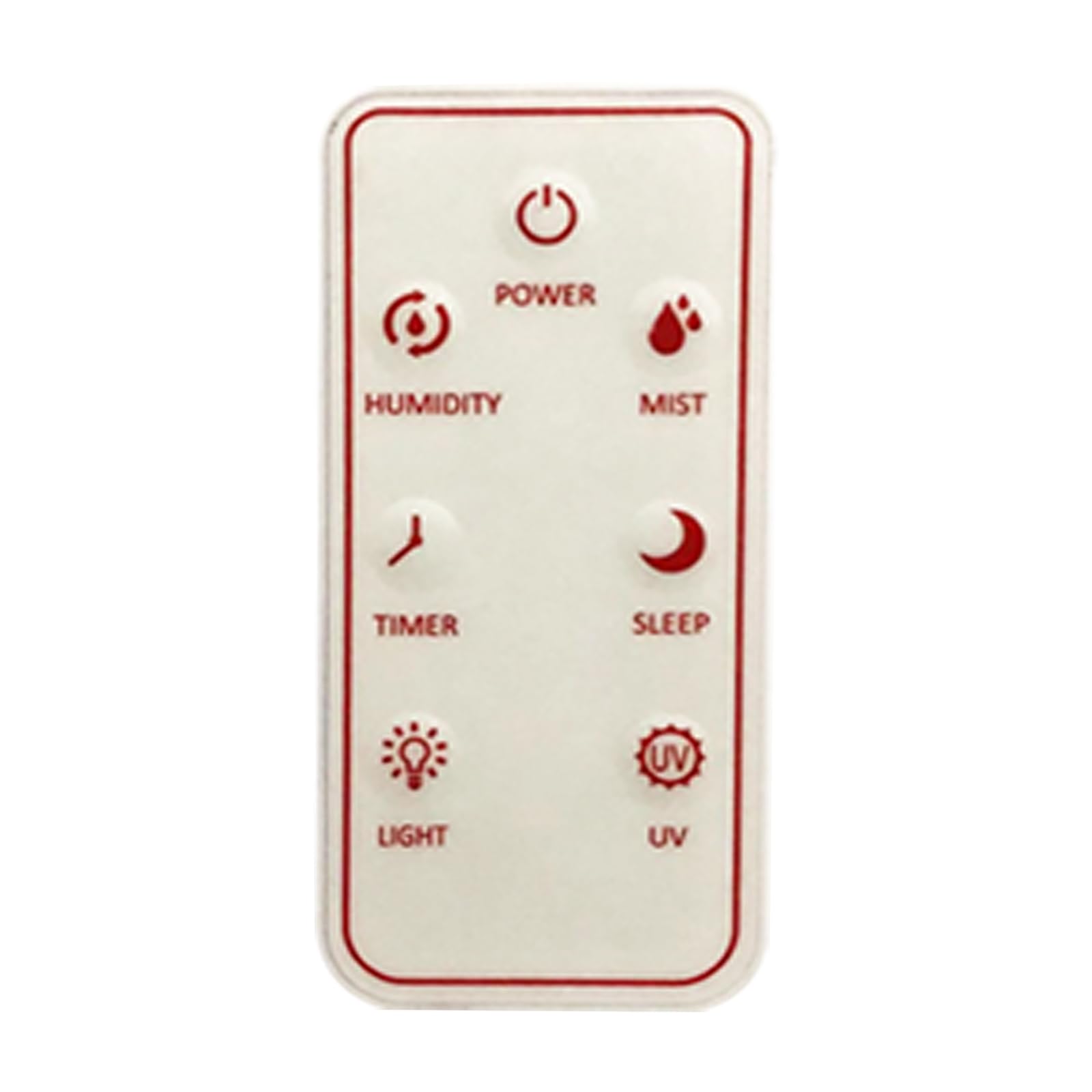
Image: The Tebild H2008 Humidifier Remote Control. This image displays the front view of the white, rectangular remote control, highlighting its various control buttons.
The Tebild H2008 remote control is a compact, white, rectangular device designed for ease of use. It features clearly labeled buttons for controlling various functions of a compatible humidifier.
Setup
1. Battery Installation
- Locate the battery compartment cover on the back of the remote control.
- Slide or gently pry open the cover.
- Insert the required batteries (e.g., AAA, not included) according to the polarity indicators (+ and -) inside the compartment.
- Replace the battery compartment cover until it clicks securely into place.
2. Pairing with Humidifier
The Tebild H2008 remote control is designed to be compatible with specific Tebild humidifier models. Typically, no manual pairing is required as the remote operates on a standard frequency. If your humidifier does not respond, ensure it is powered on and within range. Refer to your humidifier's manual for specific pairing instructions if issues persist.
Operating Instructions
Once batteries are installed and the remote is within range of your compatible humidifier, you can begin operation.
Button Functions
- Power Button: Turns the humidifier ON or OFF.
- Mist Level Button: Adjusts the mist output level (e.g., Low, Medium, High).
- Timer Button: Sets an operating timer for the humidifier (e.g., 2H, 4H, 8H).
- Humidity Setting Button: Allows you to set a desired humidity percentage.
- Light Button: Controls the humidifier's night light or display light.
Note: Specific button labels and functions may vary slightly depending on the humidifier model it controls. Always refer to your humidifier's manual for detailed function descriptions.
Maintenance
Cleaning the Remote Control
- Wipe the surface of the remote control with a soft, dry cloth.
- For stubborn dirt, slightly dampen the cloth with water. Do not use harsh chemicals or abrasive cleaners.
- Ensure no liquid enters the remote control's interior.
Battery Replacement
Replace batteries when the remote's range decreases or if the humidifier no longer responds reliably. Always dispose of used batteries responsibly according to local regulations.
Troubleshooting
| Problem | Possible Cause | Solution |
|---|---|---|
| Remote control not responding. |
|
|
| Reduced remote control range. |
|
|
Specifications
- Model Number: H2008-R
- Brand: Tebild
- Compatible Devices: Humidifier
- Max Number of Supported Devices: 1
- Special Feature: Remote Control
- Color: White
- Product Dimensions: 3 x 1.5 x 3 inches
- Item Weight: 0.352 ounces
- ASIN: B0CPDLNR48
Warranty and Support
Specific warranty information for the Tebild H2008 Humidifier Remote Control is not provided in this manual. For details regarding warranty coverage, technical support, or replacement parts, please refer to the documentation included with your humidifier or contact Tebild customer service directly. Contact information can typically be found on the manufacturer's website or on the product packaging.