
Important Safety Information
Please read all instructions before use and retain for future reference. Failure to follow these instructions may result in electric shock, fire, or injury.
- Burn Hazard: Surfaces become extremely hot during use. Avoid direct contact with skin.
- Electric Shock Risk: Keep away from water. Do not use near bathtubs, sinks, or other water sources.
- Fire Risk: Unplug when not in use. Do not leave unattended when plugged in.
- Keep out of reach of children.
Product Overview
The TYMO Porta PRO Cordless Hair Straightener Brush is designed for convenient, on-the-go hair styling. It features a dual-power mode, intense ionic technology for frizz control and shine, and versatile styling capabilities.

Key Features:
- PRO Dual-Power Mode: Seamlessly switch between cordless and plugging modes for uninterrupted styling.
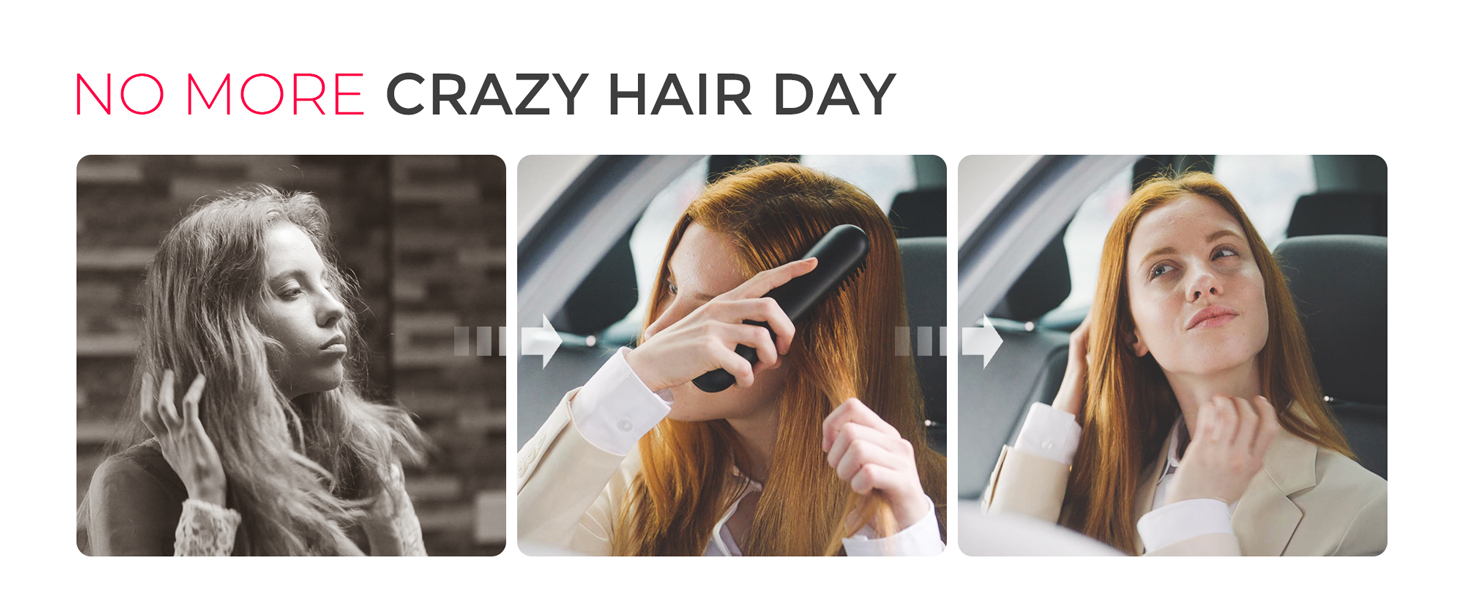
- PRO Versatility Styles: Achieve various looks, from straightening to volumizing roots and flipped ends.
- PRO Durability Lifespan: Engineered with cutting-edge materials to combat battery degradation, ensuring long-term reliability.
- PRO Intense Ionic: Emits 200 million negative ions to reduce moisture loss, enhance shine, and provide a soft, frizz-free finish.
- PRO Portability: Compact and lightweight, ideal for quick touch-ups and styling on the go.
What's in the Box
Upon unboxing your TYMO Porta PRO, you should find the following items:
- TYMO Porta PRO Cordless Hair Straightener Brush
- USB-C Charging Cable
- Carrying Pouch
- Hair Clips (2 pieces)
- Flight Mode Plug

Setup
Charging the Device
Before first use, fully charge your TYMO Porta PRO. The device supports dual-power mode, allowing use while charging or cordless.
- Connect the provided USB-C charging cable to the Type-C charging port on the device.
- Plug the other end into a compatible USB power adapter (use only the TYMO branded charger and USB-C to USB-C cable for optimal performance).
- The battery level indicators (three dots) will illuminate to show charging progress. When fully charged, all three lights will be solid.

Flight Mode Plug
For safe travel, especially on airplanes, insert the Flight Mode Plug into the Type-C charging port. This prevents accidental activation of the device.
- To use the device, ensure the Flight Mode Plug is removed.
- Insert the plug when storing or traveling to disable the device.

Operating Instructions
Power On/Off and Temperature Adjustment
- Press and hold the Power Button to turn the device ON or OFF.
- Once ON, short press the Power Button to cycle through the 3 temperature settings.
Temperature Settings:
| Temperature | Recommended Hair Type |
|---|---|
| 320°F / 160°C | Bleached / Fine Hair |
| 360°F / 180°C | Normal Hair |
| 395°F / 200°C | Thick Hair |

Styling Your Hair
Ensure your hair is dry and detangled before using the brush. For best results, work with small sections of hair.
- For Straightening: Slowly brush through sections of hair from root to tip, maintaining tension.
- For Volumizing: Brush from underneath the hair section, lifting upwards at the roots.
- For Waves/Flipped Ends: Gently twist the brush as you pull through the ends of your hair.
Product Usage Videos
Video: TYMO Cordless Porta Pro Hair Straightener for Travel USB-C
This video demonstrates the compact size and USB-C charging capability of the TYMO Porta PRO, highlighting its convenience for travel and quick styling.
Video: Quick Blow Out Look on-the-go
Watch how to achieve a quick blowout look with the TYMO Porta PRO, perfect for styling on the go and adding volume.
Video: TYMO Cordless Porta Pro heat comb for on the Go
This video provides a comprehensive demonstration of using the TYMO Porta PRO heat comb for various styling needs while on the move.
Maintenance
Cleaning
- Ensure the device is turned OFF and completely cool before cleaning.
- Use a soft, dry cloth to wipe the body of the brush.
- Carefully remove any hair strands caught in the bristles using your fingers or a small brush.
- Do not use abrasive cleaners or immerse the device in water.
Storage
- Store the TYMO Porta PRO in its provided carrying pouch to protect it from dust and damage.
- For travel, always insert the Flight Mode Plug into the charging port to prevent accidental activation.
- Store in a cool, dry place away from direct sunlight and moisture.
Troubleshooting
| Problem | Possible Cause | Solution |
|---|---|---|
| Device not turning on | Low battery; Flight Mode Plug inserted | Charge the device fully; Remove the Flight Mode Plug. |
| Device not heating up | Low battery; Incorrect temperature setting | Ensure device is charged; Select a higher temperature setting appropriate for your hair type. |
| Hair getting caught/pulled | Hair is tangled; Too large a section of hair | Ensure hair is thoroughly detangled before use; Work with smaller sections of hair. |
| Poor straightening/styling results | Hair is not dry; Too fast brushing speed; Incorrect temperature | Use only on dry hair; Brush slowly and evenly; Adjust temperature as needed. |
Specifications
- Model Number: HC122
- Product Dimensions: 7.72 x 1.69 x 1.69 inches
- Item Weight: 8.25 ounces (234 Grams)
- Batteries: 1 Lithium Ion battery required
- Power Source: Battery Powered
- Max Temperature Setting: 200°C (395°F)
- Material Type: Ceramic Tourmaline
- Heater Surface Material: Ceramic
Warranty and Support
For any product inquiries, technical support, or warranty claims, please contact TYMO customer service.
- Email Support: csteam@tymo-tech.com (24-Hour Email Support)
