
Introduction
The ZeaCotio Self Cleaning Litter Box is an advanced automatic litter management system designed for multiple cats, offering convenience and enhanced hygiene. With its large 100L capacity, smart app control, and 8X safety protection, it aims to simplify pet care by automating the cleaning process and effectively managing odors. This manual provides essential information for setting up, operating, and maintaining your new litter box.

Image: The ZeaCotio Self Cleaning Litter Box, showcasing its sleek design and smart app integration.
Safety Information
Please read and understand all safety instructions before operating the device to prevent injury or damage.
- Panel Lock: When there is no operation for 30 seconds, the control panel will automatically lock to prevent accidental touching.
- Precision Weighing Sensor: The bottom of this product is equipped with a precision weighing sensor. Always lift and place the unit gently when moving. Avoid dropping it on the ground to prevent sensor damage.
- Operation Safety: Do not remove the upper cover while the product is running.
- Power Supply: Use only the provided 12V adapter. Replace the power supply only under the guidance of the manufacturer or customer service to prevent damage to the motherboard.
- Initial Calibration: After the first use or adding new cat litter, the machine will automatically perform a correction cycle once plugged in.

Image: The litter box features smart design elements like gravity sensors and infrared detection for enhanced pet safety.
Setup
- Unboxing: Carefully remove all components from the packaging. Ensure all parts are present, including the main unit, waste drawer, legs, exhaust duct, and power adapter.
- Attach Legs: Locate the four legs and firmly attach them to the designated slots on the bottom of the main unit. Ensure they click securely into place.
- Install Waste Drawer: Slide the waste drawer into the bottom compartment of the litter box. Place a fresh garbage bag inside the drawer, ensuring it lines the bin properly.
- Add Cat Litter: Open the top cover of the litter box. Pour your preferred clumping cat litter into the main drum. Ensure the litter level is between the minimum and maximum fill lines.
- Connect Exhaust Duct: Attach the exhaust duct to the designated port on the rear of the unit. This helps with odor control and ventilation.
- Power On: Plug the power adapter into the litter box and then into a wall outlet. The unit will perform an initial calibration cycle.

Image: A cat comfortably entering the spacious litter box, highlighting its user-friendly design.
Operating Instructions
The ZeaCotio Self Cleaning Litter Box offers both manual control via the panel and smart control via a dedicated mobile application.
Control Panel Functions
| Function | Action |
|---|---|
| Unlock Panel | Long Press 3s |
| Reset Network | Long Press 3s |
| Clean Feces | Short Press 1 time |
| Empty All Cat Litter | Long Press 3s |
Smart App Control
Download the dedicated mobile application by scanning the QR code in the instruction manual. The app allows for remote control, monitoring of cat usage, and customization of cleaning cycles. Ensure your device is connected to the same Wi-Fi network as the litter box for initial setup.

Image: The smart app provides convenient control and monitoring features for enhanced pet care.

Image: The app allows for auto-cleaning, manual control, and other smart features, making pet care effortless.
Automatic Cleaning Cycle
The litter box is designed to automatically detect when your cat has used it and initiate a cleaning cycle after a set delay. This ensures a consistently clean environment for your pet.
Odor Control
Equipped with a Smart Ventilation System and an air-filter by air-duct, the litter box effectively neutralizes odors, keeping your home fresh. The exhaust duct can be adjusted for optimal ventilation.

Image: The Smart Ventilation System effectively neutralizes litter box odors, ensuring a fresh environment.

Image: The high wind exhaust duct ensures excellent odor control, keeping the air fresh.
Maintenance
Regular maintenance ensures optimal performance and longevity of your ZeaCotio Self Cleaning Litter Box.
Cleaning the Waste Bin
- Pull out the drawer: Gently pull the waste drawer out from the bottom of the unit.
- Empty the waste bin: Remove the used garbage bag and dispose of its contents.
- Put in a new rubbish bag: Line the waste drawer with a new garbage bag.
- Reinsert drawer: Slide the waste drawer back into the unit until it clicks into place.

Image: The patented design allows for a quick and easy cleanup process by simply pulling out and emptying the waste drawer.

Image: A visual guide to the patented design, illustrating the simple three-step process for waste disposal.
Litter Type Compatibility
This litter box is compatible with all types of clumping litter. Two different sizes of filters are included in the package to accommodate various litter types, ensuring efficient sifting.
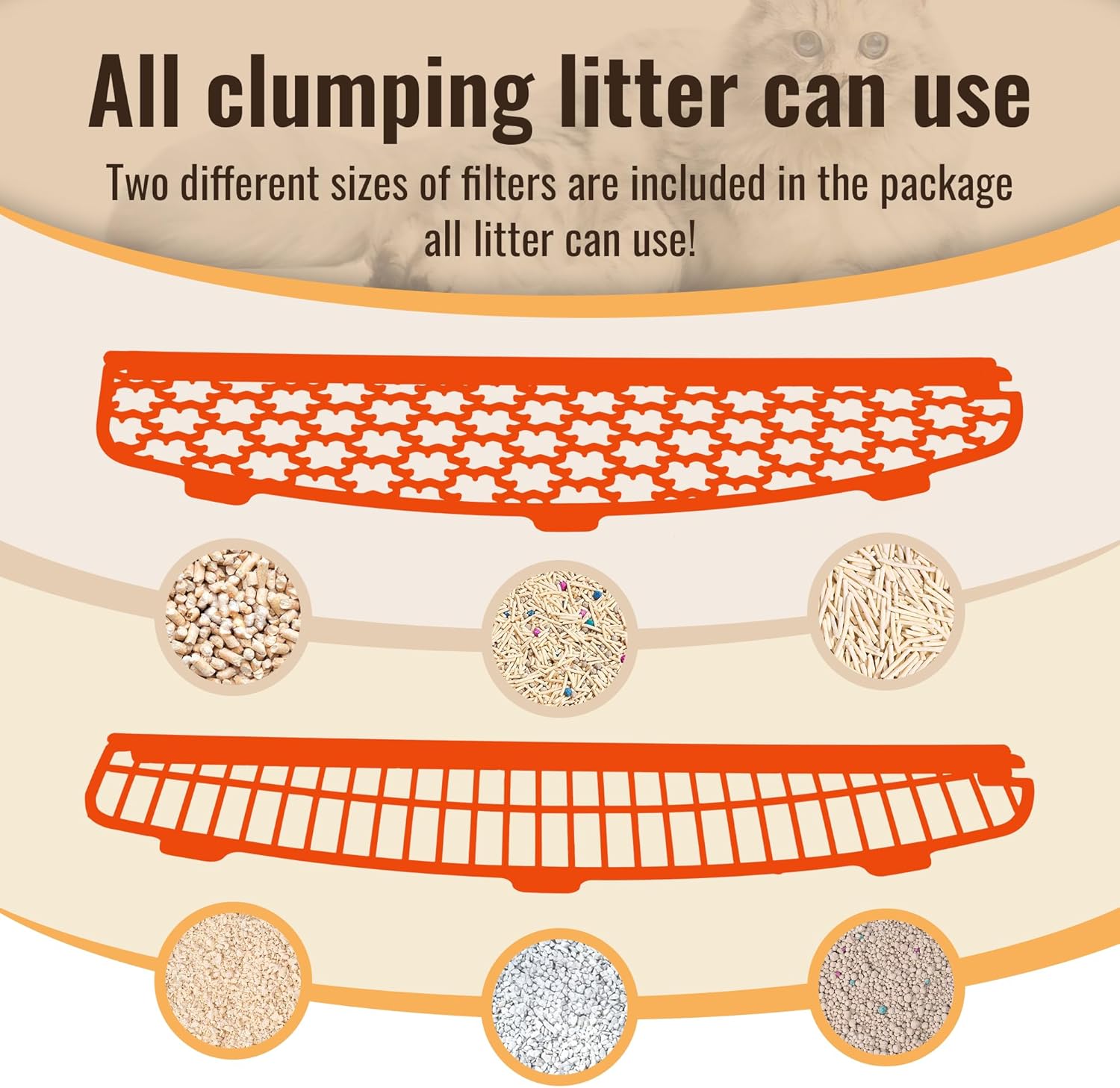
Image: The litter box supports all clumping litter types, with two filter sizes provided for optimal performance.
Troubleshooting
- Device Not Responding: Ensure the power adapter is securely plugged in. Check the control panel for any locked indicators. Long press the unlock button for 3 seconds to unlock the panel.
- App Connectivity Issues: Verify that the litter box and your smartphone are connected to the same Wi-Fi network. If issues persist, long press the reset network button on the control panel to re-establish connection.
- Ineffective Cleaning: Ensure the litter level is appropriate (between min/max lines). Check if the waste drawer is properly inserted. If clumping is poor, consider trying a different brand of clumping litter.
- Odor Persistence: Ensure the exhaust duct is properly installed and not obstructed. Check if the air filter needs replacement.
- Unusual Noises: If the unit makes unusual noises, ensure no foreign objects are inside the drum. Power off the unit, inspect, and restart.
Specifications
- Brand: ZeaCotio
- Model Number: ZS-01
- Item Weight: 36.8 pounds
- Product Dimensions: 20.86 x 20.86 x 26.37 inches
- Litter Box Type: Automated Self-Cleaning Litter Box
- Weight Limit: 22 Pounds
- Capacity: 100L (implied from title)
- Control: Smart App Control, Manual Panel
- Safety Features: 8X Safety Protection (implied from title), Gravity Sensor, Infrared Detection
- Odor Control: Smart Ventilation System, Air-duct filter
- Litter Compatibility: All clumping litter types (with included filters)
Warranty and Support
For warranty information and customer support, please refer to the documentation included with your product or contact ZeaCotio directly through their official website or customer service channels. Keep your purchase receipt for warranty claims.