Product Overview
This quick release clamp, designed for the DJI Ronin RS3 series and compatible gimbals, is crafted from durable aluminum alloy. It offers versatile mounting options and a quick disassembly mechanism, enhancing your photography and videography setup.

Figure 1: Front view of the quick release clamp, showcasing its compact design and red locking lever.
Setup and Installation
The clamp is designed for easy and secure attachment to your gimbal and accessories. Follow these steps for proper installation:
- Identify Mounting Points: The clamp features a 1/4-inch threaded hole, a cold shoe mount, and a 3/8-inch Arri positioning hole. These allow for a wide range of accessory attachments.
- Attach to Gimbal: Secure the clamp to your DJI Ronin RS3, RS3 Pro, RS2, or RSC2 gimbal using the appropriate mounting point. Ensure it is firmly tightened to prevent movement during operation.
- Accessory Attachment: Utilize the available mounting points to attach accessories such as monitors, microphones, wireless image transmission devices, or other camera equipment.
- Quick Disassembly Mechanism: The clamp incorporates two side sliding bars and an adjustable knob for quick release and assembly. To secure an accessory, slide it into place and tighten the red knob until it is firm.
- Anti-Falling Device: An anti-falling device is integrated to prevent accidental detachment of equipment. Always ensure this mechanism is engaged when the clamp is in use.

Figure 2: Detailed view of the clamp's versatile mounting options, including threaded holes and a cold shoe.
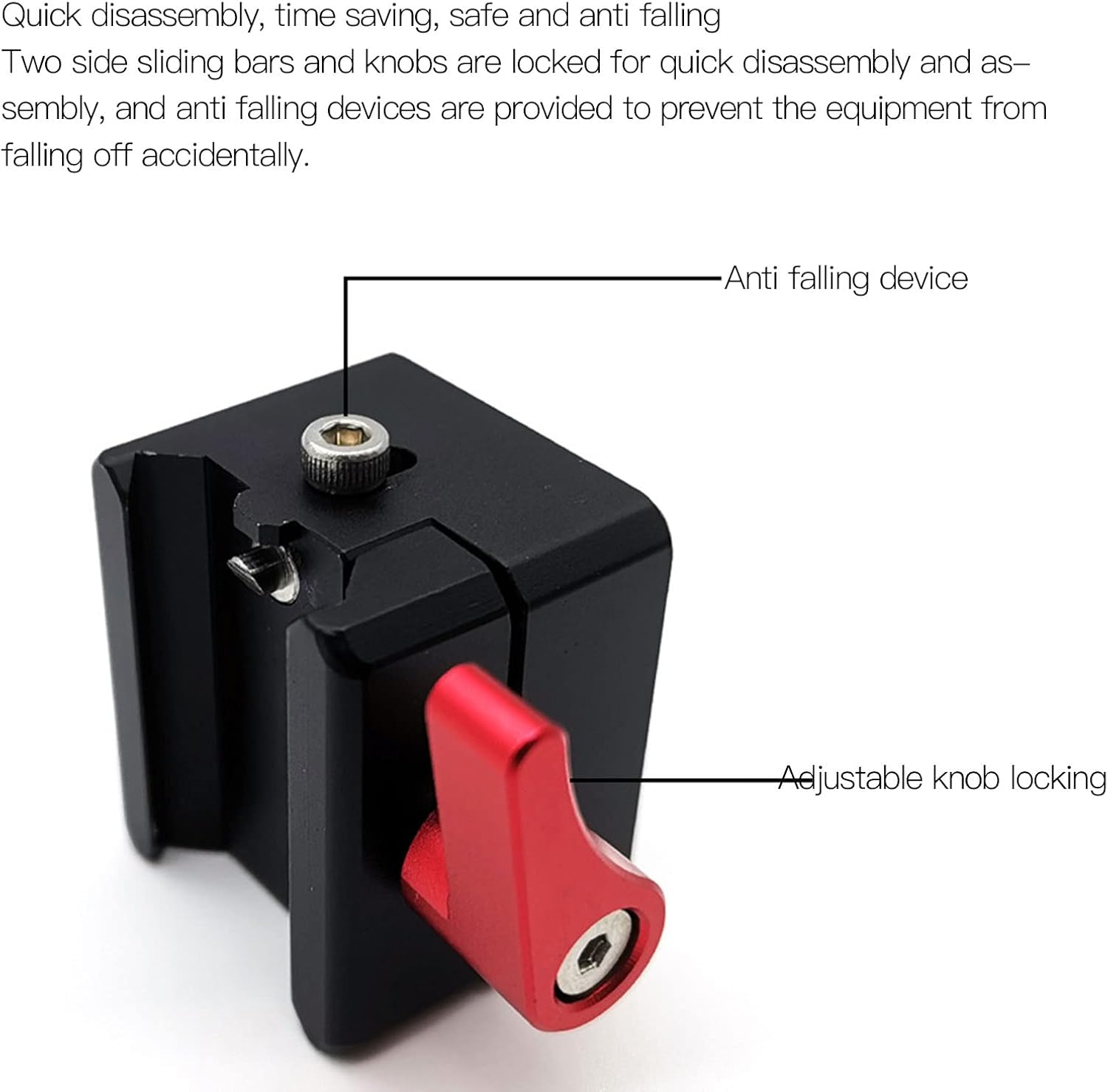
Figure 3: Illustration of the adjustable knob for locking and the integrated anti-falling device for enhanced security.
Operating Instructions
Once installed, the quick release clamp allows for efficient and flexible operation of your camera setup.
- Secure Attachment: Always ensure that all attached equipment is securely fastened using the clamp's locking mechanism. The adjustable knob should be tightened sufficiently to prevent any wobble or accidental release.
- Quick Swaps: To quickly change accessories, loosen the adjustable knob, slide the current accessory out, and slide the new one in. Re-tighten the knob immediately after the swap.
- Versatile Use: The multiple mounting points allow for various configurations. Experiment with different accessory placements to optimize your shooting setup for specific scenes.

Figure 4: Side profile of the clamp, illustrating its robust construction.
Maintenance
To ensure the longevity and optimal performance of your aluminum alloy quick release clamp, follow these maintenance guidelines:
- Cleaning: Wipe the clamp regularly with a soft, dry cloth to remove dust and debris. For stubborn dirt, a slightly damp cloth can be used, followed by immediate drying. Avoid abrasive cleaners or solvents.
- Inspection: Periodically inspect the clamp for any signs of wear, damage, or loose components. Pay close attention to the locking mechanism, sliding bars, and threaded holes.
- Storage: Store the clamp in a clean, dry environment when not in use. Protect it from extreme temperatures and humidity.
- Lubrication: The aluminum alloy construction is designed for durability. Avoid applying lubricants to the sliding or locking mechanisms unless specifically recommended by the manufacturer, as this could attract dust or interfere with the anti-falling device.

Figure 5: Top view of the clamp, showing the precision-machined grooves for smooth operation.
Troubleshooting
If you encounter any issues with your quick release clamp, consider the following common solutions:
- Clamp Not Holding Securely:
- Ensure the adjustable knob is fully tightened.
- Check for any debris or obstructions in the sliding mechanism or threaded holes that might prevent a secure fit.
- Verify that the accessory being mounted is compatible with the clamp's dimensions and weight capacity.
- Difficulty with Disassembly/Assembly:
- Ensure the adjustable knob is sufficiently loosened.
- Check for any foreign objects or damage to the sliding bars.
- Unusual Noises or Movement:
- Re-check all connections and ensure they are tight.
- Inspect the clamp for any visible damage or deformation.
If the issue persists after attempting these steps, please contact customer support for further assistance.
Specifications
| Feature | Detail |
|---|---|
| Product Type | Quick Release Clamp |
| Material | Aluminum Alloy |
| Color | As shown in pictures (typically black with red lever) |
| Weight | Approx. 56g / 2.0 ounces |
| Mounting Options | 1/4-inch threaded hole, 3/8-inch Arri positioning hole, Cold Shoe Mount |
| Compatibility | DJI Ronin RS3, RS3 Pro, RS2, RSC2 |
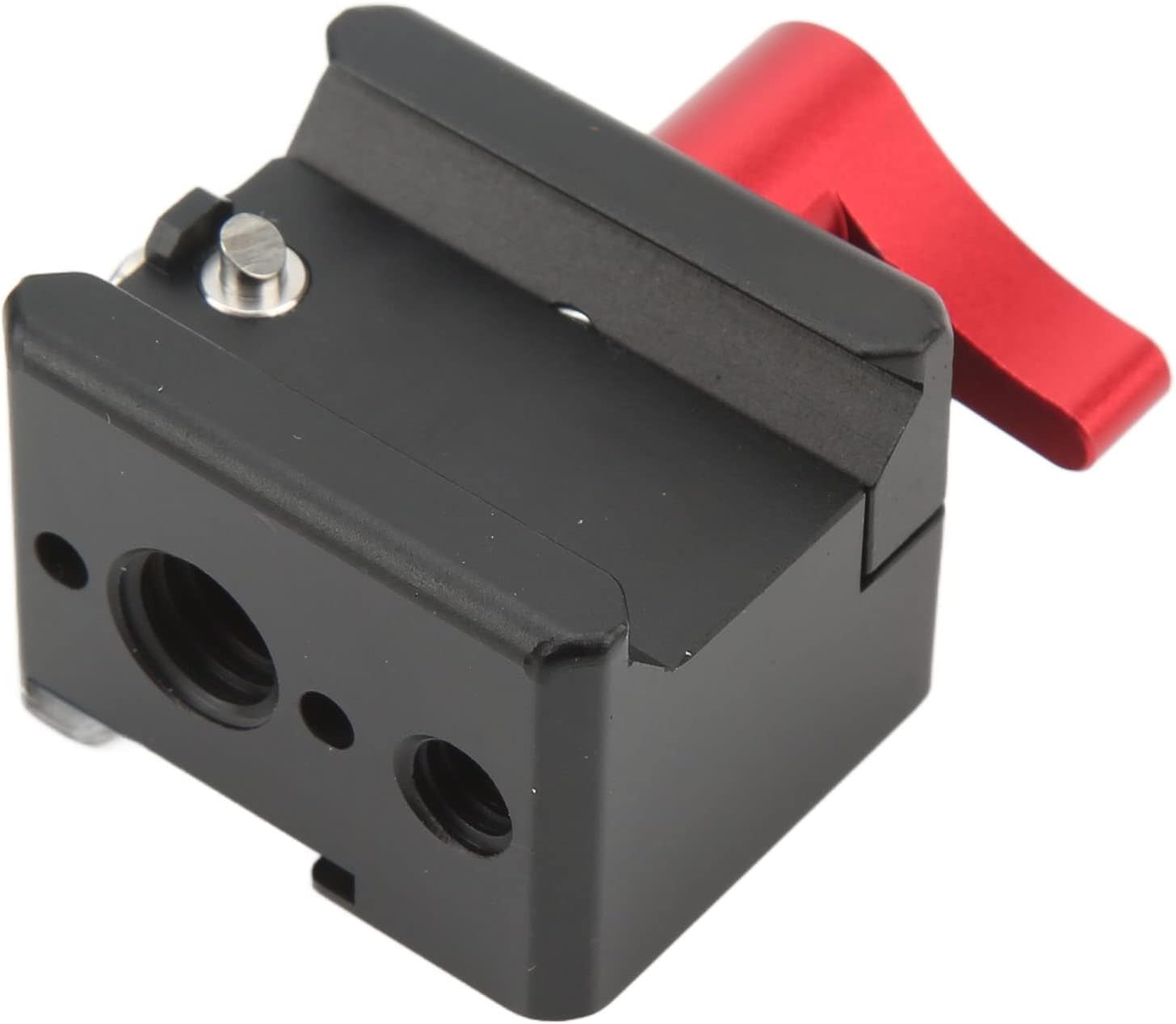
Figure 6: Bottom view of the clamp, revealing additional mounting points and structural details.
Package Contents
The package includes the following items:
- 1 x Quick Release Clamp
Warranty and Support
Information regarding product warranty and customer support was not provided in the product details. Please refer to the seller's or manufacturer's website for specific warranty terms and contact information for support inquiries.