
Introduction
Thank you for purchasing the MUSE M-19 GL Alarm Clock Radio. This manual provides essential information for the safe and efficient operation of your device. Please read it thoroughly before use and retain it for future reference.
Safety Instructions
- Do not expose the unit to rain or moisture to prevent fire or electric shock.
- Ensure proper ventilation; do not block any ventilation openings.
- Place the unit on a stable, flat surface.
- Avoid placing the unit near heat sources such as radiators, heat registers, stoves, or other apparatus (including amplifiers) that produce heat.
- Only use attachments/accessories specified by the manufacturer.
- Unplug this apparatus during lightning storms or when unused for long periods.
- Refer all servicing to qualified service personnel.
- Dispose of batteries responsibly. Do not expose batteries to excessive heat.
Package Contents
- MUSE M-19 GL Alarm Clock Radio
- AC Power Adapter
- User Manual
Product Overview
The MUSE M-19 GL is a compact alarm clock radio featuring a clear 1.8-inch LCD display. It includes an FM tuner and multiple alarm functions, designed for bedside use.
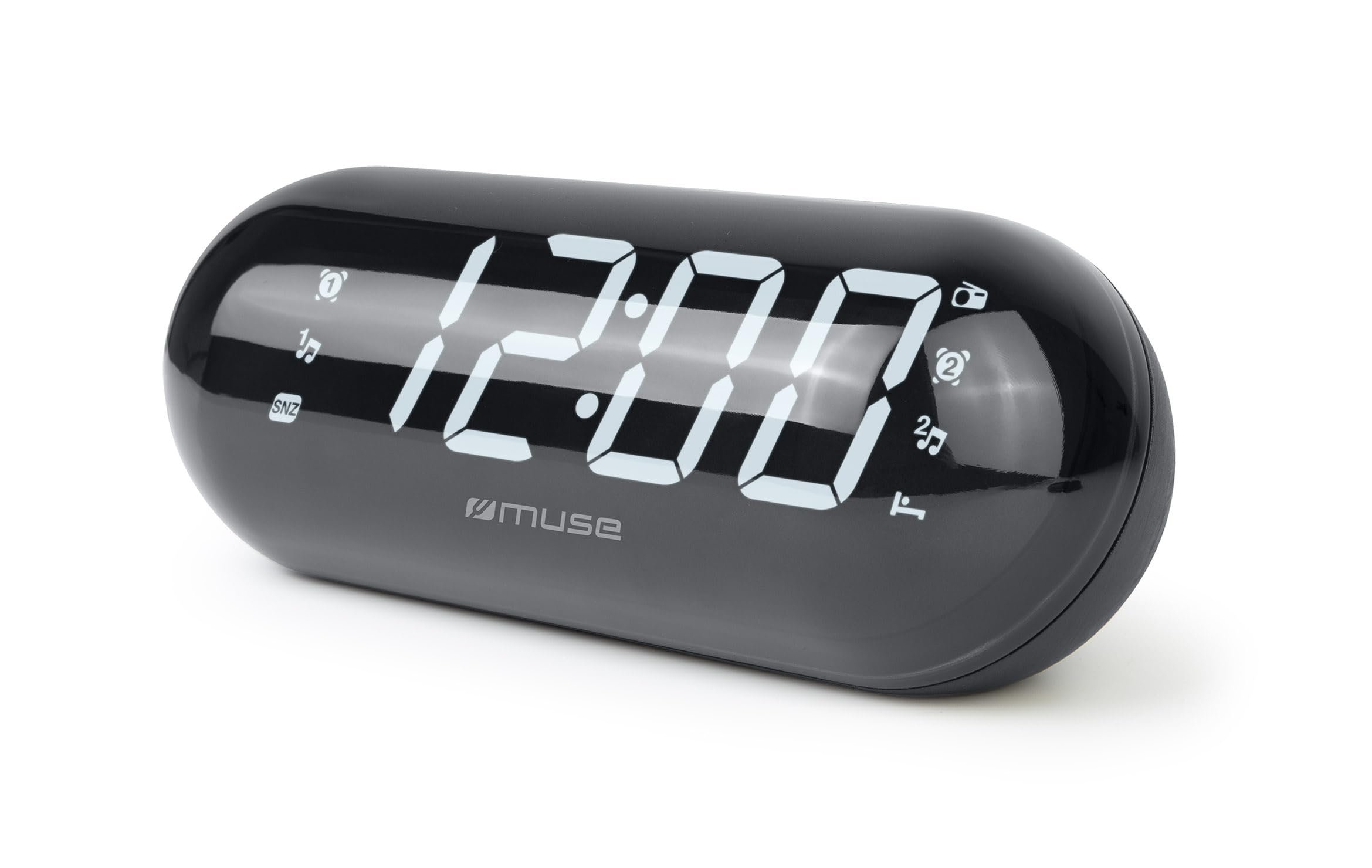
Image: The MUSE M-19 GL Alarm Clock Radio with its digital display showing '12:00', positioned on a wooden bedside table next to a bed.
Familiarize yourself with the buttons and display indicators for optimal use. Specific button functions will be detailed in the 'Operating' section.
Setup
1. Powering the Device
- AC Power: Connect the provided AC power adapter to the DC IN jack on the back of the unit, then plug the adapter into a standard wall outlet. The display will light up.
- Battery Backup: For time and alarm settings retention during a power outage, insert 2 x AAA batteries (not included) into the battery compartment on the bottom of the unit. Ensure correct polarity (+/-).
2. Setting the Time
- Press and hold the TIME SET button (location may vary, refer to device diagram if available) until the hour digits flash.
- Use the HOUR and MINUTE buttons to adjust the time.
- Press TIME SET again to confirm and exit time setting mode.
Operating
1. Radio Operation (FM Tuner)
- Turn On/Off: Press the RADIO ON/OFF button to turn the radio on or off.
- Tune Frequency: Use the TUNE + or TUNE - buttons to manually adjust the FM frequency. Press and hold for automatic scanning to the next available station.
- Set Presets: To save a station, tune to the desired frequency, then press and hold the PRESET button until the preset number flashes. Use TUNE + or TUNE - to select a preset number (1-20), then press PRESET again to confirm.
- Recall Presets: Briefly press the PRESET button to cycle through saved stations.
2. Alarm Functions
The M-19 GL features dual alarms (Alarm 1 and Alarm 2).
- Setting an Alarm:
- Press and hold the ALARM 1 or ALARM 2 button until the hour digits flash.
- Use the HOUR and MINUTE buttons to set the desired alarm time.
- Press the ALARM 1 or ALARM 2 button again to select the alarm source (Buzzer or Radio). An indicator will appear on the display.
- Press the ALARM 1 or ALARM 2 button one more time to confirm and activate the alarm.
- Snooze Function: When the alarm sounds, press the SNOOZE button to temporarily silence it for approximately 9 minutes.
- Stop Alarm: To turn off the alarm for the day, press the ALARM ON/OFF button. The alarm icon will disappear from the display.
- Disable Alarm Permanently: Press the ALARM ON/OFF button repeatedly until the alarm icon for the respective alarm (1 or 2) is no longer displayed.
Maintenance
Cleaning
Wipe the unit with a soft, dry cloth. Do not use abrasive cleaners or solvents, as they may damage the finish.
Battery Replacement
If the time display is blank or incorrect after a power outage, the backup batteries may need replacement. Open the battery compartment on the bottom of the unit, remove the old AAA batteries, and insert new ones, observing correct polarity.
Troubleshooting
| Problem | Possible Cause | Solution |
|---|---|---|
| No power/Display off | AC adapter not connected or power outage. | Ensure AC adapter is securely plugged in. Check power outlet. Replace backup batteries if needed. |
| Radio reception is poor | Weak signal or antenna not extended. | Extend the FM wire antenna fully. Reposition the unit for better reception. |
| Alarm does not sound | Alarm not set or volume too low. | Verify alarm time and activation (alarm icon on display). Increase radio volume if alarm source is radio. |
| Time is incorrect | Time not set or backup batteries are depleted. | Reset the time. Replace backup batteries. |
Specifications
- Model: M19GL
- Display: 1.8-inch LCD, Digital
- Radio Tuner: FM with 20 Presets
- Power Source: AC (main), 2 x AAA batteries (backup, not included)
- Dimensions (L x W x H): 15 x 3.81 x 10 cm (5.9 x 1.5 x 3.9 inches)
- Weight: 300 grams (0.66 lbs)
- Material: Plastic (structure), LCD (display)
- Color: Black
- Special Features: Alarm, Snooze, Integrated Speaker
Warranty and Support
This MUSE M-19 GL Alarm Clock Radio comes with a two-year warranty against manufacturing defects from the date of purchase. Please retain your proof of purchase for warranty claims.
For technical support or warranty inquiries, please refer to the contact information provided with your purchase documentation or visit the official Muse website.


