1. Introduction
This manual provides detailed instructions for the safe and effective use of your Viproud No-Touch and Ear Thermometer. Designed for both adults and children, this dual-mode thermometer offers fast, accurate, and hygienic temperature measurements. Please read this manual thoroughly before first use and keep it for future reference.
2. Key Features
- Fast & Accurate Measurement: Utilizes advanced infrared technology for instant, one-second readings in both no-touch forehead and ear modes. Suitable for all ages, including infants and the elderly.
- Color-Coded Temperature Guidance: Features color-coded buttons and soft beeps (one or three) to visually and audibly indicate temperature levels (normal, elevated, fever).
- Intelligent Age Precision (Ear Mode): Provides accurate results based on three different age groups for enhanced reliability.
- Safe & Hygienic: Non-contact forehead mode prevents cross-contamination. Ear mode includes a hygiene cap ejector and 21 disposable hygiene caps for each use.
- Convenient & User-Friendly: Equipped with an easy-to-read color-coded display, 30 memory recalls, mute mode, and switchable °F/°C units. Includes a storage pouch for portability.
3. Product Overview

Image: The Viproud dual-mode thermometer, showing its sleek design and digital display.

Image: Diagram highlighting key features of the no-touch mode: 1-second result, forehead/object mode, mute/unmute, and 35 memory recall.

Image: Visual representation of the thermometer's color-coded breathing lights: Green for normal (89.6°F-99.2°F), Orange for elevated (99.3°F-100.3°F), and Red for fever (100.4°F-109.2°F).
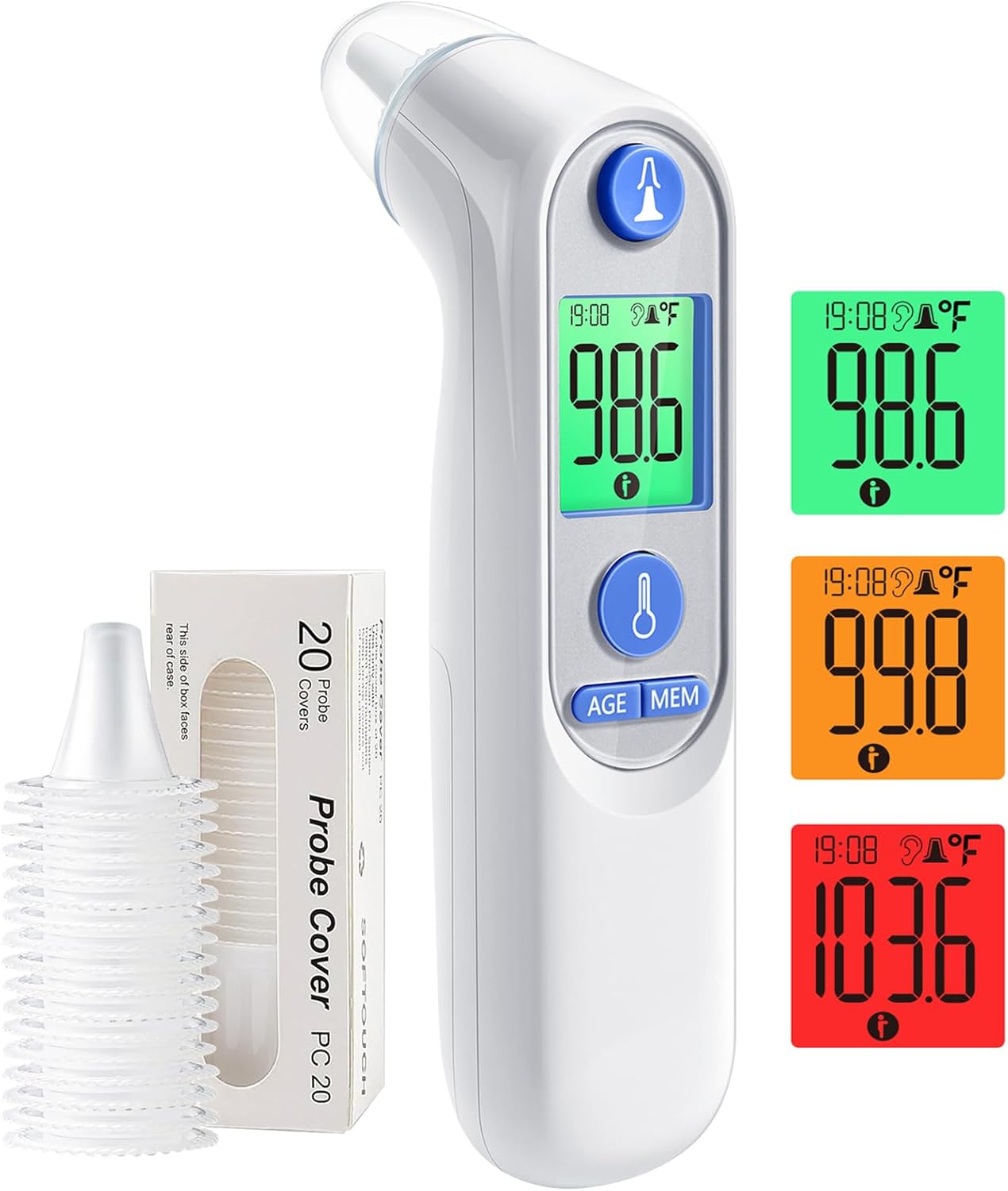
Image: The ear thermometer component shown alongside a box of 20 disposable probe covers, emphasizing hygiene.
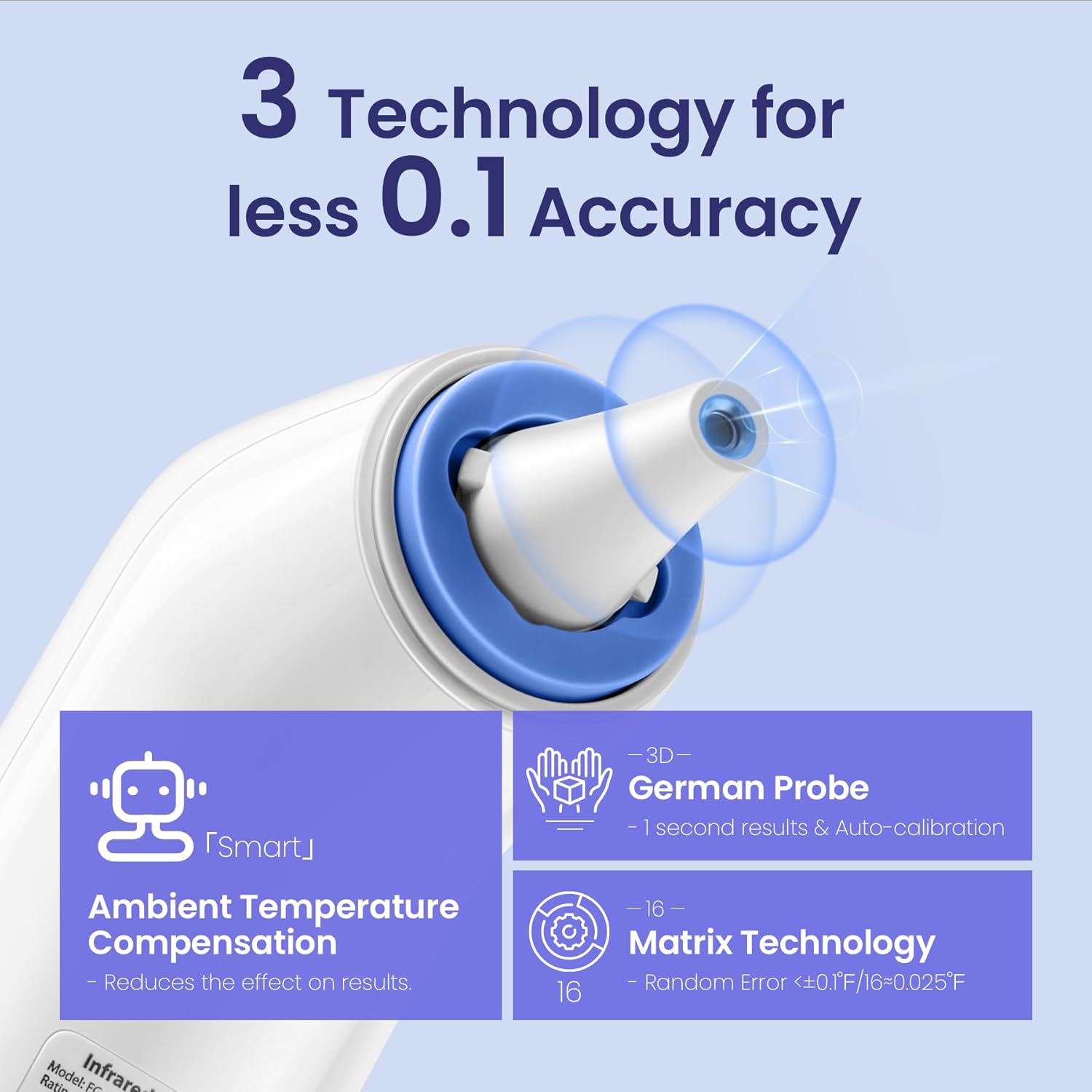
Image: Illustration detailing the three technologies contributing to accuracy: Ambient Temperature Compensation, 3D German Probe for 1-second results and auto-calibration, and Matrix Technology for minimal error.

Image: The ear thermometer display showing age-specific temperature ranges with corresponding color codes: Neonate (0-3 months), Baby (3-36 months), and Adult (36+ months).
4. Setup
4.1 Battery Installation
The Viproud thermometer is battery-powered. To install or replace batteries, locate the battery compartment cover, typically on the handle. Insert the required batteries (usually AAA, refer to the compartment for specifics) ensuring correct polarity. Close the cover securely.
4.2 Initial Power On and Unit Selection
Press the power button to turn on the thermometer. The device will perform a self-check. To switch between Fahrenheit (°F) and Celsius (°C), refer to the specific button or menu option on your device, usually a small button near the display or a long press of the main button. The selected unit will be displayed on the screen.
5. Operating Instructions
5.1 No-Touch Forehead Mode
- Ensure the thermometer is in forehead mode (indicated by an icon on the display).
- Hold the thermometer approximately 0.3 to 1.2 inches (1-3 cm) from the center of the forehead.
- Press the measurement button. The reading will appear on the display within one second.
- Observe the color-coded light and listen for beeps: Green for normal, Orange for elevated, Red for fever (accompanied by three soft beeps).
5.2 Ear Mode
- Attach a new, disposable hygiene cap to the ear probe.
- Gently insert the probe into the ear canal. For children under 1 year, gently pull the ear straight back. For children over 1 year and adults, gently pull the ear up and back.
- Press the measurement button. The reading will appear on the display within one second.
- The thermometer may offer age-specific guidance. Select the appropriate age group if prompted for more precise results.
- After measurement, use the hygiene cap ejector to remove and dispose of the used cap.
5.3 Mute Mode
To take measurements silently, activate the mute mode. This is particularly useful for measuring temperature while a child is sleeping. Refer to your device's specific instructions for activating and deactivating mute mode, usually a dedicated button or a long press combination.
5.4 Memory Recall
The thermometer stores up to 30 previous temperature readings. To access these, press the memory button (often labeled 'MEM'). Repeated presses will cycle through the stored readings, allowing you to track temperature changes over time.
6. Maintenance
6.1 Cleaning
Regular cleaning ensures accurate readings and extends the life of your thermometer. Wipe the thermometer body with a soft, damp cloth. For the probe, especially in ear mode, ensure a new hygiene cap is used for each measurement. If the probe becomes soiled, gently wipe it with an alcohol swab and allow it to air dry completely before storage or next use.
6.2 Storage
Store the thermometer in its provided storage pouch in a cool, dry place, away from direct sunlight and extreme temperatures. Keep it out of reach of children.
7. Troubleshooting
- Inaccurate Readings: Ensure the thermometer is held at the correct distance (0.3-1.2 inches for forehead mode) and the ear probe is inserted correctly with a fresh cap for ear mode. Avoid taking measurements immediately after strenuous activity or bathing.
- Display Errors: If an error message appears, try turning the device off and on again. If the issue persists, check the batteries.
- No Power: Check battery installation and replace batteries if necessary.
- No Beep in Mute Mode: This is normal. If you expect a beep, ensure mute mode is deactivated.
If you encounter persistent issues not covered here, please contact Viproud customer support.
8. Specifications
| Specification | Detail |
|---|---|
| Item Model Number | 1cd73a2d-e6af-4eda-b387-31016de948fe |
| Brand | Viproud |
| Age Range (Description) | Kid (suitable for all ages) |
| Outer Material | Plastic |
| Specification Met | ANSI, ASME, ASTM, CCC, CE, CSA, EMC, ETL, FCC, FDA, FE, HACCP, ISO 13485, ISO 9000, ISO 9001, NIST, NSF, RoHS, UL, WEEE |
| Display Type | Digital |
| Product Care Instructions | Wipe Clean |
| Power Source | Battery Powered |
| Model Name | Viproud Dual Thermometer |
| Upper Temperature Rating | 891 Degrees Fahrenheit (Note: This appears to be an error in the source data, typical human body temperature range is much lower.) |
| Response Time | 1 seconds |
9. Warranty and Support
For warranty information, product support, or to purchase additional hygiene caps, please refer to the packaging or visit the official Viproud website. Keep your purchase receipt as proof of purchase for any warranty claims.


