Introduction
This manual provides essential information for the installation, maintenance, and troubleshooting of your Qwick Brushroll Replacement Microfiber Soft Sweeper Roller Brush. This brushroll is designed as a washable and reusable alternative for specific Shark Vertex DuoClean PowerFin and Shark Apex Upright Vacuum Cleaner models.
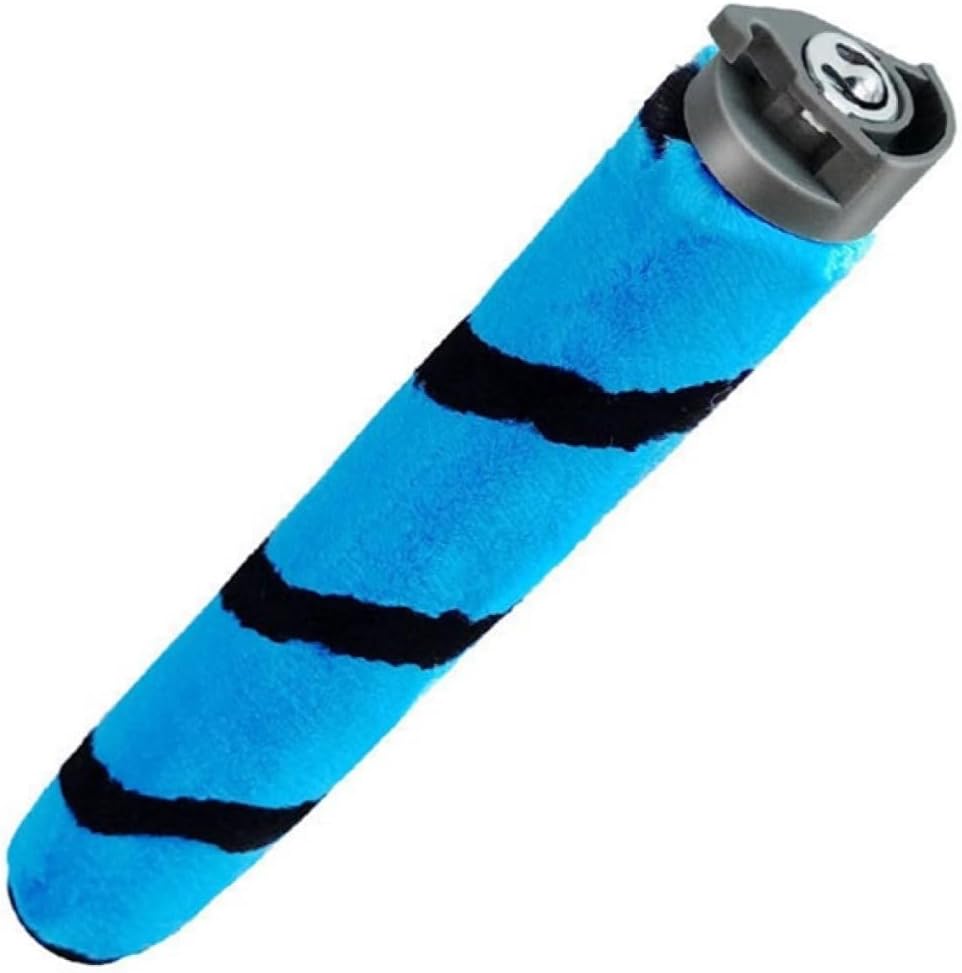
Image: The Qwick Replacement Microfiber Soft Sweeper Roller Brush, featuring its distinctive blue microfiber and black stripes.
Compatibility
This replacement brushroll is compatible with the following Shark vacuum cleaner models:
- Shark Vertex DuoClean PowerFin Upright Vacuum with Powered Lift-Away: AZ2000, AZ2002, AZ2000W, AZ201KT5, AZ201UPG5, AZ21KT501, AZ21KT502, AZ21KT503, AZ21UPG501, AZ21UPG502, AZUPG503
- Shark Apex Upright Vacuum with DuoClean PowerFins Powered Lift-Away: AZ1500, AZ1501, AZ1802, AZ1810
- Shark Rotator Lift-Away ADV DuoClean PowerFins Upright Vacuum: LA455, LA502, LA502NP, LA500WM, UV850
This product serves as an alternative spare part replacement for original part numbers 1483FC2000 / #1483FC2000.
Setup and Installation
Replacing your vacuum's brushroll is a straightforward process. Ensure the vacuum cleaner is unplugged from the power outlet before proceeding with any installation or maintenance.
- Prepare the Vacuum: Lay your Shark vacuum cleaner down on a flat surface, exposing the brushroll housing.
- Remove Old Brushroll: Locate the existing brushroll. Depending on your specific Shark model, there may be latches or screws securing it. Carefully unlatch or unscrew to release the old brushroll.
- Clean Housing (Optional but Recommended): While the brushroll is removed, take the opportunity to clean any accumulated debris, hair, or dust from the brushroll housing area.
- Install New Brushroll: Align the new Qwick brushroll with the designated slots in the vacuum's head. Gently snap or slide it into place until it is securely seated. Ensure the ends are properly engaged with the vacuum's drive mechanism.
- Secure Brushroll: Re-secure any latches or screws that were removed in step 2.
- Test: Once installed, plug in the vacuum and briefly turn it on to ensure the new brushroll spins freely and correctly.

Image: Visual guide demonstrating the easy installation process of the Qwick brushroll into compatible Shark vacuum models, highlighting the simple removal of the old brush and insertion of the new one.
Operating Considerations
Once installed, the Qwick brushroll operates as an integral part of your vacuum cleaner's cleaning system. No special operation is required beyond the normal use of your vacuum. The microfiber soft sweeper design is intended for effective debris pickup on various floor types.
Maintenance
Regular maintenance of your brushroll ensures optimal performance and extends its lifespan.
- Cleaning: The Qwick brushroll is washable. Periodically remove the brushroll from the vacuum and clean any tangled hair, threads, or debris. You can rinse it under lukewarm water. Ensure it is completely dry before re-installing it into the vacuum to prevent damage or mold growth.
- Inspection: Regularly inspect the brushroll for signs of wear, damage, or excessive accumulation of debris that cannot be easily removed. Check the ends of the brushroll for any blockages or damage to the bearings.
- Replacement Schedule: It is suggested to replace your brushroll every 6-12 months, depending on usage frequency and household conditions (e.g., presence of pets, long hair). Timely replacement helps maintain cleaning efficiency.
Troubleshooting
If you encounter issues with your Qwick brushroll, consider the following common solutions:
| Problem | Possible Cause | Solution |
|---|---|---|
| Brushroll not spinning |
|
|
| Reduced cleaning performance |
|
|
| Unusual noise from brushroll area |
|
|
Specifications
- Product Type: Replacement Microfiber Soft Sweeper Roller Brush
- Brand: Qwick
- Model Number: SharkAZ2002 (compatible with various Shark Vertex, Apex, and Rotator models)
- Dimensions: Approximately 10.4 inches (264mm) in length, 1.2 inches (33mm) in width (at end cap), and 1.02 inches (26mm) in brush diameter.
- Item Weight: Approximately 8.1 ounces
- Material: Microfiber
- Alternative to OEM Part: 1483FC2000 / #1483FC2000

Image: Diagram illustrating the precise measurements of the Qwick brushroll, including its total length (264mm/10.4in), end cap width (33mm/1.3in), and brush diameter (26mm/1.02in).
Warranty and Support
For any questions regarding the Qwick Brushroll Replacement, including installation, compatibility, or performance issues not covered in this manual, please contact the manufacturer or seller directly through your purchase platform. Keep your purchase receipt for reference.

