
1. Introduction
This manual provides comprehensive instructions for the Azwok DG11R2-01 replacement remote control. This remote is designed to function as a direct replacement for the original Hisense DG11R2-01 remote, offering all primary functions without the need for programming. It is compatible with Hisense air conditioner models HSA71C and HSA71R.
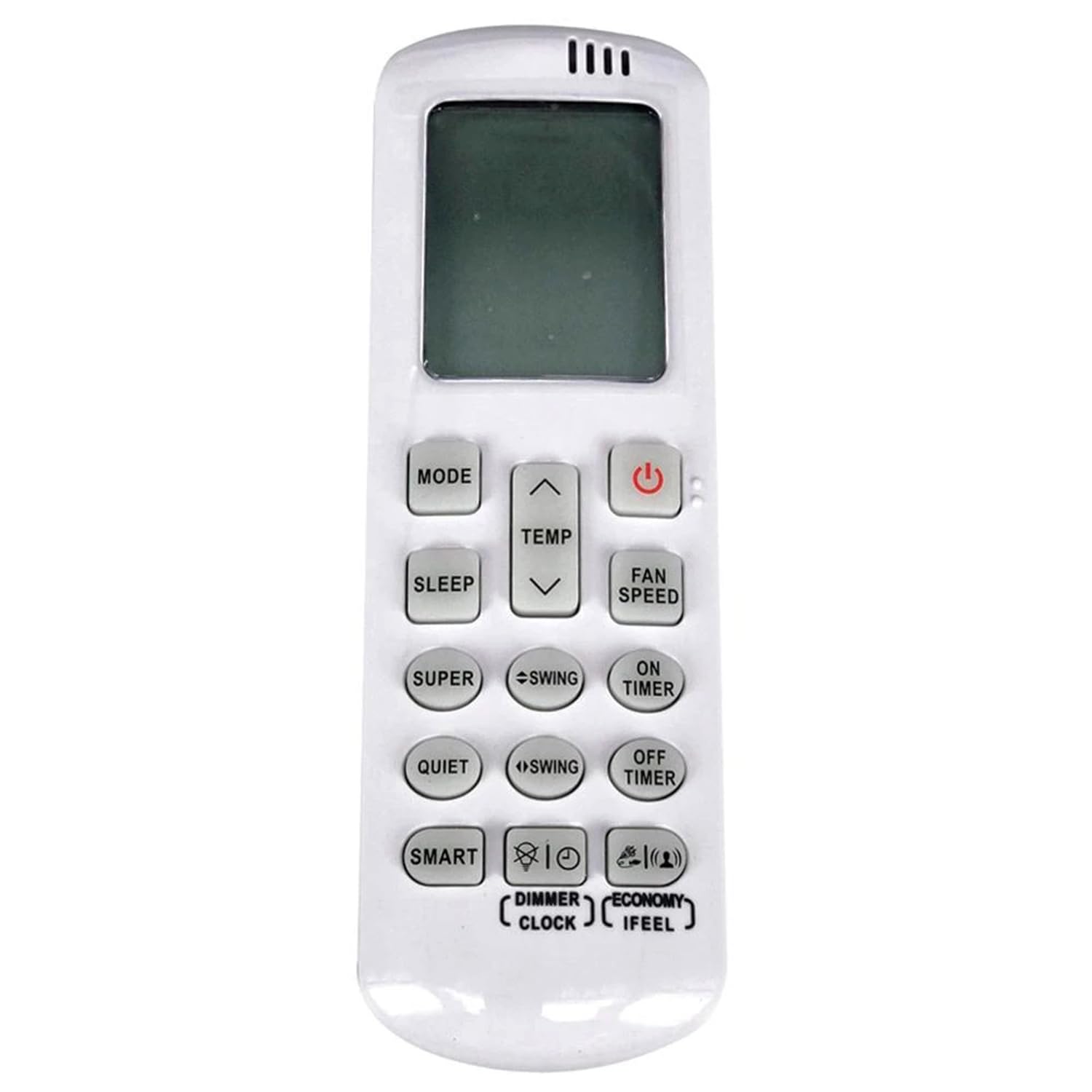
Image 1: Angled view of the Azwok DG11R2-01 Replacement Remote Control.
2. Setup: Battery Installation
The Azwok DG11R2-01 remote control requires two AAA batteries (not included) for operation. No programming or pairing is necessary; simply insert the batteries, and the remote will be ready to use.
- Locate the battery compartment on the back of the remote control.
- Slide the battery compartment cover downwards to open it.
- Insert two new AAA batteries, ensuring the positive (+) and negative (-) terminals align correctly with the markings inside the compartment.
- Slide the battery compartment cover back into place until it clicks securely.

Image 2: Back view of the remote control, illustrating the battery compartment and battery polarity markings.
3. Operating Instructions
Point the remote control directly at the air conditioner unit's receiver. Ensure there are no obstructions between the remote and the unit. The maximum effective range is approximately 10 meters.

Image 3: Front view of the remote control, displaying all function buttons.
Button Functions:
- Power Button (Red): Turns the air conditioner unit ON or OFF.
- MODE: Cycles through operating modes (e.g., Cool, Heat, Fan, Dry, Auto).
- TEMP ▲/▼: Adjusts the desired temperature setting.
- FAN SPEED: Changes the fan speed (e.g., Low, Medium, High, Auto).
- SLEEP: Activates or deactivates the sleep mode for comfortable night operation.
- SUPER: Engages the super or turbo mode for rapid cooling or heating.
- QUIET: Activates a quiet operation mode, reducing fan noise.
- SMART: Initiates an intelligent operating mode that automatically adjusts settings.
- SWING (two buttons): Controls the horizontal and vertical louver swing for air distribution.
- ON TIMER: Sets a timer for the air conditioner to turn ON automatically.
- OFF TIMER: Sets a timer for the air conditioner to turn OFF automatically.
- DIMMER: Adjusts the brightness of the air conditioner unit's display.
- CLOCK: Used to set the current time on the remote's display.
- ECONOMY: Activates an energy-saving operating mode.
- IFEEL: Activates the iFeel function, which measures the temperature at the remote's location for more precise comfort control.
4. Maintenance
Cleaning:
To clean the remote control, gently wipe it with a soft, dry cloth. Do not use liquid cleaners, abrasive materials, or chemical solvents, as these can damage the remote's surface or internal components.
Battery Replacement:
Replace batteries when the remote's display becomes dim, or the remote becomes unresponsive. Always replace both AAA batteries simultaneously with new ones. Do not mix old and new batteries, or different types of batteries. Remove batteries if the remote will not be used for an extended period to prevent leakage.
5. Troubleshooting
- Remote not responding:
- Ensure batteries are correctly inserted with the correct polarity.
- Replace old batteries with new AAA batteries.
- Check for any obstructions between the remote control and the air conditioner unit.
- Verify that the remote is pointed directly at the air conditioner's infrared receiver.
- Display is dim or unreadable:
- This often indicates low battery power. Replace both AAA batteries.
- Remote functions are incorrect or partial:
- Confirm that your air conditioner model is Hisense HSA71C or HSA71R. This remote is specifically designed for these models.
- If your original remote was different, this replacement might not be fully compatible. Contact customer support for assistance.
6. Specifications
| Brand | Azwok |
| Model Name | DG11R2-01 |
| Compatible Devices | Hisense Air Conditioners (HSA71C, HSA71R) |
| Connectivity Technology | Infrared |
| Maximum Range | 10 Meters |
| Number of Buttons | 15 |
| Battery Type | 2 x AAA (Alkaline recommended) |
| Item Weight | 72 Grams |
| Special Feature | No programming required |
7. Warranty and Support
Warranty:
This Azwok DG11R2-01 replacement remote control comes with a 12-month replacement warranty from the date of purchase. This warranty covers manufacturing defects and ensures the remote functions as described.
Customer Support:
If you encounter any issues with your remote control, or if you are unsure about its compatibility with your specific air conditioner model, please contact the seller or Azwok customer support. Provide your product model number (DG11R2-01) and your air conditioner model (e.g., Hisense HSA71C or HSA71R) for efficient assistance.