
1. Introduction
The VISLONE 3-in-1 Laser Tape Measure is a versatile measuring tool combining a 5-meter (16.4ft) traditional measuring tape, a digital electronic tape, and a 40-meter (131.2ft) laser range finder. It features a 2-inch digital LCD screen with backlight for clear readings in various lighting conditions. This device supports multiple measurement functions including distance, area, volume, and Pythagorean calculations, along with unit switching and data storage capabilities. Its durable ABS casing is designed for wear resistance, pressure resistance, and dust protection, ensuring longevity and reliability.
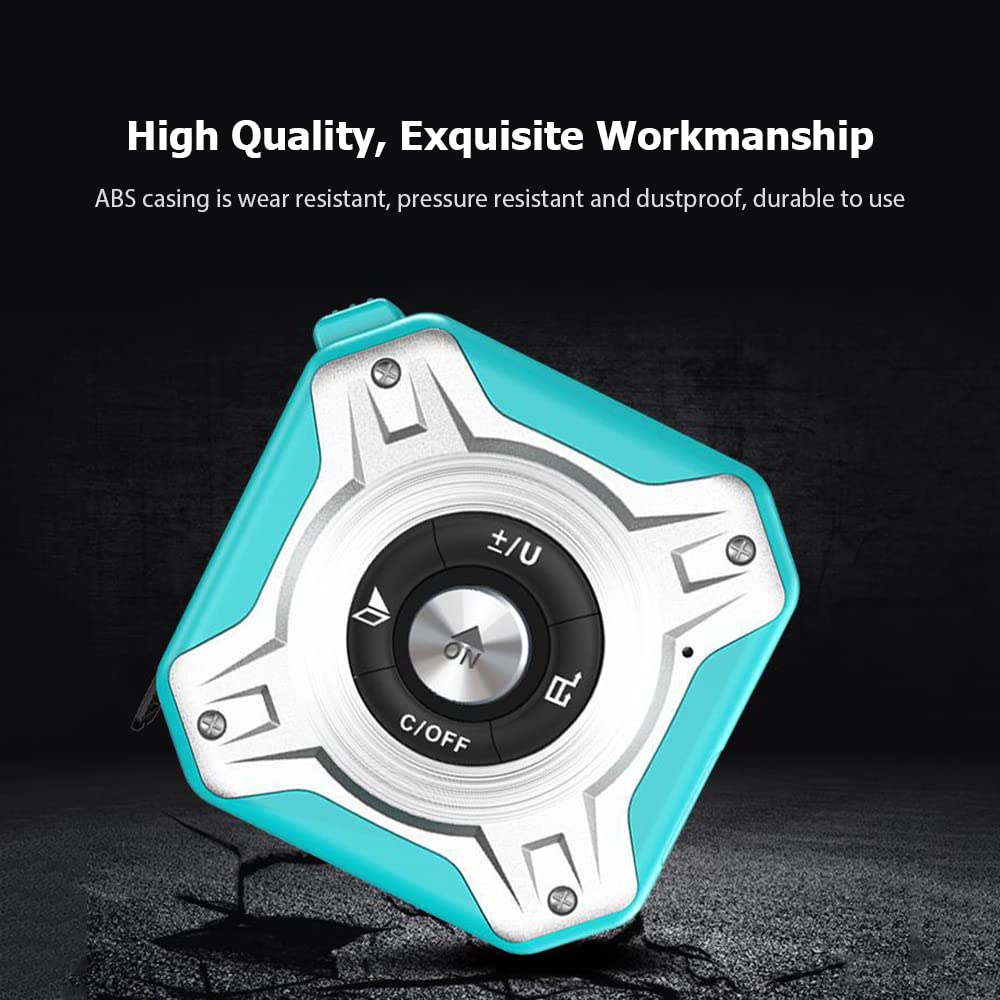
Image 1.1: Front view of the VISLONE 3-in-1 Laser Tape Measure, showcasing its compact design and central control panel.
2. Safety Information
Please read and understand all safety instructions before using this product. Failure to follow these instructions may result in laser radiation exposure, electric shock, fire, or serious injury.
- Laser Radiation: This device emits Class II laser radiation. Do not stare into the laser beam or direct it at other people or reflective surfaces.
- Eye Protection: Always avoid direct eye exposure to the laser beam.
- Children: Keep the device out of reach of children.
- Operating Environment: Do not operate the device in explosive atmospheres, such as in the presence of flammable liquids, gases, or dust.
- Maintenance: Do not attempt to modify or disassemble the device. Repairs should only be performed by authorized service personnel.
3. Product Overview
Familiarize yourself with the components and controls of your VISLONE 3-in-1 Laser Tape Measure.

Image 3.1: Labeled diagram showing the display screen, self-locking button, laser receiver, laser emitter, addition/subtraction/unit conversion button, reference switch, START/measure key, shut down and clear button, volume switching, and tape.
Key Components:
- Display Screen: 2-inch LCD for displaying measurements and settings.
- Self-locking Button: Locks the tape measure in place.
- Laser Receiver: Detects the reflected laser beam for distance measurement.
- Laser Emitter: Projects the laser beam.
- +/- / Unit Conversion Button: Used for addition/subtraction of measurements and switching units (m/in/ft).
- Reference Switch: Changes the measurement reference point (front/back).
- ON / START / Measure Key: Powers on the device and initiates laser measurements.
- C/OFF / Clear Button: Powers off the device and clears current measurements.
- Tape: 5-meter (16.4ft) physical measuring tape.
- Metal Buckle: For convenient carrying on a belt.

Image 3.2: The device features a metal buckle for easy attachment to a belt, enhancing portability during work.
4. Setup
4.1 Charging the Device
The VISLONE 3-in-1 Laser Tape Measure is equipped with a built-in 300mAh lithium battery. Before first use, or when the battery indicator on the display shows low power, charge the device using the provided USB cable.
- Locate the USB charging port on the side of the device.
- Connect the small end of the USB cable to the device's charging port.
- Connect the larger end of the USB cable to a standard USB power adapter (not included) or a computer's USB port.
- The charging indicator on the display will show the charging status. Once fully charged, the indicator will change or turn off.

Image 4.1: The device being charged via its USB port, highlighting its rechargeable and cordless design.
5. Operating Instructions
5.1 Powering On/Off
- To Power On: Press the central ON / START button. The display will light up.
- To Power Off: Press and hold the C/OFF button for a few seconds. The device also features automatic power-off after a period of inactivity to conserve battery.
5.2 Using the Tape Measure
The traditional tape measure extends up to 5 meters (16.4 feet).
- Pull the tape from the device to the desired length.
- To lock the tape in place, press the Self-locking button located on the side. This prevents the tape from retracting and protects your fingers.
- To retract the tape, release the self-locking button and gently guide the tape back into the device.

Image 5.1: The device in use, demonstrating the laser measurement function and the extended tape measure with its self-locking mechanism for safe operation.
5.3 Using the Laser Measure
The laser measure can measure distances up to 40 meters (131.2 feet).
- Ensure the device is powered on.
- Point the laser emitter towards the target surface.
- Press the ON / START button once to activate the laser.
- Press the ON / START button again to take a measurement. The distance will be displayed on the screen.
5.4 Measurement Modes
The device supports various measurement modes:
- Distance Measurement: Standard single or continuous measurement of length.
- Area Measurement: Measure two sides (length and width) to calculate the area.
- Volume Measurement: Measure three sides (length, width, and height) to calculate the volume.
- Pythagorean Measurement: Use indirect measurement to calculate height or distance based on two other measurements (e.g., for inaccessible points).
To switch between modes, press the Mode button (if available, otherwise refer to the +/- button for multi-functionality or specific icons on screen). The display will show the active mode icon.

Image 5.2: Visual representation of the different measurement and calculation modes: Distance, Area, Volume, and Pythagorean theorem.
5.5 Unit Switching
The device supports switching between meters (m), inches (in), and feet (ft).
- Press the +/- / Unit Conversion button briefly to cycle through the available units. The active unit will be displayed on the screen.
5.6 Reference Point Selection
You can choose to measure from the front or the back of the device.
- Press the Reference Switch button to toggle between front and back reference points. An icon on the display will indicate the selected reference.
5.7 Data Storage and Calculations
The device can store up to 20 sets of historical data and perform addition/subtraction of measurements.
- Data Storage: After taking a measurement, the result is automatically stored. You can access historical data through a dedicated button (if available) or by cycling through previous measurements.
- Addition/Subtraction: In measurement mode, press the +/- button to enter addition or subtraction mode. Take subsequent measurements, and the device will perform the calculation.

Image 5.3: The digital display illustrating examples of addition and subtraction calculations performed by the device.
6. Maintenance
6.1 Cleaning
- Wipe the device with a soft, damp cloth. Do not use abrasive cleaners or solvents.
- Ensure the laser lens and display screen are kept clean for accurate readings. Use a lens cleaning cloth if necessary.
6.2 Storage
- Store the device in a cool, dry place away from direct sunlight and extreme temperatures.
- When not in use for extended periods, ensure the battery is partially charged (around 50%) to prolong its lifespan.
6.3 Battery Care
- Avoid fully discharging the battery frequently.
- Charge the device regularly, even if not in active use, to maintain battery health.
7. Troubleshooting
If you encounter issues with your device, refer to the following common problems and solutions:
| Problem | Possible Cause | Solution |
|---|---|---|
| Device does not power on. | Low battery or completely discharged. | Charge the device using the provided USB cable. |
| Inaccurate laser measurements. | Laser lens is dirty; target surface is too reflective or too dark; device is not stable. | Clean the laser lens; measure against a non-reflective, diffuse surface; ensure the device is held steady. |
| Tape measure does not retract smoothly. | Tape mechanism is dirty or obstructed. | Gently clean the tape and opening; ensure no debris is blocking the retraction path. |
| Display is dim or unreadable. | Low battery; backlight setting. | Charge the device; check if there's a backlight adjustment option (refer to product overview for buttons). |
8. Specifications
Technical specifications for the VISLONE 3-in-1 Laser Tape Measure.
| Feature | Specification |
|---|---|
| Model Number | LOD6332625201900VH |
| Color | Blue & Silver (Other colors may vary by model) |
| Material | ABS + Steel |
| Display | 2" LCD Digital |
| Tape Measuring Range | 5m / 16.4ft |
| Laser Measuring Range | 40m / 131.2ft |
| Unit Options | m / in / ft |
| Accuracy | ±2mm |
| Laser Measuring Time | 0.1-3S |
| Laser Class | Class II |
| Laser Power | 635nW, <1mW |
| Measurement Functions | Distance, Area, Volume, Pythagorean |
| Data Storage | 20 Sets |
| Built-in Battery | 1 * 3.7V 300mAh Lithium Battery |
| Item Size | 73 * 73 * 40mm / 2.87 * 2.87 * 1.57in |
| Product Dimensions | 7.3L x 7.3W Centimeters |
9. Warranty and Support
Specific warranty information and customer support contact details are typically provided with your purchase documentation or on the manufacturer's official website. Please refer to those resources for detailed warranty terms and conditions, as well as for assistance with any product-related inquiries.