Introduction
The ThunderX3 CORE series gaming chairs are engineered to deliver exceptional comfort and enduring performance. The Core Racer model offers a premium ergonomic experience with its advanced adjustability and supportive design. This manual provides essential information for the assembly, operation, maintenance, and troubleshooting of your ThunderX3 Core Racer Ergonomic Gaming Chair.
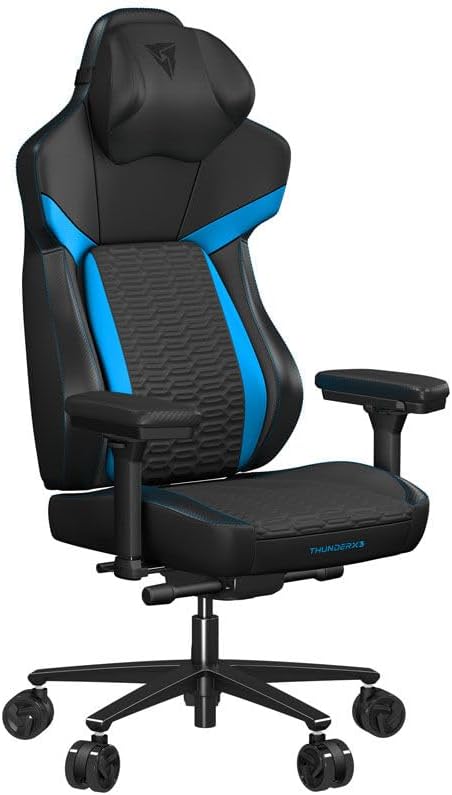
Image: Front view of the ThunderX3 Core Racer Ergonomic Gaming Chair, showcasing its blue and black design.
Setup and Assembly
Your ThunderX3 Core Racer Ergonomic Gaming Chair requires assembly. Please follow these general steps carefully. For detailed, step-by-step instructions, refer to the assembly guide included in your product packaging.
- Unpack Components: Carefully remove all parts from the packaging and lay them out on a clean, flat surface. Verify all components are present against the parts list in your product manual.
- Attach Casters to Base: Insert the casters into the holes on the star base until they click securely into place.
- Install Gas Lift: Place the gas lift cylinder into the center hole of the star base.
- Assemble Seat and Backrest: Attach the backrest to the seat mechanism using the provided screws. Ensure all screws are tightened securely.
- Mount Seat to Gas Lift: Carefully place the assembled seat and backrest onto the gas lift cylinder, ensuring it is centered and stable.
- Attach Armrests (if applicable): Secure the armrests to the seat base using the designated screws.
- Install Headrest and Footrest: Attach the removable headrest cushion and position the versatile 3-in-1 footrest as desired.
Safety Warning: Ensure all screws are tightened properly before using the chair. Do not overtighten. If you encounter any difficulties, consult the detailed assembly instructions or contact customer support.
Operating Instructions
The ThunderX3 Core Racer chair features multiple adjustment options to customize your seating experience for optimal comfort and support.
1. Synchronous Tilt Mechanism
The SYNC6 mechanism allows the seat and backrest to move together in an optimal ratio, providing complete body support during recline. The backrest features a multi-angle lock, enabling you to adjust the tilt to your preferred position with four resistance levels.

Image: Side view of the chair illustrating the synchronous tilt mechanism, designed for maximum comfort and back pain prevention.
2. CORE.RDY 360 Lumbar Support
Equipped with CORE.RDY 360 technology, the backrest features a self-adjusting plate that moves with your body. This provides dynamic spine and lumbar support, adapting to your movements.

Image: Front view of the chair emphasizing the ergonomic design and integrated lumbar support.
3. Seat Adjustments
The seat base offers comprehensive adjustability:
- Forward Tilt: The seat base can tilt forward, moving with your body to open up the seat angle, which can be beneficial for leaning forward at a desk.
- Height Adjustment: Adjust the seat height up or down to ensure your feet are flat on the floor or a footrest, and your thighs are parallel to the ground.
- Depth Adjustment: Move the seat base forward or backward to achieve optimal thigh support and ensure proper distance from the backrest.

Image: Front view of the chair demonstrating the adjustable seat surface, allowing users to set the seat depth to their perfect position.
4. Memory Foam Headrest
The removable headrest cushion, with its soft memory foam padding and pronounced wings, provides excellent support and comfort, helping to relieve muscle tension in the neck and head.
5. Versatile 3-in-1 Footrest
The chair includes a versatile 3-in-1 footrest with a solid base and a curved, firm foam-padded cushion. It can be used in three modes:
- Footrest Mode: Place the solid base on the floor and rest your feet on the cushion to promote good posture.
- Rocker Mode: Place the padded side down and rest your feet on the solid surface for a gentle rocking motion.
- Wrist Rest Mode: Place it on your desk and use it as a wrist rest, particularly useful when using a controller.
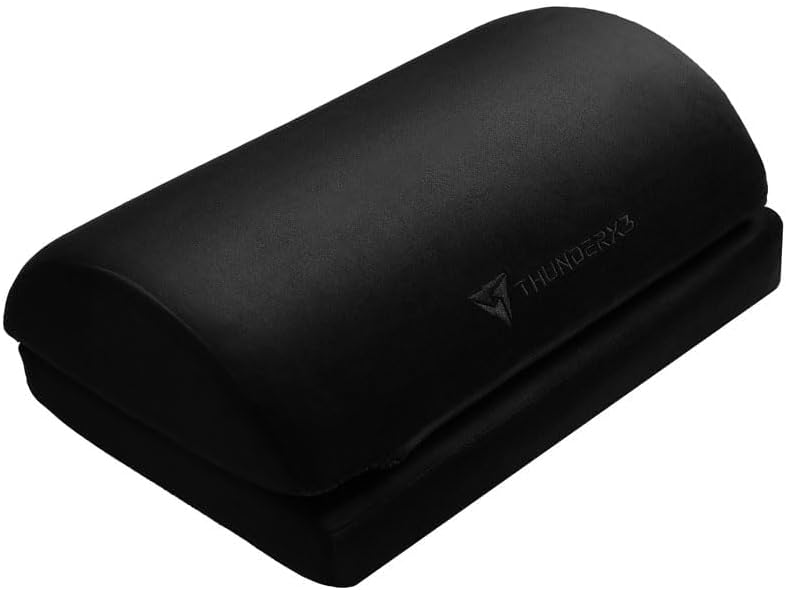
Image: Close-up view of the versatile 3-in-1 footrest accessory.
6. Integrated Storage
The chair features an integrated storage pocket on the backrest, providing a convenient space for small gaming accessories or personal items.
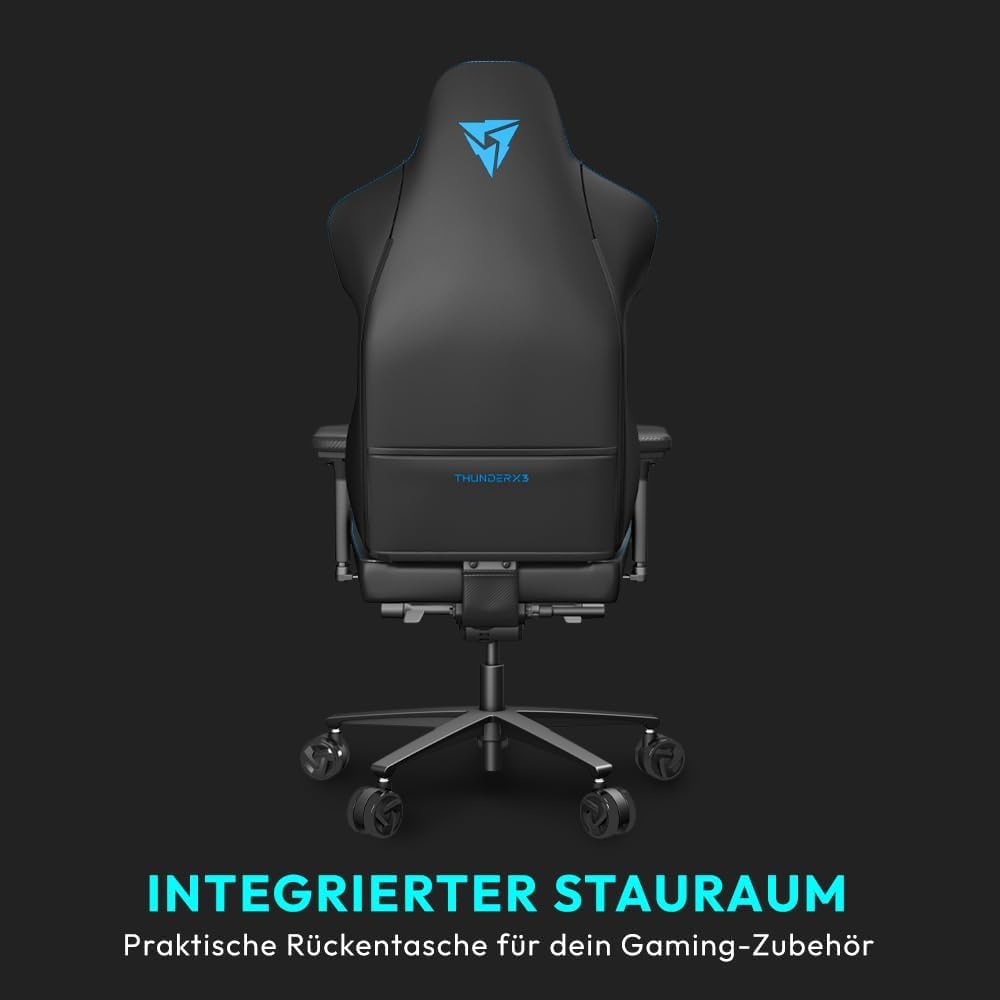
Image: Back view of the chair highlighting the integrated storage pocket for gaming accessories.
Maintenance
Proper care and maintenance will extend the life and appearance of your ThunderX3 Core Racer chair.
- Cleaning: Wipe clean with a damp cloth. For faux leather surfaces, use a mild, non-abrasive cleaner specifically designed for synthetic leather. Avoid harsh chemicals or abrasive materials that could damage the finish.
- Regular Inspection: Periodically check all screws and bolts to ensure they are tight. Re-tighten if necessary to maintain stability and prevent squeaking.
- Caster Care: Keep casters free of hair and debris to ensure smooth rolling.
- Avoid Direct Sunlight: Prolonged exposure to direct sunlight can cause fading and material degradation.
Troubleshooting
If you encounter issues with your chair, consider the following common solutions:
- Squeaking Noises: Squeaking often indicates loose connections. Check and tighten all assembly screws, particularly those connecting the seat, backrest, and mechanism. A small amount of silicone lubricant can be applied to moving parts if the noise persists after tightening.
- Difficulty Adjusting Height: Ensure the gas lift lever is fully engaged or disengaged as required. If the chair does not raise or lower, the gas lift cylinder may need replacement.
- Chair Tilts Unevenly: Verify that the chair is assembled correctly and all components are securely fastened. Check for any obstructions under the base or casters.
- Casters Not Rolling Smoothly: Remove any hair, dust, or debris that may be caught in the casters. Clean the wheels and axles.
- Backrest Not Locking: Ensure the tilt lock mechanism is fully engaged. Check for any obstructions preventing the lock from functioning correctly.
If these steps do not resolve the issue, please contact customer support for further assistance.
Specifications
Key specifications for the ThunderX3 Core Racer Ergonomic Gaming Chair:
| Feature | Detail |
|---|---|
| Brand | ThunderX3 |
| Model Name | CORE Racer |
| Color | Blue |
| Product Dimensions (D x W x H) | 56.69"D x 27.56"W x 22.05"H |
| Seat Depth | 20 inches |
| Chair Backrest Width | 22.75 Inches |
| Item Weight | 67.1 pounds |
| Back Style | Solid Back |
| Special Features | Cushion Availability, Ergonomic, Rolling, Tilting |
| Fill Material | Memory Foam |
| Furniture Finish | Faux Leather |
| Recommended Uses | Gaming |
| Product Care Instructions | Wipe Clean |
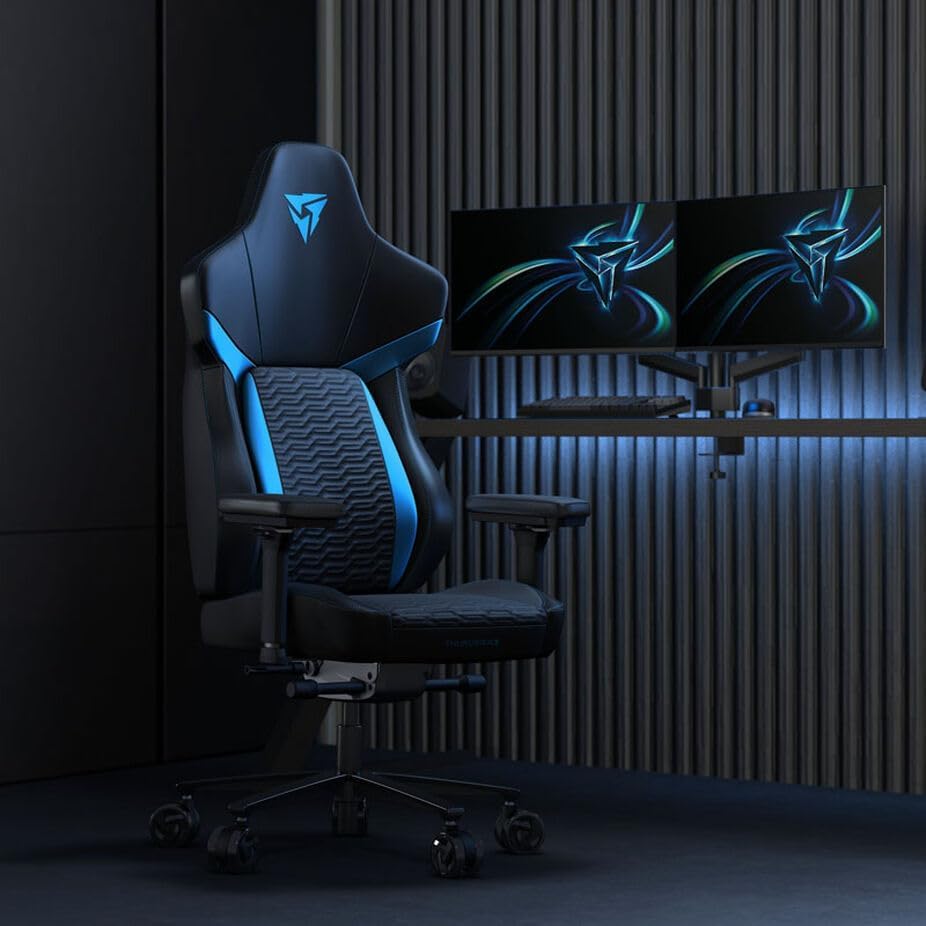
Image: The ThunderX3 Core Racer chair positioned in a modern gaming room setup.
Warranty Information
Specific warranty details for the ThunderX3 Core Racer Ergonomic Gaming Chair are typically provided with the product packaging or on the manufacturer's official website. Please refer to these sources for comprehensive information regarding warranty coverage, terms, and conditions. Retain your proof of purchase for any warranty claims.
Customer Support
For further assistance, technical support, or inquiries regarding your ThunderX3 Core Racer Ergonomic Gaming Chair, please contact the manufacturer's customer service department. Contact information can usually be found on the product packaging, the official ThunderX3 website, or through your retailer.
When contacting support, please have your product model name (Core Racer) and any relevant purchase information readily available.


