Introduction
This manual provides essential information for the safe and efficient use of your BESTEK 150W Car Power Inverter. This device converts 12V DC power from your vehicle's cigarette lighter socket into 110V AC household power, along with USB-C PD30W and USB-A QC18W outputs. It is designed for charging and powering various electronic devices during travel, camping, or in-car office use.

The BESTEK 150W Car Power Inverter supports various applications, including powering devices for work, entertainment, and travel.
Safety Information
Read all safety warnings and instructions carefully before using this product. Failure to follow these instructions may result in electric shock, fire, or serious injury.
- Ventilation: Ensure adequate ventilation around the inverter. Do not cover the ventilation openings.
- Power Rating: Do not exceed the inverter's continuous power rating of 150W. The inverter provides 250W peak power for short durations.
- Voltage Compatibility: This inverter is designed for 12V DC vehicle power only. Do not connect to 24V DC or other voltage sources.
- Protection Features: The inverter includes multi-protection features against overheating, under-voltage, over-voltage, short-circuiting, overloads, and overcharging.
- Child Safety: The 110V AC outlets are equipped with built-in safety doors to protect children from accidental electric shock.
- Environment: Avoid exposing the inverter to water, rain, snow, or extreme temperatures. Do not operate in areas with flammable liquids or gases.
- Modifications: Do not attempt to modify or disassemble the inverter. Refer all servicing to qualified personnel.
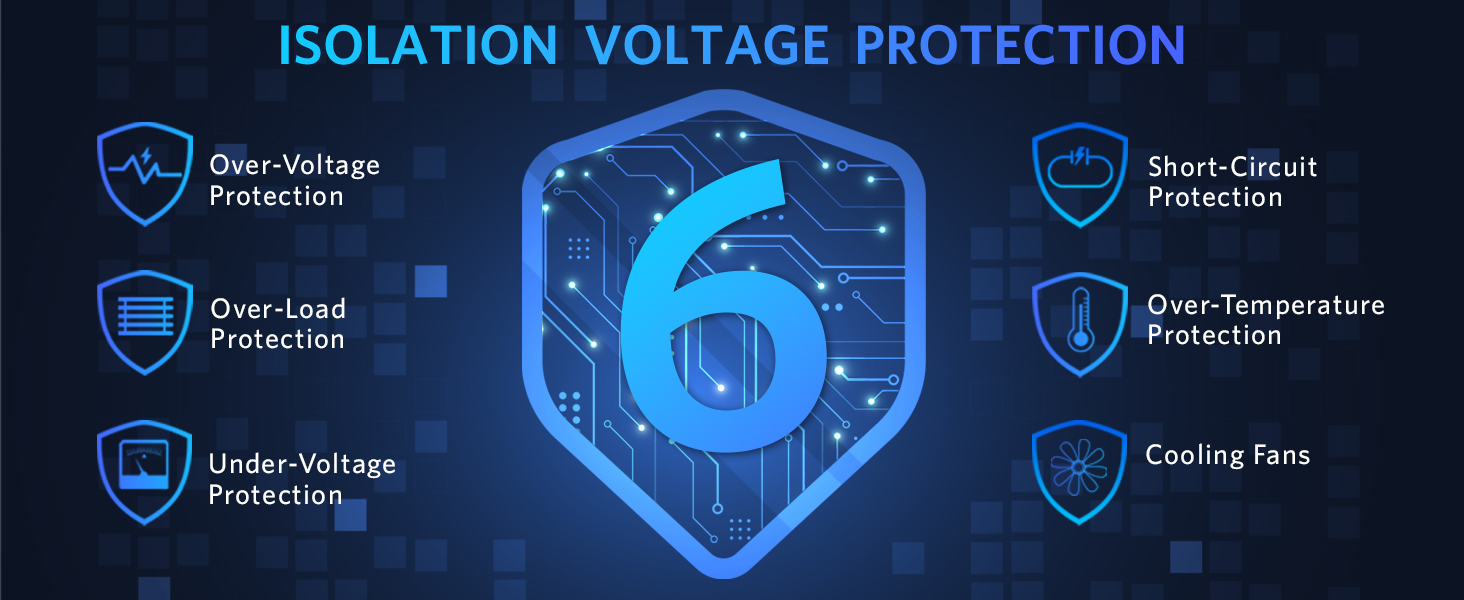
The inverter incorporates multiple protection mechanisms, including isolation voltage protection, to ensure safe operation.
Product Features
The BESTEK 150W Car Power Inverter is engineered for convenience and reliability, offering multiple charging options in a compact design.
- Power Output: Provides 150W continuous DC to AC power and 250W peak power.
- AC Outlet: One (1) 110V AC outlet for standard household devices.
- USB-C Port: One (1) PD30W USB-C port for fast charging compatible devices.
- USB-A Port: One (1) QC18W USB-A port for quick charging compatible devices.
- Smart IC Technology: USB ports feature smart IC technology to automatically detect and optimize charging for connected devices.
- Compact Design: Ultra-compact and lightweight, making it ideal for travel.
- Durable Construction: Features an aluminum body for enhanced durability and heat dissipation.
- Built-in Fuse: Provides protection against power surges.
- Cooling Fan: Integrated smart cooling fan prevents overheating during operation.
- ETL Certified: ETL certification ensures product safety and quality standards.

The inverter features multiple fast-charging USB ports and an AC outlet for simultaneous device charging.
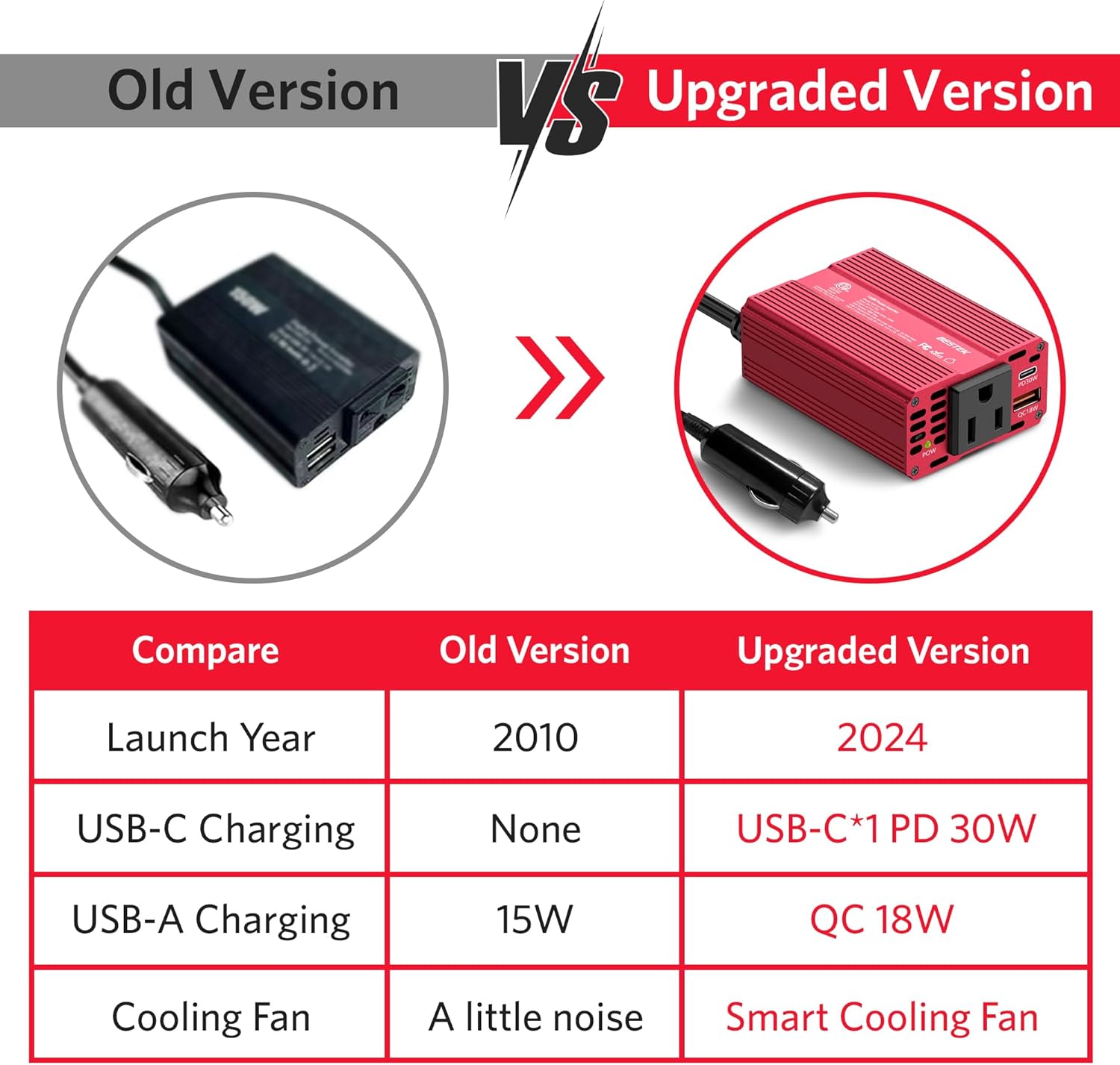
Key design elements include a robust aluminum body, integrated fuse, power switch, and a convenient cigarette lighter cable.
Package Contents
- BESTEK 150W Car Power Inverter Unit
- Integrated Cigarette Lighter Plug Cable
- User Manual
Setup
- Vehicle Compatibility: Ensure your vehicle has a 12V DC cigarette lighter socket.
- Insert Plug: Firmly insert the inverter's cigarette lighter plug into your vehicle's 12V DC accessory socket.
- Power On: Locate the power switch on the inverter and switch it to the 'ON' position. The 'POWER' indicator light should illuminate green, indicating the inverter is receiving power and ready for use. If the light is red or off, check the connection and your vehicle's power supply.
- Vehicle Engine: For optimal performance and to prevent draining your vehicle's battery, it is recommended to operate the inverter with the vehicle's engine running, especially when powering high-wattage devices.
Operating Instructions
Once the inverter is set up and powered on, you can connect your electronic devices.
- Connect AC Devices: Plug your AC-powered device into the 110V AC outlet on the inverter. Ensure the device's power consumption does not exceed 150W.
- Connect USB Devices: For fast charging, connect your USB-C compatible device to the PD30W port or your USB-A compatible device to the QC18W port. The smart IC technology will automatically detect and deliver the optimal charging current.
- Monitor Indicator: The green 'POWER' indicator light confirms the inverter is operating correctly. If it changes color or turns off, refer to the Troubleshooting section.
- Disconnecting: When finished, turn off the inverter using the power switch, then disconnect your devices, and finally remove the inverter from the vehicle's socket.

The inverter provides PD30W USB-C, QC18W USB-A, and 110V AC outputs for versatile charging.
Maintenance
Regular maintenance ensures the longevity and optimal performance of your inverter.
- Cleaning: Periodically clean the exterior of the inverter with a soft, dry cloth. Do not use abrasive cleaners or solvents.
- Ventilation: Keep the ventilation openings clear of dust and debris to ensure proper airflow for the cooling fan.
- Storage: When not in use, store the inverter in a cool, dry place, away from direct sunlight and moisture.
- Cable Inspection: Regularly inspect the cigarette lighter cable and plug for any signs of damage. Do not use if damaged.
Troubleshooting
If you encounter issues with your BESTEK 150W Car Power Inverter, refer to the following common problems and solutions:
| Problem | Possible Cause | Solution |
|---|---|---|
| No power indicator light | Inverter not properly plugged in; vehicle socket not providing power; vehicle battery low. | Ensure firm connection; check vehicle's fuse for the accessory socket; start vehicle engine. |
| Inverter shuts down or indicator is red | Overload; overheating; under/over-voltage. | Reduce connected load (total wattage); ensure proper ventilation; check vehicle battery voltage. |
| Device not charging via USB | Device incompatible; cable issue. | Ensure device supports PD30W/QC18W; try a different USB cable. |
| Fan is noisy | Normal operation under load; obstructed fan. | The fan will run to cool the unit; ensure fan vents are clear. |
Specifications
- Model: 150W PD30W
- Product Dimensions: 3.74 x 2.56 x 0.98 inches
- Item Weight: 6.8 ounces
- Input Voltage: DC 12V (11-15V)
- AC Output: 110-120V AC, 60Hz, 150W (Continuous)
- Peak Power: 250W
- USB-C Output (PD30W): 5V-3.0A, 9V-3.0A, 12V-2.5A (Max)
- USB-A Output (QC18W): 5V-3.0A, 9V-2.0A, 12V-1.5A (Max)
- Recommended Use: Vehicle
- Certifications: ETL Listed
Warranty and Support
BESTEK provides an 18-month free replacement warranty for this product. For any inquiries, technical assistance, or warranty claims, please contact BESTEK customer service. Our support team is available 7 days a week, 24 hours a day to assist you.
- Warranty Period: 18-month free replacement
- Customer Service: Available 7*24H
- Contact Information: Please refer to the contact details provided on the product packaging or the official BESTEK website (Visit the BESTEK Store).

BESTEK offers comprehensive service and customer support for your product.


