
Tribesigns JW0636
Tribesigns 63 Inch Computer Desk with File Drawer Cabinet - Instruction Manual
Model: JW0636
1. Introduction
This manual provides detailed instructions for the assembly, operation, and maintenance of your Tribesigns 63 Inch Computer Desk with File Drawer Cabinet. Please read all instructions carefully before assembly and use to ensure proper function and safety.
2. Safety Information
- This product has a maximum weight recommendation of 350 pounds (158 kg). Do not exceed this limit.
- Assembly by two people is recommended for stability and ease of construction.
- Ensure all connections are securely tightened before use. Periodically check and re-tighten fasteners as needed.
- Always keep the desk stable to prevent tipping. Use the adjustable foot pads to level the desk on uneven surfaces.
- Use the desk only for its intended purpose as a computer workstation and storage unit.
- Keep small parts and packaging materials away from children to prevent choking hazards.
3. Package Contents
Verify that all components are present before beginning assembly. If any parts are missing or damaged, please contact customer service.
- Desk components (E1 particleboard and stainless steel frame)
- Hardware kit (screws, bolts, etc.)
- Installation instructions
- All necessary assembly tools
4. Setup and Assembly
Assembly is required for this product. Follow the clear, illustrated instructions provided in the package. It is recommended that two people assemble the desk for optimal safety and efficiency.
4.1 General Assembly Steps
- Unpack all components and lay them out on a clean, soft surface to prevent scratches.
- Identify each part using the labeled diagrams in the instruction manual.
- Assemble the metal frame structure first, ensuring all connections are finger-tight before final tightening.
- Attach the desktop and monitor stand components to the frame.
- Assemble the file drawer cabinet according to the instructions, ensuring drawer slides are correctly installed.
- Once all parts are in place, fully tighten all screws and bolts.
- Attach the adjustable foot pads to the bottom of the desk legs and adjust for stability.
4.2 Product Dimensions
Refer to the diagram below for detailed product dimensions.

Image: Detailed dimensions of the Tribesigns 63 Inch Computer Desk, showing overall height, width, depth, and specific measurements for the monitor stand, desktop, and file cabinet.
4.3 Key Components
The desk features a robust design with specific components for enhanced functionality.
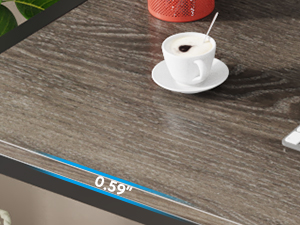
Image: Close-up view illustrating the desktop thickness of 0.59 inches.
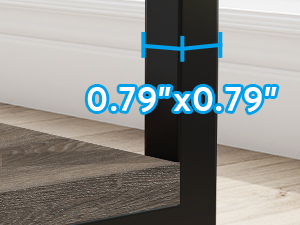
Image: Detail showing the 0.79 x 0.79 inch dimensions of the metal frame.
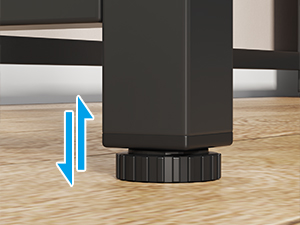
Image: Illustration of the adjustable foot pads for leveling the desk.
5. Operating Instructions
5.1 Ergonomic Monitor Stand
The integrated monitor stand is designed to elevate your monitors to an ergonomic viewing height, helping to reduce eye strain and discomfort in your back and neck during extended use.

Image: Diagram illustrating the benefit of an ergonomic monitor riser for maintaining correct posture.
5.2 File Drawer Cabinet
The desk includes a versatile file drawer cabinet with two small drawers and one adjustable file drawer. The top surface of the cabinet can also serve as a printer stand.
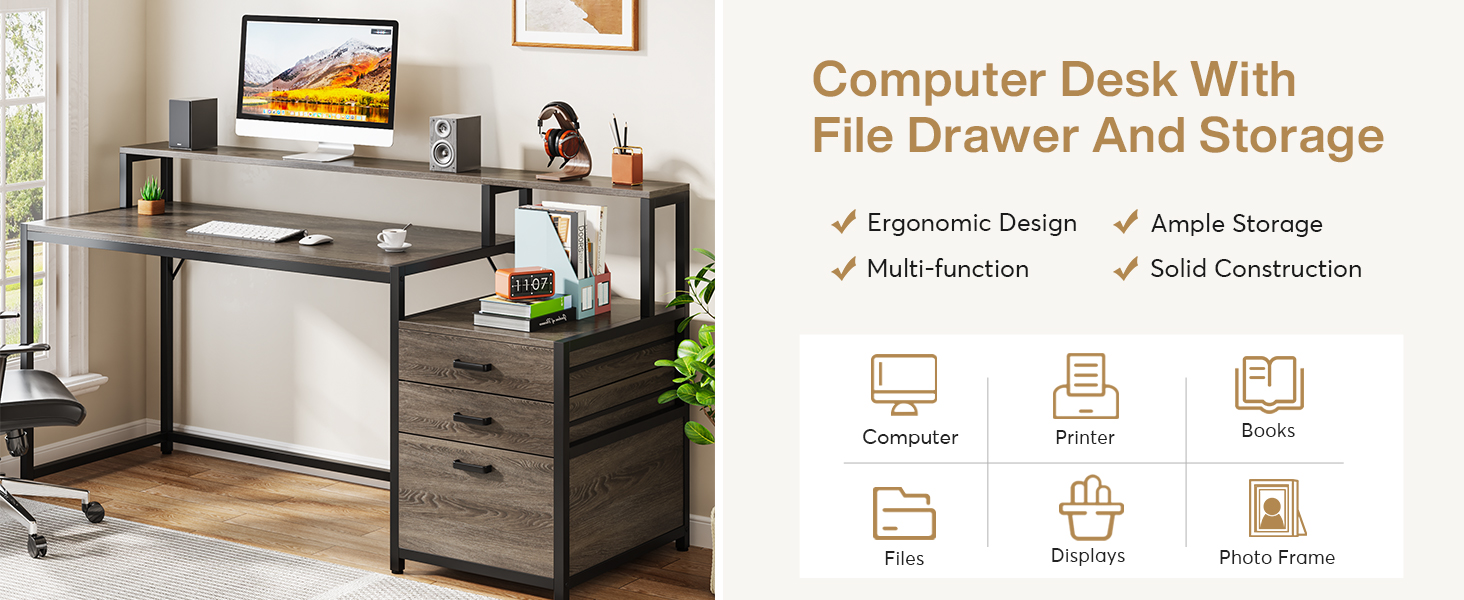
Image: Illustration demonstrating the adjustable rod in the file drawer, allowing it to accommodate both legal and letter-size files.
5.3 Storage Drawers
The two smaller drawers provide additional storage for office supplies and personal items, helping to keep your workspace organized.
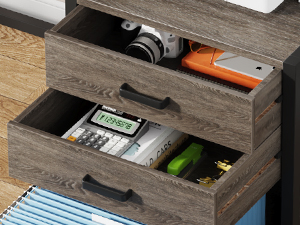
Image: Close-up view of the two small drawers, showing them filled with office supplies like a calculator and stapler.
6. Maintenance
To maintain the appearance and longevity of your desk, wipe surfaces with a dry cloth as needed. Avoid using harsh chemicals or abrasive cleaners that may damage the finish.
7. Troubleshooting
7.1 Desk Instability
If the desk wobbles or feels unstable, ensure that all assembly screws and bolts are fully tightened. Adjust the foot pads on the bottom of each leg to level the desk on uneven flooring.
7.2 Drawer Operation
If drawers do not slide smoothly, check that the drawer slides are correctly installed and free from obstructions. Ensure the cabinet is assembled squarely. For the file drawer, verify the adjustable rod is properly seated to prevent files from falling.
7.3 Missing or Damaged Parts
If you discover any missing or damaged parts during assembly, do not proceed with assembly. Contact Tribesigns customer service immediately for assistance.
8. Specifications
| Feature | Detail |
|---|---|
| Brand | Tribesigns |
| Model Number | JW0636 |
| Product Dimensions (D x W x H) | 19.68"D x 62.99"W x 35.43"H |
| Item Weight | 72.75 Pounds |
| Maximum Weight Recommendation | 350 Pounds |
| Material | Engineered Wood (E1 Particleboard) & Metal |
| Finish Type | Laminated (Matte) |
| Color | Grey |
| Number of Drawers | 3 (2 small, 1 file drawer) |
| Special Features | Ergonomic Monitor Stand, Scratch Resistant, Adjustable Foot Pads |
| Assembly Required | Yes (Recommended 2 people) |
9. Warranty and Support
This Tribesigns product comes with an 18-month quality assurance warranty. For any issues, questions, or support needs, please contact Tribesigns customer service. We are committed to ensuring your satisfaction and provide 24-hour customer service.
Related documentsJW0636


Ask a question about this manual
Ask about setup, troubleshooting, compatibility, parts, safety, or missing instructions. Manuals+ will review the question and use this page’s manual context to help answer it.