1. Introduction
Thank you for choosing the FINGERTIME ANC-01 Active Noise Cancelling Headphones. This manual provides essential information for the proper setup, operation, and maintenance of your headphones. Please read this manual thoroughly before use to ensure optimal performance and longevity of your device.
2. Safety Information
- Hearing Protection: Avoid using headphones at high volume levels for extended periods to prevent hearing damage.
- Driving Safety: Do not use headphones while driving, cycling, or operating machinery where the inability to hear ambient sounds could pose a danger.
- Water and Moisture: These headphones are not water-resistant. Avoid exposure to rain, moisture, or submersion in liquids.
- Cleaning: Use a soft, dry cloth for cleaning. Do not use harsh chemicals or abrasive materials.
- Temperature: Store and operate the headphones within recommended temperature ranges (typically 0°C to 45°C or 32°F to 113°F).
- Disassembly: Do not attempt to disassemble or modify the headphones. This will void the warranty and may cause damage.
3. Package Contents
Verify that all items are present in your package:
- FINGERTIME ANC-01 Active Noise Cancelling Headphones
- USB-C Charging Cable
- 3.5mm Audio Cable
- User Manual (this document)

Image: Contents of the FINGERTIME ANC-01 headphone package.
4. Product Overview
Familiarize yourself with the various components and controls of your FINGERTIME ANC-01 headphones.

Image: Close-up view highlighting the physical features and controls of the headphones.
Key Components:
- Power Button: Used for powering on/off and pairing.
- Volume Up/Down Buttons: Adjusts audio volume.
- Multi-function Button: Controls playback, calls, and voice assistant.
- ANC/Transparency Mode Button: Toggles between noise control modes.
- USB-C Charging Port: For charging the internal battery.
- 3.5mm Audio Jack: For wired audio connection.
- LED Indicator: Displays power, pairing, and charging status.
- Microphone: For hands-free calls.
5. Setup
5.1 Charging the Headphones
Before first use, fully charge your headphones. A full charge provides up to 50 hours of playtime with Active Noise Cancellation (ANC) on, or 65 hours with ANC off. A 5-minute quick charge can provide approximately 3 hours of playback.
- Connect the provided USB-C charging cable to the USB-C port on the headphones.
- Connect the other end of the cable to a USB power adapter (not included) or a computer's USB port.
- The LED indicator will show charging status (e.g., red for charging, blue for fully charged).

Image: Headphones highlighting the extended playtime capability.
5.2 Powering On/Off
- To Power On: Press and hold the Power button for approximately 3 seconds until the LED indicator lights up.
- To Power Off: Press and hold the Power button for approximately 3 seconds until the LED indicator turns off.
5.3 Bluetooth Pairing
The FINGERTIME ANC-01 headphones utilize Bluetooth 5.3 for a stable wireless connection.
- Ensure the headphones are powered off.
- Press and hold the Power button for approximately 5 seconds until the LED indicator flashes blue and red alternately, indicating pairing mode.
- On your device (smartphone, tablet, computer), enable Bluetooth and search for available devices.
- Select "FINGERTIME ANC-01" from the list of devices.
- Once connected, the LED indicator will flash blue slowly or remain solid blue.

Image: FINGERTIME ANC-01 headphones, showcasing their design.
5.4 Wired Connection
You can use the headphones with a wired connection via the 3.5mm audio cable, even if the battery is depleted.
- Plug one end of the 3.5mm audio cable into the audio jack on the headphones.
- Plug the other end into the 3.5mm audio output of your device.
- Note that some features like ANC may require battery power even in wired mode, depending on the specific model's design.
6. Operating the Headphones
6.1 Music Playback
- Play/Pause: Press the Multi-function button once.
- Volume Up: Press the Volume Up button.
- Volume Down: Press the Volume Down button.
- Next Track: Press and hold the Volume Up button for 2 seconds.
- Previous Track: Press and hold the Volume Down button for 2 seconds.
6.2 Call Management
The built-in microphone with Advanced ENC Technology and AI Algorithms helps reduce background noise during calls.
- Answer/End Call: Press the Multi-function button once.
- Reject Call: Press and hold the Multi-function button for 2 seconds.
- Activate Voice Assistant: Double-press the Multi-function button.
6.3 Noise Control Modes
The ANC-01 headphones feature Hybrid Active Noise Cancellation and a Transparency Mode.
- Toggle Modes: Press the ANC/Transparency Mode button to cycle through: Active Noise Cancellation (ANC) > Transparency Mode > Normal Mode.
- Active Noise Cancellation (ANC): Reduces ambient low-frequency sounds by up to 95%, allowing for a more focused listening experience.

Image: Visual representation of Hybrid Active Noise Cancellation in action.
- Transparency Mode: Allows you to hear your surroundings while still enjoying your audio, useful for awareness in urban environments or during conversations.
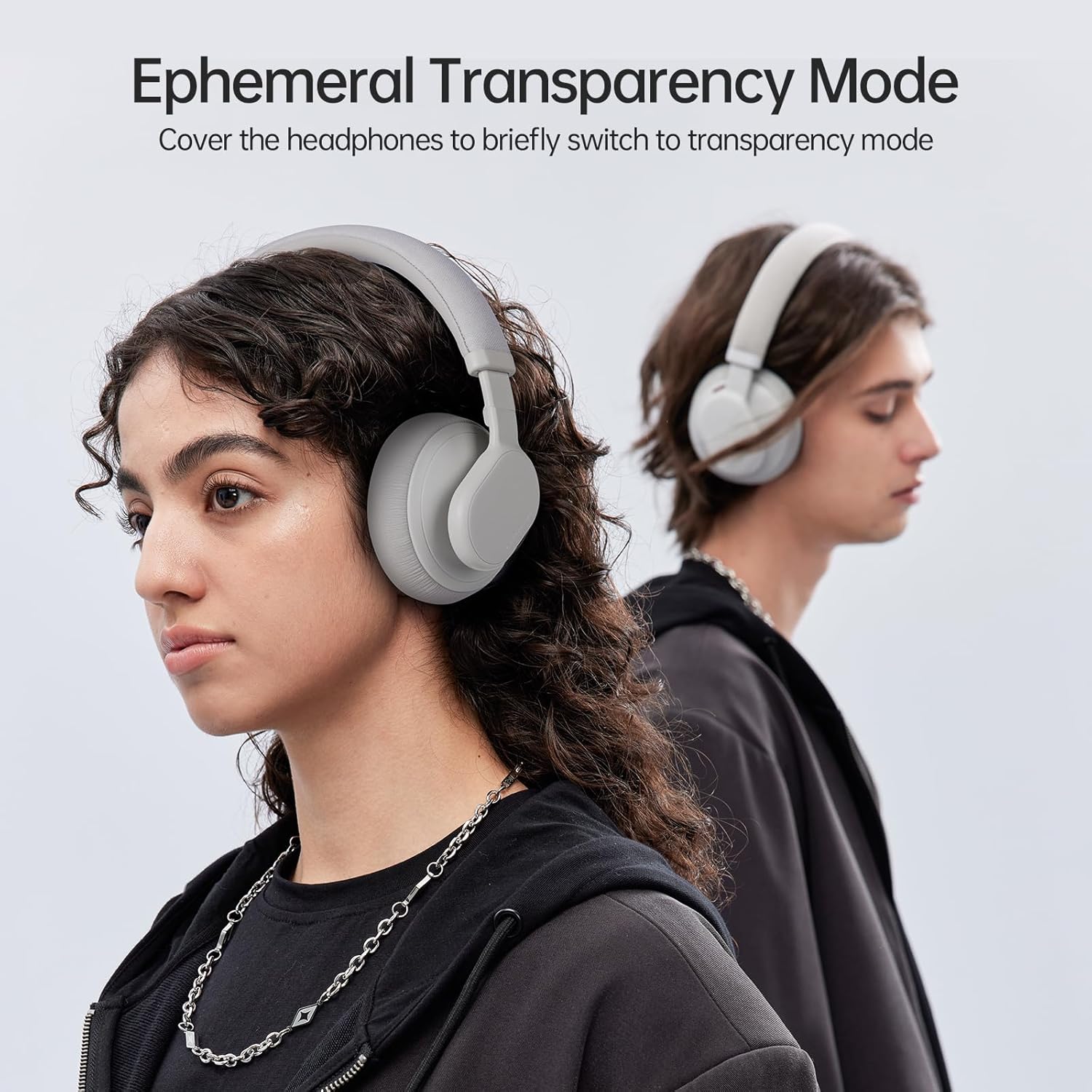
Image: User demonstrating the Transparency Mode feature.
6.4 Wearing the Headphones
For optimal sound quality and comfort, adjust the headphones to fit your head properly.
- Extend or retract the headband until the earcups comfortably cover your ears.
- The multi-angle rotating earcups allow for a flexible fit to different head shapes.
- Ensure a snug fit to maximize noise cancellation effectiveness and audio performance.

Image: User wearing the headphones, highlighting the ergonomic design for comfort.
7. Maintenance
Proper care ensures the longevity and performance of your headphones.
7.1 Cleaning
- Wipe the headphones with a soft, dry, lint-free cloth.
- Do not use liquid cleaners, sprays, or solvents.
- Gently clean earcups and headband with a slightly damp cloth if necessary, then dry immediately.
7.2 Storage
- Store the headphones in a cool, dry place away from direct sunlight and extreme temperatures.
- If not using for an extended period, charge the headphones at least once every three months to maintain battery health.
7.3 Battery Care
- Avoid fully discharging the battery frequently.
- Do not expose the battery to excessive heat or fire.
- Dispose of batteries according to local regulations.
8. Troubleshooting
If you encounter issues with your headphones, refer to the following common problems and solutions:
| Problem | Solution |
|---|---|
| Headphones won't turn on | Ensure the headphones are charged. Connect to a power source using the USB-C cable. |
| Cannot pair with device | Ensure headphones are in pairing mode (flashing blue/red LED). Turn off and on Bluetooth on your device. Move headphones closer to the device. Clear previous Bluetooth connections on your device. |
| No sound or low volume | Check volume levels on both headphones and your connected device. Ensure headphones are properly paired or the 3.5mm cable is securely connected. Try playing different audio sources. |
| Active Noise Cancellation (ANC) is ineffective | Ensure ANC mode is activated. Adjust the headphones for a snug fit over your ears. ANC is most effective against low-frequency, constant noise. |
| Microphone not working during calls | Ensure the headphones are connected via Bluetooth. Check microphone settings on your device to ensure the headphones are selected as the input device. |
9. Specifications
Technical details of the FINGERTIME ANC-01 Active Noise Cancelling Headphones:
| Feature | Detail |
|---|---|
| Model Name | ANC-01 |
| Brand | FINGERTIME |
| Noise Control | Hybrid Noise Cancellation |
| Connectivity Technology | Wired, Wireless (Bluetooth) |
| Wireless Communication Technology | Bluetooth 5.3 |
| Headphones Jack | 3.5 mm Jack |
| Audio Driver Type | Dynamic Driver (40mm DLC composite) |
| Frequency Range | 20 Hz - 20,000 Hz |
| Impedance | 32 Ohm |
| Control Type | Noise Control, Touch |
| Battery | 1 Lithium Polymer battery (included) |
| Playtime (ANC On) | Up to 50 hours |
| Playtime (ANC Off) | Up to 65 hours |
| Quick Charge | 5 minutes for 3 hours playback |
| Material | Plastic |
| Item Weight | 0.56 Kilograms (1.23 pounds) |
| Color | Grey |
| Water Resistance Level | Not Water Resistant |
10. Warranty and Support
For warranty information, please refer to the documentation included with your purchase or visit the official FINGERTIME website. If you require technical support or have questions not covered in this manual, please contact FINGERTIME customer service through their official channels.


