
1. Introduction
This manual provides detailed instructions for the setup, operation, maintenance, and troubleshooting of your HOPPUP Predator Xo4 Gaming Wireless Earbuds. Please read this manual thoroughly before using the product to ensure optimal performance and longevity.
Package Contents
The HOPPUP Predator Xo4 package includes the following items:
- HOPPUP Predator Xo4 Wireless Earbuds
- Charging Case
- Type-C USB Charging Cable
- Ear Cushions (various sizes)
- Eartips
- User Manual (this document)
- Warranty Card

Image 1.1: HOPPUP Predator Xo4 Wireless Earbuds and Charging Case. The image displays the black earbuds securely placed within their open charging case, featuring blue LED accents.
2. Setup
2.1 Initial Charging
Before first use, fully charge the earbuds and the charging case. Connect the provided Type-C USB cable to the charging port on the case and a compatible USB power source. The charging case features RGB LEDs that indicate charging status.
- Charging Time: Approximately 2 hours for a full charge.
- Rapid Charge: A 10-minute charge provides up to 90 minutes of playtime.
- Total Playtime: Up to 50 hours with the charging case.

Image 2.1: HOPPUP Predator Xo4 Earbuds undergoing rapid charging via a Type-C cable. The image highlights the fast charging capability, showing "10 min Charge = 60 min playtime".
2.2 Bluetooth Pairing (Active Engage)
The HOPPUP Predator Xo4 earbuds utilize Bluetooth 5.3 for stable and efficient wireless connectivity. Follow these steps to pair your earbuds with a device:
- Ensure the earbuds are charged and placed in the charging case.
- Open the charging case. The earbuds will automatically enter pairing mode.
- On your device (smartphone, tablet, laptop), navigate to the Bluetooth settings.
- Search for available devices and select "PREDATOR XO4" from the list.
- Once connected, a confirmation sound will play, and the device will show "Connected".
The Bluetooth range is approximately 15 meters.

Image 2.2: HOPPUP Predator Xo4 demonstrating Bluetooth 5.3 connectivity. The image shows the earbuds and case alongside a smartphone displaying the Bluetooth pairing menu with "PREDATOR XO4" selected.
3. Operating Instructions
3.1 Touch Controls
The Predator Xo4 earbuds feature intuitive touch controls for managing audio playback, calls, and modes. Specific touch gestures and their functions are detailed below:
| Action | Function |
|---|---|
| Single Tap (Left/Right Earbud) | Play/Pause Music, Answer/End Call |
| Double Tap (Right Earbud) | Next Track |
| Double Tap (Left Earbud) | Previous Track |
| Triple Tap (Left/Right Earbud) | Activate Voice Assistant |
| Long Press (Left/Right Earbud, 2 seconds) | Reject Call |
| Long Press (Right Earbud, 3 seconds) | Toggle Gaming Mode (Rage Mode) |
3.2 Gaming Mode (Rage Mode)
Activate "Rage Mode" for an ultra-low latency experience, ideal for gaming. This mode reduces audio latency to 35ms, ensuring synchronized audio and visuals during gameplay.
- Activation: Long press the right earbud for 3 seconds.
- Deactivation: Repeat the long press gesture.
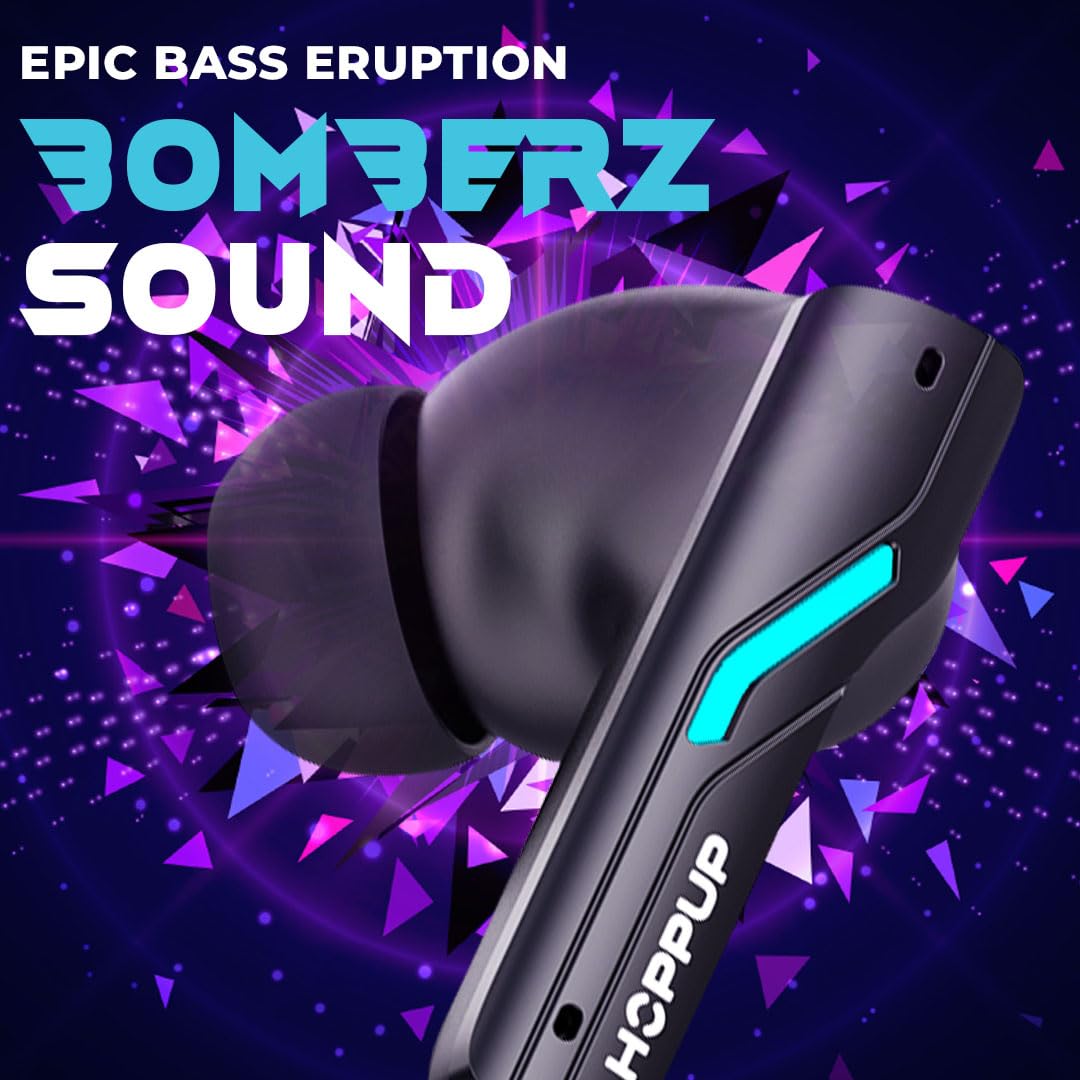
Image 3.1: HOPPUP Predator Xo4 showcasing its 35ms low latency "Rage Mode" for gaming. The image features the earbuds and case against a gaming-themed background with a futuristic soldier.
3.3 Call Management (Hush Mode)
The earbuds are equipped with Dual Mic Environmental Noise Cancellation (ENC) for clear HD calling, referred to as "Hush Mode". This technology filters out ambient noise, ensuring your voice is heard clearly.
- Answering/Ending Calls: Single tap either earbud.
- Rejecting Calls: Long press either earbud for 2 seconds.

Image 3.2: HOPPUP Predator Xo4 highlighting its Dual Mic ENC feature for clear calls, also known as "Hush Mode". The image shows the earbuds and case with a visual representation of noise cancellation.
3.4 Audio Features (Bomberz Sound)
Experience powerful audio with 13mm dynamic drivers, delivering what HOPPUP refers to as "Bomberz Sound". These drivers are designed to provide rich bass and clear sound across various audio types.

Image 3.3: HOPPUP Predator Xo4 emphasizing its 13mm drivers and "Bomberz Sound" for enhanced audio. The image focuses on the earbud's design, highlighting the driver size and sound quality.
3.5 RGB LED Lights
The charging case and earbuds feature integrated RGB LED lights, providing a distinctive aesthetic. These lights also serve as indicators for charging status and pairing mode.
4. Maintenance
4.1 Cleaning
To maintain optimal performance and hygiene, regularly clean your earbuds and charging case:
- Use a soft, dry, lint-free cloth to wipe the earbuds and charging case.
- For earwax or debris in the eartips or speaker mesh, use a small, soft brush or cotton swab.
- Avoid using abrasive materials, solvents, or harsh chemicals.
4.2 Storage
When not in use, store the earbuds in their charging case to protect them from dust, damage, and to keep them charged.
4.3 Water Resistance
The HOPPUP Predator Xo4 earbuds are rated as water resistant. This means they can withstand splashes, sweat, and light rain. They are not designed for submersion in water or exposure to pressurized water jets. Ensure earbuds are dry before placing them back in the charging case to prevent damage.
5. Troubleshooting
If you encounter issues with your HOPPUP Predator Xo4 earbuds, refer to the following common solutions:
- Earbuds not pairing:
- Ensure both earbuds are charged.
- Turn off Bluetooth on your device and turn it back on.
- Forget "PREDATOR XO4" from your device's Bluetooth list and attempt to pair again.
- Place earbuds back in the case, close the lid, wait a few seconds, then open to re-enter pairing mode.
- No sound or low volume:
- Check the volume level on both your device and the earbuds.
- Ensure earbuds are properly seated in your ears.
- Verify that the earbuds are connected to the correct device.
- Clean any debris from the speaker mesh.
- Charging issues:
- Ensure the charging cable is securely connected to both the case and the power source.
- Try a different Type-C USB cable and power adapter.
- Clean the charging contacts on both the earbuds and inside the case.
- Intermittent connection:
- Move closer to your paired device to ensure you are within the 15-meter Bluetooth range.
- Avoid environments with significant wireless interference.
- Restart your device and reconnect the earbuds.
6. Specifications
| Feature | Detail |
|---|---|
| Model Name | XO4 |
| Model Number | PREDATORXO4 |
| Connectivity Technology | Bluetooth 5.3 |
| Bluetooth Range | 15 Metres |
| Audio Latency (Gaming Mode) | 35 Milliseconds |
| Audio Driver Size | 13 Millimetres |
| Battery Life (Total with Case) | Up to 50 Hours |
| Charging Time | 2 Hours |
| Fast Charging | 10 mins charge for 90 mins playtime |
| Microphone | Dual Mic with ENC (Environmental Noise Cancellation) |
| Control Type | Touch Control, Voice Control |
| Water Resistance Level | Water Resistant (Sweatproof) |
| Item Weight | 80 Grams |
| Product Dimensions | 10 x 10 x 4 cm |
| Material | Plastic |
7. Warranty and Support
Your HOPPUP Predator Xo4 Gaming Wireless Earbuds come with a warranty. Please refer to the included Warranty Card for details regarding coverage and terms.
Customer Support
For technical assistance, warranty claims, or any product-related inquiries, please contact HOPPUP customer support:
- Email: help@hoppup.in
- Phone: +919354256077
- Manufacturer: Optimum Technologies Private Limited
- Address: UPER G/F, 19, SHIVPURI, East Krishna Nagar, Delhi, 110051, India