
1. Introduction
The Ultrean Digital Meat Thermometer is designed to provide quick and accurate temperature readings for various cooking applications. Its user-friendly features ensure precise results for perfectly cooked meals.
2. Product Features
- Ultra-Fast & Highly Accurate: Reads temperatures within 2-3 seconds with an accuracy of ±1°C/1°F.
- Wide Temperature Range: Measures from -58°F to 572°F (-50°C to 300°C).
- Multi-Use: Suitable for meats, liquids, deep frying, candy making, BBQ, grilling, and oven use.
- Waterproof & Durable: IP66 rated for easy cleaning under running water (do not submerge).
- Backlit LCD Display: Large display with backlight for clear readings in any lighting condition.
- Lock Function: Freezes the current temperature reading on the screen.
- Foldable Probe: 180° rotating probe for safe handling and compact storage.
- Convenient Storage: Features a magnetic back for attachment to metal surfaces and a hanging hole.
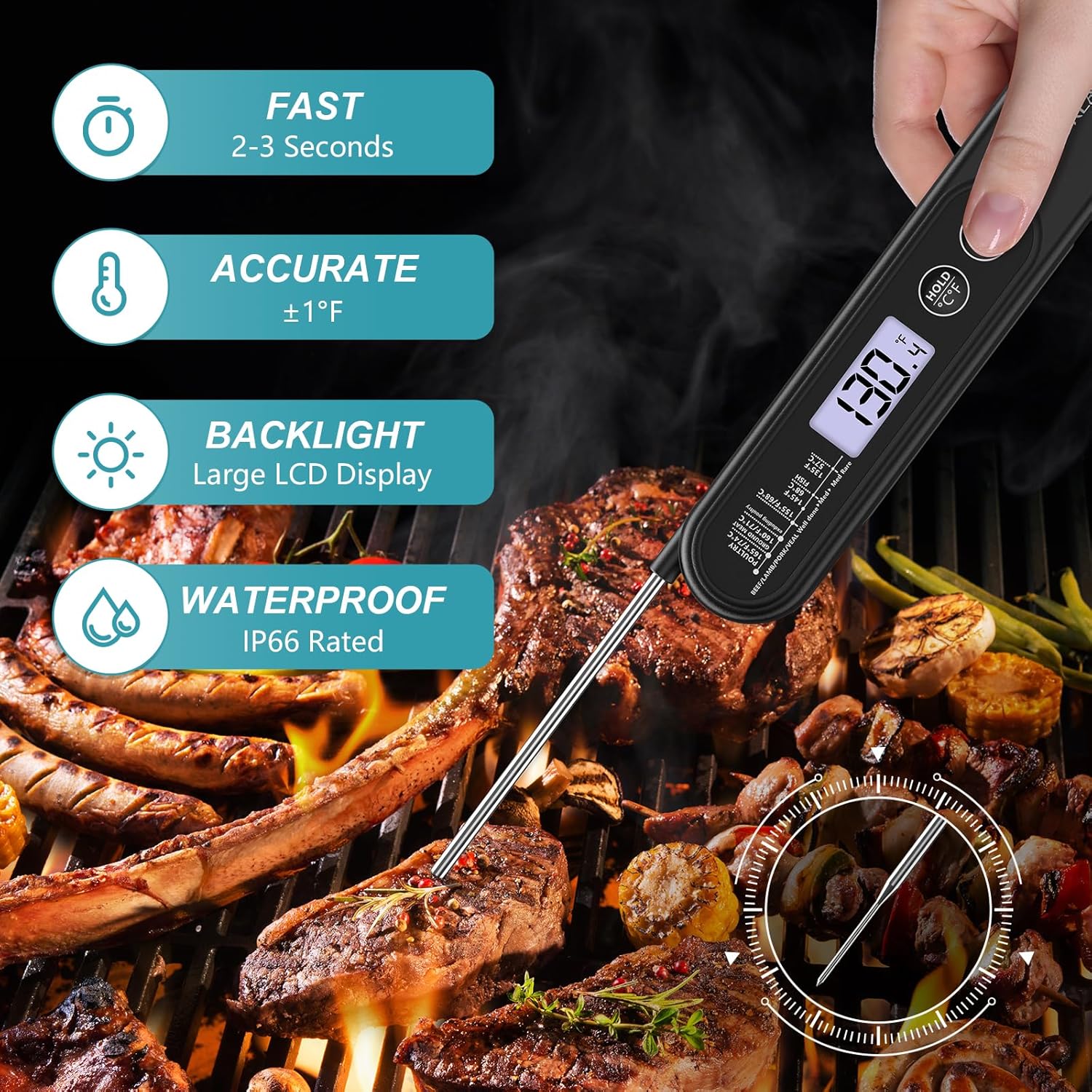
Image: Key features of the Ultrean Digital Meat Thermometer, including its fast response, accuracy, backlight, and waterproof design.
3. Setup
3.1 Battery Installation
The thermometer requires 1 AAA battery, which is included. Before first use, remove any protective film from the battery compartment. Ensure the battery is inserted with the correct polarity (+/-) as indicated.
The thermometer automatically turns on when the probe is unfolded.
4. Operating Instructions
4.1 Turning On/Off
- To turn on: Unfold the probe. The display will activate.
- To turn off: Fold the probe back into the unit. The thermometer will automatically shut off after 5 minutes of inactivity to conserve battery life.
4.2 Taking a Temperature Reading
- Unfold the stainless steel probe.
- Insert the tip of the probe into the thickest part of the food, avoiding bone or gristle.
- The temperature reading will display on the LCD screen within 2-3 seconds.
4.3 Hold Function
Press the HOLD button once to freeze the current temperature reading on the display. Press it again to release the hold and resume live temperature readings.
4.4 Changing Temperature Units (°C/°F)
Long press the HOLD button for 3 seconds to switch between Celsius (°C) and Fahrenheit (°F).
4.5 Backlight
Press the light bulb button to activate the backlight for easier reading in low-light conditions. Press it again to turn off the backlight.
Video: Demonstrates the basic operation of the Ultrean Meat Thermometer, including unfolding the probe, taking a temperature, and using the hold and backlight functions.
5. Recommended Internal Temperatures
For food safety, always ensure meat reaches the appropriate internal temperature. Use this guide as a reference:
| Food Type | Minimum Internal Temperature |
|---|---|
| Poultry (Chicken, Turkey) | 165°F (74°C) |
| Ground Meats (Beef, Pork, Lamb, Veal) | 160°F (71°C) |
| Beef, Lamb, Pork, Veal (Roasts, Steaks, Chops) - Well Done | 160°F (71°C) |
| Beef, Lamb, Pork, Veal (Roasts, Steaks, Chops) - Medium | 145°F (63°C) |
| Fish | 145°F (63°C) |
| Ham (Fresh, Raw) | 145°F (63°C) |
| Leftovers & Casseroles | 165°F (74°C) |
Note: Allow meat to rest for 3 minutes after cooking to ensure temperatures stabilize.

Image: Visual representation of the cooking temperature guide for different food types.
6. Care and Maintenance
6.1 Cleaning
- The thermometer is IP66 waterproof. Clean the stainless steel probe with a damp cloth or rinse under running water after each use.
- DO NOT submerge the entire thermometer in water.
- DO NOT place in a dishwasher.

Image: The thermometer's probe being cleaned under running water, highlighting its waterproof feature.
6.2 Storage
- Fold the probe back into the unit for safe and compact storage.
- Utilize the magnetic back to attach the thermometer to a refrigerator or other metal surface.
- Use the hanging hole to hang the thermometer on a hook.
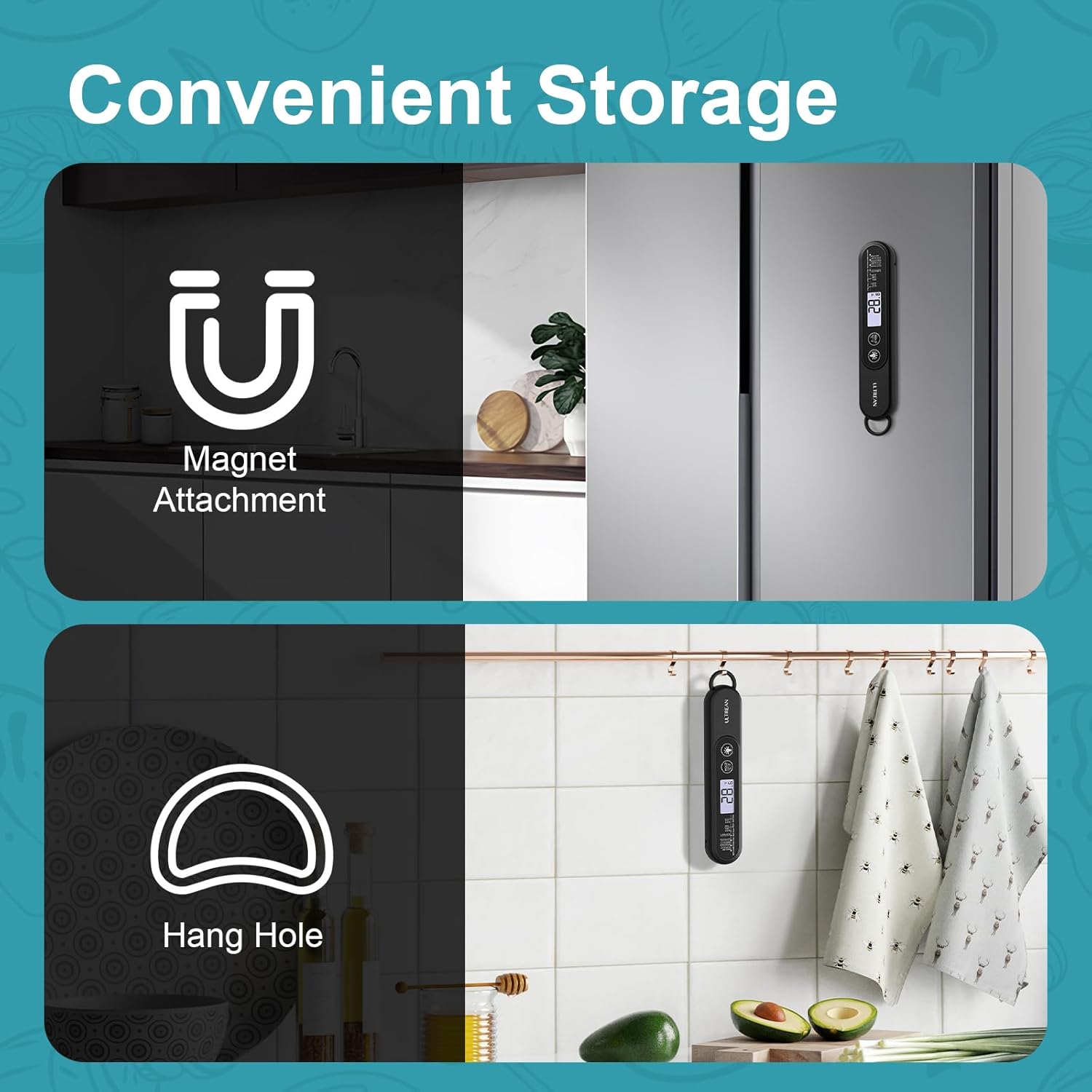
Image: Demonstrates convenient storage options for the thermometer, including magnetic attachment and hanging.
7. Warnings and Precautions
- DO NOT leave the thermometer in the oven, grill, or any hot surface while cooking.
- DO NOT touch the hot probe with bare hands. Always use oven mitts or gloves.
- DO NOT immerse the entire thermometer in water or any other liquid.
- Clean the probe thoroughly after each use to prevent cross-contamination.
- Keep out of reach of children.
8. Troubleshooting
If the thermometer is not functioning correctly, please check the following:
- Ensure the AAA battery is correctly installed and has sufficient power.
- Make sure the probe is fully extended when taking a reading.
- Verify that the probe tip is inserted into the thickest part of the food, away from bones.
If issues persist, please contact customer support.
9. Specifications
| Feature | Detail |
|---|---|
| Model Name | Digital Meat Thermometer |
| Temperature Range | -58°F to 572°F (-50°C to 300°C) |
| Accuracy | ±1°C/1°F |
| Response Time | 2-3 seconds |
| Waterproof Rating | IP66 |
| Display Type | Digital LCD with Backlight |
| Power Source | 1 AAA Battery (included) |
| Auto-Off | 5 minutes of inactivity |
| Material | Stainless Steel Probe |
| Item Weight | 1.94 ounces |
| Item Length | 2.36 Inches (folded) |
10. Warranty and Support
10.1 Warranty Information
Ultrean provides a 1-year warranty on this product from the date of purchase. This warranty covers defects in materials and workmanship. Please retain your proof of purchase.
10.2 Customer Support
For any questions, concerns, or warranty claims, please contact our customer support team:
Email: support@ultrean.com