
1. Introduction
Thank you for choosing the Amazon Basics 27-inch FHD 1080P 165Hz Gaming Monitor. This manual provides essential information for setting up, operating, and maintaining your new monitor. Please read it thoroughly to ensure optimal performance and longevity of your device.
2. Product Overview
The Amazon Basics 27-inch Gaming Monitor is designed for an immersive gaming and entertainment experience. It features a 27-inch IPS panel, delivering crystal clear 1080P Full High Definition visuals. With a rapid 1ms response time and a 165Hz refresh rate, it ensures smooth, lag-free gameplay. The monitor also supports Adaptive Sync technology and is VESA compatible for flexible mounting options.
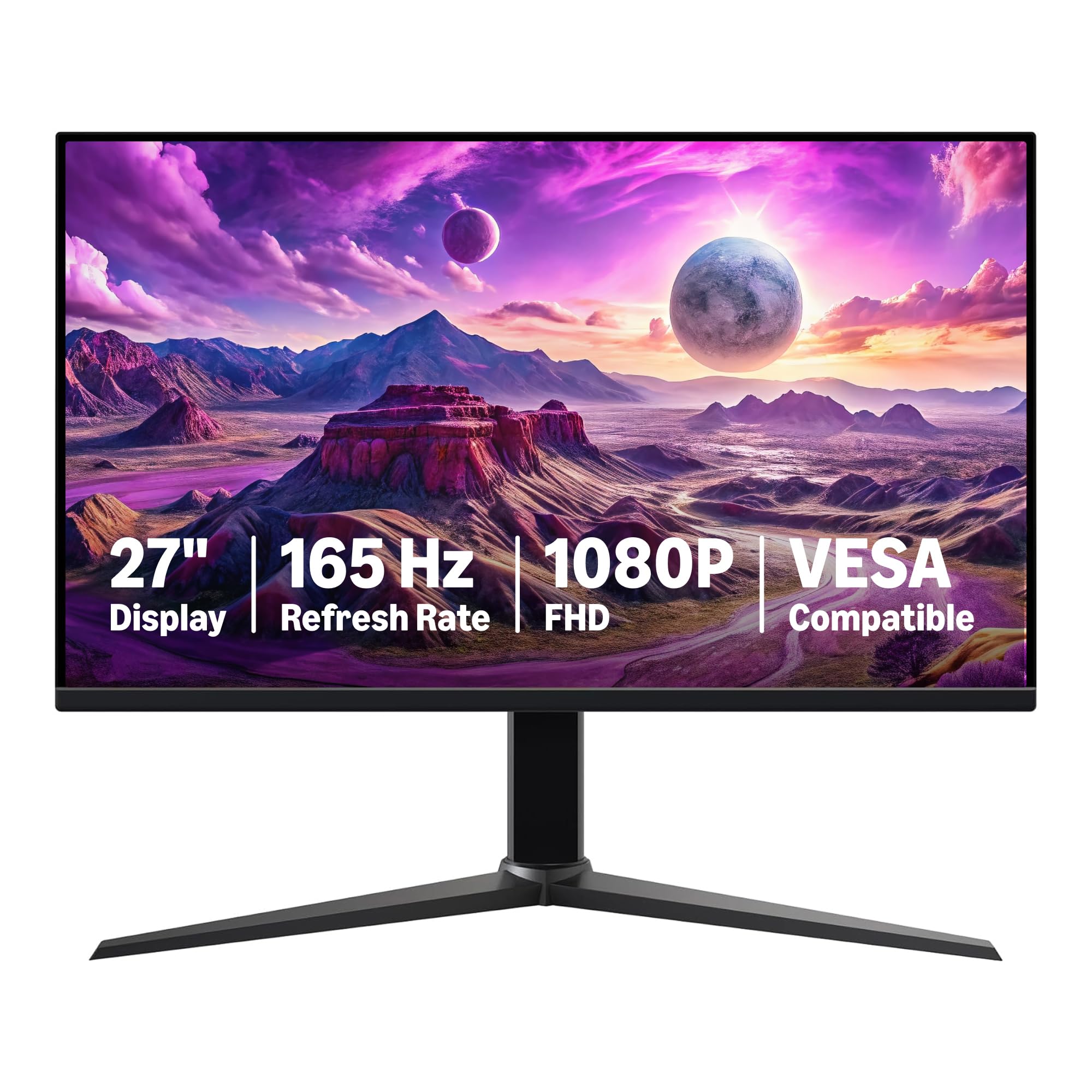
Figure 2.1: Front view of the Amazon Basics 27-inch Gaming Monitor.

Figure 2.2: Dimensions of the Amazon Basics 27-inch Gaming Monitor, showing 24.00 in (61.16 cm) width, 10.37 in (26.35 cm) depth, and 20.44 in (51.91 cm) height.
3. Setup and Assembly
Follow these steps to assemble and set up your monitor. Ensure all components are present before beginning.
3.1 Unpacking and Component Check
Carefully remove all items from the packaging. Verify that you have the monitor panel, stand base, stand neck, power cord, and HDMI cable.

Figure 3.1: Included components: Monitor panel, stand base, stand neck, power adapter, and HDMI cable.
3.2 Stand Assembly
- Attach the stand neck to the stand base, aligning the bolts with the holes.
- Secure the stand by holding the ring on the fixing bolt and turning clockwise until tightened. Flip the ring down after tightening.
- Attach the assembled stand to the back of the monitor panel. The stand will click into place once properly attached.
- When tilting the monitor, hold only the bezel to protect the screen.
Video 3.1: Product Summary Video. This video demonstrates the monitor's features and basic assembly steps, including attaching the stand and connecting cables.
Video 3.2: Amazon's Best 27" Gaming Monitor. This video provides an overview of the monitor's features and highlights its suitability for gaming.
3.3 Connecting the Monitor
Connect the power adapter to the monitor and a power outlet. Use the provided HDMI or DisplayPort cable to connect the monitor to your computer's graphics card. The monitor is plug-and-play, making connection and installation straightforward.

Figure 3.2: Rear view of the monitor showing various input/output ports including 2x HDMI 2.0, 1x DisplayPort 1.4, and Audio Out.
Important: To achieve the maximum 165Hz refresh rate, ensure your computer's ports and graphics card support FHD output at 165Hz. Use a DisplayPort 1.4 or HDMI 2.0 compatible cable. Consult your device manufacturer's manual for more information. Finally, select the maximum 165Hz refresh rate in your computer's advanced display settings.
4. Operating Instructions
4.1 Powering On/Off
Press the power button located on the back of the monitor to turn it on or off. The monitor will automatically detect the input signal.
4.2 On-Screen Display (OSD) Menu
Use the joystick button on the back of the monitor to navigate the On-Screen Display (OSD) menu. This menu allows you to adjust various settings such as brightness, contrast, color temperature, input source, and game-specific settings.
- Brightness/Contrast: Adjust for optimal viewing in different lighting conditions.
- Color Settings: Fine-tune color temperature and gamma for accurate color reproduction.
- Input Source: Manually select between HDMI and DisplayPort inputs.
- Game Settings: Access specific modes for gaming, including overdrive and adaptive sync options.
4.3 Adaptive Sync
The monitor supports Adaptive Sync technology to eliminate screen tearing and stuttering, providing a smoother gaming experience. Ensure Adaptive Sync is enabled in both the monitor's OSD menu and your graphics card settings.
5. Maintenance
Proper maintenance ensures the longevity and performance of your monitor.
- Cleaning the Screen: Use a soft, lint-free cloth lightly dampened with water or a non-abrasive screen cleaner. Avoid harsh chemicals.
- Cleaning the Casing: Wipe the monitor casing with a soft, dry cloth.
- Ventilation: Ensure the monitor's ventilation openings are not blocked to prevent overheating.
- Protective Film: Remember to remove the protective film (with date code) from the panel surface before use. This film protects against shipping scratches.
6. Troubleshooting
If you encounter issues with your monitor, refer to the following common troubleshooting steps:
- No Power: Check if the power cable is securely connected to both the monitor and the power outlet. Ensure the power outlet is functional.
- No Signal: Verify that the video cable (HDMI/DisplayPort) is correctly connected to both the monitor and your computer. Ensure the correct input source is selected in the OSD menu.
- Flickering/Distorted Image: Check the video cable for damage. Ensure your graphics card drivers are up to date. Adjust the refresh rate in your computer's display settings.
- No Sound: If using built-in speakers, ensure the volume is not muted and is turned up in both the monitor's OSD menu and your computer's sound settings. Verify that the audio output is correctly configured on your computer.
- Image Quality Issues: Adjust brightness, contrast, and color settings via the OSD menu. Ensure the display resolution is set to 1920x1080 (FHD) in your computer's display settings.
If problems persist, contact Amazon Basics customer support for further assistance.
7. Specifications
| Feature | Detail |
|---|---|
| Brand | Amazon Basics |
| Model Number | G27M2020GNA |
| Screen Size | 27 Inches |
| Screen Resolution | 1920x1080 (FHD 1080p) |
| Max Screen Resolution | 1920 x 1080 |
| Refresh Rate | 165Hz |
| Response Time | 1ms |
| Panel Type | IPS |
| Adaptive Sync | Yes |
| VESA Compatible | Yes |
| Aspect Ratio | 16:9 |
| Screen Surface Description | Glossy |
| Item Weight | 9.92 pounds |
| Product Dimensions (LxWxH) | 24 x 10.37 x 20.44 inches |
| Color | Black |
| Manufacturer | Amazon |
8. Warranty and Support
For warranty information and customer support, please refer to the documentation included with your product or visit the official Amazon Basics support page. Protection plans are available for extended coverage.
- 3-Year Protection Plan: Available for purchase.
- 4-Year Protection Plan: Available for purchase.
- Complete Protect: One plan covers all eligible past and future purchases (monthly billing).
For returns, Amazon offers a 30-day refund/replacement policy for this product.


