1. Introduction
The STEREN LOCK-350 Bluetooth Digital Security Lock offers advanced digital security for your door. It features multiple access methods including Bluetooth, fingerprint, keypad codes, and physical keys. Manage the lock using the Steren Home app on your smartphone, which allows you to view access logs, generate temporary access codes, share control, and receive notifications for openings or attempted openings.
The fingerprint sensor can store up to 40 unique fingerprints, providing quick and secure access. Keypad access supports personalized 6 to 8-digit codes, including dynamic codes with limited duration or specific validity periods, with a capacity for up to 40 codes. For traditional access, two physical keys are included, designed with lateral milling and an anti-saw system to enhance security.
The lock is wireless, powered by batteries, and includes a USB-C port for temporary power supply via a power bank in case of battery depletion. Its minimalist design features aluminum and plastic construction, with a discreet keypad that illuminates upon touch. The lock is designed for easy installation on doors 35 to 55 mm thick, supporting both left and right-hand openings. For remote Wi-Fi functionality, a separate gateway is required (sold separately).
2. Product Overview
Familiarize yourself with the components and features of your STEREN LOCK-350.

Figure 1: Front view of the STEREN LOCK-350 Bluetooth Digital Security Lock, showcasing its sleek black design and integrated handle.
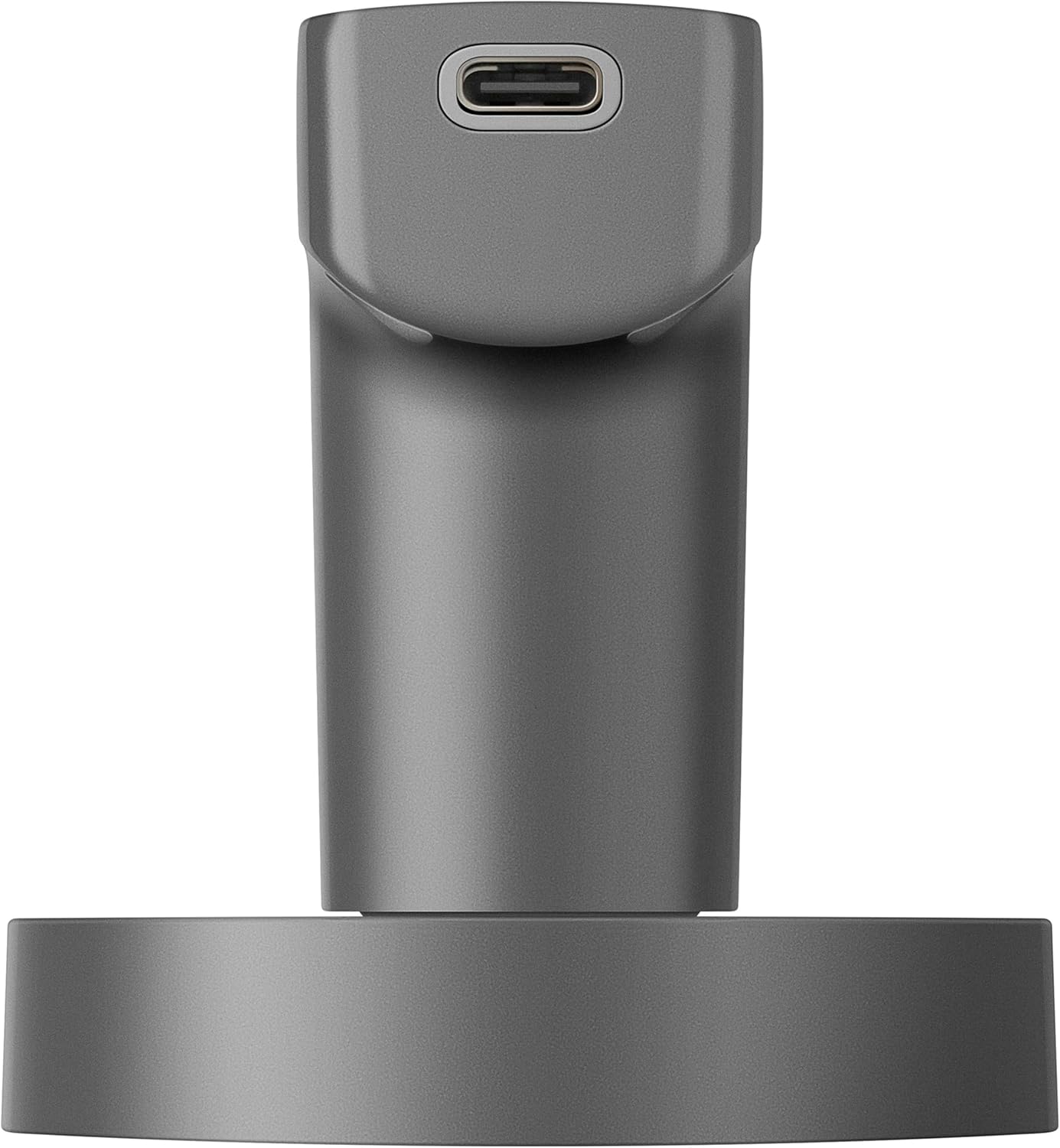
Figure 2: A close-up view of the lock's bottom edge, showing the USB-C port for emergency power connection.

Figure 3: A detailed image of the lock's bottom edge, highlighting the discreet physical keyhole for traditional manual access.

Figure 4: This image shows the two physical keys provided with the lock, designed for secure manual unlocking.
3. Specifications
| Feature | Specification |
|---|---|
| Manufacturer | Steren |
| Part Number | LOCK-350 |
| Size | 0.8 kg |
| Color | Black |
| Finish | Possibly smooth |
| Material | Carbon Steel |
| Shape | Rectangular |
| Number of Pieces | 1 |
| Special Features | Bluetooth Connectivity, Biometric Authentication, Tamper Resistant |
| Included Components | Instruction manual in Spanish |
| Batteries Included | No |
| Batteries Required | No |
| Length | 4 inches |
| Width | 4 inches |
| Height | 4 inches |
| Product Dimensions | 10.16 x 10.16 x 10.16 cm; 800 g |
| Model Number | LOCK |
| Lock Type | Biometric |
4. Setup and Installation
This section guides you through the initial setup and installation of your STEREN LOCK-350. Ensure you have all components as listed in the product packaging before beginning.
4.1 Door Preparation
The lock is designed for doors with a thickness of 35 to 55 mm. It supports both left and right-hand openings. Verify your door's dimensions and existing bore holes meet these requirements.
4.2 Installing the Latch Mechanism
Insert the latch mechanism into the door's edge. Secure it with the provided screws. Ensure the latch is oriented correctly for your door's opening direction.
Video 1: This video provides a step-by-step guide on how to install a smart lock, demonstrating the process of fitting the latch, handles, and connecting internal components.
Video 2: This video offers a detailed walkthrough of the electronic lock installation process, including product introduction and setup steps.
Video 3: This video provides a guide on installing a smart lock, detailing the steps for proper setup.
4.3 Installing the Exterior and Interior Panels
- Feed the power cable and square spindle through the central hole of the latch.
- Align the exterior panel with the door and the latch mechanism.
- Connect the power cable from the exterior panel to the interior panel.
- Align the interior panel and secure it to the exterior panel using the provided screws.
4.4 Battery Installation
The lock operates wirelessly using batteries. Open the battery compartment on the interior panel and insert the required batteries (not included). Ensure correct polarity.
5. Operating Instructions
Your STEREN LOCK-350 offers multiple convenient ways to unlock your door.
5.1 Using the Steren Home App (Bluetooth)
- Download and install the Steren Home app on your smartphone.
- Follow the in-app instructions to pair your smartphone with the lock via Bluetooth.
- Once paired, you can unlock the door wirelessly by tapping a button in the app.
- Use the app to manage access logs, generate temporary codes, and receive notifications.
5.2 Fingerprint Access
- Register your fingerprints through the Steren Home app (refer to the app's guide for detailed steps). The lock can store up to 40 fingerprints.
- To unlock, place your registered finger on the fingerprint sensor located on the handle.
5.3 Keypad Code Access
- Register access codes (6 to 8 digits) via the Steren Home app. You can create permanent, temporary, or one-time codes. The lock can store up to 40 codes.
- To unlock, touch the keypad to illuminate it, then enter your code followed by the '#' key.
5.4 Physical Key Access
In case of battery depletion or electronic malfunction, use one of the two provided physical keys to unlock the door manually.
Video 4: A short video demonstrating the features and operation of a smart digital lock, including biometric and keypad access.
Video 5: This video highlights the various access methods and smart features of a digital lock.
6. Maintenance
To ensure optimal performance and longevity of your STEREN LOCK-350, follow these maintenance guidelines:
- Cleaning: Use a soft, dry cloth to clean the lock's surface. Avoid abrasive cleaners or solvents that could damage the finish or electronic components.
- Battery Replacement: Replace batteries when the low battery indicator appears in the app or on the lock. Use high-quality alkaline batteries.
- Firmware Updates: Regularly check the Steren Home app for any available firmware updates to ensure your lock has the latest features and security enhancements.
- Lubrication: Periodically lubricate the latch mechanism with a silicone-based lubricant to ensure smooth operation. Avoid oil-based lubricants.
7. Troubleshooting
If you encounter issues with your STEREN LOCK-350, refer to the following common problems and solutions:
- Lock not responding: Check battery levels. If batteries are depleted, use the USB-C port for temporary power or the physical key.
- Fingerprint not recognized: Ensure your finger is clean and dry. Re-register your fingerprint if the issue persists.
- Keypad not lighting up: Touch the keypad to activate it. If it still doesn't light up, check battery levels.
- Bluetooth connectivity issues: Ensure your smartphone's Bluetooth is enabled and within range of the lock. Restart the app or your phone if necessary.
- Lock mechanism jammed: Do not force the handle. Check for any obstructions in the door frame or latch.
For further assistance, consult the Steren Home app's help section or contact customer support.
8. Warranty and Support
For warranty information and customer support, please refer to the documentation included with your product or visit the official STEREN website. Keep your purchase receipt as proof of purchase for any warranty claims.


