
Introduction
Welcome to your new Candy Smart CSTG 28TMV5/1-S Top Load Washing Machine. This manual provides essential information for the safe and efficient operation, installation, and maintenance of your appliance. Please read this manual thoroughly before using the washing machine and keep it for future reference.

Image: Front view of the Candy Smart CSTG 28TMV5/1-S Top Load Washing Machine.
Safety Information
To prevent personal injury or damage to the appliance, always observe the following safety precautions:
- Read all instructions before use.
- Keep children and pets away from the appliance during operation.
- Do not operate the washing machine if the power cord is damaged. Contact qualified service personnel.
- Ensure the appliance is properly grounded to prevent electric shock.
- Do not wash items that have been cleaned, washed, soaked, or spotted with combustible or explosive substances.
- Always unplug the appliance before cleaning or performing any maintenance.
- Do not attempt to repair or replace any part of your washing machine unless specifically recommended in this manual.
Setup and Installation
Proper installation is crucial for the performance and longevity of your washing machine. The following items are included in the box:
- Top Load Washing Machine
- Drain Hose
- Power Cable
- Instruction Manual
1. Unpacking
Carefully remove all packaging materials. Important: Locate and remove the four transit bolts (shipping bolts) from the rear of the machine. These bolts secure the drum during transport and must be removed before operation to prevent severe vibration and damage.

Image: Illustration of transit bolts on the rear of a washing machine, which must be removed before use.
2. Placement
Place the washing machine on a firm, level surface. Ensure there is adequate space around the machine for ventilation and access. Adjust the leveling feet until the machine is stable and does not wobble.

Image: Dimensions of the Candy Smart Top Load Washing Machine (41cm width, 60cm depth, 86cm height).
3. Water Connection
Connect the water inlet hose to a cold water tap. Ensure all connections are tight to prevent leaks. Position the drain hose into a standpipe or laundry tub, ensuring it is securely fastened and allows for proper drainage.
4. Electrical Connection
Plug the power cable into a grounded electrical outlet. Do not use extension cords or adapters.
5. Initial Wash Cycle
Before washing clothes, run an empty wash cycle (e.g., a quick wash program) without detergent to clean the drum and internal components.
Operating Instructions
Your Candy Smart washing machine is designed for ease of use. Familiarize yourself with the control panel and its functions.
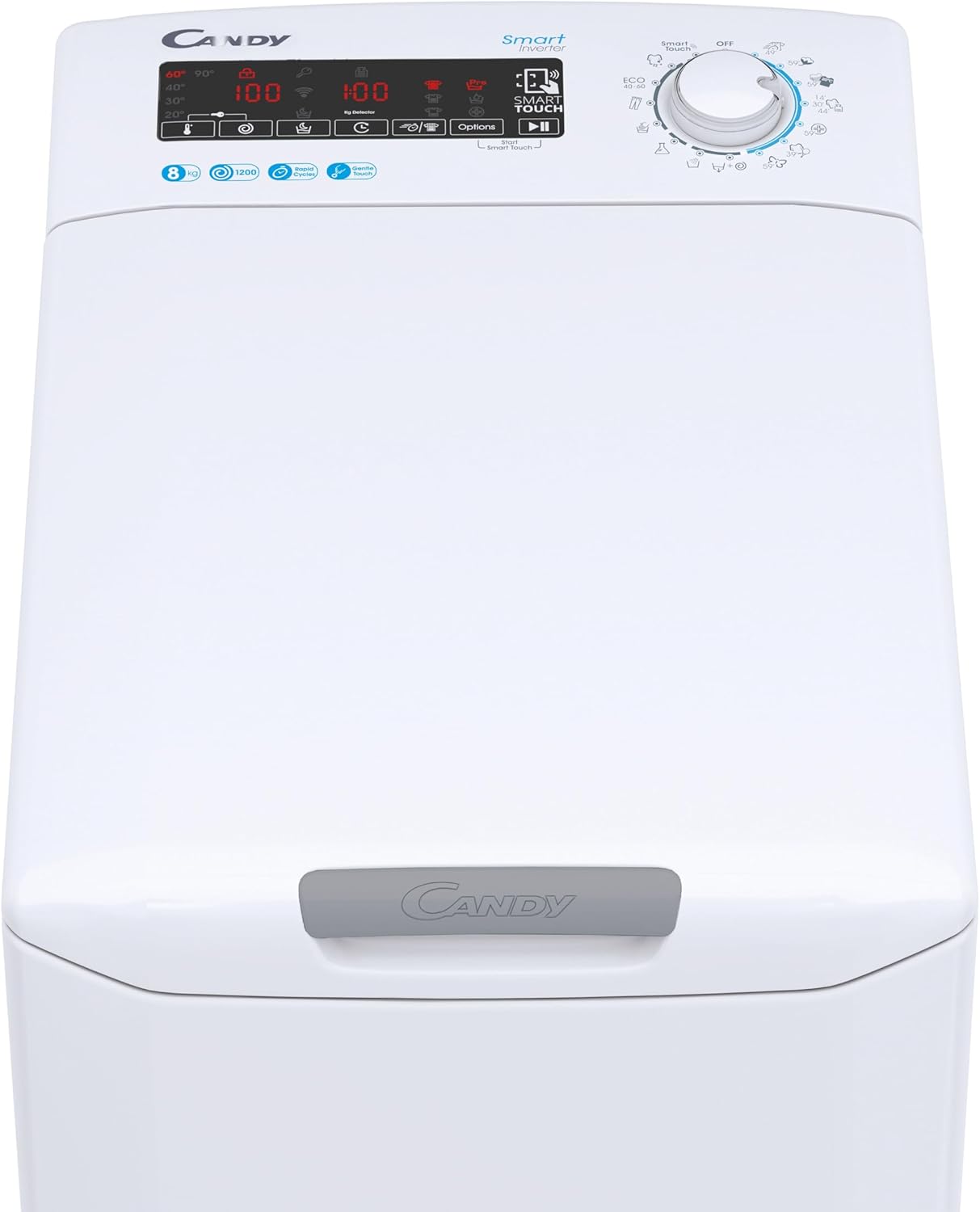
Image: Detailed view of the control panel, showing the digital display and program selector.
1. Loading Laundry
Open the top lid using the Gentle Opening mechanism. Load laundry into the drum, ensuring not to exceed the 8 kg capacity. Overloading can affect wash performance and damage the machine.
2. Adding Detergent
Add the appropriate amount of detergent and fabric softener to their respective compartments in the dispenser drawer. Refer to your detergent packaging for recommended dosages.
3. Selecting a Program
Turn the program selector dial to choose one of the 17 available wash cycles. The digital display will show the default settings for the selected program. Available programs include:
- Perfect Cotton 59'
- Colors and Mixed 59'
- Delicates 59'
- Sport Plus 39'
- Rapid cycles (14', 30', 44')
- Hygienic Cycle
Additional cycles can be accessed via the Candy Simply-Fi App using NFC technology.
4. Adjusting Options
Use the tactile buttons on the digital display to adjust options such as spin speed (up to 1200 RPM), temperature, or to activate the 24-hour delayed start function. The KG Detector automatically adjusts water and energy consumption based on the load size.
5. Starting the Cycle
Press the Start/Pause button to begin the wash cycle. The machine will lock the lid and start filling with water.
6. Smart Features (NFC & Voice Assistant)
Your washing machine is equipped with NFC technology and voice assistant compatibility. Download the Candy Simply-Fi App to your smartphone. Follow the in-app instructions to connect your device and access additional programs, diagnostics, and remote control features.


Image: Icons illustrating NFC connectivity and smart control via a smartphone app.
Maintenance
Regular maintenance ensures optimal performance and extends the lifespan of your washing machine.
1. Cleaning the Exterior
Wipe the exterior surfaces with a soft, damp cloth. Do not use abrasive cleaners or solvents.
2. Cleaning the Detergent Dispenser
Periodically remove and clean the detergent dispenser drawer to prevent residue buildup. Rinse it under running water and reinsert.
3. Cleaning the Drain Pump Filter
The drain pump filter should be cleaned regularly to prevent blockages. Refer to the detailed instructions in the full manual for safe access and cleaning procedures. Always drain residual water before opening the filter cover.
4. Drum Cleaning
Run a maintenance wash cycle (e.g., a hot wash with a specialized washing machine cleaner) periodically to prevent odors and mold buildup in the drum.
Troubleshooting
If you encounter issues with your washing machine, consult the following common troubleshooting tips:
| Problem | Possible Cause | Solution |
|---|---|---|
| Machine does not start | Power cord unplugged, door not closed properly, program not selected, delayed start active. | Check power connection, ensure lid is fully closed, select a program, check for delayed start setting. |
| No water filling | Water tap closed, inlet hose kinked, water pressure too low. | Open water tap, straighten hose, check water supply. |
| Water not draining | Drain hose kinked or blocked, drain pump filter clogged. | Check and clear drain hose, clean drain pump filter. |
| Excessive vibration/noise | Transit bolts not removed, machine not level, uneven load. | Ensure transit bolts are removed. Level the machine using adjustable feet. Redistribute laundry inside the drum. |
| Poor washing results | Overloading, incorrect detergent dosage, wrong program selected. | Reduce load size, adjust detergent amount, select appropriate wash program. |
For error codes displayed on the digital screen or more complex issues, refer to the full user manual available via the Candy Simply-Fi App or the manufacturer's website.
Specifications
Key technical specifications for the Candy Smart CSTG 28TMV5/1-S Washing Machine:
| Feature | Specification |
|---|---|
| Model Number | 31019930 |
| Brand | Candy |
| Capacity | 8 Kilograms |
| Maximum Spin Speed | 1200 RPM |
| Loading Type | Top Load |
| Dimensions (D x W x H) | 60 cm x 41 cm x 86 cm |
| Weight | 58 Kilograms |
| Color | White |
| Control Type | Tactile Digital Display |
| Special Features | 17 Programs, Gentle Touch Opening, Inverter Motor, Mix Power System+, NFC Technology, Voice Assistant, KG Detector, 24H Delayed Start |
| Material | Plastic |
| Noise Level (Spin) | 77 dB |
Warranty and Support
Your Candy Smart CSTG 28TMV5/1-S Washing Machine comes with a manufacturer's warranty. Please refer to the warranty card included with your purchase or visit the official Candy website for detailed terms and conditions.
For technical assistance, spare parts, or service requests, please contact Candy customer support. Contact information can typically be found on the manufacturer's website or in the full product documentation.
Online Resources: For the most up-to-date information, FAQs, and digital copies of manuals, visit the official Candy Brand Store or the main Candy website.


