
Feihe FH-14 Inch
Feihe 14-inch Small Flat Screen TV User Manual
Model: FH-14 Inch
1. Introduction
Thank you for choosing the Feihe 14-inch Small Flat Screen TV. This compact and versatile television is designed for various settings, including kitchens, bedrooms, RVs, camping, and offices. It features a built-in ATSC tuner for digital and analog TV reception, multiple connectivity options, and a high-definition display for clear images and rich audio.
This manual provides detailed instructions for setting up, operating, maintaining, and troubleshooting your new television. Please read it carefully before use to ensure optimal performance and longevity of your device.
2. Setup Guide
2.1. Unboxing and Package Contents
Before you begin, ensure all components are present in the package:
- Feihe 14-inch TV Unit
- Remote Control
- TV Stand
- Power Adapter
- Car Charger Adapter (6 FT)
- Antenna
2.2. Assembling the TV Stand
The TV stand provides stable support for your television. Follow these steps to attach it:
- Place the TV unit face down on a soft, clean surface to prevent scratches.
- Align the stand base with the mounting holes on the back of the TV.
- Secure the stand using the provided screws and a screwdriver. Ensure it is firmly attached.

Image: Rear view of the TV demonstrating stand attachment.
Video: Detailed steps for installing the TV stand.
2.3. Connecting Peripherals
The Feihe TV offers multiple connectivity options:
- Antenna/Cable: Connect the included antenna or your cable TV coaxial cable to the 'TV' input port.
- USB: Insert a USB drive (up to 32GB Max) into the USB port for media playback.
- HDMI: Connect devices like gaming consoles, DVD players, or TV boxes using an HDMI cable.
- AV: Use AV cables to connect older devices with composite video and audio outputs.
- VGA: Connect a computer or laptop using a VGA cable for use as a monitor.
- Headphone Output: Connect headphones for private listening.

Image: Overview of all available input and output ports on the TV's rear panel.
2.4. Powering On the TV
Connect the power adapter to the 'DC 12V' input on the TV and plug it into a wall outlet. Alternatively, use the provided car charger adapter for portable use in vehicles.

Image: The TV can be powered by a standard power adapter or a car charger adapter for portability.
3. Operating Instructions
3.1. Basic Operation
- Power On/Off: Press the Power button on the TV or remote control.
- Volume Control: Use the VOL+ and VOL- buttons on the remote or TV to adjust the volume.
- Channel Change: Use the CH+ and CH- buttons on the remote or TV to switch channels.
3.2. Selecting Input Source
To switch between connected devices (ATSC, HDMI, AV, VGA, USB):
- Press the 'SOURCE' button on the remote control.
- Use the arrow keys to navigate and select your desired input source.
- Press 'ENTER' to confirm your selection.
3.3. Channel Scan (ATSC Tuner)
To receive local HD channels using the built-in ATSC tuner:
- Ensure the antenna is properly connected.
- Press the 'SOURCE' button and select 'ATSC'.
- Press the 'MENU' button on the remote.
- Navigate to 'CHANNEL' and select 'Auto Scan'.
- The TV will scan for available channels. This may take a few minutes.
Video: Demonstrates how to connect the antenna and perform a channel scan for local HD channels.
3.4. USB Media Playback
The TV supports playback of various media files from a USB drive:
- Photo File Formats: JPG/BMP
- Movie File Formats: VOB/AVI/MPEG1/MPEG2/MPEG4/DIVX (Resolution must be within 720 x 576. H.264 is not supported.)
- Text File Formats: TEXT/WORD
- Music File Formats: MP3/MP4/WMA
Note: USB support is up to 32GB Max. USB drive is not included.
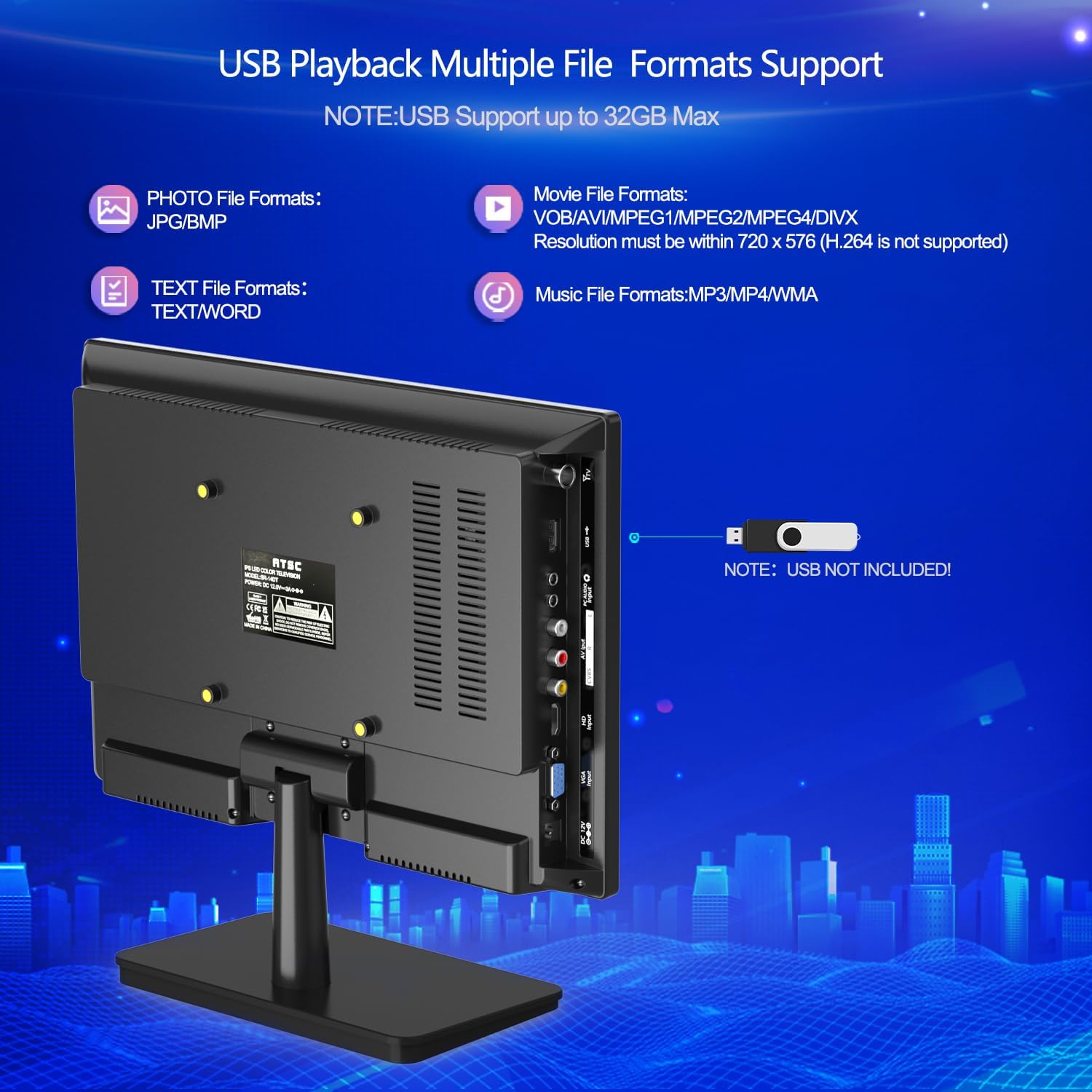
Image: Supported file formats for USB playback.
3.5. Optimal Viewing Angle
The Feihe TV features a 160° wide viewing angle, ensuring clear picture quality from various positions, minimizing shadows and color distortion.

Image: The TV offers a 160° wide viewing angle for consistent picture quality.
4. Maintenance
4.1. Cleaning the TV
- Always unplug the TV before cleaning.
- Use a soft, dry cloth to wipe the screen and exterior. For stubborn marks, slightly dampen the cloth with water.
- Avoid using abrasive cleaners, waxes, or solvents as they can damage the finish.
4.2. Storage
If storing the TV for an extended period, ensure it is clean, dry, and stored in a cool, well-ventilated area away from direct sunlight and extreme temperatures. Use the original packaging if available for best protection.
5. Troubleshooting
If you encounter issues with your Feihe TV, refer to the following common problems and solutions:
| Problem | Possible Cause | Solution |
|---|---|---|
| No Power | Power cable not connected; Power outlet not working; TV in standby mode. | Ensure power cable is securely connected. Try a different outlet. Press the Power button on the TV or remote. |
| No Signal / Poor Picture Quality | Incorrect input source selected; Antenna not connected or positioned correctly; Weak broadcast signal. | Press 'SOURCE' to select the correct input. Ensure antenna is connected and placed near a window or in an open area. Perform a channel scan. For better signal, consider an amplified antenna (not included). |
| Remote Control Not Working | Batteries are dead or incorrectly inserted; Obstruction between remote and TV; Using a non-compatible remote. | Replace batteries. Remove any obstructions. Ensure you are using the included Feihe remote. This TV is not compatible with universal or cable service remotes. |
| USB Playback Issues | Unsupported file format; USB drive too large or corrupted. | Check supported file formats and video resolution limits (720x576 max). Ensure USB drive is 32GB or less and formatted correctly. |

Image: The Feihe 14-inch TV is only compatible with its included remote control.
6. Specifications
| Feature | Specification |
|---|---|
| Brand | Feihe |
| Model Number | FH-14 Inch |
| Screen Size | 14 Inches |
| Display Technology | LCD |
| Resolution | 1080p |
| Refresh Rate | 60 Hz |
| Aspect Ratio | 16:9 |
| Tuner Type | ATSC Digital, NTSC Analog |
| Connectivity Technology | USB, HDMI, AV, VGA, Antenna/Cable |
| Speaker Type | Built-In Dual Stereo Speaker |
| Power Input | 12 Volts (DC) |
| Product Dimensions (DxWxH) | 1.8" x 13.4" x 12.2" |
| Item Weight | 4.64 pounds |
| Special Features | Wide Viewing Angle, Flat, Portable |
7. Warranty and Support
Feihe products are manufactured to high-quality standards. For information regarding warranty coverage and customer support, please refer to the warranty card included with your product or visit the official Feihe website. Keep your purchase receipt as proof of purchase for any warranty claims.
For technical assistance or further inquiries, please contact Feihe customer service through the contact information provided on the product packaging or the official brand store.
Ask a question about this manual
Ask about setup, troubleshooting, compatibility, parts, safety, or missing instructions. Manuals+ will review the question and use this page’s manual context to help answer it.