
1. Introduction
The MAXTO M6S Motorcycle Bluetooth Headset is an advanced communication system designed for motorcycle riders. Featuring a dual Bluetooth chip design, it allows for simultaneous intercom communication and music listening. Equipped with DSP/CVC noise reduction technology, it ensures crystal clear sound quality during calls and conversations. The M6S supports multi-person mesh networking for up to 8 riders, offering seamless communication over distances up to 1000 meters. Its IP67 waterproof rating ensures reliable performance in various weather conditions.
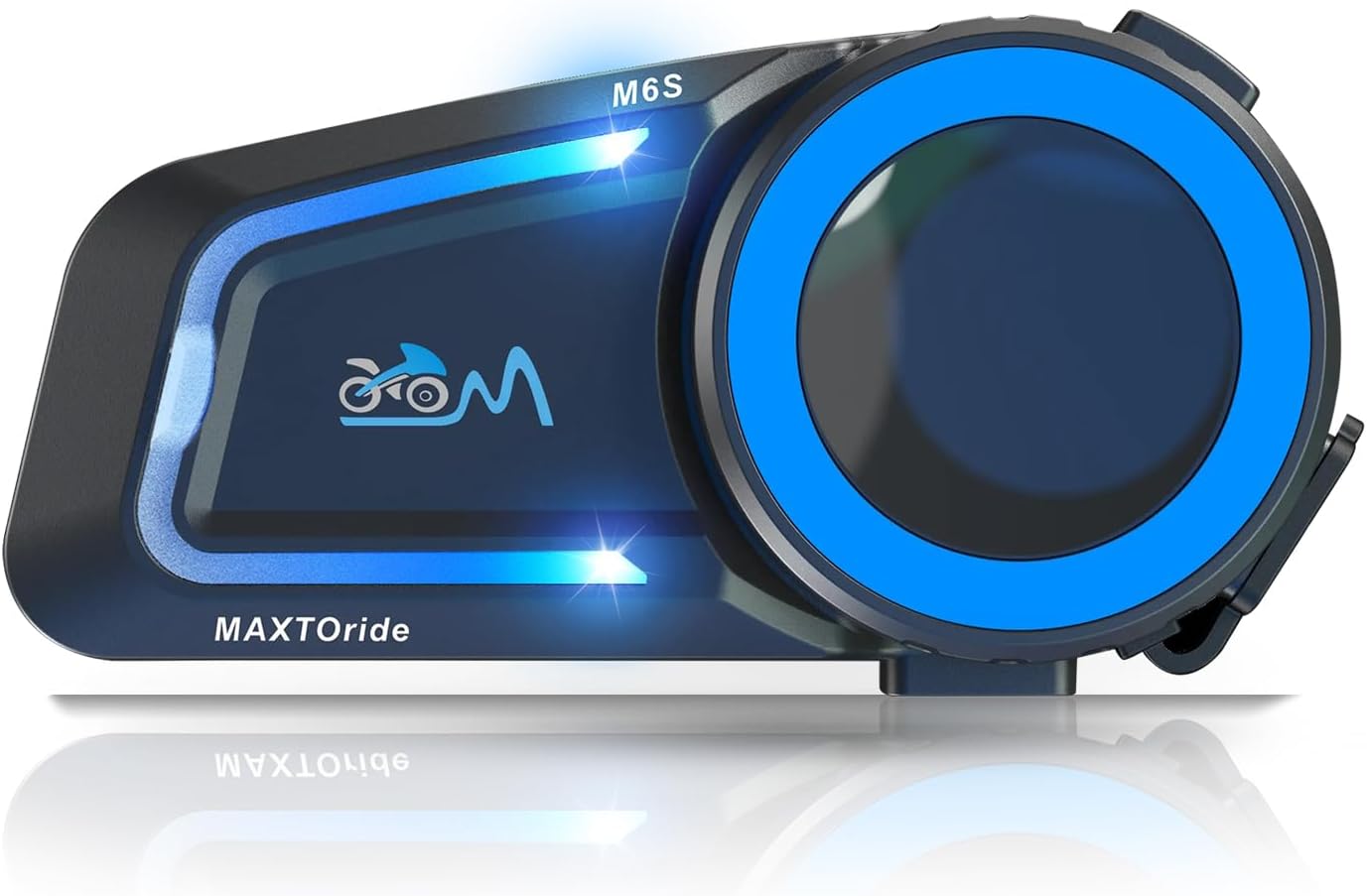
Figure 1: MAXTO M6S Motorcycle Bluetooth Headset unit.
Video 1: Overview of the MAXTO M6S Motorcycle Bluetooth Headset and its features.
2. What's in the Box
Upon opening your MAXTO M6S package, you will find the following components:
- MAXTO M6S Headset Unit
- Headset (speakers and microphone)
- Charging Cable (USB-C)
- Mounting Clips (for helmet attachment)
- Velcro Pads (for speaker and microphone placement)
- Small Screwdriver (Allen key for installation)
- User Manual
Video 2: Unboxing and contents of the MAXTO M6S package.
3. Setup
3.1 Charging the Device
Before initial use, fully charge your MAXTO M6S headset. Connect the provided USB-C charging cable to the headset and a compatible USB power source. The indicator light will show charging status and turn off when fully charged.
3.2 Helmet Installation
Install the headset unit onto your helmet using the provided mounting clips. Secure the speakers inside the helmet's ear pockets using the Velcro pads. Position the microphone appropriately for clear voice capture. Ensure all cables are neatly tucked away and do not obstruct your vision or movement.
4. Operating Instructions
4.1 Power On/Off
- To Power On: Long press the multi-function button until the indicator lights illuminate.
- To Power Off: Long press the multi-function button until the indicator lights turn off.
4.2 Bluetooth Pairing (Smartphone)
To connect your M6S headset to your smartphone:
- Ensure the M6S headset is powered off.
- Long press the multi-function button until the indicator light flashes red and blue, indicating pairing mode.
- On your smartphone, go to Bluetooth settings and search for "M6S".
- Select "M6S" to connect. A voice prompt will confirm successful connection.
4.3 Multi-person Networking (Friends Mode)
The M6S supports a mesh network for up to 8 riders. Follow these steps for group communication:
- Ensure all M6S units in the group are powered on.
- On each M6S unit, long press the intercom button for 2 seconds until the red and blue lights flash simultaneously. This puts them into group pairing mode.
- Once all units are in group pairing mode, short press the intercom button on any one of the M6S units. All M6S units will automatically pair with each other.
- If communication is temporarily lost due to obstacles, the "automatic communication return" function will re-establish the connection when units are back in range.
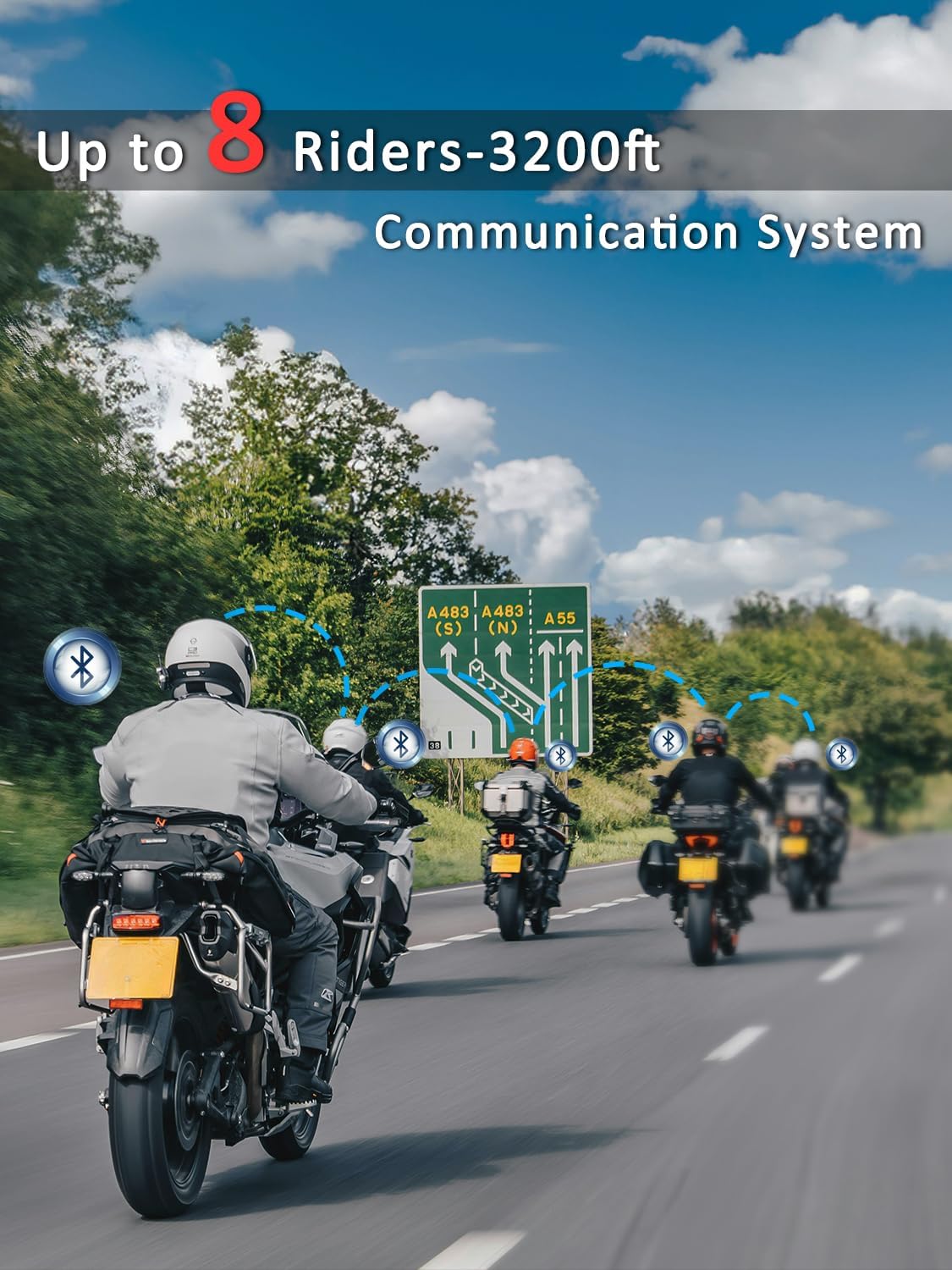
Figure 2: MAXTO M6S supporting up to 8 riders in a mesh communication system.
Video 3: Detailed instructions on how to connect multiple MAXTO M6S units for mesh communication.
4.4 Music Sharing
Share your music with another M6S user while maintaining intercom functionality:
- Connect one M6S device to your phone via Bluetooth (as per section 4.2).
- Power on the second M6S device.
- On the second M6S device, long press the multi-function button for three seconds to enter pairing mode.
- Short press the intercom button on the second M6S device to connect it to the first device.
- On the first M6S device (connected to the phone), short press the power on/off button to initiate music sharing. Both devices will now play music from your phone, and you can still use the intercom function.
Video 4: Guide on how to share music between two MAXTO M6S units.
4.5 Call Management & Voice Control
- Automatic Answer: The headset will automatically answer incoming calls after 10 seconds for hands-free communication.
- Voice Control: Access your smartphone's voice assistant (e.g., Siri, Google Assistant) for convenient control without taking your hands off the handlebars.
- GPS Voice Guidance: Listen to clear GPS navigation instructions directly through your headset.
5. Maintenance
- Regular Charging: If the product will not be used for a long time, please charge it regularly every three months to maintain battery health.
- Cleaning: Wipe the headset unit with a soft, damp cloth. Avoid using harsh chemicals or abrasive cleaners.
- Storage: Store the headset in a cool, dry place away from direct sunlight and extreme temperatures.
- Water Resistance: The M6S is IP67 waterproof, meaning it is protected against immersion in water up to 1 meter for up to 30 minutes. However, avoid prolonged submersion or high-pressure water jets.

Figure 3: The MAXTO M6S features IP67 waterproof protection.
6. Troubleshooting
| Problem | Possible Cause | Solution |
|---|---|---|
| No Power | Low battery; Device off. | Charge the device fully; Long press power button to turn on. |
| Cannot Pair with Phone | Headset not in pairing mode; Bluetooth off on phone. | Ensure headset is in pairing mode (flashing red/blue); Turn on phone's Bluetooth; Forget previous connections and try again. |
| Intercom Connection Lost | Out of range; Obstacles. | Move closer to other units; The "automatic communication return" function should re-establish connection when in range. |
| Poor Sound Quality / Noise | Microphone/speaker placement; High wind noise. | Adjust microphone and speaker position; DSP/CVC noise reduction is active, but extreme conditions may affect clarity. |
7. Specifications
| Feature | Detail |
|---|---|
| Model Name | M6S |
| Connectivity Technology | Bluetooth |
| Wireless Communication Technology | Bluetooth 5.0 |
| Intercom Range | Up to 1000m (mesh network) |
| Max Riders (Mesh) | 8 Riders |
| Noise Control | Active Noise Cancellation (DSP/CVC) |
| Water Resistance Level | IP67 Waterproof |
| Frequency Range | 20 Hz - 20,000 Hz |
| Battery Type | Lithium Metal (included) |
| Item Weight | 12.7 ounces |
| Manufacturer | MAXTO |
8. Warranty and Support
MAXTO is committed to providing high-quality products and excellent customer service. If you encounter any issues with defective accessories or a defective unit, please contact USHuiDa, the seller, for assistance. They are dedicated to helping you resolve any product-related concerns.
For further support or inquiries, please refer to the contact information provided with your product packaging or visit the official MAXTO store on Amazon.