
1. Product Overview
Thank you for choosing the Oneach 27-inch Modern Table Lamps. This set of two elegant lamps features a brushed steel base, a fabric drum shade, and integrated USB A and USB C charging ports for convenience. Designed for versatility, these lamps are suitable for various rooms including living rooms, bedrooms, and offices.
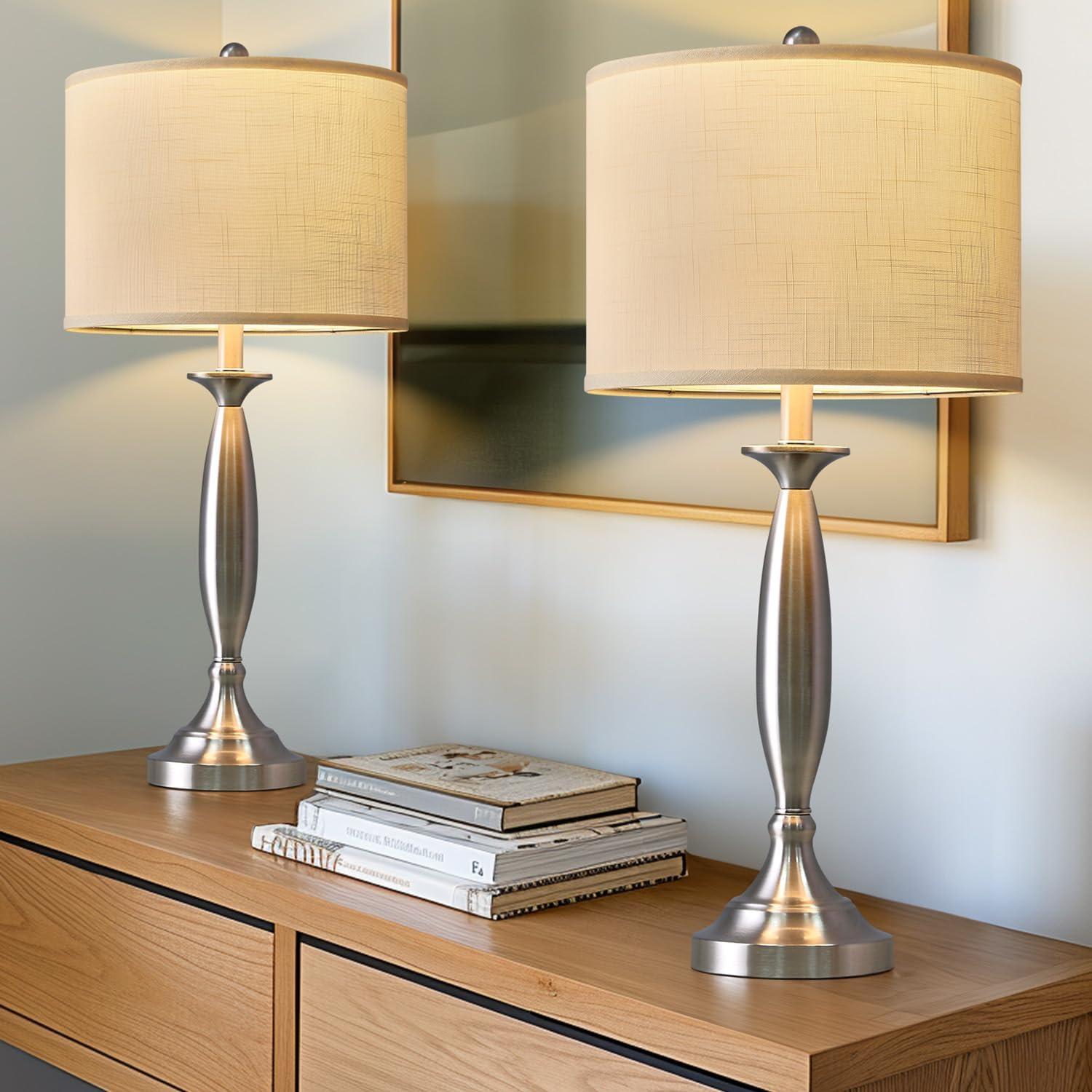
Image 1: The Oneach 27-inch Modern Table Lamps (Set of 2) on a console table.
2. Package Contents
- 2 x Lamp Bases with USB A+C Charging Ports
- 2 x Fabric Lamp Shades (unassembled)
- 2 x Harp and Finial Sets
- 1 x Instruction Manual
Note: Light bulbs are not included. These lamps require E26 base bulbs, up to 60W.
3. Setup Instructions
- Unpack Components: Carefully remove all parts from the packaging. Ensure all components listed in Section 2 are present.
- Assemble the Lamp Shade: The fabric lamp shade comes unassembled. Connect the metal rings to the fabric shade using the clips provided. Ensure the shade is taut and evenly shaped.
- Attach the Harp: Secure the harp (the U-shaped wire frame) to the saddle on the lamp base. Squeeze the two ends of the harp together to fit them into the saddle.
- Install the Bulb: Screw an E26 base light bulb (not included, max 60W) into the lamp socket.
- Place the Shade: Position the assembled lamp shade onto the harp. The top ring of the shade should rest on the harp.
- Secure with Finial: Screw the finial (decorative cap) onto the threaded rod at the top of the harp to secure the lamp shade in place.
- Connect to Power: Place the lamp on a stable, flat surface. Plug the power cord into a standard electrical outlet.
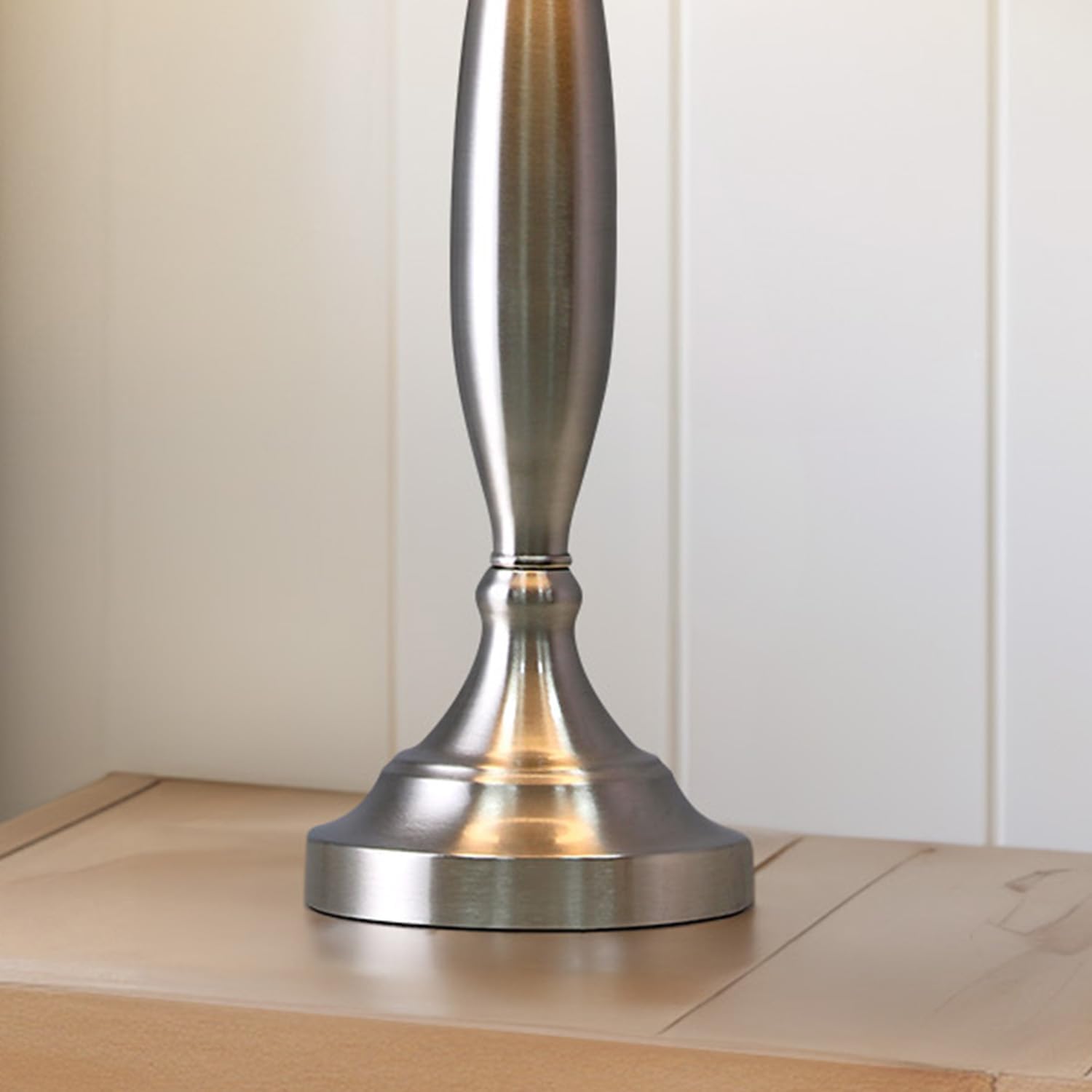
Image 2: Close-up of the lamp base with rotary switch and USB ports.
4. Operating Instructions
4.1 Turning the Lamp On/Off
To turn the lamp on or off, use the rotary switch located on the lamp base. Rotate the switch clockwise to turn the light on, and counter-clockwise to turn it off.
4.2 Using the USB Charging Ports
Each lamp base is equipped with one USB-A (5V/2A) and one USB-C (5V/2A) charging port. These ports allow you to charge your electronic devices, such as mobile phones, tablets, e-readers, and other USB-powered gadgets, even when the lamp light is off.
- Connect your device's charging cable to the appropriate USB-A or USB-C port on the lamp base.
- Ensure the lamp is plugged into a live electrical outlet for the charging ports to function.

Image 3: Lamp in use, charging a mobile device via its USB port.
5. Maintenance
5.1 Cleaning
- Always unplug the lamp from the power outlet before cleaning.
- For the lamp base, wipe with a soft, dry cloth. Avoid using abrasive cleaners or polishes that could damage the brushed steel finish.
- For the fabric shade, gently dust with a soft brush or a lint roller. Do not use wet cleaners on the fabric.
5.2 Bulb Replacement
- Ensure the lamp is unplugged and the bulb has cooled down before attempting to replace it.
- Unscrew the old bulb from the E26 socket.
- Screw in a new E26 base bulb, ensuring it does not exceed 60W.
6. Troubleshooting
| Problem | Possible Cause | Solution |
|---|---|---|
| Lamp does not turn on. |
|
|
| USB charging ports are not working. |
|
|
| Lamp shade appears crooked or unstable. |
|
|
7. Specifications
| Feature | Detail |
|---|---|
| Brand | Oneach |
| Model Number | AMZ-T523 |
| Product Dimensions | 13"D x 13"W x 27.75"H |
| Item Weight | 8.23 pounds (per lamp) |
| Material | Metal (Base), Linen Fabric (Shade) |
| Finish Type | Brushed Steel |
| Shade Color | Beige |
| Bulb Base | E26 |
| Max Wattage | 60W (Bulb not included) |
| Switch Type | Rotary Switch |
| USB Ports | 1 x USB-A (5V/2A), 1 x USB-C (5V/2A) |
| Power Source | Corded Electric |
| Indoor/Outdoor Usage | Indoor |
8. Warranty and Support
The Oneach 27-inch Modern Table Lamps come with a 1-year warranty from the date of purchase, covering manufacturing defects. For warranty claims, technical support, or any inquiries regarding your product, please contact Oneach customer service.
Please retain your proof of purchase for warranty validation.