
Welcome
Thank you for choosing the G-TiDE L11 Wireless Earbuds. This manual provides detailed instructions to help you set up, operate, and maintain your earbuds for an optimal audio experience. Please read this manual carefully before use and retain it for future reference.
What's in the Box
Verify that all the following items are included in your package:
- 1 x Pair of G-TiDE L11 Earbuds
- 1 x Magnetic Charging Case
- 1 x USB-C Charging Cable
- 1 x User Manual

Image: G-TiDE L11 Wireless Earbuds inside their charging case, with the lid open, showing the compact design and components.
Product Components
The G-TiDE L11 earbuds consist of two wireless earbuds and a portable charging case. Each earbud features a touch control area and a microphone. The charging case has a USB-C port for charging and an LED indicator.
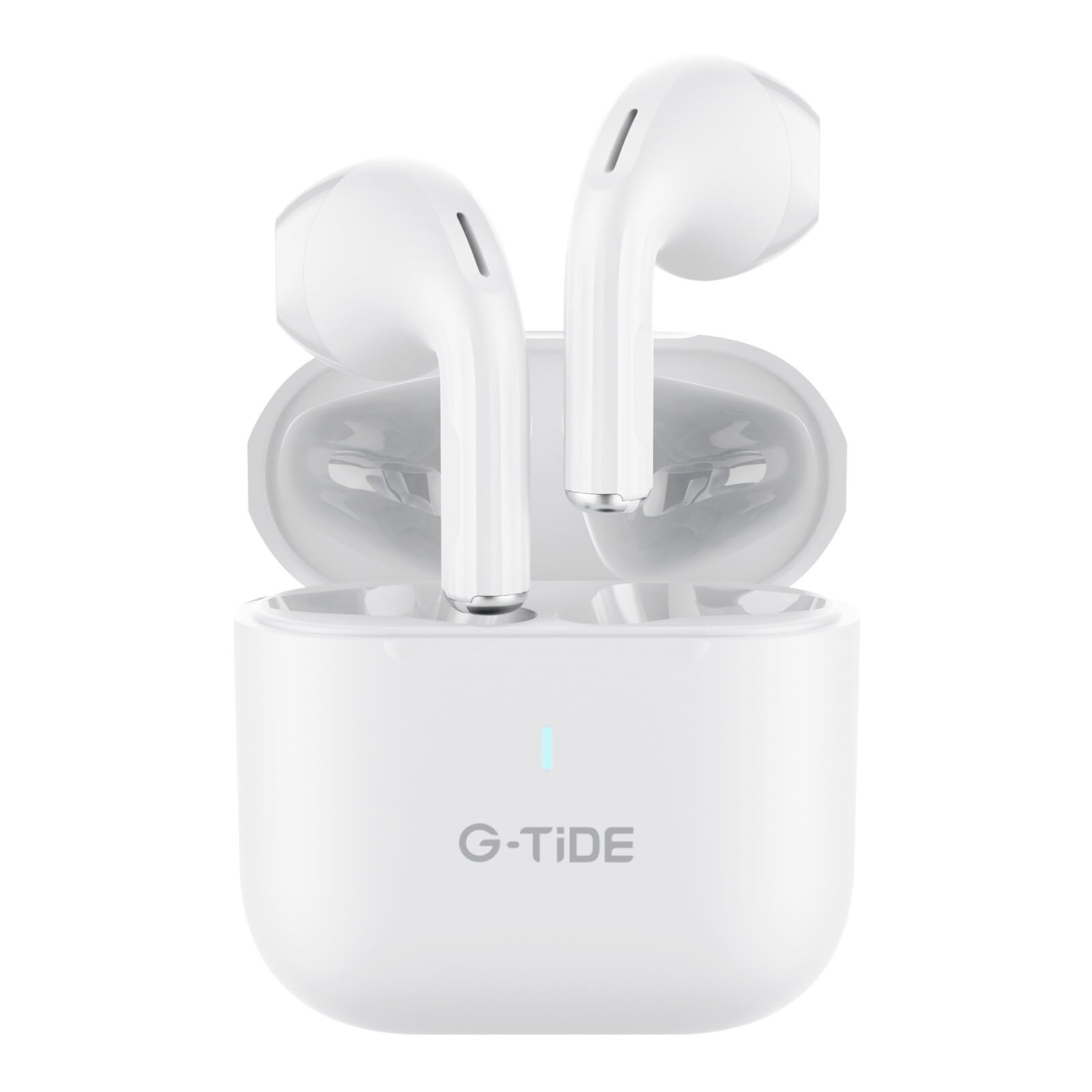
Image: A close-up view of the G-TiDE L11 wireless earbuds resting in their open charging case, highlighting the sleek white design.
Initial Setup
1. Charging the Case and Earbuds
Before first use, fully charge the charging case and earbuds.
- Connect the provided USB-C cable to the charging port on the case and a power source.
- The LED indicator on the case will show charging status.
- Place the earbuds into the charging case. They will begin charging automatically.
Charging Time: Approximately 1.5 hours for a full charge.

Image: The G-TiDE L11 charging case, showing the USB-C charging port on the side.
2. Bluetooth Pairing
- Ensure the earbuds are charged.
- Open the charging case. The earbuds will automatically enter pairing mode (LED indicators on earbuds may flash).
- On your device (smartphone, tablet, computer), enable Bluetooth.
- Search for "G-TiDE L11" in the list of available Bluetooth devices.
- Select "G-TiDE L11" to connect. Once connected, a voice prompt will confirm, and the earbud LEDs will turn off or show a steady light.
The earbuds will automatically reconnect to the last paired device when removed from the case, if Bluetooth is enabled on the device.
Operation
Power On/Off
Power On: Open the charging case, and the earbuds will power on automatically. Alternatively, press and hold the touch control area on both earbuds for 3 seconds.
Power Off: Place the earbuds back into the charging case and close the lid. They will power off automatically. Alternatively, disconnect them from Bluetooth, and they will power off after 5 minutes of inactivity, or press and hold the touch control area on both earbuds for 5 seconds.
Touch Controls
The G-TiDE L11 earbuds feature intuitive touch controls for easy management of music and calls:
| Action | Function |
|---|---|
| Single Tap (Left/Right Earbud) | Play/Pause Music, Answer/End Call |
| Double Tap (Right Earbud) | Next Track |
| Double Tap (Left Earbud) | Previous Track |
| Triple Tap (Left/Right Earbud) | Activate Voice Assistant |
| Press and Hold (Left Earbud) | Volume Down |
| Press and Hold (Right Earbud) | Volume Up |
| Press and Hold (Incoming Call) | Reject Call |
Environmental Noise Cancellation (ENC)
The G-TiDE L11 earbuds feature ENC technology with dual microphones to reduce ambient noise during calls. This ensures your voice is clear and audible to the person on the other end, even in noisy environments.
ENC is automatically active during calls. There is no manual control to toggle ENC on/off for music listening, as its primary function is call clarity.
Care and Maintenance
- Cleaning: Regularly clean the earbuds and charging case with a soft, dry, lint-free cloth. Do not use harsh chemicals or abrasive materials.
- Water Resistance: The earbuds are IPX5 water-resistant, meaning they can withstand sweat and light splashes. Do not submerge them in water or expose them to heavy rain. Ensure they are dry before placing them back in the charging case.
- Storage: Store the earbuds in their charging case when not in use to protect them and keep them charged. Avoid extreme temperatures.
- Charging Port: Keep the USB-C charging port free of dust and debris.
Common Issues and Solutions
- Earbuds not pairing with each other: Place both earbuds back into the charging case, close the lid, wait a few seconds, then open the lid again. They should automatically re-sync.
- Earbuds not connecting to device:
- Ensure Bluetooth is enabled on your device.
- Make sure the earbuds are charged.
- Forget "G-TiDE L11" from your device's Bluetooth list and try pairing again.
- Restart your device.
- No sound from one earbud:
- Ensure both earbuds are charged.
- Place both earbuds back in the case, close, then open to reset.
- Try re-pairing the earbuds with your device.
- Charging case not charging:
- Check the USB-C cable and power adapter for damage.
- Ensure the cable is securely connected to both the case and the power source.
- Try a different USB-C cable or power adapter.
- Poor call quality:
- Ensure the microphones are not obstructed.
- Move to a quieter environment if possible, as ENC works best on specific types of noise.
- Check your device's network signal.
Technical Specifications
| Feature | Specification |
|---|---|
| Model | L11 |
| Bluetooth Version | 5.3 |
| Wireless Range | Up to 10 meters (33 feet) |
| Frequency Response | 20Hz - 20kHz |
| Earbud Battery Capacity | 30mAh (each earbud) |
| Charging Case Battery Capacity | 300mAh |
| Total Playtime | Up to 30 hours (with charging case) |
| Single Charge Playtime | 5-6 hours |
| Charging Time | Approx. 1.5 hours |
| Charging Port | USB Type-C |
| Water Resistance Rating | IPX5 (sweat and splash resistant) |
| Noise Control | Environmental Noise Cancellation (ENC) for calls |
| Control Method | Touch |
| Compatible Devices | Mobile phones, tablets, computers with Bluetooth |
Warranty and Support
Warranty Information
The G-TiDE L11 Wireless Earbuds come with a 30-day product warranty from the date of purchase. This warranty covers manufacturing defects. Please retain your proof of purchase for warranty claims.
The warranty does not cover damage caused by misuse, accidents, unauthorized modifications, or normal wear and tear.
Customer Support
If you encounter any issues or have questions not covered in this manual, please contact G-TiDE customer support through the retailer's platform or the official G-TiDE website for assistance.
For further information, you may visit the G-TiDE Store on Amazon.

