Introduction
Thank you for choosing the WETOOLPLUS 20V Max Lithium-Ion Dual-Port Fast Charger. This charger is designed for efficient and simultaneous charging of two Hyper Tough 20V Max lithium-ion batteries. Please read this manual thoroughly before use to ensure safe and optimal performance of your charger.
Safety Information
WARNING: Risk of Fire or Electric Shock.
- Do not interconnect output terminations.
- Always disconnect the charger from the power source before attempting any cleaning or maintenance.
- Do not expose the charger to rain or wet conditions.
- Use only with Hyper Tough 20V Max lithium-ion batteries. Using incompatible batteries may result in fire, electric shock, or injury.
- Do not operate the charger if it has received a sharp blow, been dropped, or otherwise damaged. Take it to a qualified service person.
- Do not disassemble the charger. Incorrect reassembly may result in a risk of electric shock or fire.
- Ensure adequate ventilation during charging. Do not block ventilation openings.
- Keep the charger away from heat sources and direct sunlight.
Package Contents
Verify that all items listed below are included in your package:
- 1 x WETOOLPLUS 20V Max Dual-Port Fast Charger
Product Overview
The WETOOLPLUS Dual-Port Fast Charger features two charging ports and LED indicator lights to show the battery charge status. The integrated power cord provides convenient connection to an AC outlet.

Image: Front view of the WETOOLPLUS Dual-Port Fast Charger, showing the two battery slots, LED indicators, and attached power cord.

Image: Angled view of the WETOOLPLUS Dual-Port Fast Charger, highlighting the design and power cord connection point.
Setup
- Unpack the charger and inspect it for any damage.
- Place the charger on a stable, flat, and dry surface. Ensure the area is well-ventilated and away from flammable materials.
- Plug the charger's power cord into a standard 240V AC electrical outlet.
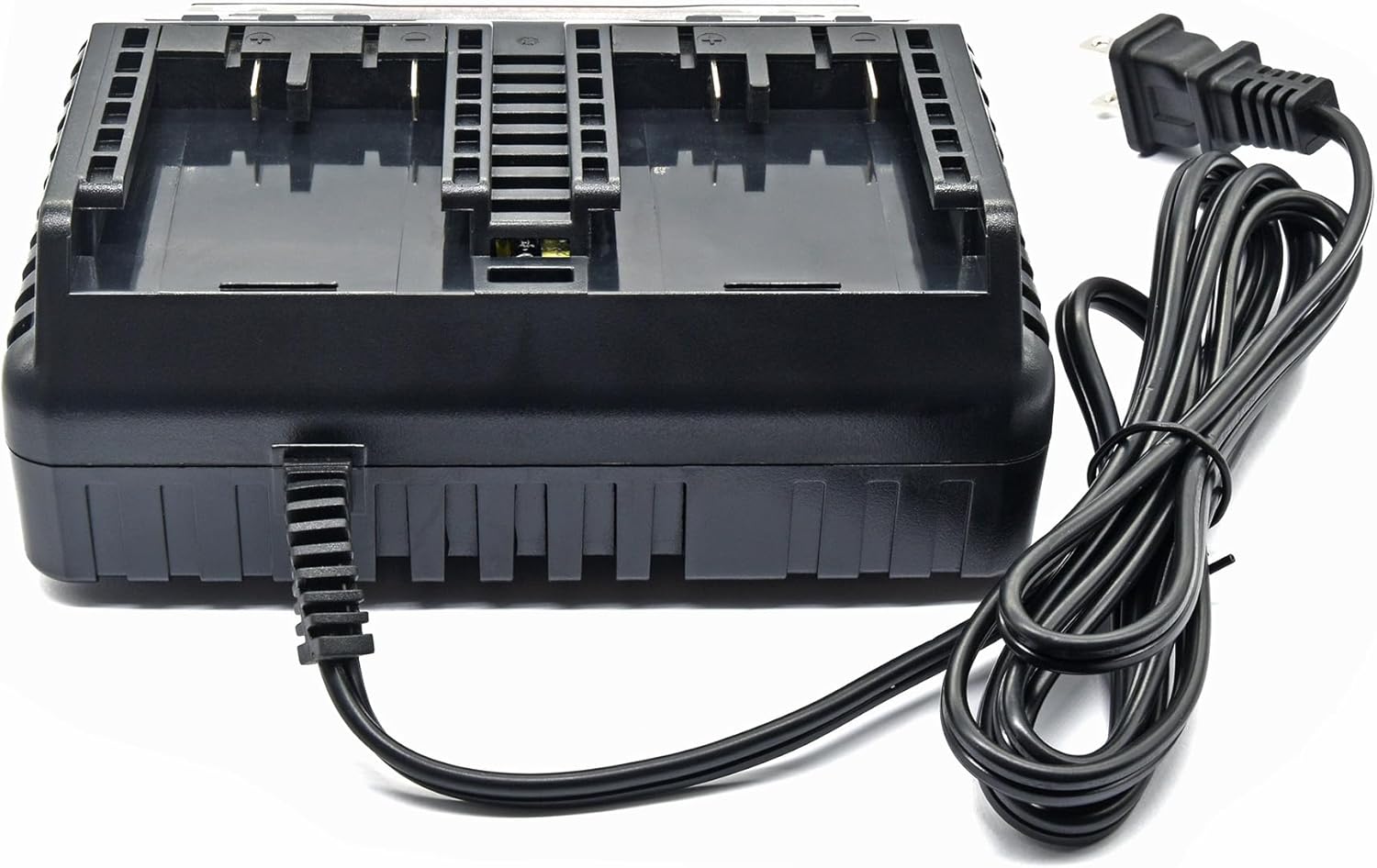
Image: Side view of the charger, showing the power cord extending from the unit, ready for connection to an outlet.
Operating Instructions
Charging Batteries
- Ensure the charger is plugged into a live electrical outlet.
- Align the Hyper Tough 20V Max lithium-ion battery with one of the charging ports on the charger.
- Slide the battery firmly into the charging port until it clicks into place. You can insert a second battery into the other port for simultaneous charging.
- Observe the LED indicator lights on the charger.
LED Indicator Status
- Solid Red: Battery is charging.
- Solid Green: Battery is fully charged.
- Flashing Red: Battery error or charger malfunction. Disconnect the battery and charger, then try again. If the issue persists, refer to the Troubleshooting section.
Approximate Charging Times
- 20V Max 2.0Ah Lithium-ion batteries: Approximately 1 hour
- 20V Max 4.0Ah Lithium-ion batteries: Approximately 2 hours
Once charging is complete (solid green light), remove the battery by pressing the release tab (if present) and sliding it out of the port. Disconnect the charger from the power outlet when not in use.

Image: The WETOOLPLUS Dual-Port Fast Charger with two Hyper Tough 20V Max batteries inserted into the charging slots, demonstrating simultaneous charging capability.
Maintenance
- Cleaning: Disconnect the charger from the power source. Use a soft, dry cloth to wipe down the exterior of the charger. Do not use abrasive cleaners or solvents.
- Storage: Store the charger in a cool, dry place, away from direct sunlight and moisture. Ensure the charger is disconnected from the power outlet and no batteries are inserted when storing.
- Inspection: Periodically inspect the power cord for any signs of damage, such as cuts or fraying. If damaged, do not use the charger and contact customer support.
Troubleshooting
| Problem | Possible Cause | Solution |
|---|---|---|
| Charger not working / No LED light | Not plugged in; No power from outlet; Damaged charger/cord | Ensure charger is securely plugged in; Test outlet with another device; Inspect cord for damage; Contact customer support if damaged. |
| Battery not charging / Flashing Red LED | Battery not properly inserted; Battery too hot/cold; Battery fault; Charger fault | Re-insert battery firmly; Allow battery to reach room temperature; Try another battery if available; If issue persists, contact customer support. |
| Slow charging | Environmental factors; Battery condition | Ensure charger is in a well-ventilated area; Battery may be nearing end of life. |
Specifications
| Feature | Specification |
|---|---|
| Model Number | WTA0297 |
| Input Voltage | 240 Volts AC |
| Output Voltage | 20 Volts DC |
| Product Dimensions | 5.9 x 6.7 x 2.8 inches (15.0 x 17.0 x 7.1 cm) |
| Item Weight | 1.34 pounds (0.61 kg) |
| Compatibility | Hyper Tough 20V Max Lithium-Ion Batteries (HT21-401-003-13) |
| Charging Ports | 2 |

Image: Bottom view of the charger, displaying the product label with detailed specifications and warnings.
Warranty and Support
WETOOLPLUS is committed to providing high-quality products. For any questions, concerns, or technical support regarding your 20V Max Dual-Port Fast Charger, please contact our customer service.
While specific warranty details are not provided in this manual, protection plans are available for purchase to extend coverage for your product. These plans typically cover:
- 2-Year Protection Plan
- 3-Year Protection Plan
- Complete Protect (covers eligible past and future purchases)
For more information on protection plans or to initiate a support request, please visit the WETOOLPLUS store on Amazon or refer to your purchase documentation.
WETOOLPLUS Store: Visit the WETOOLPLUS Store
