
RemotesReplaced RRS41
Instruction Manual for RemotesReplaced RRS41 Remote Control
Compatible with SANSUI RZ-9830AVD
Introduction
This manual provides detailed instructions for the use and maintenance of your RemotesReplaced RRS41 replacement remote control. This remote is designed to be electronically identical to the original SANSUI RZ-9830AVD remote, offering all the same functionalities without the need for complex setup codes.
Safety Information
Please read the following safety guidelines carefully before using the remote control:
- Keep out of reach of small children.
- Do not expose the remote to direct sunlight, heat sources, or extreme temperatures.
- Avoid dropping the remote or subjecting it to strong impacts.
- Do not attempt to disassemble or modify the remote control.
- Dispose of used batteries responsibly according to local regulations.

Image: Multi-language safety warning. The English text states: "To be used with adult supervision."
Product Overview
The RemotesReplaced RRS41 is a sleek, black remote control designed for comfortable handling and intuitive operation. It features a standard layout with clearly labeled buttons for various functions.

Image: Front view of the RRS41 remote control, displaying the power button, number pad, navigation controls, and various function buttons.

Image: Detailed close-up of the RRS41 remote's front, showing the layout of buttons including TV, SAT, DVD, AUX, and media controls.

Image: Rear view of the RRS41 remote control, featuring the battery compartment cover and regulatory markings.

Image: Side profile of the RRS41 remote, illustrating its contoured design for comfortable grip.

Image: Angled top view of the RRS41 remote, showing the infrared emitter at the front.
Setup
The RemotesReplaced RRS41 remote control is designed for immediate use with your SANSUI RZ-9830AVD. No programming or setup codes are required.
Battery Installation:
- Locate the battery compartment on the back of the remote control.
- Slide the battery compartment cover downwards to open it.
- Insert two (2) AAA batteries, ensuring the positive (+) and negative (-) terminals align correctly with the markings inside the compartment.
- Slide the battery compartment cover back into place until it clicks securely.
Once batteries are installed, the remote is ready for operation.
Operating Instructions
The RRS41 remote control provides full functionality for your SANSUI RZ-9830AVD. Below are common button functions:
- POWER: Turns the device on or off.
- MUTE: Mutes or unmutes the audio.
- TV/SAT/DVD/AUX: Selects the input source.
- Number Pad (0-9): Directly enters channel numbers or other numerical inputs.
- VOL +/-: Adjusts the volume level.
- CH +/- (or P +/-): Changes channels.
- Navigation Buttons (Up, Down, Left, Right, OK): Navigates menus and confirms selections.
- MENU: Opens the main menu.
- EXIT: Exits the current menu or screen.
- BACK: Returns to the previous screen or menu.
- INFO: Displays information about the current program or input.
- EPG: Accesses the Electronic Program Guide.
- Media Control Buttons (Play, Pause, Stop, Rewind, Fast Forward): Controls playback of media.
- Color Buttons (Red, Green, Yellow, Blue): Used for specific functions within menus or applications, as indicated on screen.
Refer to your SANSUI RZ-9830AVD's original manual for specific functions of less common buttons, as this replacement remote replicates all original functionalities.
Maintenance
Proper care will extend the life of your remote control:
- Cleaning: Wipe the remote with a soft, dry cloth. For stubborn dirt, slightly dampen the cloth with water or a mild, non-abrasive cleaner. Do not use harsh chemicals or immerse the remote in liquid.
- Battery Replacement: Replace batteries when the remote's response becomes sluggish or stops working. Always replace both batteries at the same time with new ones of the same type (AAA).
- Storage: If the remote will not be used for an extended period, remove the batteries to prevent leakage and potential damage.
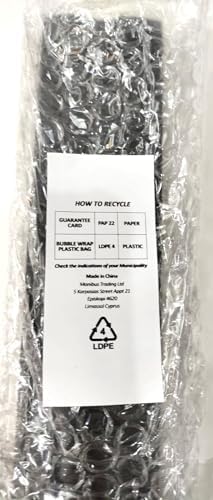
Image: Packaging insert with recycling information for the product's packaging materials.
Troubleshooting
If you experience issues with your remote control, try the following solutions:
- Remote not responding:
- Check if the batteries are inserted correctly with the correct polarity (+/-).
- Replace the batteries with new ones.
- Ensure there are no obstructions between the remote and the device's infrared receiver.
- Point the remote directly at the device.
- Some buttons not working:
- This could indicate low battery power; try replacing the batteries.
- Ensure the remote is pointed correctly at the device.
- Device not responding to specific functions:
- Verify that the correct input source (e.g., TV, DVD) is selected on the remote and the device.
- Some advanced functions might require specific device settings; consult your SANSUI RZ-9830AVD manual.
If the problem persists after trying these steps, please contact RemotesReplaced customer support.
Specifications
| Feature | Detail |
|---|---|
| Model | RRS41 |
| Compatibility | SANSUI RZ-9830AVD |
| Batteries Required | 2 x AAA (not included) |
| Item Weight | 120 Grams |
| Manufacturer | Linkwebb |
| Country of Origin | China |
Warranty and Support
Warranty:
This RemotesReplaced RRS41 remote control is guaranteed for 1 year from the date of purchase. This warranty covers manufacturing defects and ensures the remote functions as described. Please retain your proof of purchase for warranty claims.
Customer Support:
RemotesReplaced has specialized in remote controls for nearly 20 years and maintains an extensive database of remote control knowledge. For any questions, troubleshooting assistance beyond this manual, or warranty claims, please contact RemotesReplaced customer support through the retailer where you purchased the product or visit the official RemotesReplaced website for contact information.
For more information, you may visit the RemotesReplaced brand page on Amazon.
Ask a question about this manual
Ask about setup, troubleshooting, compatibility, parts, safety, or missing instructions. Manuals+ will review the question and use this page’s manual context to help answer it.