1. Introduction
This manual provides instructions for the RETROSUN replacement remote control, designed for use with the Ozeri OZF6 and OZF6-WT Brezza III Dual Oscillating 10-inch Desk Fan. This remote control is a direct replacement and requires no programming or pairing.
The remote control is engineered for immediate functionality upon battery insertion, offering a convenient solution for controlling your Ozeri Brezza III fan.
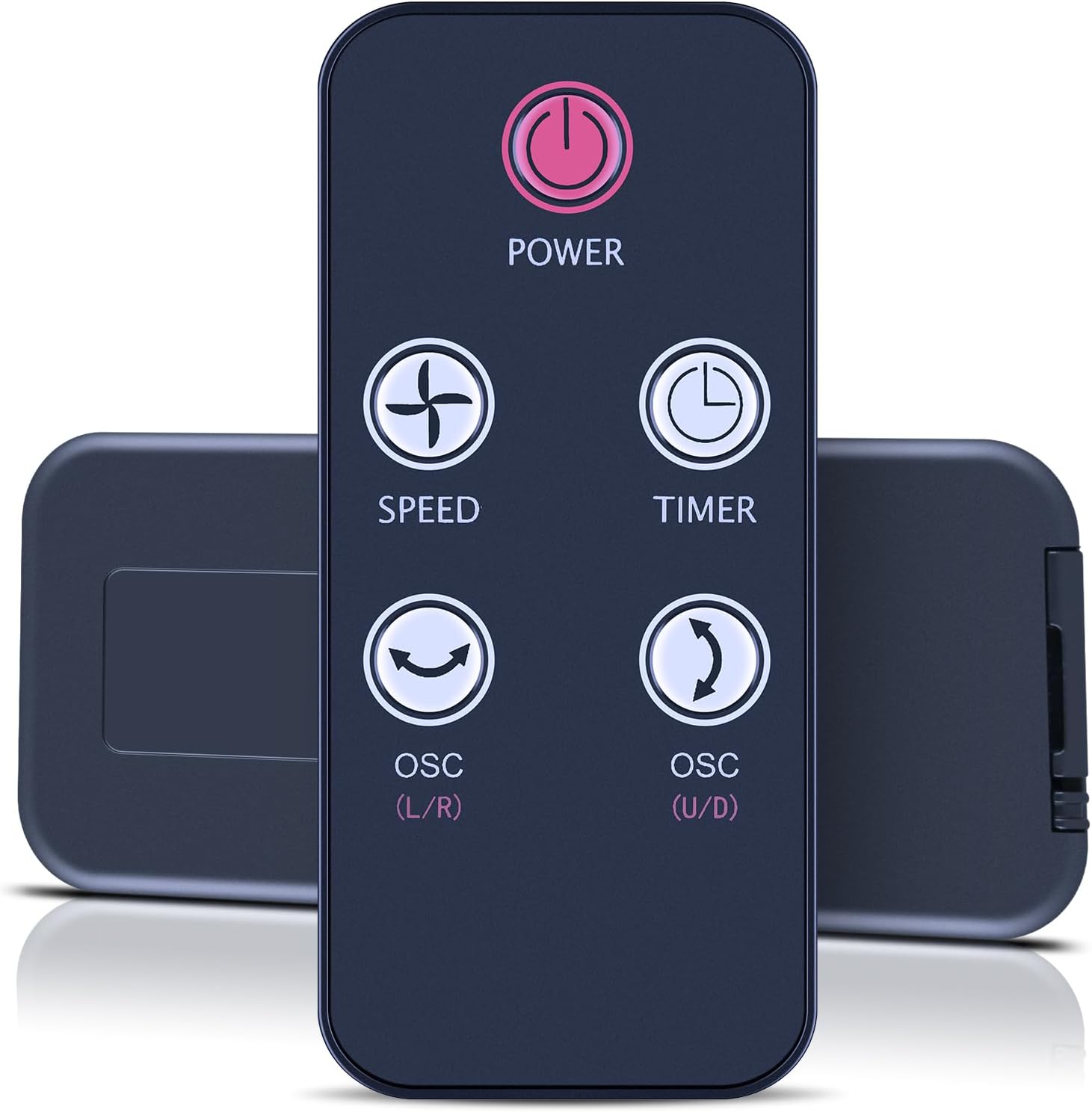
Image 1: The RETROSUN replacement remote control. This remote features a dark casing with clearly labeled buttons for Power, Speed, Timer, and two Oscillation controls (L/R and U/D).
2. Compatibility
This replacement remote control is compatible with the following Ozeri fan models:
- Ozeri OZF6 Brezza III Dual Oscillating 10-inch Desk Fan
- Ozeri OZF6-WT Brezza III Dual Oscillating 10-inch Desk Fan
For optimal functionality, ensure that the compatible model and color of your original remote match this replacement. If your specific fan model is not listed, please contact customer support for verification.

Image 2: Visual representation of the remote control's compatibility with the Ozeri OZF6 Brezza III fan. The image shows the remote alongside the fan, indicating a successful match.
3. Setup
The remote control requires one CR2032 cell battery (not included) for operation. Follow these steps to install the battery:
- Locate the battery compartment on the back of the remote control.
- Gently slide open the battery cover.
- Insert one CR2032 cell battery with the positive (+) side facing upwards, as indicated inside the compartment.
- Close the battery cover securely.
Once the battery is installed, the remote control is ready for use without any additional programming.
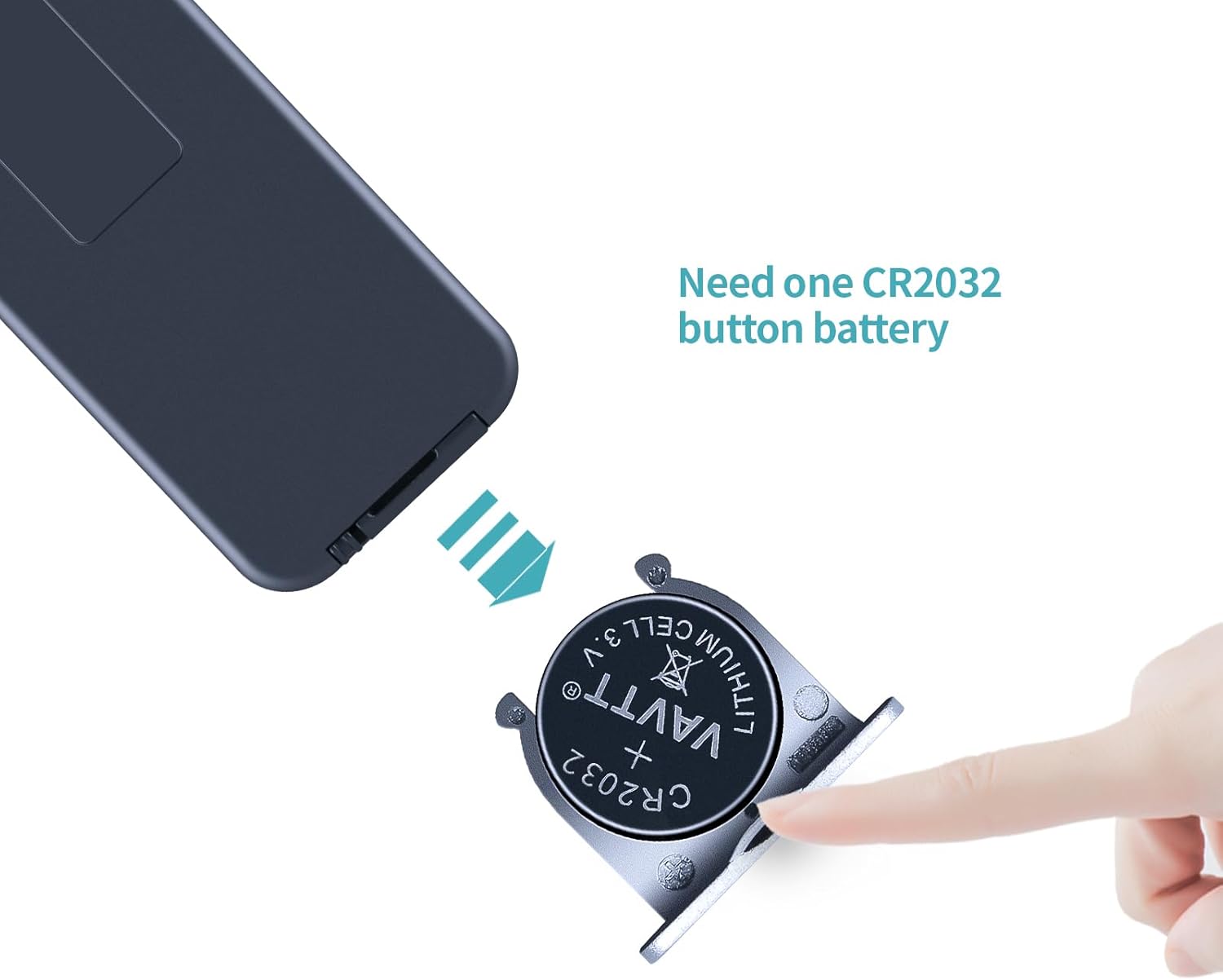
Image 3: A visual guide demonstrating the correct method for inserting a CR2032 button battery into the remote control's battery compartment.
4. Operating Instructions
The remote control features five primary buttons for controlling your Ozeri Brezza III fan:
- Power Button (⏻): Press to turn the fan ON or OFF.
- Speed Button (✛): Press to cycle through the fan's speed settings.
- Timer Button (◷): Press to set or adjust the fan's timer function. Refer to your fan's original manual for specific timer intervals.
- OSC (L/R) Button (⟲): Press to activate or deactivate horizontal (left-to-right) oscillation.
- OSC (U/D) Button (⤾): Press to activate or deactivate vertical (up-to-down) oscillation.

Image 4: A detailed diagram illustrating the layout and labels of each button on the remote control, along with its physical dimensions.
5. Specifications
| Brand | RETROSUN |
| Compatible Devices | Ozeri OZF6, OZF6-WT Brezza III Dual Oscillating 10-inch Desk Fan |
| Power Supply | 1x CR2032 Cell Battery (not included) |
| Color | Black |
| Material | ABS Plastic with Soft Buttons |
| Dimensions | 3.35 x 1.77 x 0.35 inches (approx.) |
| Item Weight | 0.317 ounces (approx.) |
6. Troubleshooting
- Remote not working after battery installation:
- Ensure the CR2032 battery is inserted with the correct polarity (+ side up).
- Replace with a new CR2032 battery to rule out a depleted battery.
- Verify that the remote control is pointed directly at the fan's receiver.
- Check for any obstructions between the remote and the fan.
- Specific functions not responding:
- Confirm that the fan itself is powered on and functioning manually.
- Ensure the remote is within the effective operating range of the fan.
- Remote feels loose or rattles:
- This may indicate an internal component issue. If troubleshooting steps do not resolve the problem, contact customer support.
7. Support
If you encounter any issues or have questions regarding the compatibility or operation of your RETROSUN replacement remote control, please contact us through the Amazon messaging tool. Our support team is available to assist you.


