
PowerSmart PS5046CE
PowerSmart 4800-Watt Portable Inverter Generator Instruction Manual
Model: PS5046CE
For safe and efficient operation of your PowerSmart Inverter Generator.
1. Product Overview
The PowerSmart 4800-Watt Portable Inverter Generator is designed to provide clean, stable power for various applications, from home backup to outdoor activities. Its compact design, quiet operation, and multiple output options make it a versatile power solution.

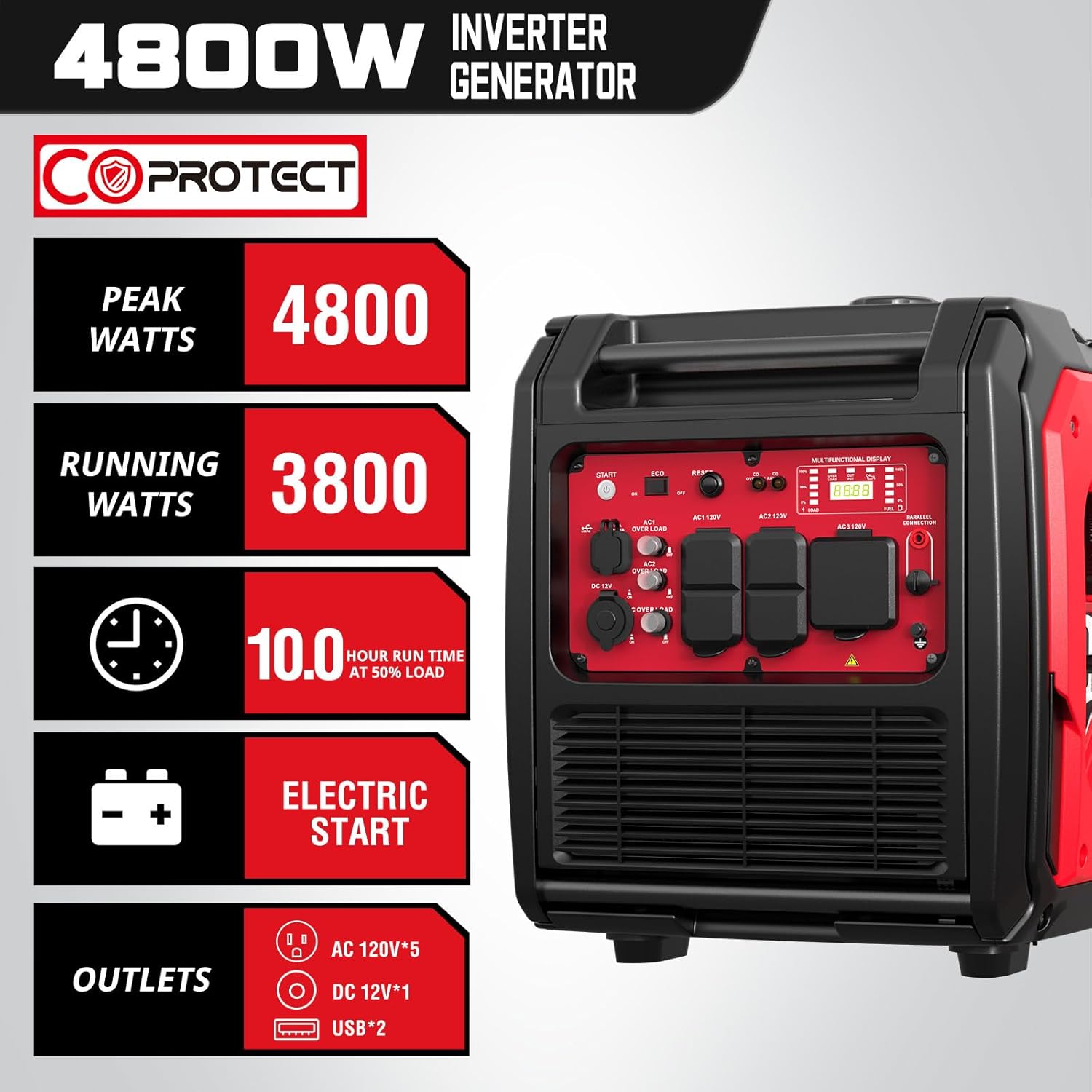

Key Features:
- Power Output: 4800 starting watts and 3800 running watts of clean power (<3% THD).
- Extended Runtime: Up to 10 hours of run time at 50% load.
- Portability: Equipped with a wheel and handle kit, weighing approximately 85 lbs for easy transport.
- Quiet Operation: Operates at 59 dBA from 23 feet at 25% load, and 70 dBA at full load.
- Versatile Panel: Features four 120V 20 Amp outlets, one 120V 30 Amp RV-ready outlet, one 12V DC outlet, and two 5V USB ports.
- Safety Features: Includes Eco Mode, Low Oil Shutdown, Overload Reset, and Carbon Monoxide Auto Shutdown.
- Electric Start: Convenient electric start functionality.
2. Setup Guide
Before first use, ensure the generator is placed on a flat, stable surface in a well-ventilated area. Follow these steps for initial setup:
2.1 Initial Preparation:
- Add Engine Oil: Remove the oil fill cap/dipstick and add the recommended amount and type of engine oil (refer to specifications for details). Do not overfill.
- Add Fuel: Fill the fuel tank with fresh, unleaded gasoline. Do not overfill. Ensure the fuel cap is securely tightened.
2.2 Electric Start Setup:
For electric start functionality, the battery needs to be connected. Refer to the visual guide below:

- Step 1: Remove the side cover. Locate and carefully remove the side access panel on the generator.
- Step 2: Connect the wire. Identify the battery wires and securely connect them.
- Step 3: Reinstall the cover. Replace the side access panel, ensuring it is properly secured.
2.3 Package Contents:
Verify all components are present in the package:

- PowerSmart Inverter Generator
- User Manual
- Spark Plug Wrench
- Oil Funnel
- Screwdriver
3. Operating Instructions
3.1 Starting the Generator:
Ensure the generator is on a level surface and away from any combustible materials. For a visual demonstration, please refer to the video below:
This video demonstrates the key features and basic operation of the PowerSmart Inverter Generator, including its portability, quiet performance, and various power outlets. It also shows the starting procedure.
- Fuel Valve: Turn the fuel valve to the 'ON' position.
- Choke: If starting a cold engine, move the choke lever to the 'FULL CHOKE' position.
- Engine Switch: Turn the engine switch to the 'START' position (for electric start) or pull the recoil starter handle firmly until the engine starts.
- Choke Adjustment: Once the engine starts, gradually move the choke lever to the 'RUN' position.
3.2 Operating Modes:
- ECO Mode: For lighter loads, switch to ECO mode to optimize fuel consumption and reduce noise. The engine RPM will adjust automatically based on the load.
- High Mode: For maximum power output, operate in High mode.
3.3 Multi-Function Display:
The control panel features a multi-function display with indicator lights for various statuses:
- Output Load: Displays the percentage of power being used.
- Low Oil Alert: Indicates when engine oil levels are low.
- Overload Warning: Alerts if the generator is overloaded.
- High Temperature Warning: Indicates engine overheating.
- Fuel Level: Shows approximate fuel remaining.
3.4 Portability and Noise:


3.5 Parallel Operation:
For increased power, two PowerSmart inverter generators can be connected in parallel using a compatible parallel kit (sold separately).

4. Maintenance
Regular maintenance is crucial for the longevity and optimal performance of your generator. Always ensure the generator is turned off and cooled down before performing any maintenance.
- Engine Oil: Check oil level before each use. Change oil after the first 20 hours of operation, then every 50 hours or annually.
- Air Filter: Inspect and clean the air filter regularly. Replace if damaged.
- Spark Plug: Inspect the spark plug annually or every 100 hours. Clean or replace as needed. Use the provided spark plug wrench.
- Fuel System: For long-term storage (over 30 days), drain the fuel tank and carburetor to prevent fuel degradation and gumming. Use a fuel stabilizer if storing with fuel.
- General Cleaning: Keep the generator clean and free of debris. Ensure cooling vents are not obstructed.
5. Troubleshooting
This section provides solutions for common issues you might encounter with your generator. Refer to the multi-function display for diagnostic indicators.
| Problem | Possible Cause | Solution |
|---|---|---|
| Engine will not start | No fuel, low oil, choke not set, spark plug issue, battery not connected (electric start) | Add fuel, check/add oil, adjust choke, inspect spark plug, connect battery. |
| No power output | Overload, circuit breaker tripped, Eco mode engaged for high load | Reduce load, reset circuit breaker, switch to High mode if necessary. |
| Engine runs, then stops | Low fuel, low oil, engine overheating | Add fuel, check/add oil, allow generator to cool down. |
| Excessive noise | Operating in High mode with light load, loose components | Switch to Eco mode, check for loose parts. |
6. Specifications
| Attribute | Value |
|---|---|
| Brand | PowerSmart |
| Model Name | 4800W (PS5046CE) |
| Wattage (Starting) | 4800 watts |
| Wattage (Running) | 3800 watts |
| Fuel Type | Gas |
| Power Source | Gas-Powered |
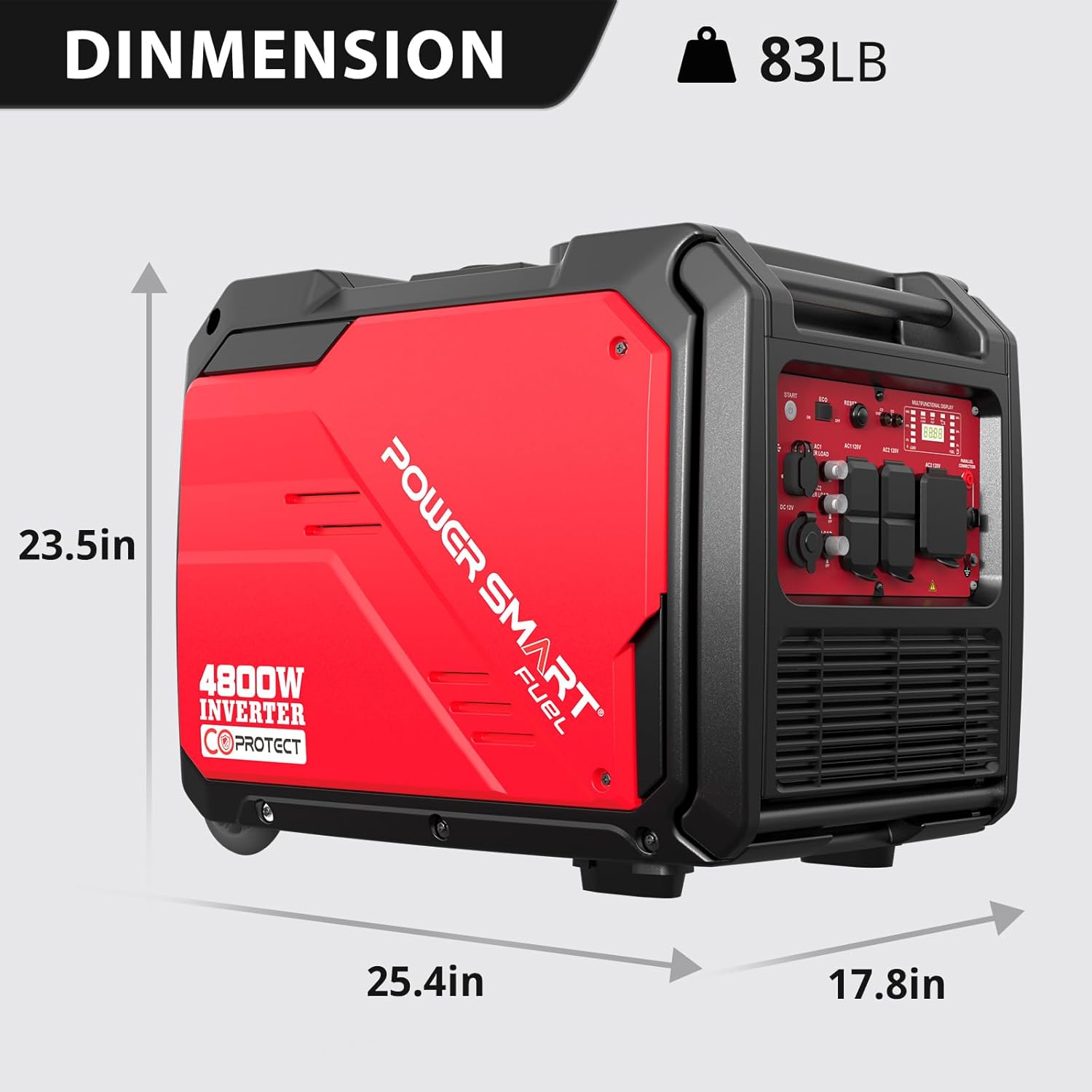
| Item Weight | 85 Pounds |
| Voltage | 120 Volts |
| Engine Type | 4 Stroke |
| Engine Displacement | 224 Cubic Centimeters |
| Runtime (50% Load) | 10 hours |
| Frequency | 60 Hz |
| Product Dimensions (L x W x H) | 25.4" x 17.8" x 23.5" |
| Special Features | Portable, Super Quiet, CO Protect, Electric Start |
7. Warranty and Support
PowerSmart products are designed for reliability and durability. For specific warranty details and terms, please refer to the warranty card included with your product or visit the official PowerSmart website.
Customer Support:
Should you encounter any issues or require assistance with your PowerSmart generator, please contact our customer support team. Our dedicated service network is available to provide support and replacement parts.
For the most up-to-date contact information, please refer to your product packaging or the official PowerSmart brand store.
Related documentsPS5046CE


Ask a question about this manual
Ask about setup, troubleshooting, compatibility, parts, safety, or missing instructions. Manuals+ will review the question and use this page’s manual context to help answer it.