
bixdo BZ-P50-US01
bixdo P50 Cordless Water Dental Flosser User Manual
Model: BZ-P50-US01 | Brand: bixdo
Introduction
This manual provides instructions for the safe and effective use of your bixdo P50 Cordless Water Dental Flosser. Please read thoroughly before first use to ensure optimal performance and longevity of your device.
Safety Information
Always unplug the charging base when not in use. Do not use if you have a pacemaker or other electronic medical device. Keep away from children. Do not use with broken or damaged tips. Do not submerge the charging base in water. Do not use if the cord is damaged or if it has been dropped or damaged in any way.
Package Contents
- 1 x bixdo P50 Water Dental Flosser (180ml reservoir)
- 4 x Magnetic Tips (2 standard, 1 orthodontics, 1 plaque cleaning)
- 1 x Cordless Magnetic Charger
- 1 x Travel-Ready Pocket

Image: bixdo P50 Water Dental Flosser and its packaging, showcasing the product and its box.
Product Overview
Key Features
- Oral Wellness Redefined: Crafted from Tritan material for worry-free care from nozzle to reservoir.
- Excellent Performance: bixdo proprietary WATERCARE generates 1,500 micro-pressure waves per minute, creating a targeted dual stream that eliminates 99.8% of residual debris and plaque.
- Five Smart Modes: Includes Strong (deep cleaning and braces), Normal (standard daily cleaning), Gentle (prevent bleeding gums and sensitive teeth), Soft (for kids and beginners), and GUMCARE (gum massage).
- Long Battery Life: Engineered for modern lifestyles, this portable irrigator operates 8+ weeks on one charge.
- Ergonomic Design: Features a 360° rotating nozzle with magnetic quick-connect system and an anti-leakage waterpath.
- Quiet Operation: Experience spa-like tranquility with noise levels below 45dB.
- IPX7 Waterproof: Fully submersible construction allows shower-friendly use.

Image: Detailed view of the bixdo water flosser's internal mechanism, highlighting its plaque removal effectiveness.
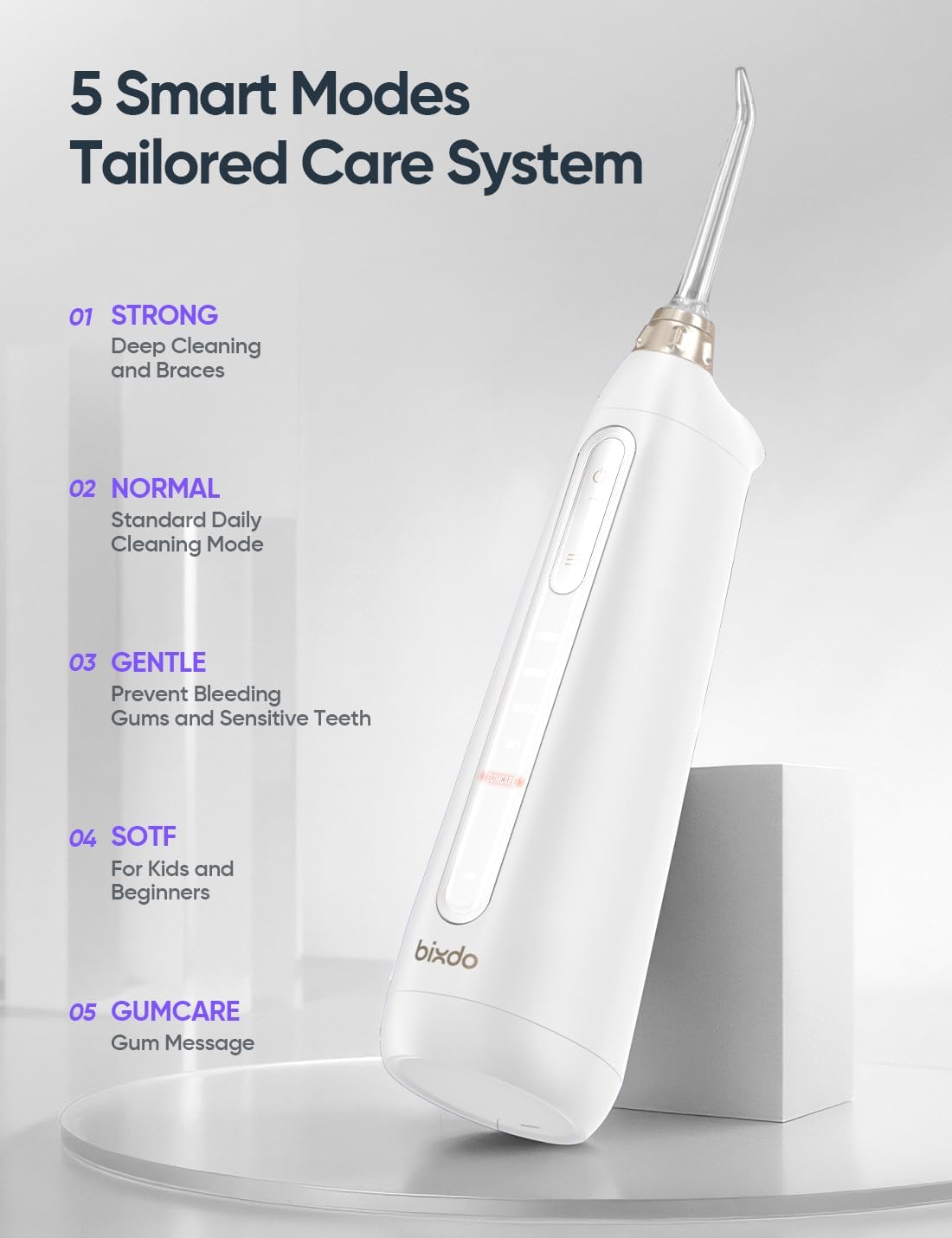
Image: The bixdo water flosser displaying its five smart modes for tailored oral care.

Image: The bixdo water flosser submerged in water, illustrating its IPX7 waterproof and shower-safe design.

Image: The bixdo water flosser with its water tank detached, showing the dual openings designed for easy and thorough cleaning.

Image: Diagram illustrating the Watercare Technology Spiral Water Column, showing its proven effectiveness in gum health improvement, bleeding reduction, and plaque removal.
Setup
Charging
The bixdo P50 features a cordless magnetic charger. Simply place the flosser onto the charging base. A full charge provides over 8 weeks of use, making it ideal for travel.

Image: The bixdo P50 water flosser resting on its magnetic charging base, highlighting its 60-day battery life.
Filling the Reservoir
The 180ml reservoir can be filled with water or mouthwash. The dual openings on the water tank allow for thorough cleaning and easy refilling.

Image: Water being poured into the bixdo water flosser's reservoir, demonstrating how to fill it.
Attaching Nozzles
The flosser comes with 4 magnetic tips (2 standard, 1 orthodontics, 1 plaque cleaning). These tips feature a 360° rotating nozzle with a magnetic quick-connect system for easy attachment and removal.

Image: A hand attaching a nozzle to the bixdo water flosser, illustrating the magnetic quick-connect system.
Operating Instructions
To use, fill the water tank, choose the desired cleaning mode, and direct the water jet towards the gum line and in between teeth.
Cleaning Modes
- STRONG: For deep cleaning and braces.
- NORMAL: Standard daily cleaning mode.
- GENTLE: To prevent bleeding gums and for sensitive teeth.
- SOFT: For kids and beginners.
- GUMCARE: For gum massage.

Image: Close-up of the bixdo water flosser's control panel, showing the mode selection buttons.

Image: A person demonstrating the use of the bixdo water flosser for daily oral hygiene.
Maintenance
The bixdo P50 is designed for easy cleaning with dual openings on the water tank. Ensure to regularly clean the reservoir and tips to maintain hygiene and performance. The unit is fully submersible (IPX7 rated) for easy cleaning under running water.
Troubleshooting
Common Issues
- No water flow: Check if the reservoir is filled and the nozzle is correctly attached. Ensure the unit is charged.
- Weak water pressure: Select a stronger mode. Ensure the nozzle is not clogged.
- Unit not charging: Verify the charger is properly connected and the unit is correctly placed on the magnetic charging base.
For further assistance, please refer to the contact information in the Support section.
Specifications
| Feature | Detail |
|---|---|
| Product Dimensions | 3.03 x 2.28 x 8.15 inches; 9.92 ounces |
| Item Model Number | BZ-P50-US01 |
| Batteries | 1 AA batteries required (included) |
| Manufacturer | bixdo |
| Power Source | Battery Powered |
| Special Feature | BPA-free |
| Product Benefits | Gum Health |
| Unit Count | 1.00 Count |
| Wattage | 7 watts |
Warranty & Support
For warranty information or product support, please visit the official bixdo store or contact customer service.
Official bixdo Store: bixdo Store on Amazon
Official Product Videos
No official seller videos are available for this product at this time.
Ask a question about this manual
Ask about setup, troubleshooting, compatibility, parts, safety, or missing instructions. Manuals+ will review the question and use this page’s manual context to help answer it.