1. Important Safety Instructions
Read all instructions carefully before using the appliance. Keep this manual for future reference.
- Microwave Energy: Do not attempt to operate this oven with the door open as this can result in harmful exposure to microwave energy.
- Proper Installation: Ensure the appliance is installed and grounded correctly by a qualified service person.
- Supervision: Close supervision is necessary when the appliance is used by or near children.
- Flammable Materials: Do not heat flammable materials in the microwave.
- Liquids: Liquids such as water, coffee, or tea can overheat beyond the boiling point without appearing to boil. Exercise extreme caution when removing containers.
- Eggs: Do not heat whole eggs with or without shell in the microwave oven as they may explode.
- Metal: Do not use metal containers or foil in the microwave unless specifically designed for microwave use.
2. Product Overview
The HAAM HM20WGMY24 is a 20-liter, 700-watt freestanding microwave oven designed for efficient defrosting and reheating of food. It features a mechanical timer and a defrost function for convenient use.
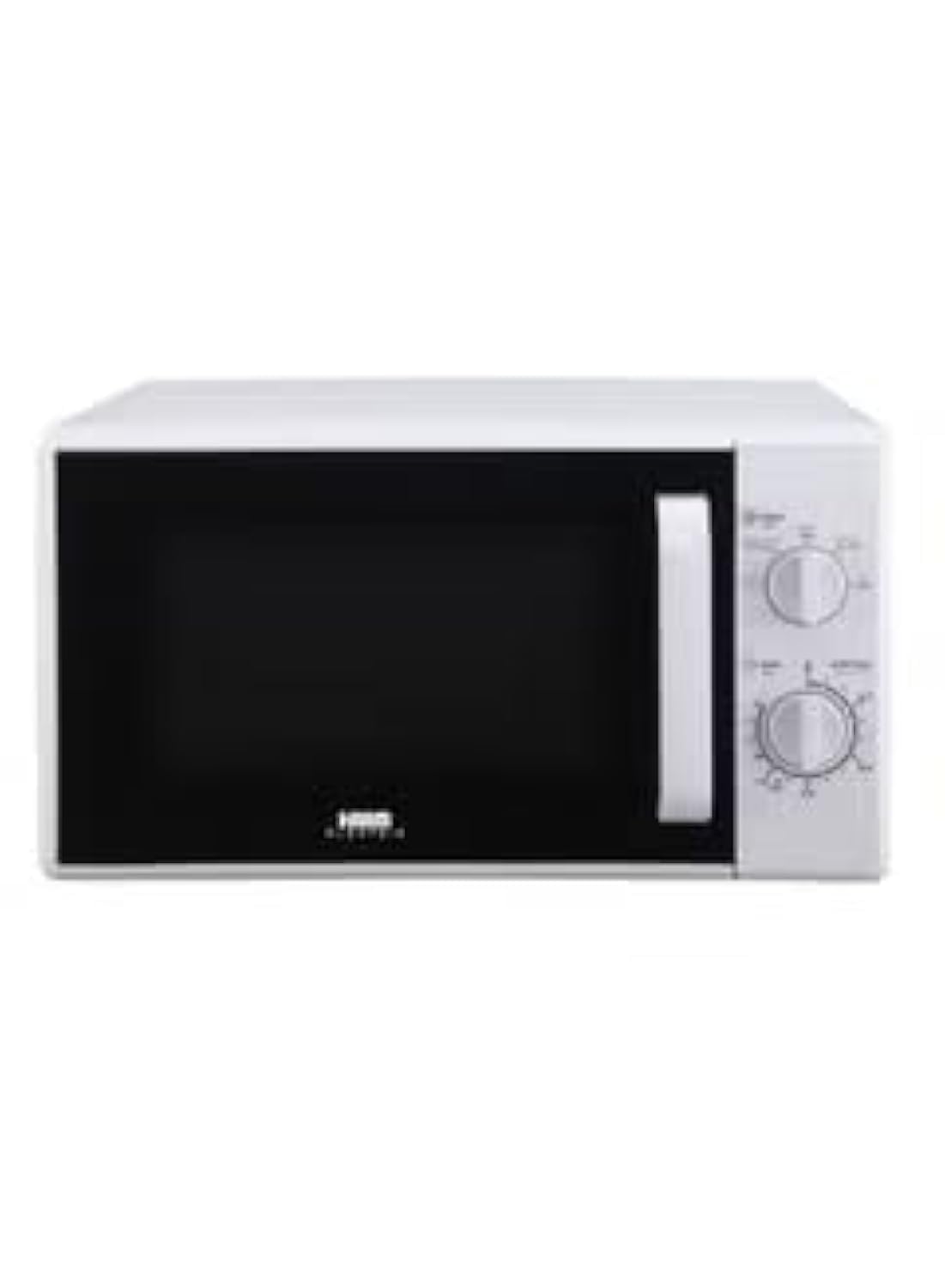
Image 2.1: Front view of the HAAM HM20WGMY24 Microwave Oven. This image shows the appliance's exterior, including the door, control panel with two rotary knobs, and the overall white finish.
3. Setup and Installation
Follow these steps to set up your new microwave oven.
- Unpacking: Carefully remove all packaging materials and accessories. Check the oven for any damage such as dents or a broken door. Do not install if damaged.
- Placement: Place the microwave on a flat, stable surface that can support its weight (approximately 10.8 kg). Ensure adequate ventilation space around the oven: at least 20 cm (8 inches) of space above, 10 cm (4 inches) at the rear, and 5 cm (2 inches) on each side.
- Turntable Installation: Place the roller ring in the center of the oven cavity. Place the glass turntable on top of the roller ring, ensuring it sits securely.
- Power Connection: Plug the power cord into a standard grounded electrical outlet. Ensure the voltage matches the rating label on the oven.
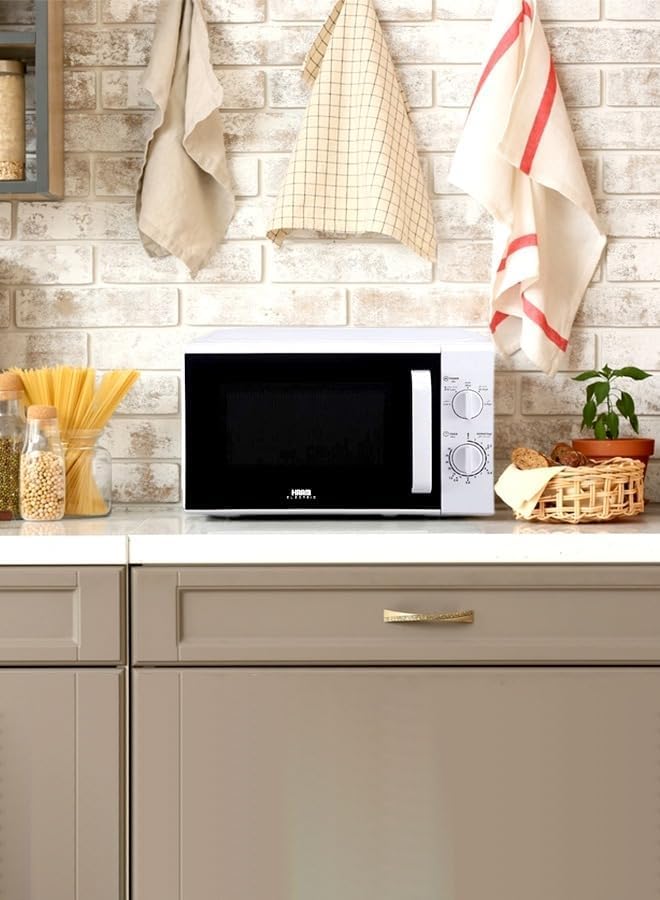
Image 3.1: The HAAM HM20WGMY24 Microwave Oven placed on a kitchen countertop. This image illustrates a typical installation scenario, showing the appliance's compact size and how it fits into a kitchen environment.
4. Operating Instructions
Your microwave oven is equipped with simple controls for various cooking tasks.
4.1 Basic Microwave Cooking
- Place food in a microwave-safe container on the glass turntable.
- Close the oven door securely.
- Set Power Level: Turn the lower rotary knob to select the desired power level. For full power (700W), select the highest setting.
- Set Cooking Time: Turn the upper rotary knob to set the desired cooking time. The oven will start automatically once the timer is set.
- The oven will stop and chime when the set time has elapsed.
4.2 Defrost Function
The defrost function allows you to thaw frozen foods quickly and efficiently.
- Place the frozen food in a microwave-safe container on the turntable.
- Turn the lower rotary knob to the 'Defrost' setting.
- Turn the upper rotary knob to set the defrost time. The required defrost time depends on the weight and type of food. Refer to a general defrosting guide if unsure.
- Midway through defrosting, it is recommended to turn the food over for more even thawing.
4.3 Using the Timer
The mechanical timer controls the duration of cooking or defrosting. Simply rotate the timer knob to the desired time. The oven will automatically begin operation once the timer is set and will stop when it reaches zero.
5. Maintenance and Cleaning
Regular cleaning helps maintain the performance and longevity of your microwave oven.
- Exterior: Wipe the exterior surfaces with a soft, damp cloth. Do not use abrasive cleaners or solvents.
- Interior: Clean the inside of the oven regularly. For stubborn food splatters, place a bowl of water with lemon slices inside and heat for 2-3 minutes on high power. The steam will loosen the residue, making it easier to wipe clean with a soft cloth.
- Turntable and Roller Ring: The glass turntable and roller ring can be removed and washed in warm, soapy water or in a dishwasher. Ensure they are completely dry before placing them back in the oven.
- Door Seals: Keep the door seals clean to ensure proper closure and efficient operation.
- Unplug Before Cleaning: Always unplug the microwave oven from the power outlet before cleaning.
6. Troubleshooting
If you encounter issues with your microwave, refer to the following common problems and solutions.
| Problem | Possible Cause | Solution |
|---|---|---|
| Oven will not start | Power cord not plugged in; Door not closed properly; Fuse blown or circuit breaker tripped | Plug into outlet; Close door firmly; Check household fuse or reset circuit breaker |
| Food not heating | Door not closed properly; Cooking time or power level set too low | Close door firmly; Increase cooking time or power level |
| Turntable not rotating | Turntable not properly seated; Roller ring dirty or damaged | Ensure turntable is correctly placed on the roller ring; Clean or replace roller ring |
| Excessive steam inside oven | High moisture content in food | This is normal for some foods and does not indicate a fault. Wipe interior after use. |
If the problem persists after trying these solutions, please contact customer support.
7. Specifications
| Brand | HAAM |
| Model Number | HM20WGMY24 |
| Capacity | 20 Liters |
| Power Output | 700 Watt |
| Color | White |
| Material | Metal |
| Installation Type | Freestanding |
| Special Features | Defrost, Timer |
| Included Components | Turntable |
| Item Weight | 10.8 Kilograms |
| Product Dimensions (D x W x H) | 50 x 50 x 50 cm |
| Batteries Required | No |
| Recommended Uses | Defrosting frozen foods, reheating food leftovers |
8. Warranty and Support
This HAAM microwave oven comes with a standard manufacturer's warranty. Please refer to the warranty card included with your purchase for specific terms and conditions, including warranty duration and coverage details.
For technical support, service, or warranty claims, please contact your local HAAM authorized service center or the retailer where the product was purchased. Keep your proof of purchase for warranty validation.