1. Introduction
This manual provides instructions for the installation, operation, and maintenance of your HAvern Vacuum Cleaner Filter Kit. This filter kit is designed to maintain the performance and air quality of your compatible Samsung vacuum cleaner.
1.1. Compatible Models
This filter kit is compatible with the following Samsung vacuum cleaner models:
- SC8836
- SC8830
- SC8835
- SC8852
- SC8870
- SC8833
- SC885H
- DJ97-01670B
- VCC8810V3R XST, VCC8810V4R XEU, VCC8810V4R XME, VCC8811V2R XSC, VCC8813V2B XSC, VCC8815V4B XEU, VCC8820H4R XSA, VCC8820H4B XME, VCC8820H3B XTC, VCC8820H3B XST, VCC8820H24 XSC, VCC8821H4B XSA, VCC8822H2S XSC, VCC8830V3S XEV, VCC8830V3S XTR, VCC8830V3R YAM, VCC8830V3R XSP, VCC8830V3R XBMVCC8830V3B XEF, VCC8830V3B XEO, VCC8830V3R SML, VCC8830V3B XEP, VCC8830V3B XET, VCC8832V3B XEV, VCC8833V3S XEV, VCC8834V3B XEV, VCC8835V3S XEV, VCC8835V37 XEV, VCC8835V3R XEN, VCC8835V3S XEN, VCC8836V36 XEV, VCC8836V3B XEV, VCC8850H3B XEC, VCC8850H3R
2. Safety Information
Please read and understand the following safety precautions before installing or replacing the filter kit:
- Always unplug the vacuum cleaner from the power outlet before performing any maintenance or filter replacement.
- Ensure the vacuum cleaner is completely off and cooled down before handling filters.
- Keep filters away from open flames or excessive heat.
- Do not wash filters unless explicitly stated in your vacuum cleaner's original manual.
- Dispose of old filters responsibly according to local regulations.
3. Product Components
The HAvern Vacuum Cleaner Filter Kit typically includes the following components:

Image 3.1: Blue Foam Filter (Top View). This image shows the top surface of a blue foam filter, featuring a textured, wavy pattern and a small white plastic tab for handling or securing.
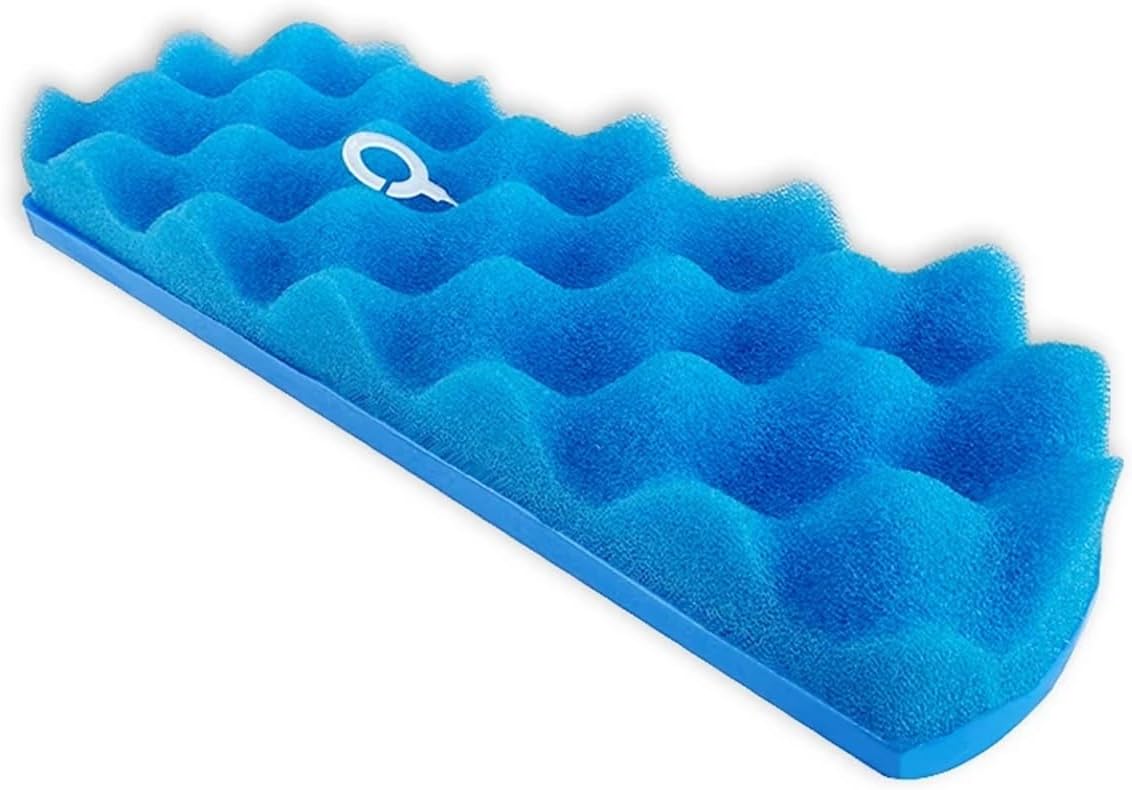
Image 3.2: Blue Foam Filter (Side View). This image displays the blue foam filter from a side angle, highlighting its wavy texture and the rigid blue plastic base it is attached to.

Image 3.3: Blue Filter with Mesh Pattern (Bottom View). This image shows the underside of a blue filter, revealing a fine, intricate mesh pattern designed for filtration.

Image 3.4: Pleated HEPA-style Filter (Top View). This image presents a white pleated filter, commonly known as a HEPA-style filter, securely housed within a black rectangular plastic frame.
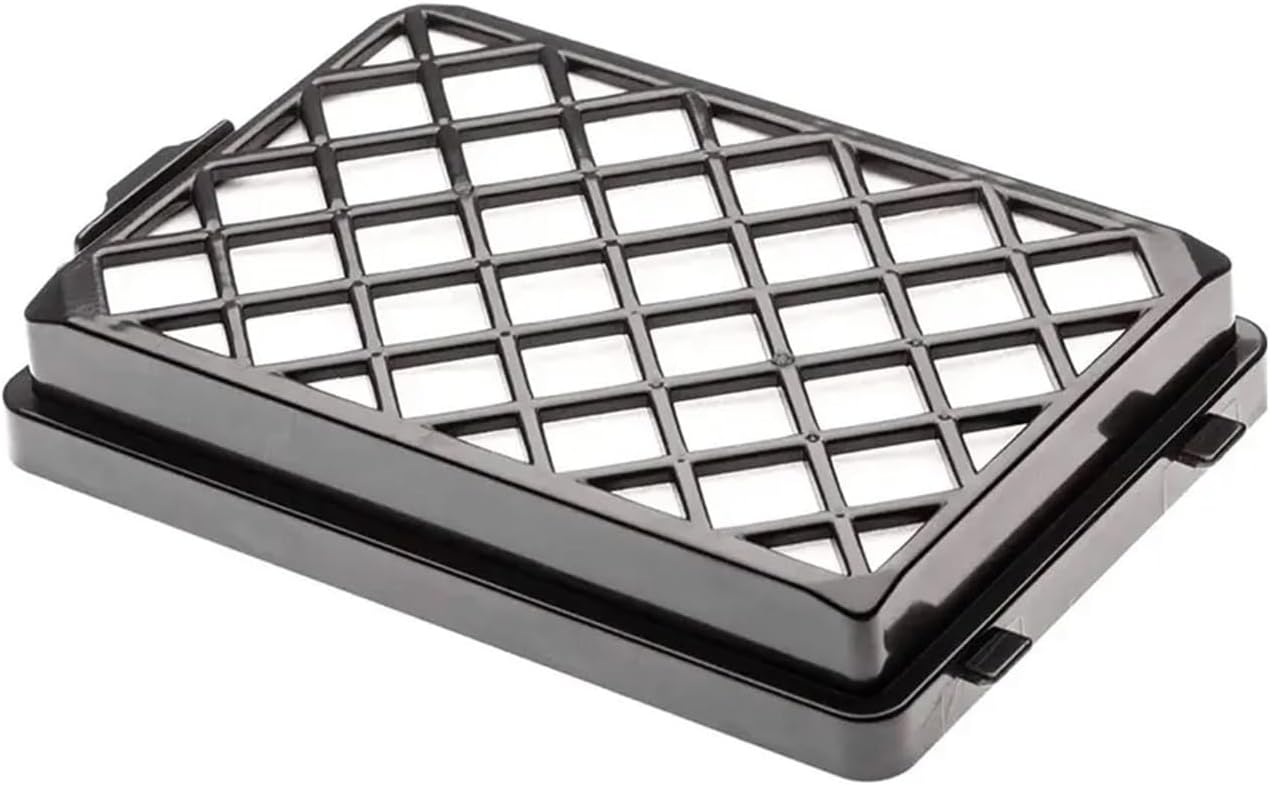
Image 3.5: Pleated HEPA-style Filter with Grid (Top View). This image shows the same pleated filter as Image 3.4, but with an additional black grid pattern on top of the white pleated material, likely for protection or structural integrity.
4. Setup and Installation
The HAvern filter kit is designed for easy installation and replacement. Follow these general steps:
- Power Off: Ensure your Samsung vacuum cleaner is unplugged from the power outlet.
- Locate Filter Compartment: Refer to your original Samsung vacuum cleaner manual to locate the filter compartment. This is typically found near the dustbin or exhaust vent.
- Remove Old Filter: Carefully open the compartment and remove the old, dirty filter. Note its orientation for correct installation of the new filter.
- Insert New Filter: Place the new HAvern filter into the compartment, ensuring it fits snugly and is oriented correctly. The design allows for straightforward insertion.
- Close Compartment: Securely close the filter compartment door or cover.
- Test: Plug in your vacuum cleaner and perform a brief test to ensure proper operation.
Note: Specific steps may vary slightly depending on your exact Samsung vacuum cleaner model. Always consult your vacuum's original user manual for detailed instructions on filter access.
5. Operating Instructions
Once installed, the filter kit operates automatically as part of your vacuum cleaner's filtration system. Its primary function is to:
- Maintain Cleanliness: The filters capture dust, dirt, and debris, preventing them from recirculating into your home's air.
- Improve Air Quality: By trapping fine particles, including dust and pollen, the filters help reduce allergens and irritants in the air you breathe.
- Protect Motor: Filters also protect the vacuum cleaner's motor from dust ingress, extending its lifespan.
No special operation is required for the filters themselves; they function passively during vacuum cleaner use.
6. Maintenance
Regular maintenance of your filter kit is crucial for optimal vacuum cleaner performance and air quality. The primary maintenance task is timely replacement.
6.1. Filter Replacement Schedule
It is recommended to replace the filter kit every 2-3 months, or more frequently depending on your usage habits and the level of dust and debris in your environment. Factors that may necessitate more frequent replacement include:
- Frequent vacuuming (daily or multiple times a week).
- Presence of pets.
- Allergy sufferers in the household.
- Visible dirt or discoloration on the filter.
- Noticeable decrease in vacuum suction power.
Refer to Section 4 for detailed replacement instructions.
7. Troubleshooting
If you experience issues after installing the new filter kit, consider the following:
- Reduced Suction:
- Ensure the filter is installed correctly and the compartment door is fully closed.
- Check if the filter is clogged. If it's a washable filter (refer to your vacuum's original manual), clean it. Otherwise, replace it.
- Inspect other parts of the vacuum for blockages (hose, brush roll, dustbin).
- Unusual Noises:
- Verify that the filter is seated properly and not loose.
- Ensure no foreign objects are trapped in the filter compartment.
- Dust Escaping:
- Confirm the filter is correctly installed and the compartment is sealed.
- The filter might be damaged or not the correct type for your model.
If problems persist, consult your Samsung vacuum cleaner's original user manual or contact HAvern customer support.
8. Specifications
| Feature | Detail |
|---|---|
| Product Type | Vacuum Cleaner Filter Kit Accessory |
| Brand | HAvern |
| Compatibility | Samsung SC8836, SC8830, SC8835, SC8852, SC8870, SC8833, SC885H, DJ97-01670B and other VCC88xx series models. |
| Package Dimensions | 1.18 x 0.79 x 0.39 inches |
| Item Weight | 1.76 ounces |
| Number of Pieces | 1 (referring to the kit as a single item, though it contains multiple filters) |
9. Warranty and Support
For any questions regarding the HAvern Vacuum Cleaner Filter Kit, please contact your retailer or HAvern customer support. Specific warranty information may be available through your point of purchase.
Always refer to your original Samsung vacuum cleaner manual for specific warranty details related to the vacuum itself, as this filter kit is an accessory.