
Ultenic P30 Combo
Ultenic P30 Combo Pet Grooming Vacuum Kit User Manual
Model: P30 Combo | Brand: Ultenic
Introduction
The Ultenic P30 Combo is a versatile 3-in-1 pet grooming system designed for drying, clipping, and vacuuming pet hair. This kit provides a professional grooming experience at home, suitable for dogs and cats with thick, short, or long hair. It aims to simplify the grooming process while maintaining a clean environment.

Image: The Ultenic P30 Combo is designed for various pet coat types, including short, medium, long, and curly hair on dogs and cats.
Safety Information
WARNING:
- Do not use or store the device in humid environments, such as outdoors or in bathrooms, or where it may come into contact with water.
- Ensure the device is unplugged before cleaning or performing any maintenance.
- Keep out of reach of children and pets when not in use.
- Do not operate the device if any part is damaged. Contact customer support for assistance.
What's Included
Your Ultenic P30 Combo Pet Grooming Vacuum Kit includes the following components:

Image: Detailed view of all items included in the Ultenic P30 Combo package.
- Pet Grooming and Dryer Kit (Main Unit)
- De-shedding Tool
- Grooming Brush
- Electric Clippers
- Clipping Combs (5 cutting lengths: 3/6/12/18/24 mm)
- Cone Nozzle
- Spade Nozzle
- Crevice Nozzle
- User Guide
- Scald-resistant Cloth
- Hose (1.5m flexible)
- Accessories Bag
Setup
Follow these steps to set up your Ultenic P30 Combo:
- Unpack all components from the box.
- Place the main unit on a stable, flat surface.
- Connect the flexible hose to the designated port on the main unit. Ensure it clicks securely into place.
- Attach the desired grooming tool (e.g., grooming brush, electric clippers) to the other end of the flexible hose.
- If using the electric clippers, select and attach the appropriate clipping comb for your desired hair length.
- Plug the 2.5m power cord into a suitable electrical outlet.
Operating Instructions
The Ultenic P30 Combo offers multiple functions for comprehensive pet grooming.
General Operation
- Press the power button on the main unit to turn on the device.
- Use the control knob or buttons (depending on model) to adjust the suction power (8 speed settings) or temperature (3 levels for drying).
- The device operates at approximately 50 decibels, designed to minimize stress for your pet.
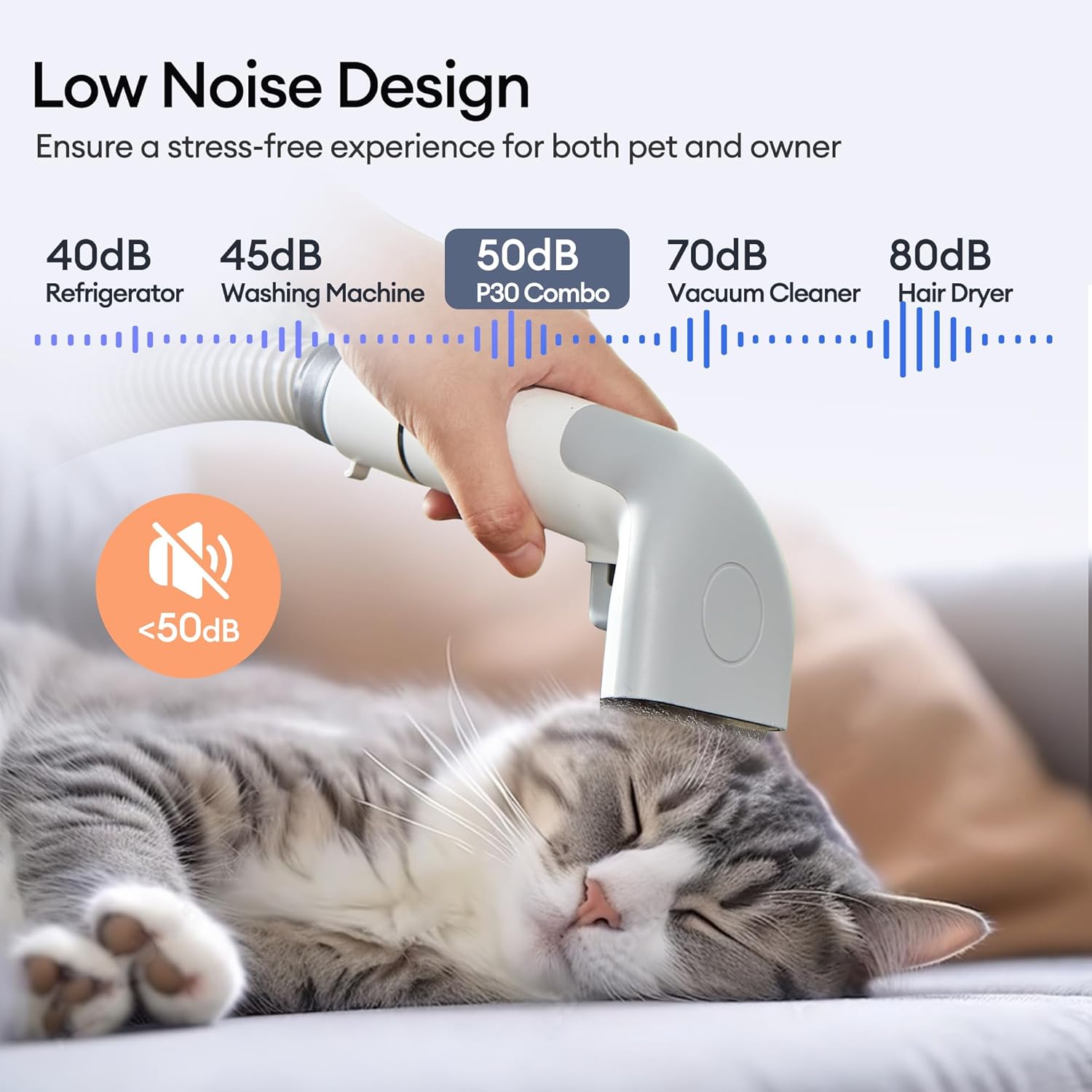
Image: The low-noise design of the P30 Combo ensures a calm grooming experience for pets.
Grooming (Brushing & Clipping)
- Grooming Brush: Use this tool to remove loose hair and tangles. The vacuum function collects the hair directly, preventing mess.
- De-shedding Tool: Ideal for pets with thick undercoats. It effectively removes shedding hair while the vacuum captures it.
- Electric Clippers: Attach the desired clipping comb (3/6/12/18/24 mm) to the electric clippers. The integrated vacuum ensures cut hair is immediately collected.

Image: The kit includes an electric clipper with multiple guard combs, a grooming brush, a de-shedding tool, and a crevice nozzle for comprehensive grooming.
Drying
- After bathing, attach one of the two special drying nozzles (flat or round) to the hose.
- Select one of the 3 temperature levels to quickly and safely dry your pet's coat.
- The high-speed airflow helps reduce drying time and the risk of your pet catching a cold.

Image: The high-speed pet dryer features 8 speed levels, 3 temperature settings, and 2 shaped nozzles for efficient drying.
Official Product Video
Video: An official demonstration of the Ultenic P30 Combo Pet Vacuum Hair Dryer Groomer, showcasing its features and ease of use.
Maintenance
Regular maintenance ensures optimal performance and longevity of your device.
Cleaning the Dustbin
- The device features a large 2L dustbin to minimize frequent emptying.
- To empty, detach the dustbin from the main unit.
- Open the dustbin and dispose of the collected pet hair.
- Clean the dustbin and internal filters with water and allow them to dry completely before reattaching.

Image: The 2L large capacity dustbin reduces the need for frequent emptying during grooming sessions.
Cleaning Attachments
- After each use, remove any hair or debris from the grooming brushes, de-shedding tool, and clippers.
- The electric clipper blades can be detached for thorough cleaning.
- Use the provided cleaning brush to remove stubborn hair from the tools.
Troubleshooting
If you encounter any issues with your Ultenic P30 Combo, refer to the following common solutions:
- No Power: Ensure the power cord is securely plugged into both the device and the electrical outlet. Check if the outlet is functional.
- Weak Suction: Check if the dustbin is full and needs emptying. Ensure all connections (hose to unit, tool to hose) are secure. Clean the filters as they might be clogged.
- Clipper Stops Working: The clippers may have a safety feature that temporarily stops operation if too much hair accumulates or if it gets clogged. Unplug the device, clear any blockages, and then plug it back in.
- Overheating: If the device feels hot, turn it off and allow it to cool down for at least 30 minutes before resuming use. Ensure air vents are not blocked.
Specifications
| Feature | Detail |
|---|---|
| Product Dimensions | 15.35 x 6.5 x 10.39 inches |
| Item Weight | 14.29 Pounds |
| Model Number | P30 Combo |
| Brand | Ultenic |
| Color | Black and White |
| Dustbin Capacity | 2 Liters |
| Suction Power | 20,000 Pa (900W fan) |
| Noise Level | 50 dB |
| Hose Length | 1.5 meters |
| Power Cord Length | 2.5 meters |
Warranty and Support
For warranty information, product registration, or technical support, please refer to the official Ultenic website or contact their customer service directly. Details can typically be found in the included User Guide or on the product packaging.
Ask a question about this manual
Ask about setup, troubleshooting, compatibility, parts, safety, or missing instructions. Manuals+ will review the question and use this page’s manual context to help answer it.