
1. Introduction
The HUGEROCK X7 is a robust and versatile rugged tablet PC designed for demanding outdoor environments. With its 2600nit sunlight-readable display, IP68 waterproof rating, and MIL-STD-810G drop-proof certification, it is engineered to perform reliably in various conditions, including drone operation, outdoor navigation, and field work. This manual provides essential information for setting up, operating, maintaining, and troubleshooting your X7 tablet.

Figure 1.1: HUGEROCK X7 Rugged Tablet PC
2. Safety Information
Please read and follow these safety guidelines to ensure safe and proper operation of your HUGEROCK X7 tablet:
- Do not attempt to disassemble, repair, or modify the device. Unauthorized modifications may void the warranty and pose safety risks.
- Use only original or certified compatible chargers and accessories.
- Avoid exposing the tablet to extreme temperatures outside its operating range (-10°C to 50°C).
- Ensure all port covers are securely closed to maintain the IP68 waterproof and dustproof rating when exposed to water or dust.
- Keep the device away from strong magnetic fields.
- Dispose of the tablet and its battery responsibly according to local regulations.
3. Product Overview
3.1 Key Features
- Sunlight Readable Display: 2600nit brightness for clear visibility in direct sunlight.
- Rugged Design: IP68 waterproof and MIL-STD-810G drop-proof for harsh environments.
- High Performance: 8GB RAM and 128GB ROM for smooth operation.
- High-Resolution Display: 7-inch 1920x1080 FHD screen.
- Dual Cameras: 8MP front and 13MP rear cameras.
- Long Battery Life: 7000mAh battery capacity.
- Android 13 OS: Enhanced system smoothness and speed.
- Lightweight: Weighs only 465g, making it highly portable.
- Integrated GPS: For navigation and location-based applications.
3.2 Components and Ports
Familiarize yourself with the physical components and ports of your X7 tablet:

Figure 3.1: Front View

Figure 3.2: Side View with Ports

Figure 3.3: Back View
4. Setup
4.1 Initial Charging
Before first use, fully charge the tablet. Connect the provided USB-C cable to the tablet's charging port and the other end to a compatible power adapter. The charging indicator will show the charging status.
4.2 Powering On/Off
To power on, press and hold the power button until the HUGEROCK logo appears. To power off, press and hold the power button, then select 'Power off' from the options.
4.3 SIM and Micro SD Card Installation
The X7 tablet supports dual Nano SIM cards or one Nano SIM and one Micro SD card for expanded storage. Locate the SIM/SD card tray on the side of the tablet. Use the provided SIM ejector tool to open the tray. Carefully place the SIM(s) and/or Micro SD card into the tray according to the diagram on the tray, then reinsert it securely. Ensure the tray is fully seated to maintain water resistance.

Figure 4.1: SIM and Micro SD Card Slot

Figure 4.2: Dual SIM / SIM + Micro SD Configuration
5. Operating the Tablet
5.1 Display and Brightness
The X7 tablet features a 2600nit ultra-bright display, ensuring excellent visibility even under direct sunlight. Adjust the screen brightness through the quick settings panel or display settings to optimize viewing in various lighting conditions.

Figure 5.1: Sunlight Readability Comparison
5.2 Connectivity (Wi-Fi, Bluetooth, 4G)
Access network and device connectivity options via the Settings menu. Enable Wi-Fi for internet access, Bluetooth for connecting wireless peripherals, and 4G for cellular data and calls (if a SIM card is installed and activated).
5.3 Using with Drones and External Devices
The HUGEROCK X7 is optimized for use as a display monitor for UAVs (drones) and other outdoor applications. Connect your drone controller or other compatible devices via USB or wireless connections as required by the external device's instructions. The bright display ensures clear real-time monitoring during flight or other activities.
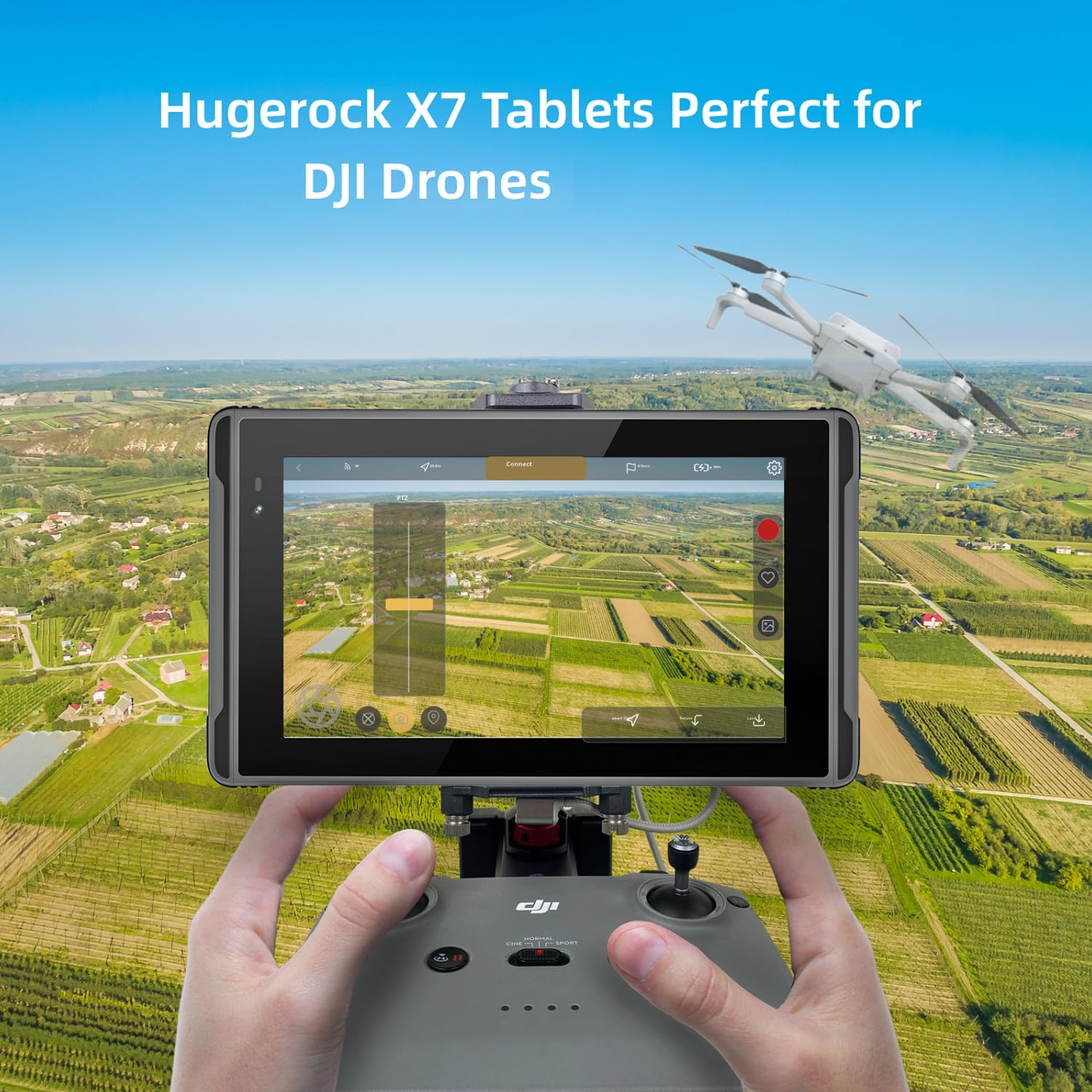
Figure 5.2: Tablet used with a drone controller

Figure 5.3: Unmanned Aerial Vehicle Flight Control

Figure 5.4: Versatile Outdoor Applications
6. Maintenance
6.1 Durability Features
The HUGEROCK X7 is built to withstand challenging conditions:
- IP68 Waterproof: Protected against continuous immersion in water up to 1.5 meters for 30 minutes.
- MIL-STD-810G Drop-proof: Designed to survive drops from a certain height onto hard surfaces.
- Dustproof: Completely protected against dust ingress.
- Wide Temperature Range: Operates reliably in temperatures from -10°C to 50°C.

Figure 6.1: Durability Ratings

Figure 6.2: Tablet in Harsh Environments

Figure 6.3: Temperature Resistance
6.2 Cleaning and Storage
Clean the tablet with a soft, damp cloth. Avoid harsh chemicals. When not in use for extended periods, store the tablet in a cool, dry place and ensure it has at least a 50% charge to preserve battery health.
7. Troubleshooting
This section addresses common issues you might encounter with your HUGEROCK X7 tablet.
| Issue | Possible Cause | Solution |
|---|---|---|
| Tablet does not power on. | Low battery; power button not pressed correctly. | Charge the tablet for at least 30 minutes. Press and hold the power button firmly for 5-10 seconds. |
| Screen is difficult to see in bright sunlight. | Brightness setting is too low. | Increase screen brightness to maximum in display settings. |
| Wi-Fi connectivity is unstable or slow. | Software glitch; router interference; outdated drivers. | Restart the tablet. Restart your Wi-Fi router. Ensure tablet software is up to date. |
| Tablet charges very slowly. | Non-original charger; using tablet while charging; faulty cable. | Use the original charger and cable. Avoid heavy usage during charging. Try a different USB-C cable. |
| Battery drains quickly when off. | Background processes; residual power draw. | Ensure all applications are closed before powering off. Fully power down the device, do not just put it to sleep. |
8. Specifications
Detailed technical specifications for the HUGEROCK X7 Rugged Tablet PC:
| Feature | Specification |
|---|---|
| Model Name | X7 |
| Screen Size | 7 Inches |
| Screen Resolution | 1920 x 1080 pixels (FHD) |
| Max Screen Brightness | 2600 nit (Sunlight Readable) |
| RAM | 8 GB |
| Flash Memory Size (ROM) | 128 GB |
| Operating System | Android 13 |
| Rear Webcam Resolution | 13 MP |
| Front Webcam Resolution | 8 MP |
| Wireless Type | 802.11ac (Dual-band Wi-Fi) |
| Bluetooth | 5.0 |
| Average Battery Life | 7 Hours (7000mAh capacity) |
| Item Weight | 1.76 pounds (approx. 465g) |
| Product Dimensions (LxWxH) | 8.19 x 4.76 x 0.63 inches |
| Color | Dark Gray |
| Waterproof Rating | IP68 |
| Drop-proof Rating | MIL-STD-810G |
9. Warranty and Support
HUGEROCK products are designed for durability and performance. This tablet comes with a standard manufacturer's warranty covering defects in materials and workmanship under normal use. For specific warranty terms and conditions, please refer to the documentation included with your purchase or visit the official HUGEROCK website.
For technical support, troubleshooting assistance, or to inquire about replacement parts, please contact HUGEROCK customer service. You can find more information and contact details on the HUGEROCK Brand Store on Amazon.


