Introduction
The DeerTalk AR55-2 TV LED Light Strip provides an immersive viewing experience by synchronizing LED backlighting with your TV screen's picture. Utilizing advanced AR sensor technology, it captures real-time colors for accurate and low-latency light matching. This system enhances movies, games, and general viewing, while also offering features like music synchronization and comprehensive app control. This manual provides detailed instructions for setup, operation, and maintenance to ensure optimal performance of your LED light strip.

Figure 1: Complete DeerTalk AR55-2 TV LED Light Strip System
What's in the Box
Please verify that all components are present before proceeding with installation:
- 14.8FT LED Light Strip
- AR Sensor Camera
- Control Box
- Power Adapter
- User Manual (this document)
Setup Instructions
Follow these steps for proper installation of your DeerTalk TV LED Light Strip:
- Prepare Your TV: Ensure the back of your TV is clean and dry for optimal adhesive application.
- Attach the LED Strip: Carefully peel the adhesive backing and attach the 14.8FT LED light strip to the back of your TV. For TVs up to 65 inches, the strip will cover all four sides. For larger TVs (up to 100 inches), it will cover three sides. Ensure the strip is securely adhered along the edges.
- Position the AR Sensor Camera: Mount the AR sensor camera at the top center of your TV. The adjustable telescoping pole allows for compatibility with TVs from 24 to 100 inches and various thicknesses. Ensure the sensor has a clear view of the screen.

Figure 2: AR Sensor picks up colors from the screen.

Figure 3: Accurate color reading by the AR sensor.

Figure 4: Light strip installation suitability for various TV sizes.
- Connect Components: Connect the LED light strip and the AR sensor camera to the control box. Then, connect the control box to the power adapter and plug it into a power outlet.
- Download the App: Download the "uLamp" app from Google Play Store or Apple App Store, or scan the QR code provided on the product packaging.
- Pair with App: Open the "uLamp" app and follow the on-screen instructions to pair your device via Bluetooth. No complicated calibration is required.
Operating Instructions
Your DeerTalk TV LED Light Strip offers multiple ways to control and customize your lighting experience:
App Control
The "uLamp" app provides full control over your LED lights. Once connected, you can:
- Color Selection: Choose from 16 million colors to set the perfect ambiance.
- Brightness Adjustment: Easily dim or brighten the lights to your preference.
- Scene Modes: Select from various pre-set scene modes for different moods or occasions.
- DIY Mode: Create and save your own custom lighting effects.
- Timer Function: Schedule lights to turn on/off at specific times.
- Music Sync Mode: The built-in microphone in the control box allows the lights to react in real-time to music and gaming audio, creating a dynamic visual experience.
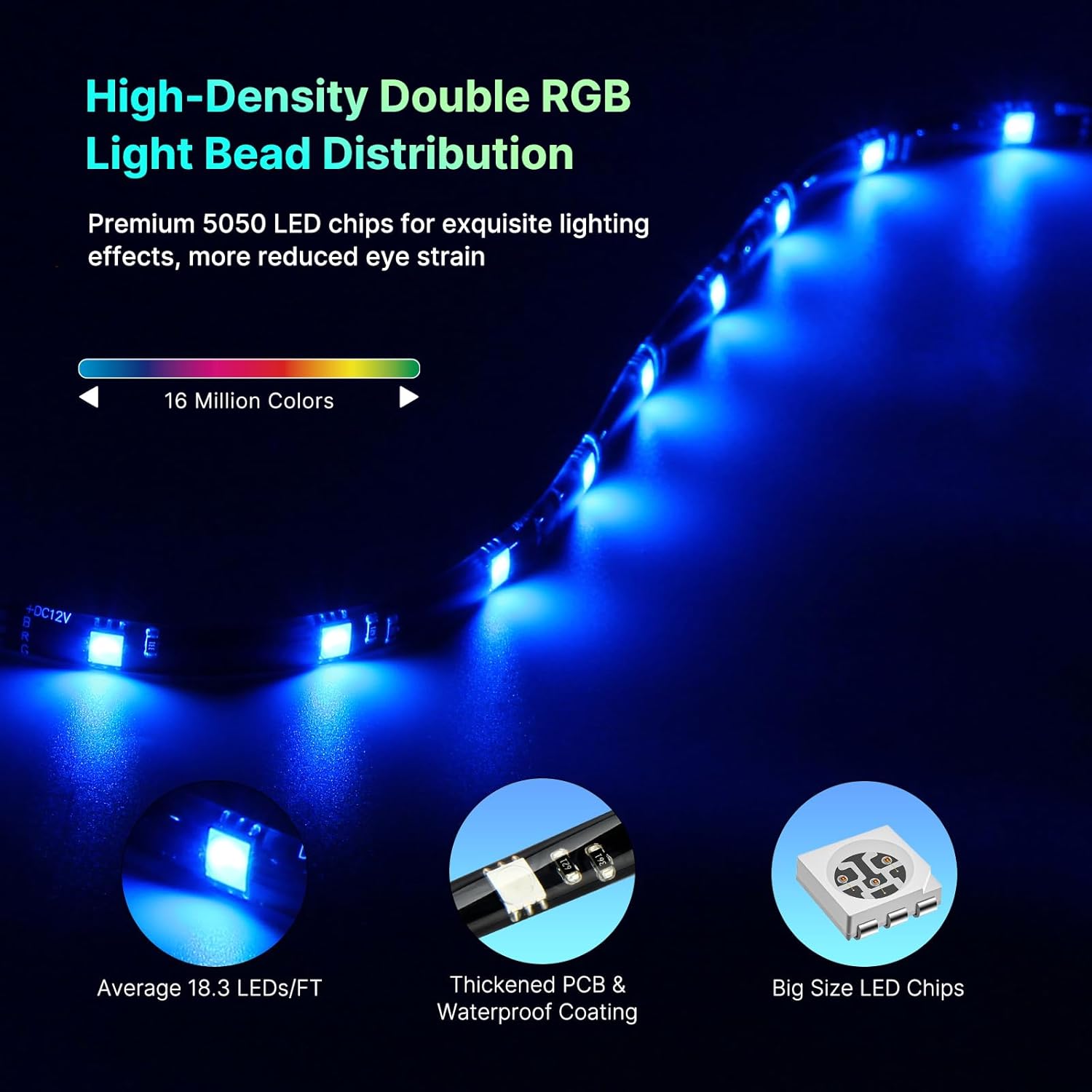
Figure 5: Enhanced Music Mode in action.
Control Box Operation
The physical control box provides basic functionality without needing the app or network connection:
- Power Button: Turn the lights On/Off.
- Mode Button: Cycle through different lighting modes (e.g., static colors, dynamic effects, music sync).
- Brightness Buttons: Adjust the light intensity.

Figure 6: High-Density Double RGB Light Bead Distribution for vivid lighting.
Maintenance
The DeerTalk TV LED Light Strip is designed for durability and features a fully waterproof coating for protection. Minimal maintenance is required:
- Cleaning: Gently wipe the LED strip and AR sensor with a soft, dry cloth to remove dust. For stubborn dirt, a slightly damp cloth can be used, ensuring no liquid enters the control box or power connections.
- Storage: If storing the device for an extended period, disconnect it from power and store it in a cool, dry place away from direct sunlight.
Troubleshooting
If you encounter any issues with your DeerTalk TV LED Light Strip, please refer to the following common solutions:
| Problem | Possible Cause | Solution |
|---|---|---|
| Lights do not turn on. | No power, loose connection, faulty power adapter. | Check power outlet, ensure all cables are securely connected. Try a different power outlet. |
| Lights not syncing with TV picture. | AR sensor obstructed, incorrect sensor placement, app not in sync mode. | Ensure AR sensor has a clear view of the screen. Adjust sensor position if necessary. Verify "uLamp" app is in the correct synchronization mode. |
| App cannot connect to the device. | Bluetooth off, device out of range, app glitch. | Ensure Bluetooth is enabled on your smartphone. Move closer to the control box. Close and reopen the "uLamp" app. Restart your smartphone. |
| Colors appear inaccurate or dim. | Brightness setting too low, environmental lighting interference, sensor calibration needed (though usually automatic). | Adjust brightness via app or control box. Reduce ambient room lighting for best effect. Ensure AR sensor lens is clean. |
If the problem persists after trying these solutions, please contact customer support.
Specifications
| Feature | Detail |
|---|---|
| Brand | DeerTalk |
| Model Number | AR55-2 |
| Indoor/Outdoor Usage | Indoor |
| Light Source Type | LED (5050RGB) |
| Power Source | Corded Electric |
| Light Color | Multiple (16 Million Colors) |
| Style | Modern |
| Material | Polycarbonate |
| Controller Type | App Control, Control Box |
| Connectivity Protocol | Bluetooth |
| Connectivity Technology | Bluetooth |
| Number of Light Sources | 60 |
| Wattage | 120 watts |
| Included Components | AR sensor camera, control box |
| Number of Items | 1 |
| Control Method | App |
| Water Resistance Level | Waterproof |
| Item Weight | 15.2 ounces |
| Package Dimensions | 7.68 x 7.56 x 2.36 inches |
| Batteries Required? | No |
Warranty and Support
DeerTalk stands behind the quality of its products. The TV LED backlight comes with a 5-year replacement warranty. If you experience any issues within this period, please contact our customer support for assistance.
Our expert support team is committed to providing quick responses and ensuring your satisfaction with the product and service.
For support, please visit our official website or contact us via the "uLamp" app's support section.


