
Introduction
Thank you for purchasing the DR.PREPARE DCCF10 Tower Fan. This manual provides important information regarding the safe operation, installation, maintenance, and troubleshooting of your new fan. Please read this manual thoroughly before use and retain it for future reference.
Safety Instructions
- Always ensure the fan is placed on a stable, flat surface to prevent tipping.
- Do not insert fingers or any objects into the fan grille when it is operating.
- Keep the fan away from water or other liquids. Do not use in wet environments.
- Unplug the fan from the power outlet before cleaning, moving, or performing any maintenance.
- Do not operate the fan with a damaged cord or plug. Contact customer support for assistance.
- This appliance is for indoor use only. Do not use outdoors.
- Keep out of reach of children and pets.
- Ensure the power supply voltage matches the rating label on the fan.
Product Overview
Components
- Tower Fan Unit
- Remote Control
- Power Adapter
Control Panel and Remote Control
The fan can be operated using the touch control panel on top of the unit or the included remote control.

Image: Top view of the DR.PREPARE DCCF10 Tower Fan showing the touch control panel and the remote control. The control panel features buttons for power, mode, oscillation, timer, and speed. The remote control has similar functions.
- Power Button: Turns the fan On/Off.
- Speed Button: Adjusts between 8 fan speeds.
- Mode Button: Cycles through different fan modes (e.g., Normal, Sleep).
- Oscillation Button: Activates/deactivates 80° oscillation.
- Timer Button: Sets the auto-off timer from 1 to 8 hours.
- Display Light/Beep Off (Remote Only): Long press for 2 seconds to turn off the screen light and button beep for undisturbed sleep.
Setup
- Unpack the fan and all components from the packaging.
- Place the fan on a firm, level surface.
- Ensure the power adapter is securely connected to the fan's power input.
- Plug the power adapter into a standard electrical outlet (230V AC).
- The fan is now ready for operation.
Operating Instructions
Power On/Off
Press the Power button on the control panel or remote control to turn the fan on or off.
Adjusting Fan Speed
Press the Speed button repeatedly to cycle through 8 available fan speeds. The current speed setting will be displayed on the fan's screen.

Image: A collage demonstrating the fan's features including an 8-hour timer, 80-degree wide cooling coverage, and 8 adjustable speeds. The fan is shown in various settings, highlighting its versatility.
Oscillation Function
Press the Oscillation button to activate or deactivate the 80° wide-angle oscillation feature, distributing air across a larger area.
Setting the Timer
Press the Timer button to set the automatic shut-off timer. Each press increases the timer by 1 hour, up to a maximum of 8 hours. The fan will automatically turn off after the set time.
Sleep Mode
In Sleep Mode, the fan gradually reduces its speed every 30 minutes until it reaches the lowest speed (speed 1), where it continues to operate. The display backlight will turn off after 30 seconds of inactivity to ensure a peaceful sleeping environment.

Image: The DR.PREPARE DCCF10 Tower Fan positioned next to a bed, illustrating its quiet operation at 25dB. A remote control is shown with an instruction to long press for 2 seconds to turn off the screen, ideal for night use.
Maintenance
Regular cleaning ensures optimal performance and extends the lifespan of your fan.
- Before Cleaning: Always unplug the fan from the power outlet.
- Exterior Cleaning: Wipe the exterior surfaces with a soft, damp cloth. Do not use abrasive cleaners or solvents.
- Impeller and Front Cover Cleaning: The impeller and rear guard are detachable for thorough cleaning. Use a screwdriver to remove the front cover and access the impeller. Rinse the front cover and impeller under water. Ensure all parts are completely dry before reassembling and operating the fan.

Image: A person cleaning the detachable impeller and front cover of the DR.PREPARE DCCF10 Tower Fan under running water in a sink, demonstrating the ease of maintenance.
Troubleshooting
| Problem | Possible Cause | Solution |
|---|---|---|
| Fan does not turn on. | No power supply. Power button not pressed. | Check if the power adapter is securely plugged into the fan and the wall outlet. Press the Power button. |
| Weak airflow. | Low speed setting. Air inlet/outlet blocked. Dirty impeller. | Increase fan speed. Ensure nothing is obstructing the fan. Clean the impeller and front cover as per maintenance instructions. |
| Fan is noisy. | Fan not on a stable surface. Foreign object inside. Dirty impeller. | Place the fan on a flat, stable surface. Unplug and check for any obstructions. Clean the impeller. |
| Remote control not working. | Battery depleted. Obstruction between remote and fan. | Replace the battery in the remote control. Ensure a clear line of sight to the fan's receiver. |
Specifications
- Model Number: DCCF10
- Brand: DR.PREPARE
- Dimensions (L x W x H): 15.8 x 15.8 x 40.8 cm
- Weight: 1.63 kg
- Power: 12 Watts
- Voltage: 230 Volts (AC)
- Noise Level: 25 Decibels (at lowest speed)
- Max Air Speed: 7 meters per second
- Number of Speeds: 8
- Oscillation: 80°
- Timer: 1-8 hours
- Control Type: Touch control panel, Remote control
- Motor Type: DC Motor
- Material: Plastic
- UPC: 840315223288

Image: An illustration highlighting the efficient 12W DC motor of the DR.PREPARE DCCF10 Tower Fan, indicating its energy-saving capabilities and a rotation speed of 2000 RPM.
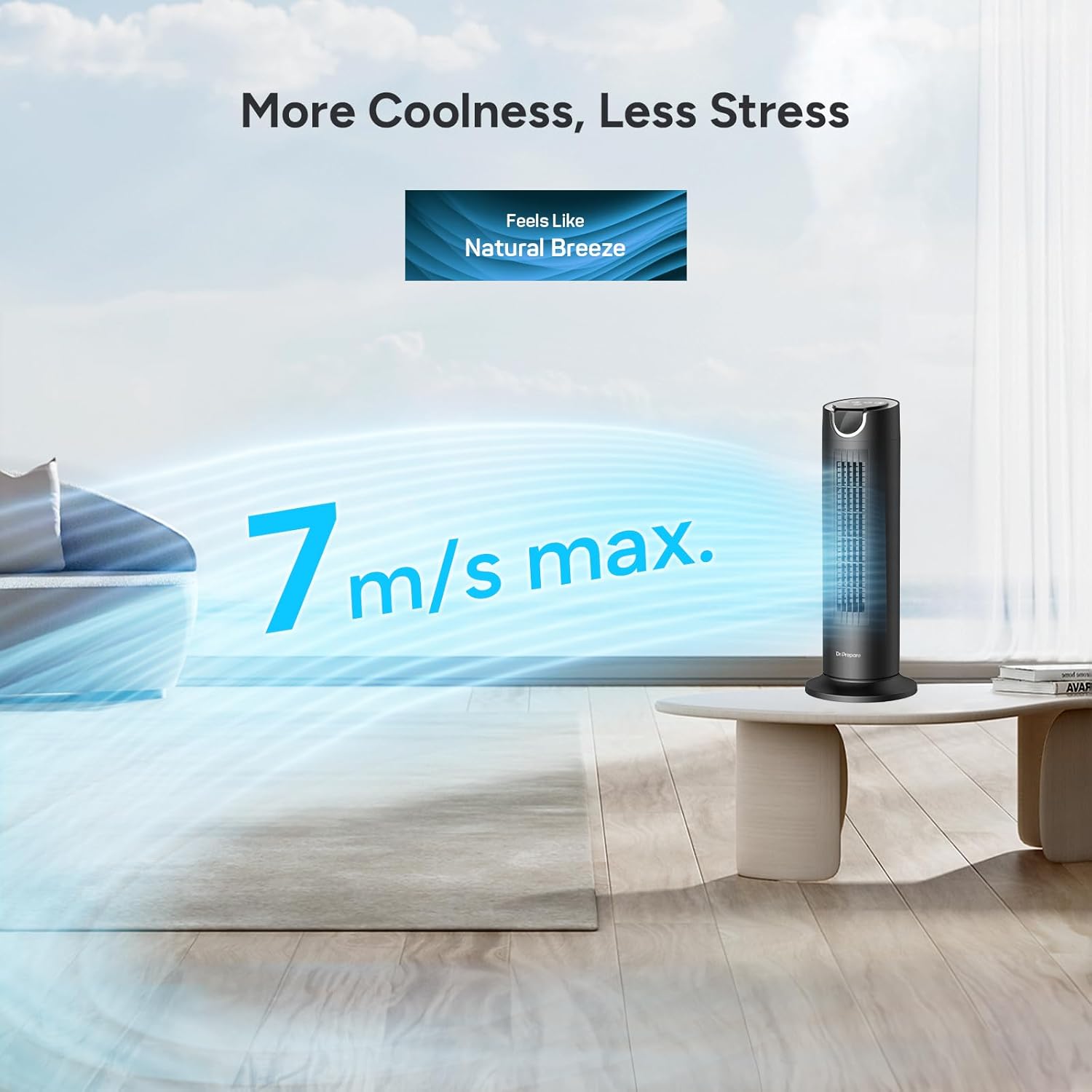
Image: The DR.PREPARE DCCF10 Tower Fan in a living room setting, demonstrating its ability to produce a strong airflow of up to 7 m/s, creating a natural breeze effect.
Warranty Information
Specific warranty details are not provided in the product information. Please refer to the product packaging or contact the retailer/manufacturer for warranty terms and conditions.
Customer Support
If you have any questions, concerns, or require assistance with your DR.PREPARE DCCF10 Tower Fan, please contact DR.PREPARE customer support through their official website or the retailer where the product was purchased.
For more information, visit: www.drprepare.com