1. Introduction
Thank you for choosing the NIU KQi3 PRO Electric Scooter. This manual provides essential information for the safe operation, maintenance, and troubleshooting of your scooter. Please read it thoroughly before your first ride and keep it for future reference.

Figure 1: The NIU KQi3 PRO Electric Scooter, showcasing its design and components.
2. Safety Information
Operating an electric scooter carries inherent risks. To minimize these risks, always adhere to the following safety guidelines:
- Always wear a helmet and appropriate protective gear (knee pads, elbow pads) when riding.
- Familiarize yourself with local laws and regulations regarding electric scooter usage.
- Do not ride in wet conditions, heavy rain, or through puddles.
- Avoid riding on uneven surfaces, potholes, or obstacles.
- Maintain a safe speed and distance from other vehicles and pedestrians.
- Ensure the scooter is fully charged and all components are secure before each ride.
- Do not allow children under the age of 16 to operate the scooter.
- Avoid carrying passengers or heavy loads that exceed the scooter's weight limit.
- Do not operate the scooter under the influence of alcohol or drugs.
3. Package Contents
Upon opening the package, verify that all items are present and in good condition:
- NIU KQi3 PRO Electric Scooter
- Power Adapter / Charger
- User Manual
- Assembly Tools (if required)
If any items are missing or damaged, contact customer support immediately.
4. Setup
4.1 Unfolding the Scooter
- Place the scooter on a flat surface.
- Locate the folding mechanism latch near the base of the handlebar stem.
- Release the latch and carefully lift the handlebar stem until it locks into the upright position. Ensure the locking mechanism is fully engaged.
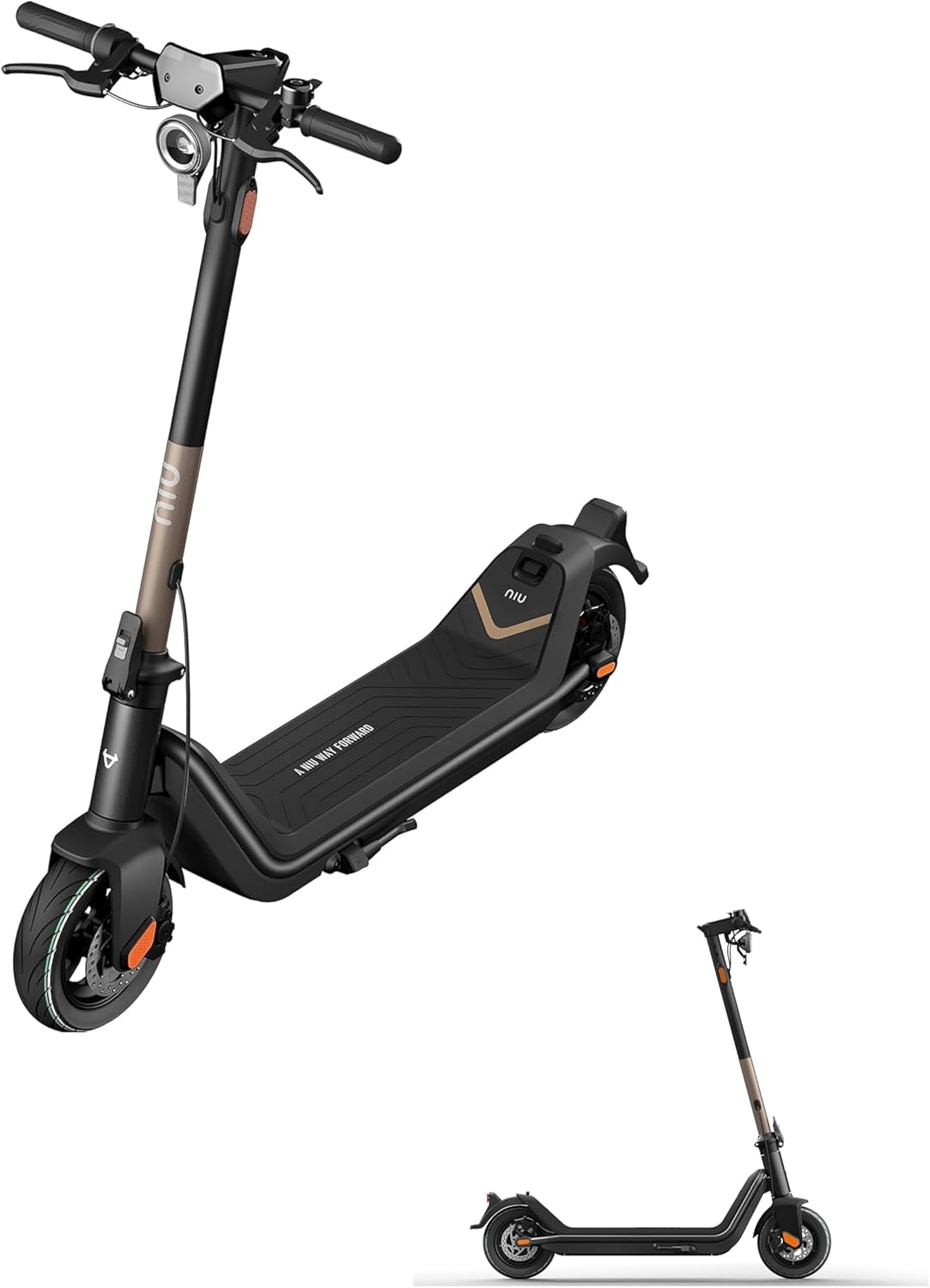
Figure 2: The scooter in its unfolded state, ready for use. A smaller image shows the scooter in its folded, portable configuration.
4.2 Initial Charging
Before your first ride, fully charge the scooter's battery.
- Locate the charging port, typically on the side of the deck.
- Connect the power adapter to the charging port, then plug the adapter into a standard electrical outlet.
- The indicator light on the charger will change (e.g., red to green) when charging is complete.
- Disconnect the charger once fully charged. Do not overcharge.
4.3 NIU App Connection
For full functionality and customization, download the official NIU app from your smartphone's app store.
- Power on the scooter.
- Open the NIU app and follow the on-screen instructions to pair your scooter via Bluetooth. You may need to tap the scooter's power button during the pairing process.
- Once connected, you can access settings such as speed limits, regenerative braking strength, and digital locking.
- Check for and install any available firmware updates through the app.
5. Operating Instructions
5.1 Powering On/Off
- To power on: Press and hold the power button on the handlebar until the display illuminates.
- To power off: Press and hold the power button until the display turns off.
5.2 Riding the Scooter
- Place one foot firmly on the deck and push off with the other foot to gain initial momentum.
- Once moving, gently press the throttle lever to accelerate. The KQi3 PRO features a "push to throttle" function for safety, requiring initial momentum before the motor engages.
- To brake, use the brake levers on the handlebars. The scooter is equipped with rear braking.
- Maintain balance and keep both hands on the handlebars while riding.
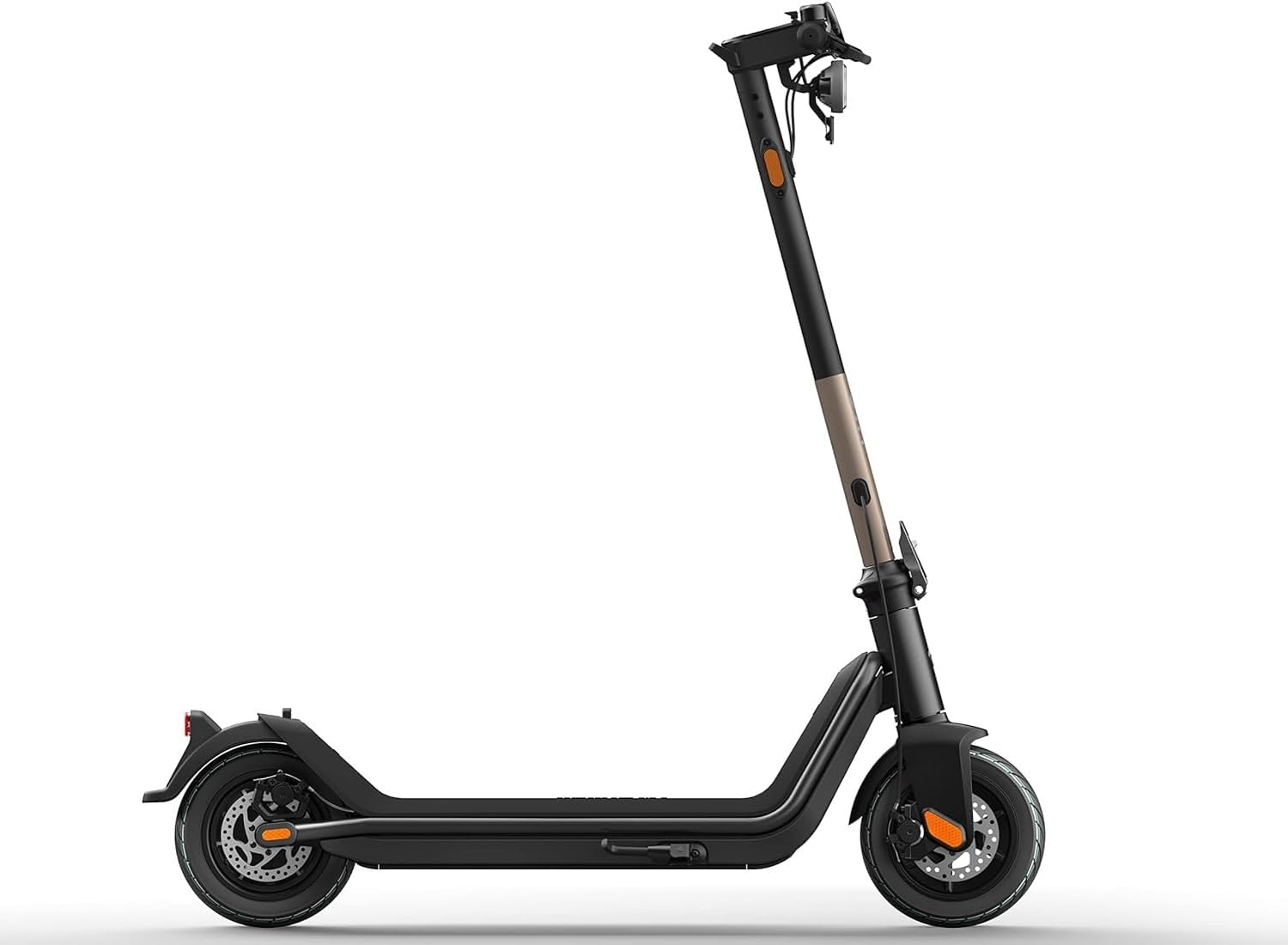
Figure 3: Side profile of the NIU KQi3 PRO, illustrating its riding stance and components.
5.3 Folding for Portability
To fold the scooter for storage or transport:
- Ensure the scooter is powered off.
- Locate and release the folding mechanism latch.
- Carefully fold the handlebar stem downwards until it clicks into place, securing it to the rear fender or a designated hook.
6. Maintenance
Regular maintenance ensures the longevity and safe operation of your NIU KQi3 PRO scooter.
- Cleaning: Wipe the scooter with a damp cloth. Do not use high-pressure water or immerse the scooter in water.
- Tire Pressure: Regularly check and maintain the recommended tire pressure for optimal performance and safety. Refer to the tire sidewall for specifications.
- Brake Inspection: Periodically inspect the brake system for wear and proper function. Adjust or replace brake components as needed.
- Battery Care:
- Charge the battery regularly, even if not in use, to prevent deep discharge.
- Store the scooter in a cool, dry place away from direct sunlight and extreme temperatures.
- Avoid fully depleting the battery before recharging.
- Fasteners: Check all screws and bolts periodically to ensure they are tight.
7. Troubleshooting
This section addresses common issues you might encounter with your NIU KQi3 PRO scooter.
| Problem | Possible Cause | Solution |
|---|---|---|
| Scooter does not power on. | Low battery; loose connections. | Charge the battery; check all visible connections. |
| Scooter is not accelerating. | Battery too low; "push to throttle" not engaged; app settings. | Charge battery; push off to gain initial speed; check app for throttle settings. |
| Overheating during use. | Prolonged heavy use; riding uphill excessively; exceeding weight limit. | Allow scooter to cool down; reduce load or intensity of use. If persistent, contact support. |
| Difficulty connecting to NIU app. | Bluetooth off; scooter not in pairing mode; app glitch. | Ensure Bluetooth is enabled; restart scooter and app; try tapping power button during pairing. |
| Reduced range. | Low tire pressure; riding style (e.g., constant max speed); cold weather; battery degradation. | Check tire pressure; adjust riding style; ensure proper battery charging and storage. |
8. Specifications
Key technical specifications for the NIU KQi3 PRO Electric Scooter:
| Feature | Detail |
|---|---|
| Brand | NIU |
| Model Name | KQi3 PRO |
| Color | Rose Gold |
| Special Feature | Portable, Foldable |
| Number of Wheels | 2 |
| Wheel Material | Rubber |
| Frame Material | Aluminum |
| Handlebar Type | Fixed |
| Wheel Type | Pneumatic |
| Suspension Type | Rigid |
| Grip Type | Ergonomic |
| Brake Style | Rear Braking |
| Maximum Distance Range | 31 Miles |
| UPC | 659680633765 |
9. Warranty and Support
The NIU KQi3 PRO Electric Scooter comes with a Limited Warranty. Please refer to the warranty card included in your package or visit the official NIU website for detailed terms and conditions.
For technical assistance, spare parts, or warranty claims, please contact NIU customer support through their official website or the contact information provided in your product documentation.


