
Introduction and Overview
The Darkant Mini Karaoke Machine (Model K1-1MIC) is a portable Bluetooth speaker designed for an enjoyable singing experience. It features exceptional sound quality, a dynamic wireless microphone with multiple voice effects, and vibrant LED lights. Its compact and lightweight design makes it suitable for various indoor and outdoor activities.
This device functions as a karaoke machine, Bluetooth speaker, and music player, offering versatile entertainment options. It supports Bluetooth 5.3 for seamless device pairing and includes ports for TF cards and headphones.

Image: The Darkant Mini Karaoke Machine, featuring a compact speaker unit with a brown handle and a matching beige wireless microphone.
Package Contents
Your Darkant Mini Karaoke Machine package includes the following items:
- Kids Karaoke Machine (Speaker Unit) x1
- Wireless Microphone x1
- Charging Cable x2 (for speaker and microphone)
- Product User Manual x1
Product Features
- Exceptional Sound Quality: Equipped with top-notch audio drivers and advanced digital signal processors for crystal-clear sound.
- Dynamic Wireless Microphone: Features seamless wireless transmission, precise audio capture, and multiple sound effect adjustments (Male Voice, Female Voice, Baby Voice, Monster Voice, Original Voice). Includes a one-click vocal removal function.
- Portable and Compact: Lightweight and small, making it easy to transport for parties, outings, travel, and various activities.
- Multi-Functional: Operates as a karaoke machine, Bluetooth speaker, and music player.
- Advanced Connectivity: Utilizes Bluetooth 5.3 for instant pairing with smartphones, iPads, and PCs. Supports TF card playback and includes a headphone output port.
- Interactive LED Lights: The speaker features a dynamic LED light display that can be turned on or off.
Setup Instructions
1. Charging the Device
Before first use, fully charge both the karaoke speaker and the wireless microphone using the provided charging cables. Connect the Type-C end of the cable to the charging port on each device and the USB-A end to a compatible USB power adapter (not included).
2. Powering On
- Speaker: Long press the power button on the speaker unit until the LED lights illuminate and you hear a power-on prompt.
- Microphone: Long press the power button on the wireless microphone until the indicator light turns on.
3. Bluetooth Pairing
The wireless microphone will automatically pair with the speaker upon powering up. For connecting to an external device (smartphone, tablet, PC):
- Ensure the karaoke speaker is powered on.
- On your external device, enable Bluetooth and search for available devices.
- Select the device named "Darkant K1" (or similar) from the list to establish a connection. A confirmation sound will indicate successful pairing.
Video: Product usage instructions and display by Darkant, demonstrating the setup and basic functions of the karaoke machine.
Operating Instructions
1. Speaker Controls
- Power Button: Long press to power on/off. Short press to cycle through LED light modes.
- Volume Buttons (+/-): Adjust the music playback volume.
- Play/Pause Button: Play or pause the current track.
- Mode Button (M): Switch between Bluetooth, TF card, and Aux modes.
2. Microphone Controls
- Power Button: Long press to power on/off.
- Volume Buttons (+/-): Adjust the microphone's vocal volume.
- Voice Changer Button: Short press to cycle through different voice effects (Male, Female, Baby, Monster, Original).
- Vocal Removal Button: Press to remove vocals from a playing track, allowing you to sing along to the instrumental version.
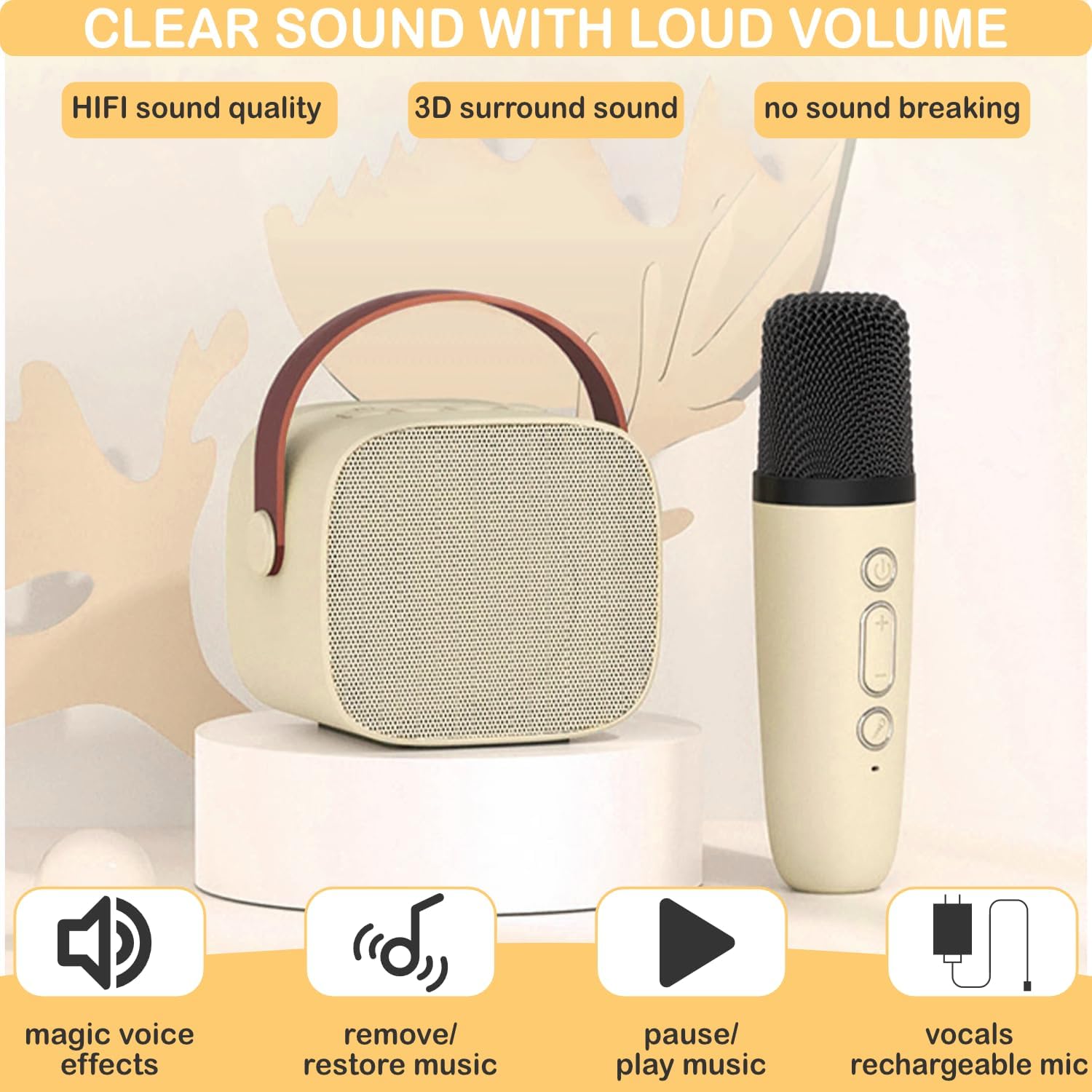
Image: The karaoke speaker and microphone, illustrating their respective control buttons for power, volume, and special effects.
3. Voice Changing Effects
The microphone offers several fun voice effects. Press the dedicated voice changer button on the microphone to switch between:
- Male Voice
- Female Voice
- Baby Voice
- Monster Voice
- Original Voice
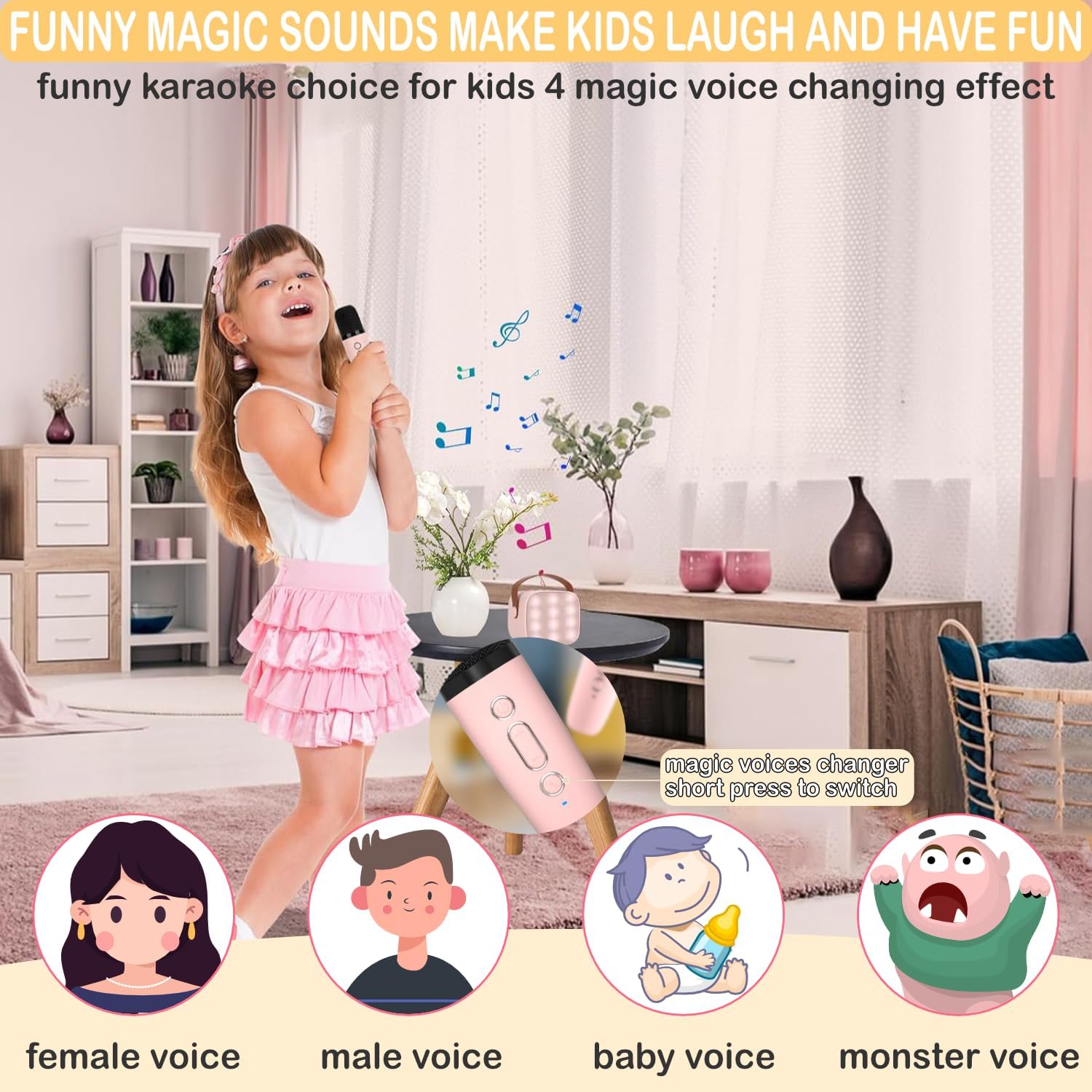
Image: A child enjoying the karaoke machine, with visual representations of the various voice-changing effects available on the microphone.
4. Connectivity Options
In addition to Bluetooth, the speaker supports:
- TF Card: Insert a TF (MicroSD) card into the designated slot to play music directly from the card.
- Headphone Output: Connect headphones to the 3.5mm jack for private listening.
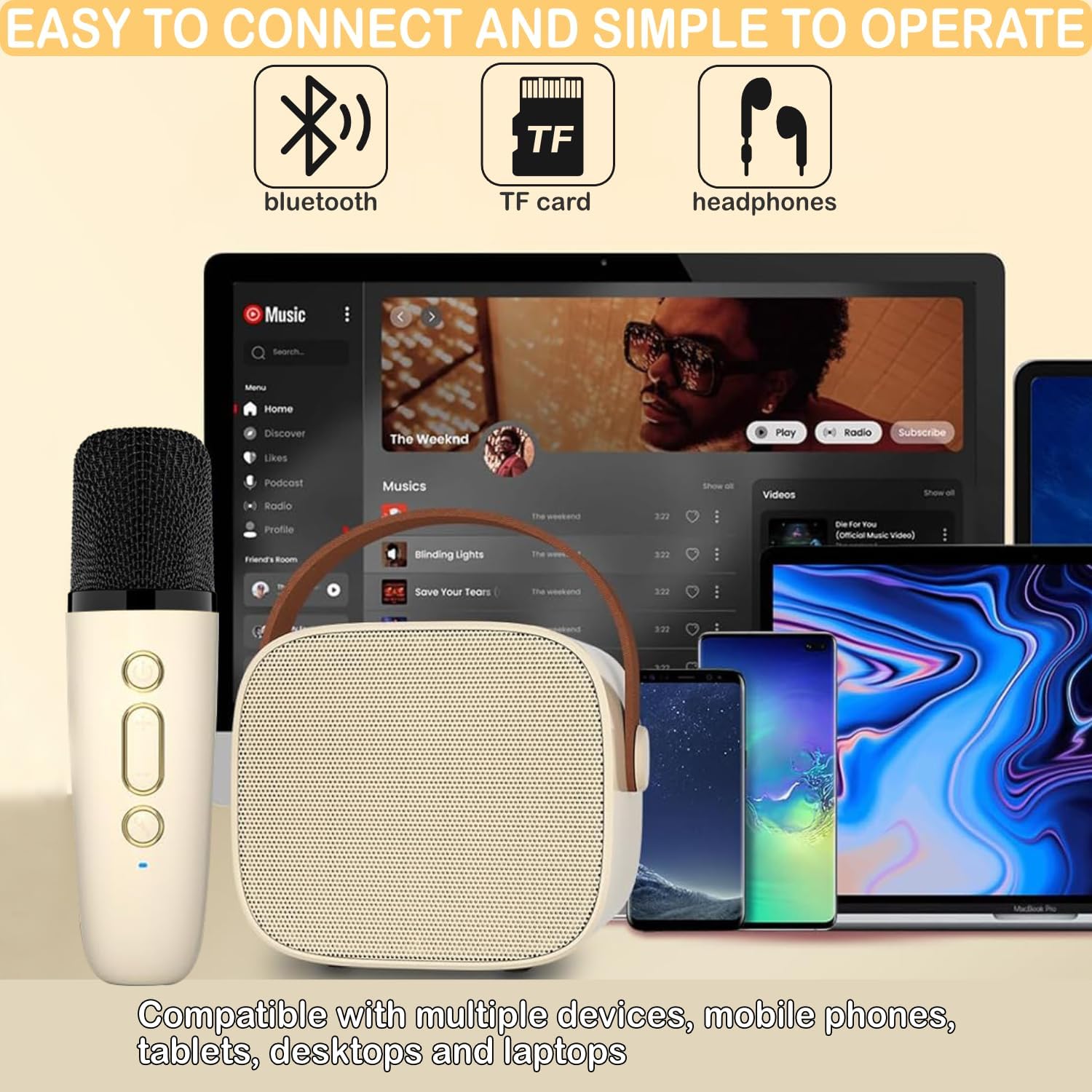
Image: The karaoke speaker and microphone illustrating various connectivity options including Bluetooth, TF card slot, and headphone jack.
5. LED Lights
The speaker features a dynamic LED light display. Short press the power button on the speaker to cycle through different light modes or to turn the lights off.

Image: A child holding the karaoke speaker, demonstrating the LED lights in both active and inactive states.
Maintenance
- Cleaning: Use a soft, dry cloth to clean the surface of the speaker and microphone. Avoid using harsh chemicals or abrasive materials.
- Storage: Store the device in a cool, dry place away from direct sunlight and extreme temperatures when not in use.
- Battery Care: To prolong battery life, avoid fully discharging the device frequently. Charge it regularly, even if not in constant use.
Troubleshooting
- No Sound from Speaker: Ensure the speaker is powered on and charged. Check the volume levels on both the speaker and your connected device. Verify Bluetooth connection.
- Microphone Not Working: Ensure the microphone is powered on and charged. Confirm it is paired with the speaker. Adjust microphone volume.
- Bluetooth Connection Issues: Make sure the speaker is in Bluetooth mode. Turn off and on Bluetooth on your external device, then attempt to re-pair. Ensure no other devices are interfering with the connection.
- LED Lights Not Functioning: Short press the power button on the speaker to cycle through light modes or turn them on.
Specifications
| Feature | Detail |
|---|---|
| Model | K1-1MIC |
| Brand | Darkant |
| Item Weight | 15.8 ounces |
| Package Dimensions | 6.26 x 5.39 x 3.43 inches |
| Batteries | 1 Lithium Ion battery required (included) |
| Connector Type | USB (Type-C for charging) |
| Speaker Count | 1 |
| Power Source | Battery Powered |
| Voltage | 5 Volts (DC) |
| Special Feature | Volume Control, Voice Changer, LED Lights |
| Compatible Devices | Smartphone, iPad, PC |
| Recommended Uses | Indoor/Outdoor |
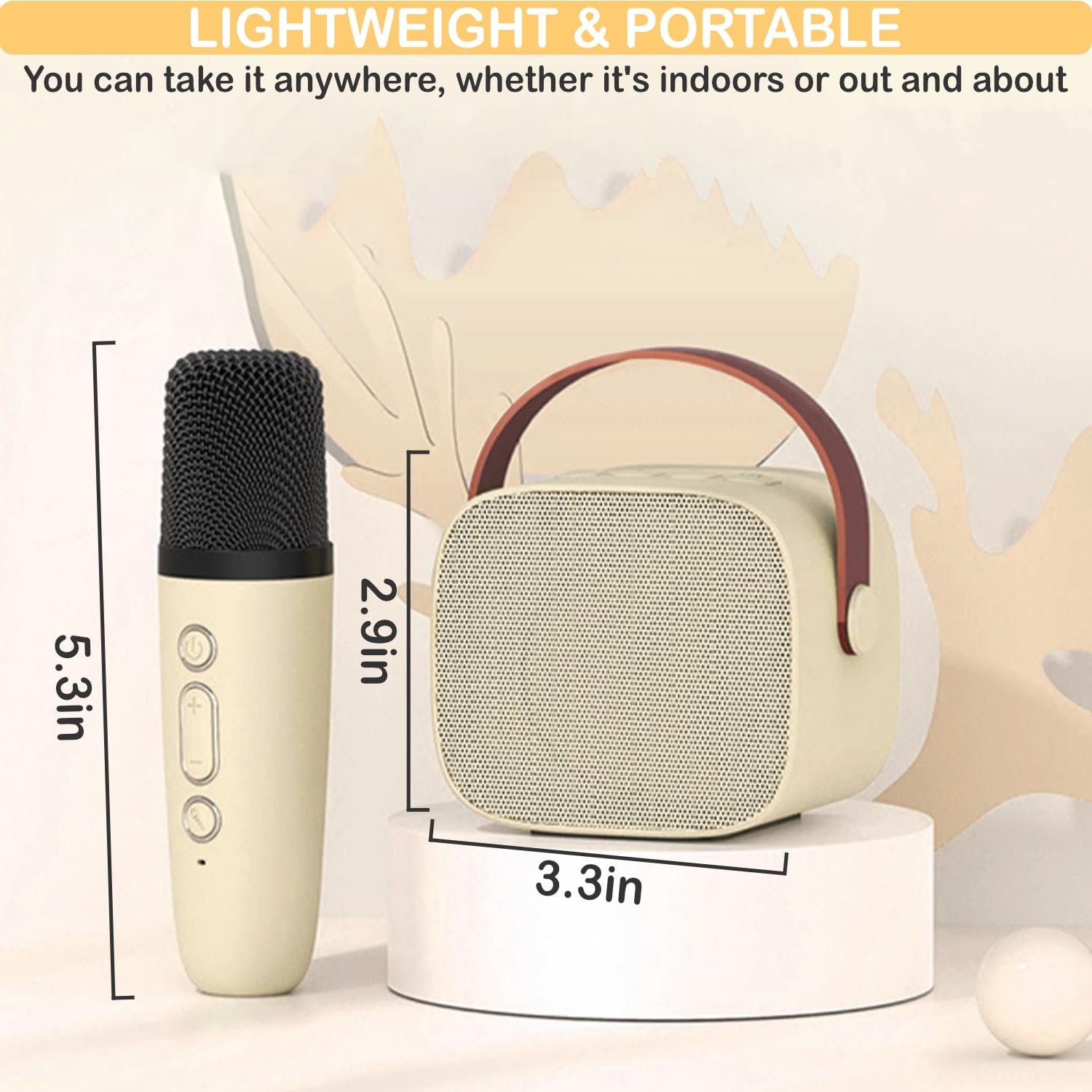
Image: The karaoke speaker and microphone with their respective dimensions, highlighting their compact and portable design.
Warranty and Support
For any questions, technical support, or warranty inquiries regarding your Darkant Mini Karaoke Machine, please refer to the contact information provided in your product packaging or visit the official Darkant website. Please retain your proof of purchase for warranty claims.