1. Introduction and Product Overview
This manual provides instructions for the installation and operation of your CNBINGO Glass Touch Light Switch with an integrated Schuko Socket. This product combines a 1-gang touch-sensitive light switch with a standard European Schuko power outlet, designed for recessed wall mounting.
The unit features a durable 4mm thick tempered glass panel, offering a scratch-resistant and easy-to-clean surface. The touch switch includes a blue LED indicator for status. The integrated Schuko socket is non-smart and does not support Wi-Fi connectivity. It is built with a flame-retardant polycarbonate base and includes a child safety feature for enhanced protection.
This product is designed for 1-way light control and is not dimmable. It operates at a maximum of 16A and 250V, conforming to European standards.
2. Safety Information
- Electrical Safety: Installation should only be performed by a qualified electrician or a person with sufficient knowledge of electrical systems. Always disconnect power at the main circuit breaker before installation, maintenance, or troubleshooting.
- Glass Panel Installation: Power must only be connected after the glass panel is fully and correctly installed. Failure to do so may result in improper function or damage to the unit.
- Voltage and Amperage: Do not exceed the maximum rated voltage of 250V or current of 16A.
- Environment: This product has an IP65 rating, indicating protection against dust and low-pressure water jets. However, avoid direct exposure to heavy water spray or submersion.
- Child Safety: The Schuko socket includes a child safety mechanism.
3. Specifications
| Feature | Specification |
|---|---|
| Brand | CNBINGO |
| Model Number | S1-101+M1-P111 |
| Product Dimensions (L x W x H) | 15.7 x 8.6 x 3.6 cm |
| Weight | 270 grams |
| Color | White |
| Material | Metal (internal components), Tempered Glass (panel) |
| Power Type | AC |
| Voltage | 250 Volts (AC) |
| Amperage | 16 A |
| Switch Type | 1-way Touch Switch |
| Operation Mode | ON-OFF |
| Actuator Type | Push-button (Touch) |
| Terminal Type | Clamp |
| IP Rating | IP65 |
| Batteries Required/Included | No |
| Connectivity | Not Smart, No Wi-Fi |
| Dimmable | No |
4. Setup and Installation
The CNBINGO Glass Touch Light Switch and Schuko Socket is designed for easy, flush-mounted installation in a standard wall box. No neutral wire is required for the switch functionality.
4.1 Product Dimensions and Wall Box Requirements
Ensure your wall box meets the following requirements for proper installation:
- The product depth is 30 mm.
- The device depth requires a minimum of 35 mm.
- Mounting requires a standard wall box with a 60 mm diameter.

Image Description: This image illustrates the precise dimensions of the CNBINGO switch and socket unit, including its width (157mm), height (86mm), and depth (30mm). It also shows the required depth (minimum 35mm) and diameter (60mm) for the wall mounting box, with visual indicators for correct and incorrect wall box types.
4.2 Installation Steps
- Disconnect Power: Before starting, turn off the main power supply at your circuit breaker to prevent electrical shock.
- Prepare Wiring: Connect the neutral wire, live wire, and ground wire to the corresponding terminals on the back of the switch and socket unit. Refer to the wiring diagram below.
- Mount Base Unit: Secure the base unit into the wall box using screws.
- Attach Glass Panel: Carefully align the buckle on the glass panel with the plate groove on the base unit and snap it into place. Ensure the glass panel is securely fastened.
- Restore Power: Once the glass panel is fully installed, you can restore power at the circuit breaker.
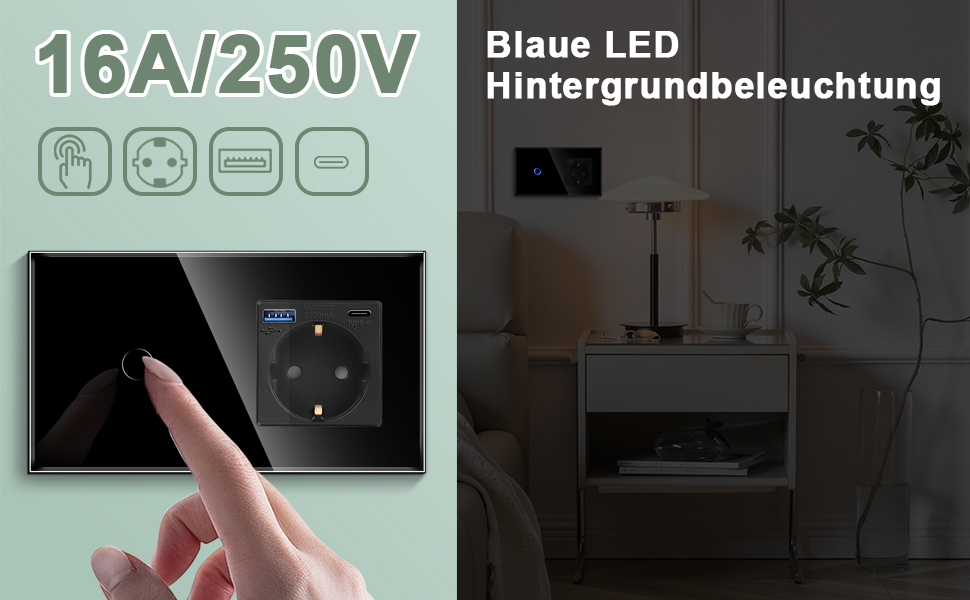
Image Description: This image provides a crucial installation warning: do not touch the internal function buttons before the glass cover is installed. It visually demonstrates the correct method of installing the glass cover by aligning the panel groove and snapping it into place, ensuring proper functionality.
4.3 Wiring Diagram
The following diagram illustrates the standard wiring connections for the switch and socket unit. Ensure all connections are secure and comply with local electrical codes.

Image Description: This wiring diagram shows the connections for the neutral wire (blue), live wire (red), and ground wire (green) to the back of the CNBINGO switch and socket unit. It clearly labels the terminals for the 1-way touch switch and the Schuko socket, indicating how to connect to a light bulb.
5. Operating Instructions
The CNBINGO Glass Touch Light Switch and Schuko Socket is designed for straightforward operation.
5.1 Light Switch Operation
- To turn the connected light ON or OFF, simply touch the circular icon on the glass panel.
- A blue LED indicator will illuminate when the light is ON, providing visual feedback.
- This is a 1-way switch and is not designed for dimming or smart home integration.

Image Description: This image highlights the blue LED backlight feature of the CNBINGO touch switch. It shows a finger interacting with the touch button, and the LED indicator glowing, signifying the switch's status. The image also reiterates the 16A/250V rating.
5.2 Schuko Socket Operation
- The integrated Schuko socket functions as a standard power outlet.
- Simply plug in your appliance to draw power.
- The socket is not smart-enabled and does not offer Wi-Fi connectivity or remote control.
- It features a child safety mechanism to prevent accidental insertion of objects.
Image Description: This image showcases the Schuko socket, emphasizing its secure protection features. It depicts an appliance plugged into the socket, illustrating its use for powering devices. The image also mentions '20W Schnellladung' (20W Fast Charging), which might refer to variants with USB ports, but for this model, it highlights general power delivery.
6. Maintenance
Maintaining your CNBINGO Glass Touch Light Switch and Schuko Socket is simple due to its durable design.
- Cleaning: The tempered glass panel is easy to clean. Use a soft, damp cloth to wipe the surface. Avoid abrasive cleaners or harsh chemicals that could damage the glass or internal components.
- Scratch Resistance: The 4mm tempered glass is designed to be scratch-resistant, ensuring long-term aesthetic appeal.
- Durability: The product is built with fire-resistant materials and features a sealed design for enhanced protection and longevity.

Image Description: This image visually demonstrates the durability features of the CNBINGO glass panel. It shows water resistance ('Abdichtung'), scratch resistance ('Kratzfestes Panel') with a razor blade, fire resistance ('Feuerbeständig'), and ease of cleaning ('Leicht zu reinigen') with a cloth, highlighting the product's robust construction.
7. Troubleshooting
If you encounter issues with your CNBINGO switch and socket, refer to the following common troubleshooting tips:
- Product Not Functioning After Installation: Ensure the glass panel is correctly installed before connecting power. The unit requires the glass panel to be in place for proper operation. Disconnect power, re-check the glass panel installation, and then restore power.
- Light Switch Not Responding: Verify that the power supply to the unit is active. If the blue LED indicator is not lighting up, check your circuit breaker.
- Socket Not Providing Power: Check if the appliance is correctly plugged in and functional. Ensure the circuit breaker for the socket is not tripped.
- No Wi-Fi Connectivity: This product is not a smart device and does not support Wi-Fi connectivity. This is normal operation.
- Cannot Dim Lights: This product is a standard ON-OFF switch and does not support dimming functionality. This is normal operation.
8. Warranty and Support
Your CNBINGO Glass Touch Light Switch and Schuko Socket comes with a 2-year free warranty from the date of purchase.
For any technical assistance, warranty claims, or further inquiries, please contact CNBINGO customer support through the retailer where you purchased the product. Please have your model number (S1-101+M1-P111) and proof of purchase ready when contacting support.


