
1. Introduction and Overview
The MOJOGEAR XL All-in-1 Powerbank is a versatile and high-capacity portable charger designed to keep your electronic devices powered on the go. With a substantial 20,000 mAh capacity, built-in USB-C and Lightning cables, and multiple output ports, it offers convenient and fast charging for smartphones, tablets, smartwatches, and other compatible devices. Its compact design and airplane-friendly capacity make it an ideal travel companion.

Image 1.1: The MOJOGEAR XL All-in-1 Powerbank, showcasing its compact design and integrated cables.
2. Product Features
- High Capacity: 20,000 mAh battery, capable of charging a smartphone 3 to 8 times.
- Integrated Cables: Features built-in USB-C and Lightning cables for direct device charging without extra accessories.
- Multiple Outputs: Includes 1x USB-C port (in/out) and 1x USB-A port, allowing simultaneous charging of up to three devices.
- Fast Charging: Supports Quick Charge 3.0 (up to 22.5W via USB-A) and USB Power Delivery (up to 20W via USB-C) for rapid charging.
- LED Display: Clear LED screen indicates remaining battery percentage and charging status.
- Travel-Friendly: 74 Wh capacity is suitable for air travel in hand luggage.
- Pass-Through Charging: Allows charging of connected devices while the power bank itself is being recharged.
3. Setup
3.1 Initial Charge
Before first use, fully charge your MOJOGEAR XL All-in-1 Powerbank. This ensures optimal battery performance and longevity.
- Connect the built-in USB-C cable or an external USB-C cable to the power bank's USB-C input/output port.
- Plug the other end of the cable into a compatible USB wall adapter (not included).
- The LED display will show the charging progress. A green lightning icon on the LED screen indicates fast charging. The power bank is fully charged when the display shows 100%.
3.2 Identifying Ports and Cables
Familiarize yourself with the power bank's charging interfaces:
- Built-in USB-C Cable: Used for charging devices with a USB-C port (e.g., Android smartphones, iPhone 15) and for recharging the power bank itself.
- Built-in Lightning Cable: Used for charging Apple devices with a Lightning port (e.g., iPhone 14 and older).
- USB-C Port (In/Out): Functions as both an input for recharging the power bank and an output for charging devices.
- USB-A Port (Output): Used for charging devices that require a standard USB-A connection.

Image 3.1: Side view illustrating the USB-A and USB-C ports on the power bank.
4. Operating Instructions
4.1 Charging Your Devices
The power bank offers multiple ways to charge your electronic devices:
- Using Built-in Cables: Extend the appropriate built-in USB-C or Lightning cable and connect it directly to your device's charging port.
- Using USB-C Port: Connect your device to the power bank's USB-C input/output port using a compatible USB-C to USB-C cable.
- Using USB-A Port: Connect your device to the power bank's USB-A output port using a compatible USB-A cable.

Image 4.1: A smartphone being charged by the power bank using one of its integrated cables.
4.2 Simultaneous Charging
You can charge up to three devices simultaneously using the built-in USB-C cable, the USB-C port, and the USB-A port. The power bank will intelligently distribute power to connected devices.
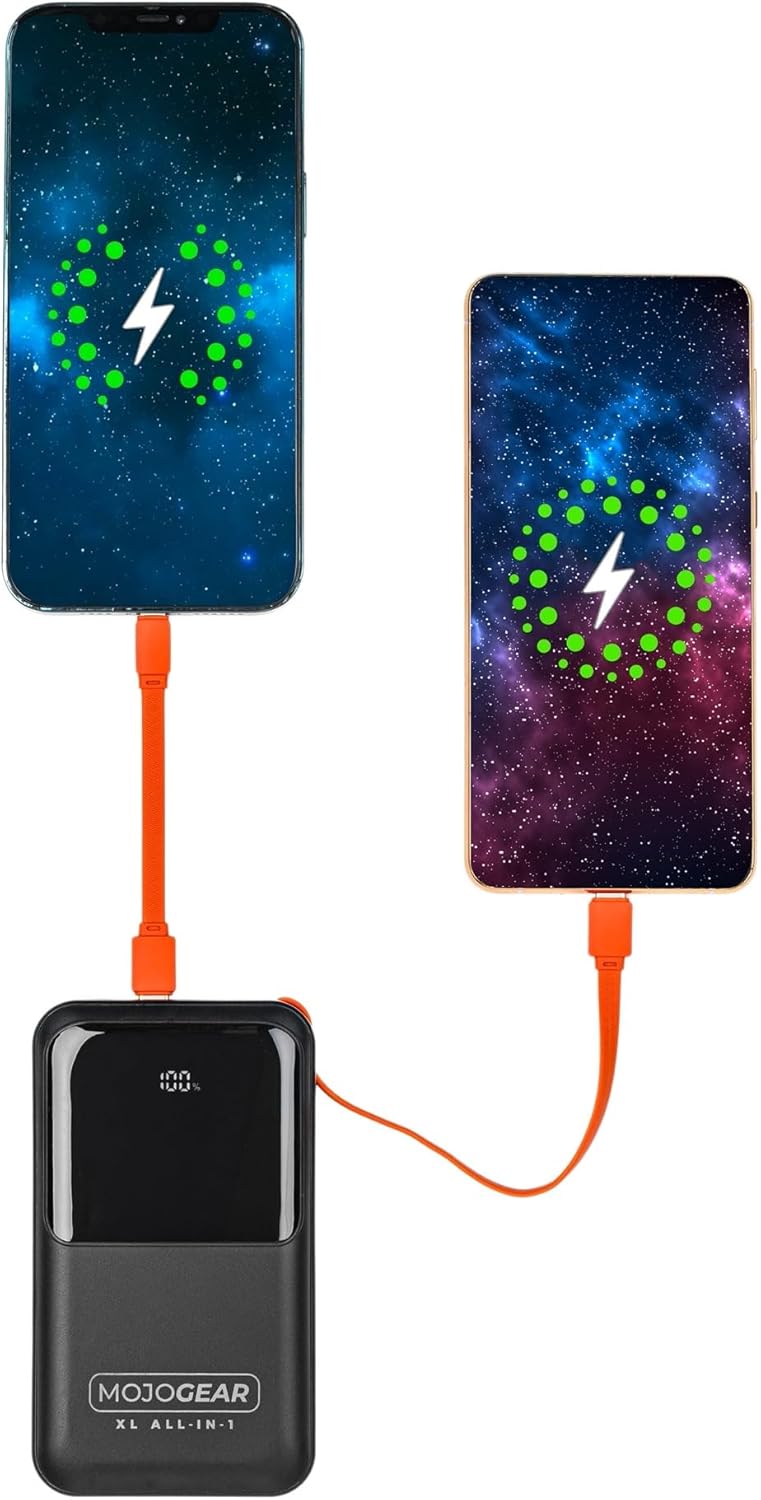
Image 4.2: Illustration of two smartphones receiving charge from the power bank.
4.3 Pass-Through Charging
The MOJOGEAR XL All-in-1 Powerbank supports pass-through charging, meaning you can charge your devices while the power bank itself is being recharged. Simply connect the power bank to a power source and then connect your devices to the power bank.
4.4 LED Display Functionality
The integrated LED screen provides real-time information:
- Battery Percentage: Shows the remaining charge level of the power bank.
- Charging Status: Indicates when the power bank is charging (a green lightning icon may appear for fast charging) or when it is discharging to connected devices.
5. Maintenance
- Cleaning: Use a soft, dry cloth to clean the power bank. Avoid liquid cleaners or abrasive materials.
- Storage: Store the power bank in a cool, dry place away from direct sunlight and extreme temperatures.
- Regular Use: To maintain battery health, it is recommended to fully charge and discharge the power bank at least once every three months if not in regular use.
- Cable Care: Ensure built-in cables are properly tucked into their designated slots when not in use to prevent damage.
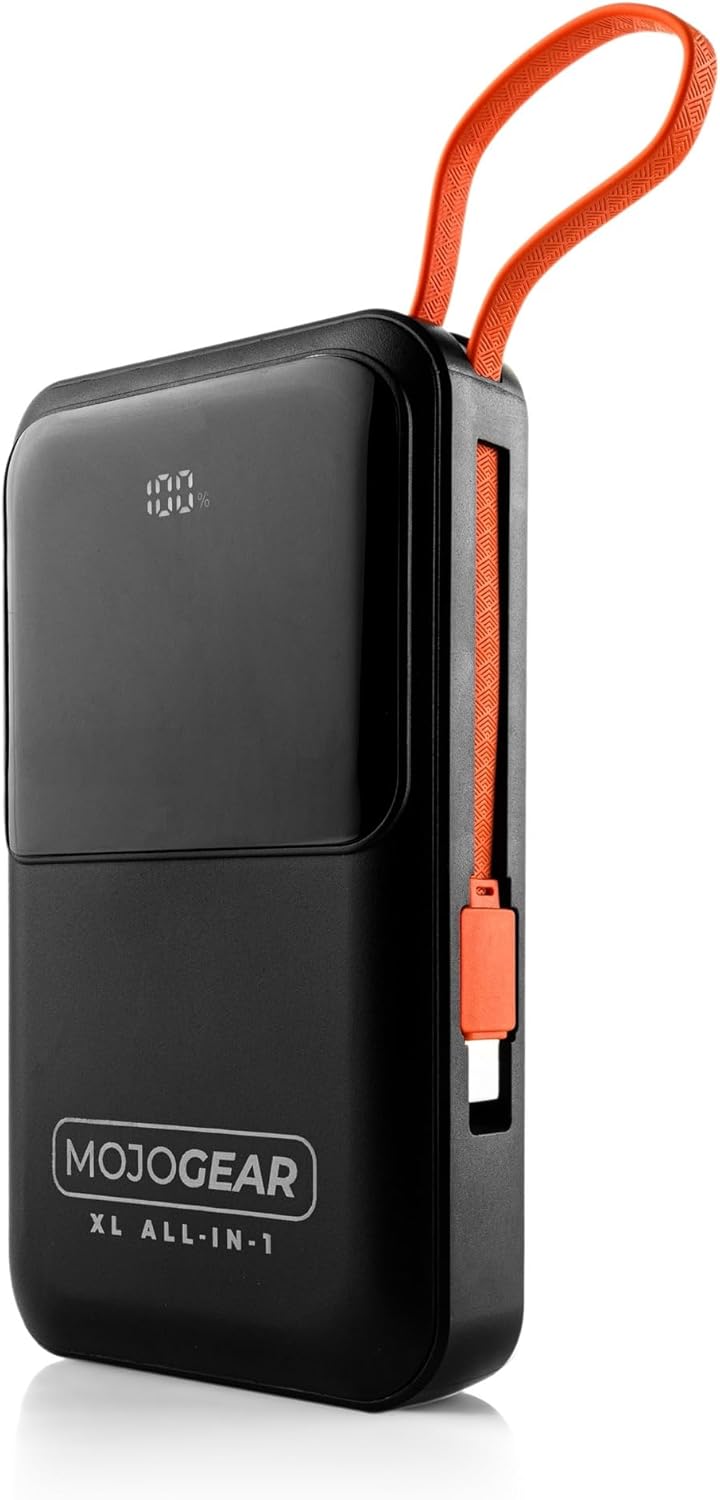
Image 5.1: The power bank with its integrated cables securely stored, ready for transport.
6. Troubleshooting
- Power Bank Not Charging:
- Ensure the charging cable is securely connected to both the power bank and the wall adapter.
- Verify that the wall adapter is functioning correctly and plugged into a live power outlet.
- Try using a different USB-C cable or wall adapter.
- Device Not Charging from Power Bank:
- Check if the power bank has sufficient charge (refer to the LED display).
- Ensure the cable connecting the device to the power bank is securely plugged in at both ends.
- Try using a different cable or a different output port on the power bank.
- Confirm your device is compatible with the power bank's output specifications.
- Slow Charging:
- Ensure you are using a fast-charging compatible cable and wall adapter for optimal speed when recharging the power bank.
- For device charging, verify that your device supports fast charging and that you are using the appropriate port/cable (e.g., USB-C PD).
- Charging multiple devices simultaneously may reduce individual charging speeds.
- LED Display Not Working:
- Press the power button briefly to activate the display.
- If the issue persists, the power bank may be completely discharged or require service.
7. Specifications
| Feature | Detail |
|---|---|
| Capacity | 20,000 mAh (74 Wh) |
| Suitable For | Smartphones, tablets, e-readers, action cameras, wireless earphones, and more. |
| Package Contents | Power bank, USB-A to USB-C cable (20 cm), USB-C to Lightning cable (10 cm) |
| Connections | 1 x USB-C port (in/out), 1x USB-A port, built-in charging cable (USB-C), built-in Lightning cable |
| Dimensions | 10.6 x 7 x 1.6 cm |
| Weight | 323 grams |
| Smartphone Charging Cycles | 3 to 8 times (depending on model) |
| Pass-Through Charging | Yes |
| Max Power USB-C Output | 20W |
| Max Power USB-C Input | 15W |
| Max Power USB-A Output | 22.5W |
| Max Power Built-in USB-C Cable | 22.5W |
| Max Power Built-in Lightning Cable | 15W |
| Efficiency | 85% |
| LED Indicator | Battery percentage and charging status |
| Colour | Black |
| Housing Material | Plastic |
| Safety Features | Tested and protected against overcharging |

Image 7.1: Product label displaying key specifications and certifications.
8. Safety Information
Please read and follow these safety guidelines to ensure safe operation and prolong the life of your power bank:
- Do not expose the power bank to extreme temperatures (hot or cold), direct sunlight, or high humidity.
- Avoid dropping, impacting, or disassembling the power bank.
- Keep the power bank away from water and other liquids.
- Do not use the power bank if it is damaged, swollen, or leaking.
- Keep out of reach of children.
- Use only original or certified compatible charging cables and adapters.
- Dispose of the power bank responsibly according to local regulations.
9. Warranty and Support
The MOJOGEAR XL All-in-1 Powerbank comes with a 2-year guarantee from the date of purchase. This warranty covers manufacturing defects and ensures the product meets its specified performance standards under normal use.
For warranty claims, technical support, or any inquiries regarding your MOJOGEAR product, please contact MOJOGEAR customer service through the retailer where you purchased the item or visit the official MOJOGEAR website for contact information.
Please retain your proof of purchase for warranty validation.