
1. Introduction
This manual provides detailed instructions for the installation, setup, and operation of your Clouree PE523 Alarm System. This wireless home security kit includes an outdoor solar siren, motion sensor, door/window sensors, and remote controls, designed to enhance the security of your property. Please read this manual thoroughly before use to ensure proper functionality and safety.

Image: The complete Clouree PE523 Alarm System kit, showcasing the outdoor solar siren, a PIR motion sensor, two door/window sensors, and two remote controls.
2. Package Contents
The Clouree PE523 Alarm System (6-Alarm-Kit) includes the following components:
- 1 x Alarm Siren (Outdoor Solar Siren)
- 1 x PIR Motion Sensor
- 2 x Door/Window Sensors
- 2 x Remote Controls
- 1 x User Manual (this document)
3. Product Overview
The Clouree PE523 Alarm System is designed for robust outdoor security. Key features include:
- 433MHz Radio Interface: Ensures reliable wireless communication between components.
- 110dB Siren: Emits a loud alarm sound to deter intruders and alert others.
- Flashing Red LED Light: Provides visual deterrence during an alarm event.
- Solar Powered: The outdoor siren is primarily powered by solar energy, reducing the need for frequent battery changes.
- IP65 Waterproof: Designed to withstand various outdoor weather conditions.
- Built-in 1000mAh Battery: Provides backup power for continuous operation.

Image: Visual representation of the solar sound strobe light alarm's features, highlighting its solar power, waterproof design, and acoustic siren capabilities.

Image: The solar siren's panoramic coverage, illustrating its wide detection range for outdoor areas.

Image: The high-pitched alarm of the solar siren, demonstrating its 100dB sound output for effective deterrence.
4. Setup
4.1 Initial Power-up
Before initial use, ensure the solar siren's internal battery is charged. The solar panel on top will charge the battery when exposed to sunlight. For immediate use, you may need to manually activate the internal switch if provided, or allow sufficient time for solar charging.

Image: The solar siren's internal battery, highlighting its 1000mAh capacity for extended operation.
4.2 Connecting to Clouree Alarm Hosts
The outdoor solar siren can be connected to compatible Clouree alarm hosts. Refer to the host's manual for specific instructions on adding new devices.
Video: Instructions on connecting the outdoor solar siren to a Clouree alarm host. This video demonstrates two methods for pairing the siren with the main alarm panel.
4.3 Pairing Remote Controls
To pair the remote controls with the solar siren:
- Open the back cover of the solar siren.
- Short press the S3 button (settings key) once. The device's red light will blink and beep.
- Press any key on the remote control. The siren will beep once and flash once to confirm successful connection.
Video: Detailed guide on pairing the remote controls with the outdoor solar siren. This video shows the process of activating the siren's pairing mode and then pressing a button on the remote to establish a connection.
4.4 Pairing Wireless Detectors (PIR Motion Sensor, Door/Window Sensor)
To pair wireless detectors with the solar siren:
- Open the back cover of the solar siren.
- Short press the S3 button (settings key) once. The device's red light will blink and beep.
- Trigger the sensor (e.g., wave hand in front of motion sensor, separate door/window sensor magnets) once. The siren will beep once and flash once to confirm successful connection.

Image: The PIR motion sensor, illustrating its 110-degree detection range and motion detection capabilities.

Image: Examples of door/window sensor installations on different entry points, demonstrating their versatility.
5. Operating Instructions
5.1 Arming and Disarming
Use the provided remote controls to arm or disarm the alarm system. The remote typically has buttons for arming (locked padlock icon) and disarming (unlocked padlock icon).
- Arm: Press the arm button on the remote control. The siren will indicate that the system is armed.
- Disarm: Press the disarm button on the remote control. The siren will indicate that the system is disarmed.
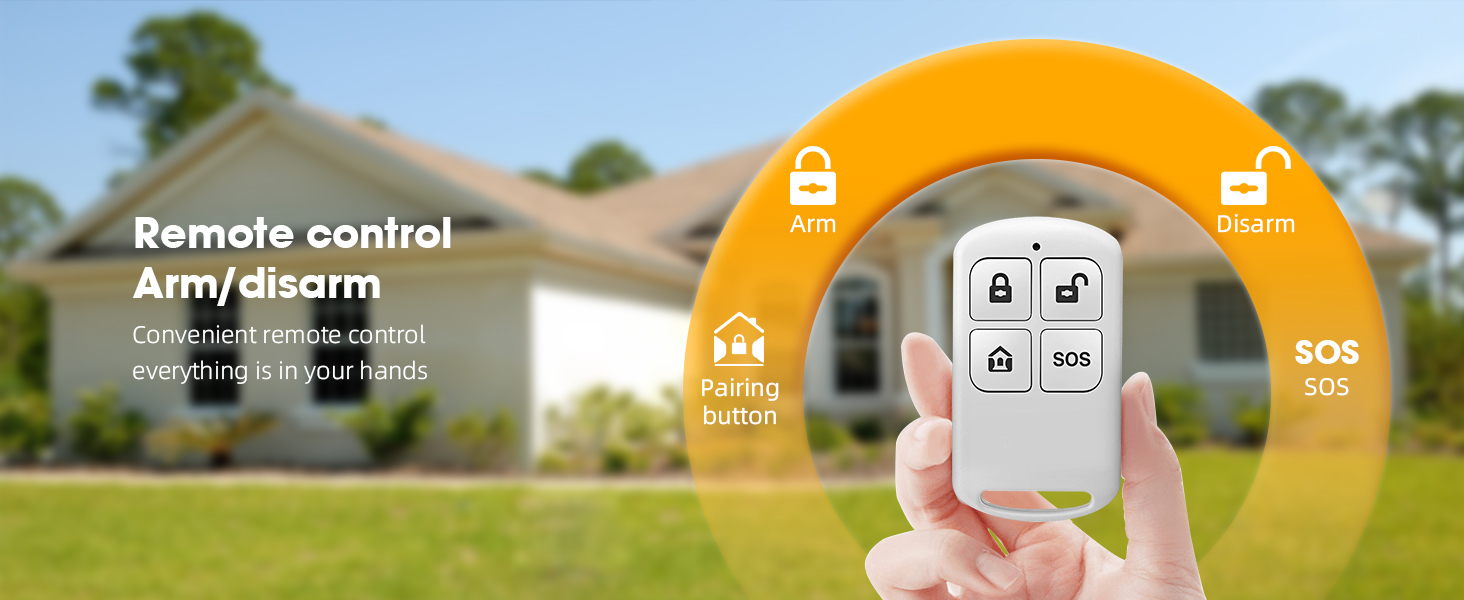
Image: The remote control for arming and disarming the system, showing its various functions.
5.2 Alarm Triggering
When any paired sensor (motion sensor or door/window sensor) is triggered while the system is armed, the outdoor solar siren will activate. It will emit a loud 110-decibel sound and flash its red LED lights to alert of a potential intrusion.
Video: A demonstration of the Clouree Alarm System with Outdoor Solar Siren in action, showing how it responds to triggers.
6. Maintenance
6.1 Solar Panel Care
To ensure optimal charging, regularly clean the solar panel on top of the siren to remove any dust, dirt, or debris. A clean panel will maximize sunlight absorption and battery life.
6.2 Battery Information
The outdoor solar siren features a built-in 1000mAh lithium battery. This battery is continuously charged by the solar panel. In areas with limited sunlight, ensure the siren receives adequate light exposure or consider occasional manual charging if the model supports it (check product specifications for charging port if available).
6.3 Waterproof Design
The siren has an IP65 waterproof rating, making it suitable for outdoor use in various weather conditions. While it is designed to resist rain and splashes, avoid submerging the device in water.
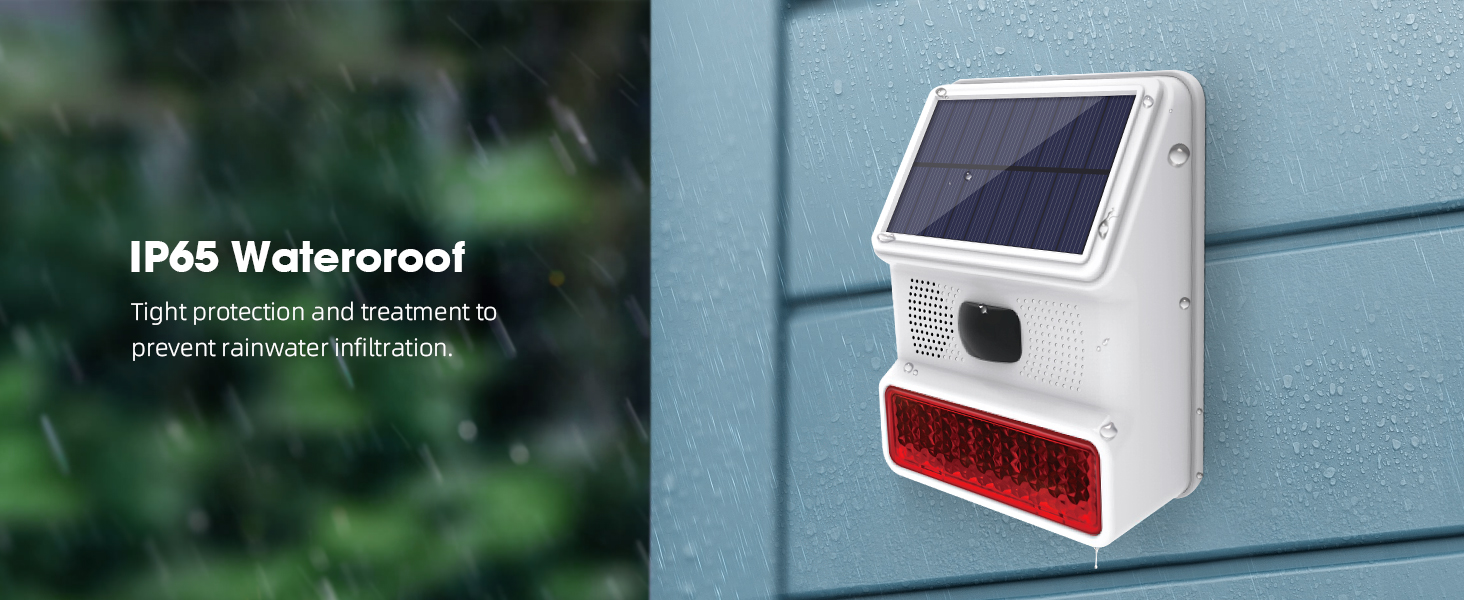
Image: The IP65 waterproof feature of the solar siren, demonstrating its resilience against rainwater infiltration.
7. Troubleshooting
7.1 Siren Not Responding to Sensors/Remotes
- Check Pairing: Ensure all remote controls and sensors are correctly paired with the solar siren. Follow the pairing instructions in Section 4.3 and 4.4.
- Battery Level: Verify that the solar siren and all sensors have sufficient battery power. Low battery can affect wireless communication.
- Distance: Ensure sensors and remotes are within the effective wireless range (up to 30 meters) of the siren. Obstacles like thick walls can reduce this range.
- Interference: Minimize potential wireless interference from other electronic devices.
7.2 Siren Not Charging via Solar Panel
- Sunlight Exposure: Ensure the solar panel is receiving direct sunlight for several hours daily.
- Cleanliness: Clean the solar panel surface to remove any dirt or obstructions that might block sunlight.
- Placement: Re-evaluate the siren's placement to maximize sun exposure throughout the day.
7.3 False Alarms
- Motion Sensor Placement: Ensure the motion sensor is not placed where it can be triggered by pets, moving branches, or direct sunlight.
- Door/Window Sensor Alignment: Verify that the two parts of the door/window sensor are correctly aligned and securely mounted.
- Environmental Factors: Extreme weather conditions or strong vibrations might occasionally trigger sensors.
8. Specifications
| Feature | Specification |
|---|---|
| Brand | Clouree |
| Model Number | PE523 Alarm System |
| Style | 6- Alarm-Kit |
| Color | White |
| Power Source | Battery Powered, Solar Powered |
| Connectivity Technology | Wireless (433MHz) |
| Alert Type | Motion, Door/Window Open |
| Siren Volume | 110 dB |
| Maximum Wireless Range | 30 Meters |
| Waterproof Rating | IP65 |
| Item Dimensions (L x W x H) | 8.66 x 5.91 x 4.72 inches |
| Item Weight | 1.15 pounds (0.52 Kilograms) |
| Included Components | Alarm Siren x1; PIR Motion Sensor x1, Door/Window Sensor x2, Remote Control x2, User Manual x1 |
9. Warranty and Support
For warranty information and customer support, please refer to the documentation provided with your purchase or contact Clouree customer service directly. Contact details can typically be found on the product packaging or the official Clouree website.


