
ChooChoo MC2301
ChooChoo Wood Bathroom Wall Cabinet Instruction Manual
Model: MC2301
Introduction
Thank you for purchasing the ChooChoo Wood Bathroom Wall Cabinet. This manual provides detailed instructions for assembly, operation, maintenance, and troubleshooting to ensure safe and proper use of your new cabinet. Please read this manual thoroughly before installation and retain it for future reference.
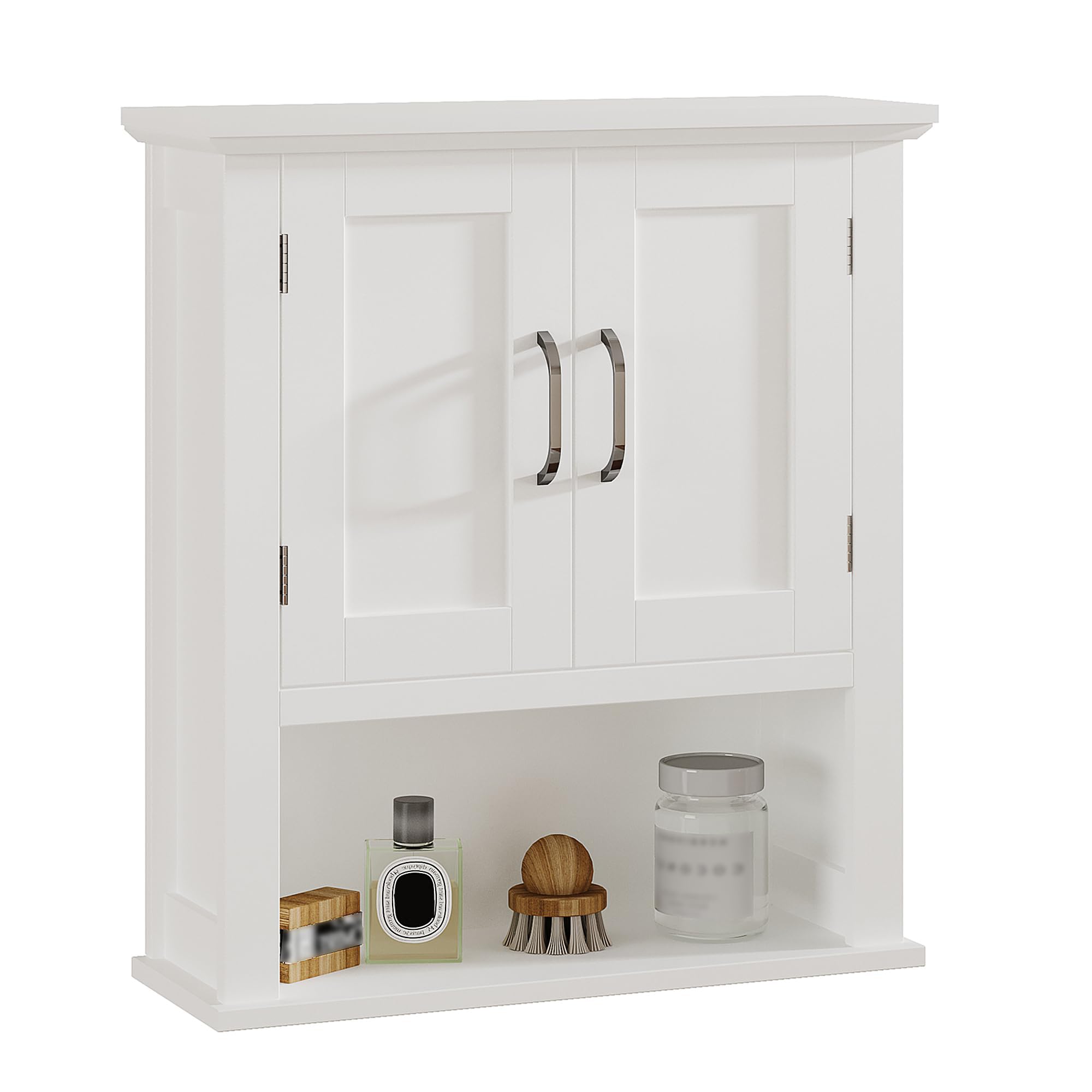
Image: Front view of the ChooChoo Wood Bathroom Wall Cabinet in white, mounted above a toilet.
Safety Information
Important: Please read and understand all safety warnings before assembly and use.
- Ensure the cabinet is securely mounted to the wall to prevent tipping. Use appropriate hardware for your wall type.
- Do not overload the shelves. Distribute weight evenly to maintain stability.
- Keep small parts and assembly hardware away from children during assembly.
- Always use two people for lifting and mounting the cabinet to avoid injury.
- Inspect the cabinet regularly for any loose parts or damage. Tighten fasteners as needed.
Setup and Assembly
The ChooChoo Wood Bathroom Wall Cabinet is designed for straightforward assembly. All necessary parts and an assembly tool are included. Please follow these steps carefully.
Package Contents:
- All wooden panels (numbered)
- Hardware pack (screws, dowels, cam locks, hinges, handles)
- Adjustable shelf pins
- Wall mounting hardware
- Assembly tool (Allen wrench/screwdriver)
- Instruction manual
Required Tools (Not Included):
- Phillips head screwdriver
- Hammer
- Drill (for wall mounting)
- Level
- Measuring tape
- Pencil
Assembly Steps:
- Unpack and Identify Parts: Carefully unpack all components and lay them out on a clean, soft surface to prevent scratches. Verify all numbered parts and hardware against the parts list in the included instruction booklet.
- Assemble the Cabinet Frame: Follow the numbered steps in the provided instruction booklet to connect the side panels, top, and bottom panels using the specified hardware (dowels, screws, cam locks). Ensure all connections are secure.
- Install Back Panel: Attach the back panel to the assembled frame using the small nails or screws provided. Ensure the panel is flush and square.
- Attach Hinges to Doors: Secure the hinges to the cabinet doors. Pay attention to the orientation of the hinges.
- Mount Doors to Cabinet: Attach the doors to the cabinet frame using the hinges. Adjust the hinges as necessary to ensure the doors align properly and close smoothly.
- Install Handles: Secure the handles to the cabinet doors.
- Insert Adjustable Shelf: Place the shelf pins into the desired holes inside the cabinet. Carefully place the adjustable shelf onto the pins.
- Wall Mounting:
- Choose a suitable location on a sturdy wall. Use a stud finder to locate wall studs for secure mounting. If mounting into drywall without studs, use appropriate wall anchors (not always included, may need to be purchased separately).
- Measure and mark the desired height and position for the cabinet on the wall. Use a level to ensure the marks are straight.
- Drill pilot holes at the marked locations.
- Attach the mounting bracket(s) to the wall using the provided screws or appropriate wall anchors.
- With assistance, lift the cabinet and carefully align it with the wall mounting bracket(s). Secure the cabinet to the wall. Double-check that the cabinet is stable and level.

Image: Diagram showing the dimensions of the cabinet: 21.6" W x 24.0" H x 7.5" D. Internal shelf height is 14.2" with 1.0" adjustment, and the open shelf height is 6.7".

Image: Exploded view highlighting features such as aesthetic design, elegant lines, adjustable shelf, exquisite handle, space-saving cabinet, and extra storage open shelf.
Operating Instructions
This wall cabinet is designed for convenient storage and display. Follow these simple instructions for optimal use.
- Opening and Closing Doors: Gently pull the handles to open the cabinet doors. Push the doors firmly to close them. Avoid slamming the doors to prevent damage to hinges and the cabinet structure.
- Adjusting Shelves: The internal shelf is adjustable. To change its height, remove all items from the shelf. Carefully lift the shelf and remove the four shelf pins. Reinsert the pins into the desired holes at a new height, ensuring they are level, then place the shelf back onto the pins.
- Weight Capacity: Do not exceed the recommended weight capacity for each shelf. Distribute items evenly to prevent bowing or damage.
- Cleaning: Refer to the Maintenance section for cleaning instructions.

Image: The white wall cabinet with both doors open, revealing an adjustable shelf inside and an open shelf below, displaying various bathroom items.
Maintenance
Proper care will extend the life and appearance of your ChooChoo Wood Bathroom Wall Cabinet.
- Cleaning: Wipe with a damp cloth. Avoid using harsh chemicals, abrasive cleaners, or polishes that may damage the finish. Dry immediately with a soft cloth.
- Hardware: Periodically check all screws, hinges, and mounting hardware to ensure they are tight. Retighten as necessary to maintain stability.
- Environmental Conditions: Avoid exposing the cabinet to excessive moisture or direct sunlight for prolonged periods, as this can cause warping or discoloration.
Troubleshooting
If you encounter any issues with your cabinet, refer to the following common problems and solutions.
| Problem | Possible Cause | Solution |
|---|---|---|
| Cabinet feels wobbly after mounting. | Mounting hardware not securely fastened or not installed into studs. | Ensure all wall mounting screws are tightened. If not mounted into studs, consider relocating or using heavy-duty wall anchors. |
| Doors do not align or close properly. | Hinges are loose or misaligned. | Adjust the screws on the hinges to align the doors. Refer to the hinge adjustment instructions in the assembly manual. |
| Shelf sags or is unstable. | Overloaded or shelf pins are not fully inserted. | Reduce the weight on the shelf. Ensure all four shelf pins are fully inserted into the cabinet sides and the shelf rests evenly on them. |
| Missing parts during assembly. | Packaging error or parts overlooked. | Double-check all packaging materials. If parts are genuinely missing, contact ChooChoo customer support. |
Specifications
| Brand | ChooChoo |
| Model Number | MC2301 |
| Color | White |
| Material | Wood |
| Product Dimensions (D x W x H) | 7.5" x 21.6" x 24" |
| Item Weight | 17.2 pounds |
| Number of Shelves | 3 (1 adjustable internal, 1 fixed internal, 1 open bottom) |
| Mounting Type | Wall Mount |
| Door Style | Shaker |
| Finish Type | Painted |
Product Overview Video
Watch this video for a quick overview of the ChooChoo Wood Wall Cabinet with Doors.
Video: A brief demonstration of the ChooChoo Wood Wall Cabinet, showcasing its design and features.
Warranty and Support
ChooChoo stands behind the quality of its products. For warranty information, missing parts, or technical support, please contact our customer service team.
- Customer Service: Refer to the contact information provided with your purchase or visit the official ChooChoo website.
- Proof of Purchase: Please have your proof of purchase (receipt or order number) ready when contacting support.
Ask a question about this manual
Ask about setup, troubleshooting, compatibility, parts, safety, or missing instructions. Manuals+ will review the question and use this page’s manual context to help answer it.