
1. Introduction
This manual provides detailed instructions for the installation, operation, and maintenance of your SPEDWHEL TF-100 LCD Display Throttle Meter Dashboard. This unit is designed for use with Kugoo M4 electric scooters and includes a 6-pin connector and an integrated electric door lock key switch. Please read this manual thoroughly before installation and use to ensure proper function and safety.
2. Safety Information
- Always disconnect the scooter's power before performing any installation or maintenance.
- Ensure all connections are secure and correctly wired to prevent electrical shorts or damage.
- Do not attempt to modify the device. Unauthorized modifications can lead to malfunction and void the warranty.
- Keep the display unit dry and away from extreme temperatures.
- If you are unsure about any installation steps, consult a qualified technician.
3. Package Contents
Verify that all items are present in your package:
- TF-100 LCD Display Throttle Meter Dashboard
- Integrated 6-pin connector cable
- Electric door lock key switch with keys (2x)
4. Product Overview
The TF-100 unit combines a throttle, an LCD display, and a key-operated power switch into a single handlebar-mounted device. It is designed to provide essential riding information and control for your electric scooter.
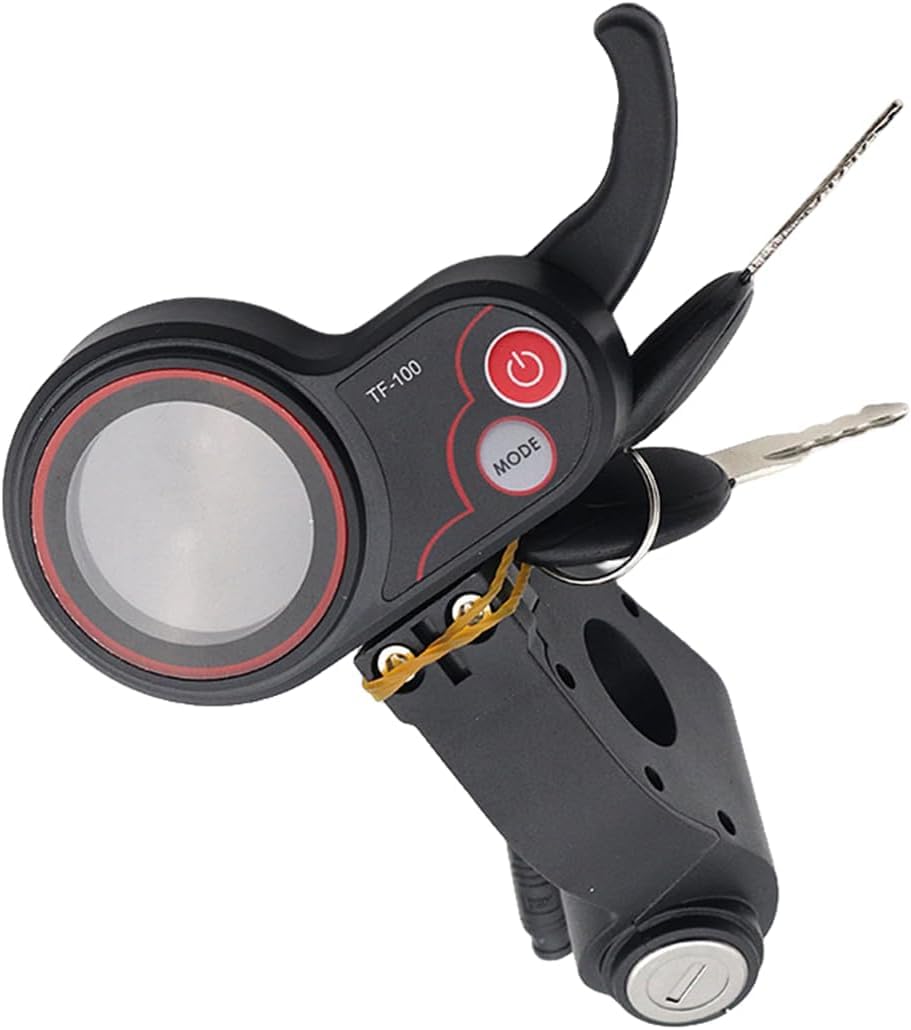
Figure 4.1: Front view of the TF-100 LCD Display Throttle Meter Dashboard, showing the display, throttle lever, power button, mode button, and integrated key switch. The unit is compatible with 36V-60V systems.

Figure 4.2: Another perspective of the TF-100 unit, highlighting the ergonomic design of the throttle and the clear LCD screen area.
Key Components:
- LCD Display: Shows speed, battery level, and other riding parameters.
- Throttle Lever: Controls acceleration.
- Power Button: Turns the display on/off.
- Mode Button: Cycles through display modes or settings.
- Key Switch: Acts as the main power lock for the scooter.
- 6-pin Connector: For electrical connection to the scooter's controller.
5. Setup and Installation
Follow these steps to install the TF-100 unit on your Kugoo M4 electric scooter:
5.1 Mounting the Unit
- Identify a suitable position on your scooter's handlebar, typically on the right side.
- Loosen the mounting screws on the TF-100 unit's clamp.
- Place the unit onto the handlebar and adjust its position for comfortable access to the throttle and clear visibility of the display.
- Securely tighten the mounting screws. Do not overtighten.
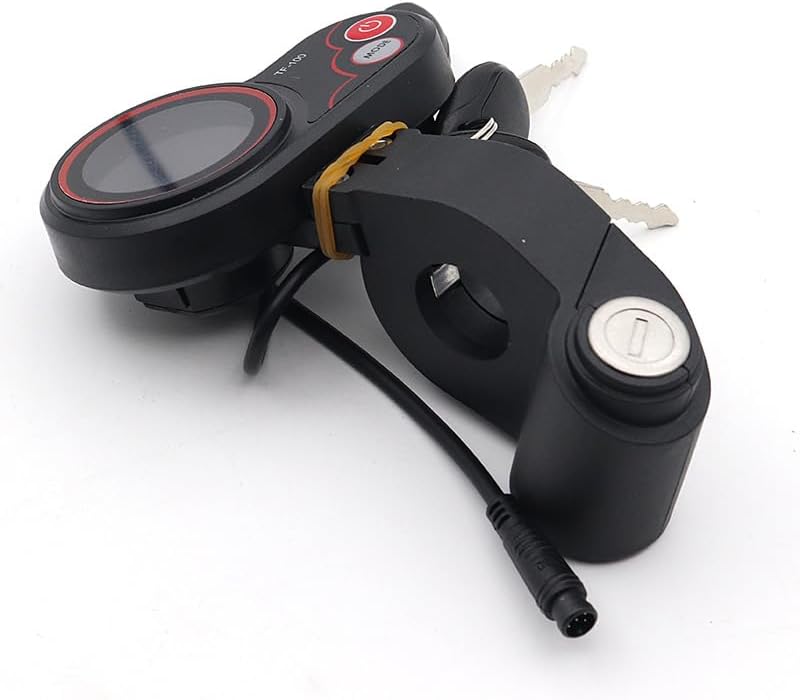
Figure 5.1: Underside view of the TF-100 unit, illustrating the mounting clamp and the exit point for the electrical cable, which connects to the scooter's wiring harness.
5.2 Electrical Connection
- Locate the corresponding 6-pin connector on your Kugoo M4 electric scooter's wiring harness. This is typically near the controller or existing display wiring.
- Align the pins of the TF-100 unit's connector with the scooter's connector.
- Gently push the connectors together until they click into place, ensuring a firm and secure connection.
- Verify that the connection is tight and that no wires are exposed or pinched.

Figure 5.2: Rear view of the TF-100 unit, clearly showing the integrated 6-pin connector and the cable, which is crucial for connecting to the scooter's electrical system.
6. Operating Instructions
6.1 Powering On/Off
- To Power On: Insert the key into the key switch on the TF-100 unit and turn it to the 'ON' position. The LCD display should illuminate.
- To Power Off: Turn the key to the 'OFF' position and remove it. The display will turn off, and the scooter's main power will be cut.
6.2 Using the Throttle
- Gently press the throttle lever with your thumb to accelerate the scooter.
- Release the throttle to decelerate.
- The throttle provides proportional control; a greater press results in higher speed.
6.3 LCD Display Functions
The LCD display provides real-time information about your ride:
- Speed: Displays current riding speed.
- Battery Level: Indicates the remaining battery charge.
- Mode: Shows the current riding mode (e.g., Eco, Normal, Sport).
- Other indicators may include odometer, trip distance, and error codes.
6.4 Mode Button
- Press the 'MODE' button to cycle through different display information (e.g., Odometer, Trip Distance).
- A long press of the 'MODE' button may allow access to settings or change riding modes, depending on your scooter's controller configuration. Refer to your scooter's main manual for specific mode settings.
7. Maintenance
- Cleaning: Wipe the display and unit with a soft, damp cloth. Do not use abrasive cleaners or solvents.
- Connection Check: Periodically inspect the 6-pin connector and wiring for any signs of wear, damage, or loose connections.
- Key Switch: Ensure the key switch operates smoothly. Do not force the key.
8. Troubleshooting
| Problem | Possible Cause | Solution |
|---|---|---|
| Display does not turn on | Key switch off, loose connection, scooter battery low | Turn key to 'ON', check 6-pin connection, charge scooter battery |
| Throttle not responding | Loose connection, throttle malfunction | Check 6-pin connection, ensure display is on. If problem persists, contact support. |
| Incorrect speed reading | Incorrect wheel size setting (if adjustable), sensor issue | Consult scooter's main manual for display settings. |
9. Specifications
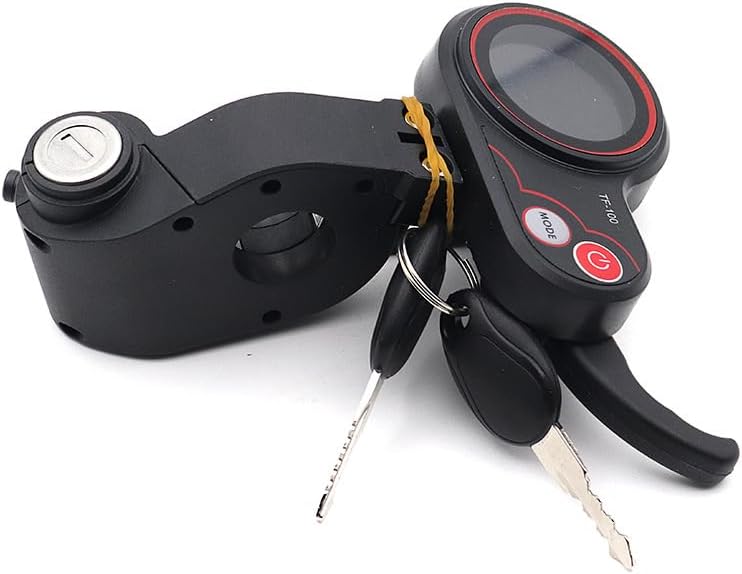
Figure 9.1: Side view of the TF-100 unit, showing the key switch and the overall compact design.
- Model: TF-100
- Compatibility: Kugoo M4 Electric Scooter
- Voltage Range: 36V-60V (as indicated on product image)
- Connector Type: 6-pin
- Functions: LCD Display (Speed, Battery, Mode), Throttle, Electric Door Lock Key Switch
- Dimensions (approximate): 14 x 10 x 8 cm (Package dimensions, actual unit may be smaller)
10. Warranty and Support
For warranty information and technical support, please refer to the retailer or manufacturer's official website where you purchased this product. Keep your proof of purchase for any warranty claims.