1. Introduction
Thank you for choosing the LBW Desk Grow Light. This LED plant light is designed to provide optimal lighting conditions for your indoor plants across all growth stages. With its full spectrum illumination, dimmable brightness, and automatic timer functions, it offers a convenient and efficient solution for your indoor gardening needs. Please read this manual carefully before use to ensure proper operation and longevity of your product.
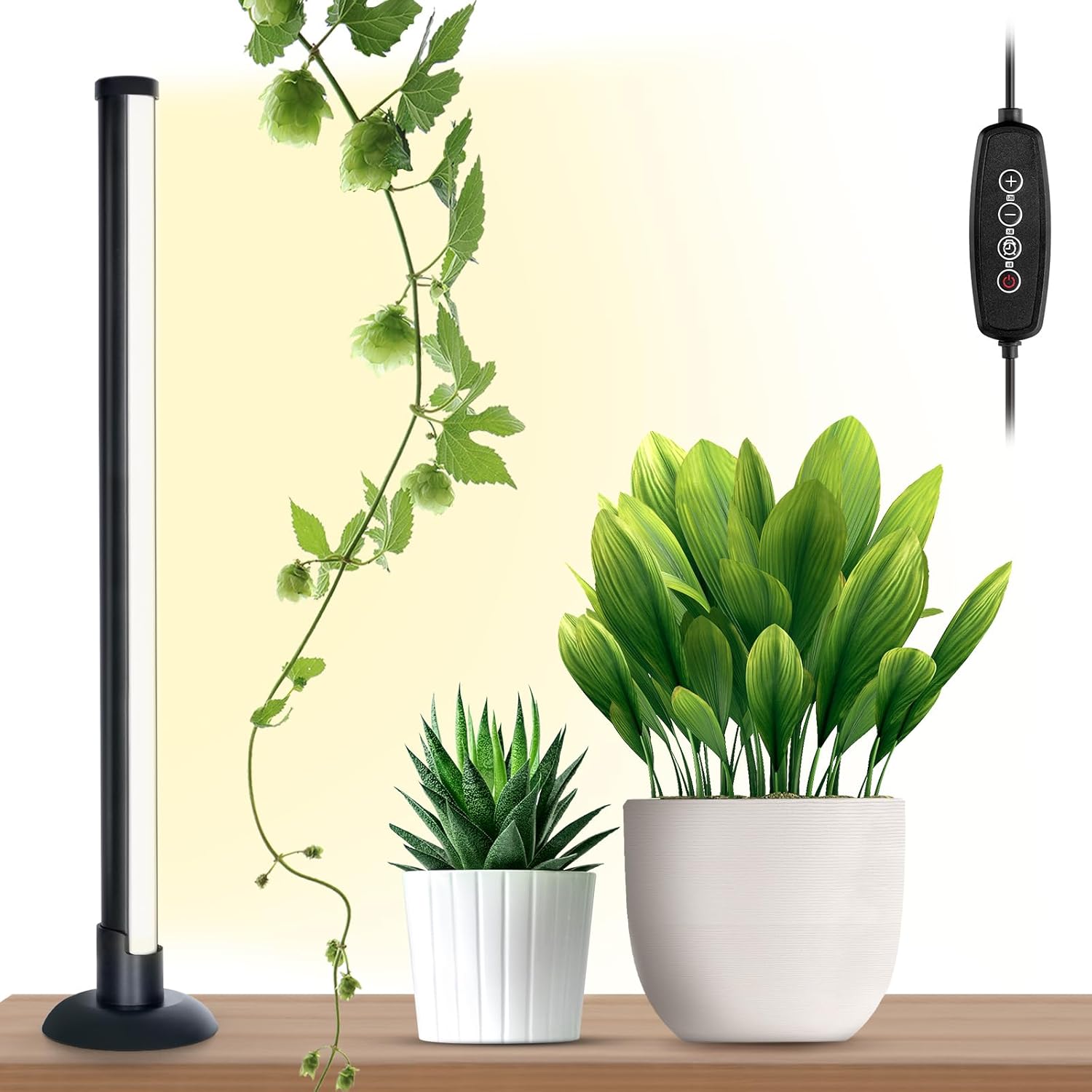
The LBW Desk Grow Light provides essential light for indoor plants.
2. Key Features
- Premium Aluminum Lamp Body: Crafted from high-quality aluminum alloy for durability, corrosion resistance, and efficient heat dissipation.
- Full Spectrum Illumination: Emits light akin to natural sunlight, suitable for all plant growth stages, from seedlings to flowering.
- Wide Illumination Area: Cylindrical design extends a wider reach, ensuring comprehensive light coverage for multiple plants.
- 6-Level Dimmable Brightness: Adjustable brightness settings (10%-20%-40%-60%-80%-100%) to cater to specific plant needs.
- 3-Cycle Timing Function: Automatic On/Off timer settings for 4, 8, or 12 hours, providing consistent light cycles.
- Versatile & Portable: Compact size and stable desk base make it ideal for small greenhouses, desks, and various indoor setups.

Detailed view of the full spectrum LEDs and product dimensions.
3. Package Contents
Please check the package for the following items:
- Grow Light x 1
- Adapter x 1
- Manual x 1

All components included in the package.
4. Setup Instructions
The LBW Desk Grow Light is designed for easy, all-in-one setup with no complex installation required.
- Unpack all components from the box.
- Place the grow light on a stable, flat surface such as a desk or table. Ensure the base is firmly seated.
- Connect the adapter to the grow light's power input.
- Plug the adapter into a standard 120V AC power outlet.
- Position the light near your plants, ensuring the light tube faces the foliage for optimal illumination.

The stable desk base ensures the lamp remains upright.
5. Operating Instructions
The grow light features an intuitive control panel on the power cord for easy adjustments.

Control panel for adjusting brightness and timer settings.
Power On/Off
- Press the Power Button (
 ) to turn the light on or off.
Adjusting Brightness
- Use the Plus (+) and Minus (-) buttons to cycle through 6 dimmable brightness levels: 10%, 20%, 40%, 60%, 80%, and 100%.
Setting the Timer
- Press the Timer Button (
 ) to set the automatic shut-off time.
 - Each press cycles through 4 hours, 8 hours, and 12 hours. The corresponding indicator light will illuminate.
- The light will automatically turn off after the selected duration and turn on again at the same time the next day.
6. Maintenance
To ensure the longevity and optimal performance of your LBW Desk Grow Light, follow these simple maintenance guidelines:
- Cleaning: Disconnect the power before cleaning. Use a soft, dry cloth to wipe the lamp body and base. Do not use abrasive cleaners or immerse the unit in water.
- Heat Dissipation: Ensure the lamp is placed in an area with adequate airflow to facilitate proper heat dissipation. Avoid covering the lamp or placing it in enclosed spaces.
- Handling: Handle the lamp with care. Avoid dropping it or subjecting it to strong impacts, which could damage the internal components.
- Storage: If storing the light for an extended period, unplug it and store it in a cool, dry place away from direct sunlight and extreme temperatures.
7. Troubleshooting
If you encounter any issues with your LBW Desk Grow Light, please refer to the following common troubleshooting steps:
| Problem | Possible Cause | Solution |
|---|---|---|
| Light does not turn on. | No power supply; loose connection. | Check if the adapter is securely plugged into the light and the power outlet. Try a different outlet. |
| Timer function not working. | Timer not set correctly; power interruption. | Ensure the timer indicator light is on. If power was interrupted, reset the timer. |
| Brightness adjustment not responding. | Control panel issue. | Ensure the light is powered on. Try unplugging and re-plugging the unit to reset. |
| Light flickers or dims unexpectedly. | Unstable power supply; internal issue. | Try a different power outlet. If the problem persists, contact customer support. |
If the issue persists after attempting these steps, please contact LBW customer support for further assistance.
8. Specifications
| Specification | Detail |
|---|---|
| Brand | LBW |
| Model Number | A0099 |
| Product Dimensions | 1.18"L x 1.18"W x 17"H |
| Item Weight | 13.7 ounces |
| Material | Aluminum |
| Light Source Type | LED |
| Color Temperature | 5000 Kelvin |
| Brightness | 1000 Lumen |
| Wattage | 24 Watts |
| Voltage | 120 Volts |
| Power Source | Corded Electric |
| Bulb Features | Dimmable, Timed On/Off |
9. Warranty & Support
LBW is committed to customer satisfaction. Should you have any inquiries or concerns regarding your LBW Desk Grow Light, our dedicated after-sales team is ready to assist you.
- For product support, troubleshooting, or warranty claims, please refer to the contact information provided on the product packaging or the official LBW website.
- Please retain your purchase receipt as proof of purchase for any warranty-related services.


