
1. Product Overview
The CUBOT Kingkong Star is a robust 5G rugged smartphone designed for durability and high performance. It features a large display, powerful cameras, and a massive battery, making it suitable for various outdoor and demanding environments.

Figure 1: Front and rear view of the CUBOT Kingkong Star 5G Rugged Smartphone, highlighting its robust design and rear display.
2. Setup
2.1 Unboxing and Initial Inspection
Upon receiving your CUBOT Kingkong Star, carefully open the packaging. The box should contain the following items:
- CUBOT Kingkong Star Smartphone
- Phone protection film
- Charger
- USB Cable
- Type-C headphone
- SIM pin
- Quick Start Guide
- Compliance regulation
Inspect all items for any signs of damage. If any components are missing or damaged, please contact customer support.
2.2 SIM Card and Memory Card Installation
The CUBOT Kingkong Star supports dual Nano SIM cards and a TF card for memory expansion up to 1TB. Use the provided SIM pin to open the SIM tray located on the side of the device. Carefully place your Nano SIM cards and/or TF card into the designated slots, ensuring correct orientation. Close the tray securely to maintain the device's water and dust resistance.
2.3 Powering On and Initial Configuration
Press and hold the power button on the side of the phone until the CUBOT logo appears. Follow the on-screen prompts to select your language, connect to a Wi-Fi network, and complete the initial Android 13 setup. You may be prompted to sign in with your Google account or create a new one.
3. Operating Your Device
3.1 Display and User Interface
The Kingkong Star features a 6.78-inch 2K FHD+ panoramic screen with a resolution of 2460x1080 pixels. This display offers exceptional clarity and wide viewing angles for an immersive experience. The device runs on Android 13, providing a secure and private user environment with intuitive navigation.

Figure 2: The 6.78-inch 2K FHD+ display of the CUBOT Kingkong Star, showcasing its vibrant visuals.
3.2 Performance and Storage
Powered by the Dimensity 700 5G processor, the Kingkong Star offers robust performance for multitasking and gaming. It comes with 24GB RAM (12GB physical + 12GB extended) and 256GB internal storage, expandable up to 1TB with a TF card.
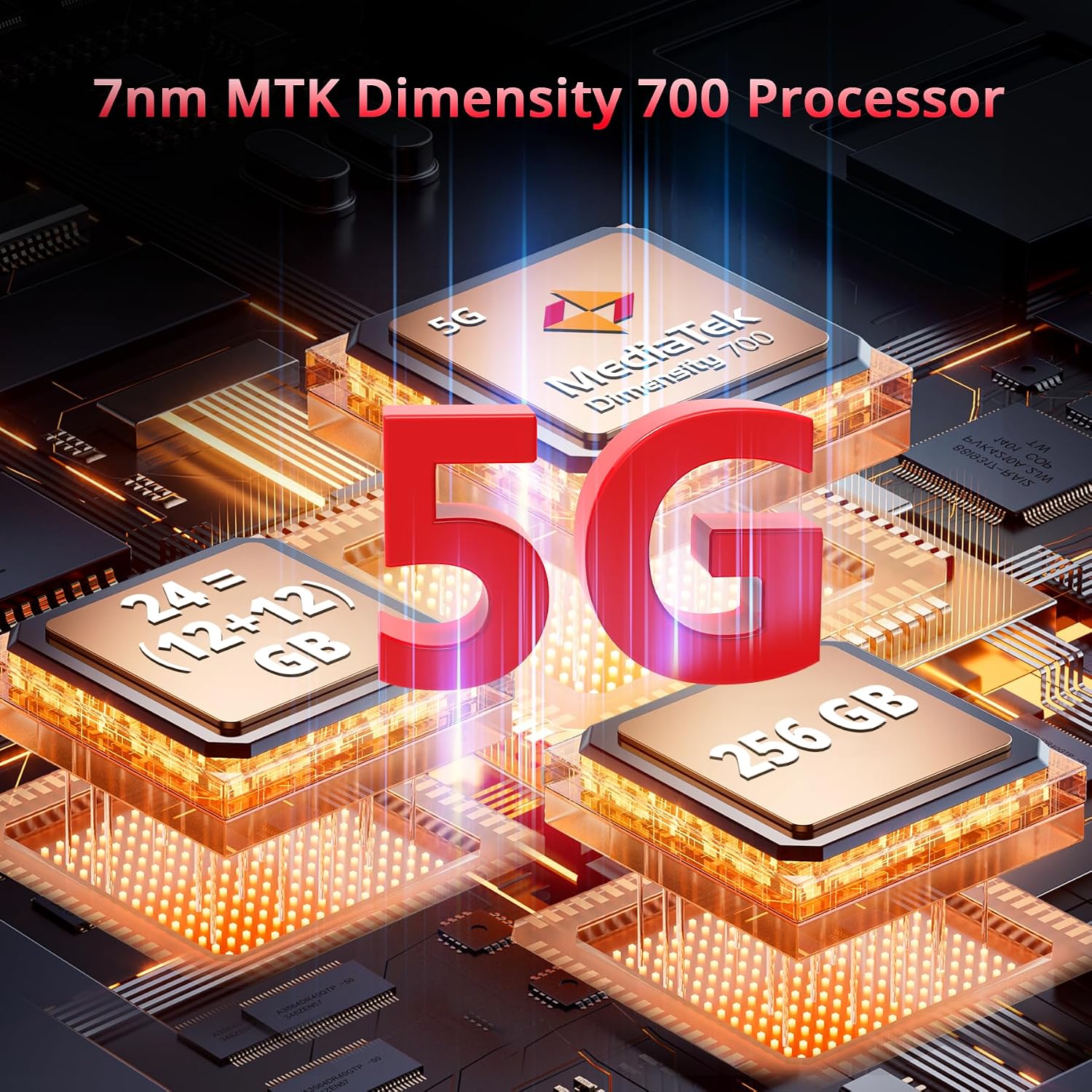
Figure 3: Illustration of the 5G MTK Dimensity 700 processor, 24GB RAM, and 256GB ROM for enhanced performance and storage.
3.3 Camera Features
The device is equipped with a versatile triple camera system:
- 100MP Ultra-HD Main Camera: Delivers sharp, high-quality images in various lighting conditions.
- 24MP IR Night Vision Camera: Supported by dual IR LEDs, allowing for clear visibility in low-light or dark environments.
- 5MP Macro Camera: For detailed close-up shots.
- 32MP AI Beauty Selfie Camera: For high-resolution front-facing photos.
The phone also supports 2K video recording and features modes like Underwater Mode and Panorama Mode.

Figure 4: Overview of the CUBOT Kingkong Star's triple camera setup, including 100MP main, 32MP front, and 24MP night vision cameras.
3.4 Battery and Charging
The Kingkong Star is powered by a large 10600mAh battery, providing extended usage time. It supports 33W fast charging, allowing for quick recharges. The device also features OTG (On-The-Go) functionality, enabling it to act as a power bank for other devices.

Figure 5: Visual representation of the 10600mAh battery and 33W fast charging capability, showing extended standby, calling, music, and video times.
3.5 1.09" Smart Rear Screen
A unique feature of the Kingkong Star is its 1.09-inch customizable rear screen. This secondary display allows you to quickly check the date, time, notifications, battery level, and control music without activating the main screen. It also includes a compass function for outdoor navigation.

Figure 6: The 1.09-inch customizable rear screen, displaying various widgets like time, battery, and music controls.
3.6 Connectivity
The device supports 5G and 4G cellular technologies, offering fast network speeds. It includes GPS, GLONASS, Galileo, and BEIDOU for accurate navigation. NFC is also supported for convenient mobile payments and data transfer.
4. Maintenance
4.1 Durability and Protection
The CUBOT Kingkong Star is built to withstand harsh conditions, certified with IP68, IP69K, and MIL-STD-810H ratings. This means it is:
- Waterproof: Submersible up to 1.5 meters for 30 minutes.
- Dustproof: 360-degree dust resistance.
- Drop-proof: Withstands drops from up to 1.5 meters onto concrete.
It is also designed to operate in extreme temperatures ranging from -35°C to 75°C.

Figure 7: The CUBOT Kingkong Star demonstrating its IP68 waterproof, IP69K dustproof, and MIL-STD-810H drop-proof capabilities.
4.2 General Care
Despite its rugged design, proper care will extend the life of your device:
- Clean the screen and body regularly with a soft, damp cloth.
- Avoid exposing the device to corrosive chemicals.
- Ensure all port covers are securely closed when near water or dust.
- Use only the provided charger and USB cable for optimal charging performance and safety.
5. Troubleshooting
If you encounter issues with your CUBOT Kingkong Star, consider the following common solutions:
5.1 Network Connectivity Issues
- No Signal/Limited Service: Ensure your SIM card is correctly inserted. Check your carrier's network coverage in your area. Note that some carriers (e.g., AT&T, Cricket, Metropcs, Straight Talk, Verizon Wireless) may not be fully supported.
- Wi-Fi Connection Problems: Restart your Wi-Fi router and the phone. Forget the network on your phone and reconnect.
5.2 Performance Lags
- Close unnecessary background applications.
- Clear cache data from apps regularly.
- Ensure sufficient storage space is available.
- Restart the device periodically.
5.3 Audio Issues
- Low Speaker Volume: Check volume settings. Ensure the speaker is not obstructed by debris or water.
- Poor Call Quality: Check network signal strength. Try making calls in different locations.
5.4 Rear Screen Behavior
- If the rear screen is unresponsive or behaving unexpectedly, try restarting the device.
- Ensure the rear screen is clean and free from obstructions.
For persistent issues, refer to the official CUBOT support resources or contact their customer service.
6. Specifications
| Feature | Detail |
|---|---|
| Brand | CUBOT |
| Model Name | Kingkong Star |
| Operating System | Android 13.0 |
| Screen Size | 6.78 Inches |
| Resolution | 2460 x 1080 |
| Processor | MTK Dimensity 700, Octa-Core |
| RAM | 24 GB (12GB + 12GB Extended) |
| Memory Storage Capacity | 256 GB (Expandable up to 1TB) |
| Rear Camera | 100MP PDAF + 5MP AF + 24MP Night Vision Camera |
| Front Camera | 32MP FF |
| Battery Capacity | 10600 Milliamp Hours |
| Charging | 33W Fast Charging, OTG Support |
| Rear Screen | 1.09 Inches Customizable |
| Durability Ratings | IP68, IP69K, MIL-STD-810H |
| Connectivity | 5G, 4G, GPS, GLONASS, Galileo, BEIDOU, NFC |
| Item Weight | 1.59 pounds |
| Dimensions | 8.39 x 7.36 x 1.38 inches |
7. Warranty and Support
For warranty information and customer support, please refer to the official CUBOT website or contact the retailer from whom you purchased the device. Keep your proof of purchase for warranty claims.
CUBOT is committed to providing high-quality mobile devices and accessories. For any technical assistance or inquiries, please visit their official support channels.