
Geeni GN-CW068-199
Contents
Geeni Scope 2K Auto Tracking Indoor Security Camera User Manual
Model: GN-CW068-199
Brand: Geeni
Introduction
The Geeni Scope 2K Auto Tracking Indoor Security Camera is designed to provide comprehensive indoor surveillance with advanced features for enhanced home security and peace of mind. This smart Wi-Fi camera offers crystal-clear 2K HD video, intelligent motion detection with auto-tracking, and seamless integration with voice assistants like Alexa and Google Assistant. Its user-friendly design ensures easy setup and operation, making it an ideal solution for monitoring your home or office.

The Geeni Scope 2K camera, shown alongside a smartphone displaying its live video feed.
What's in the Box
- 1x Geeni Scope Camera
- 1x USB Cable
- Power Adapter
- Mounting Kit and Wall Bracket
- User Manual
Key Features
The Geeni Scope 2K camera is equipped with a range of features designed for optimal performance and user convenience:
- 2K Ultra HD Video: Delivers sharp, clear images for detailed monitoring.
- Smart Auto-Tracking Technology: Automatically follows detected movement in real-time.
- Motion Detection Alerts: Sends instant notifications to your smartphone upon detecting activity.
- Enhanced Night Vision: Provides clear surveillance even in complete darkness.
- Seamless Voice Control: Compatible with Amazon Alexa and Google Assistant for hands-free operation.
- Two-Way Audio: Allows for communication through the camera's built-in microphone and speaker.
- Wide Coverage: Offers 355° pan and 50° tilt viewing angles to eliminate blind spots.
- Local Storage Option: Supports microSD card for local video recording (card not included).

Visual representation of the Geeni Scope 2K camera's primary features.
Setup Guide
Follow these steps to set up your Geeni Scope 2K camera:
- Download the Geeni App: Search for "Geeni" in the App Store or Google Play Store and download the application.
- Create an Account: Open the Geeni app and register for a new account or log in if you already have one.
- Power On the Camera: Connect the USB cable to the camera and the power adapter, then plug the adapter into a power outlet. The camera will power on and begin its startup sequence.
- Add Device: In the Geeni app, tap the "+" icon in the top right corner to add a new device. Select "Video Camera" and follow the on-screen instructions to connect your camera to your Wi-Fi network. Ensure your Wi-Fi network is 2.4GHz, as the camera may not support 5GHz networks.
- Position the Camera: Place the camera on a flat surface or use the included mounting kit to install it on a wall or ceiling for optimal viewing.
Operating Your Geeni Scope 2K Camera
Live View and Remote Monitoring
Access your camera's live feed from anywhere using the Geeni app. This allows you to check on your home or office in real-time, ensuring you never miss a moment.
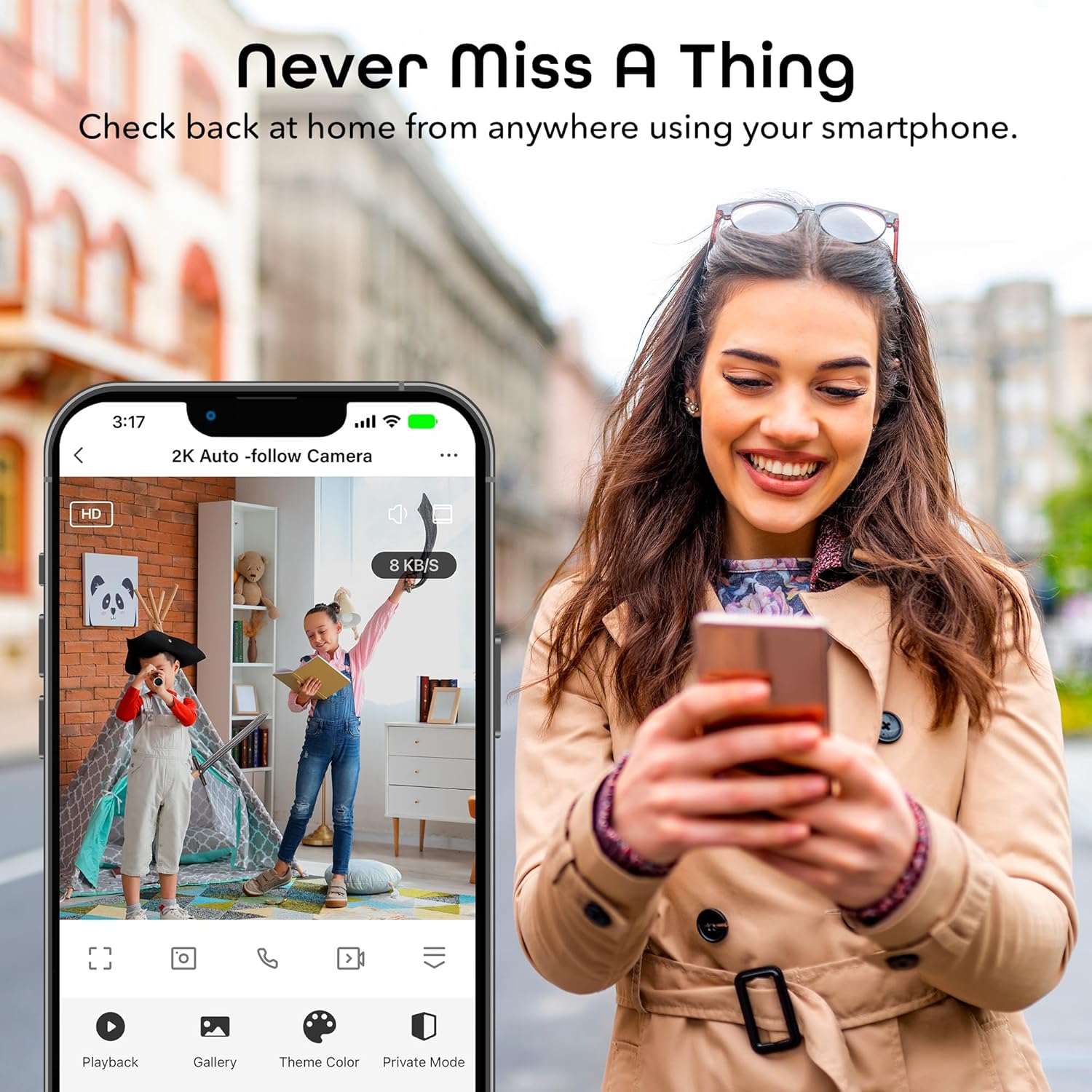
Monitor your property remotely using the Geeni app on your smartphone.
2K Ultra HD Video Quality
The Geeni Scope 2K camera provides superior image clarity compared to standard 1080p cameras, allowing for more detailed and sharper video recordings. This enhanced resolution is crucial for identifying fine details in your surveillance footage.
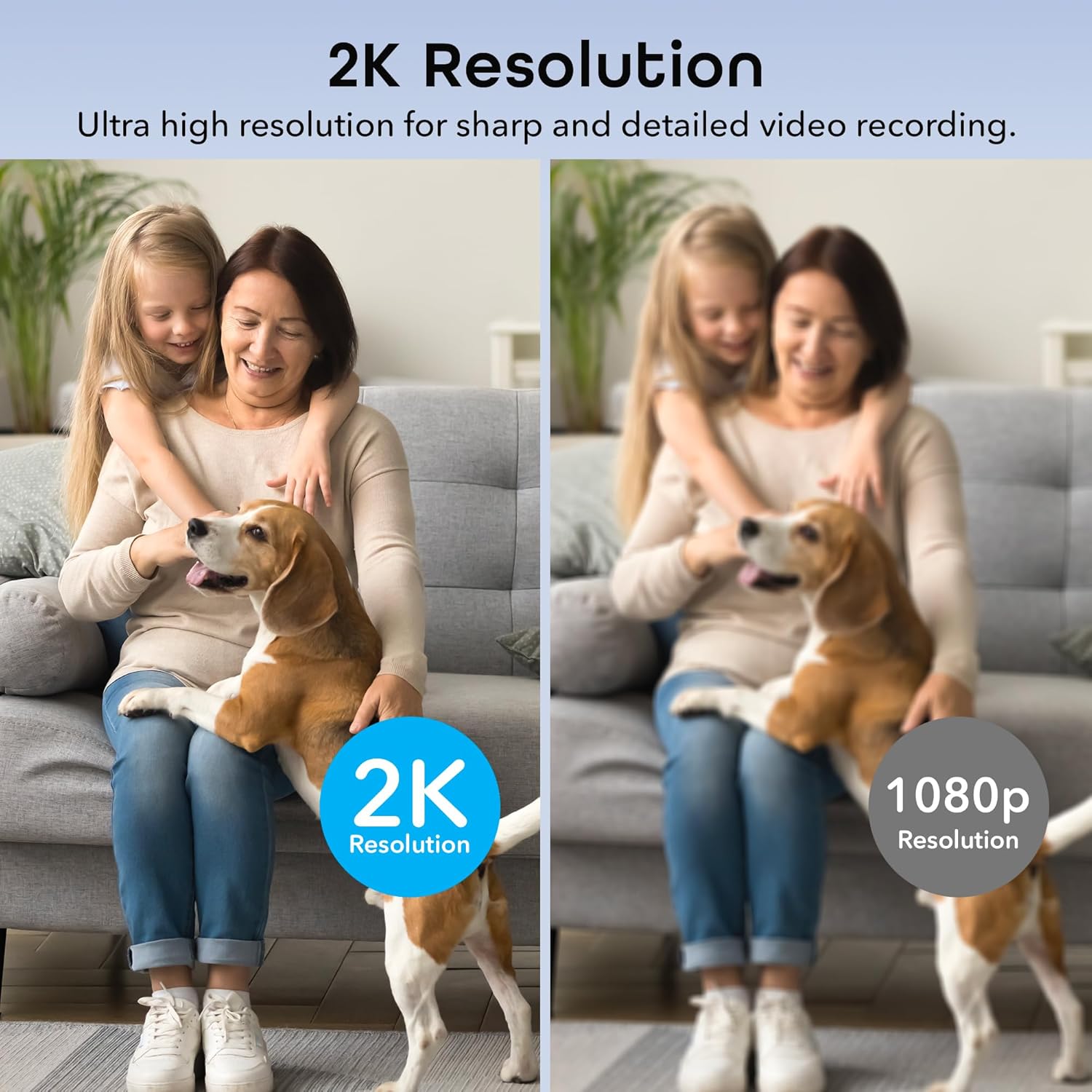
Visual comparison highlighting the superior clarity of 2K resolution over 1080p.
Motion Detection and Auto-Tracking
Receive instant alerts on your smartphone when motion is detected. The camera's advanced auto-tracking feature automatically follows any movement, ensuring that the subject remains in view. This is particularly useful for monitoring pets or detecting unexpected activity.
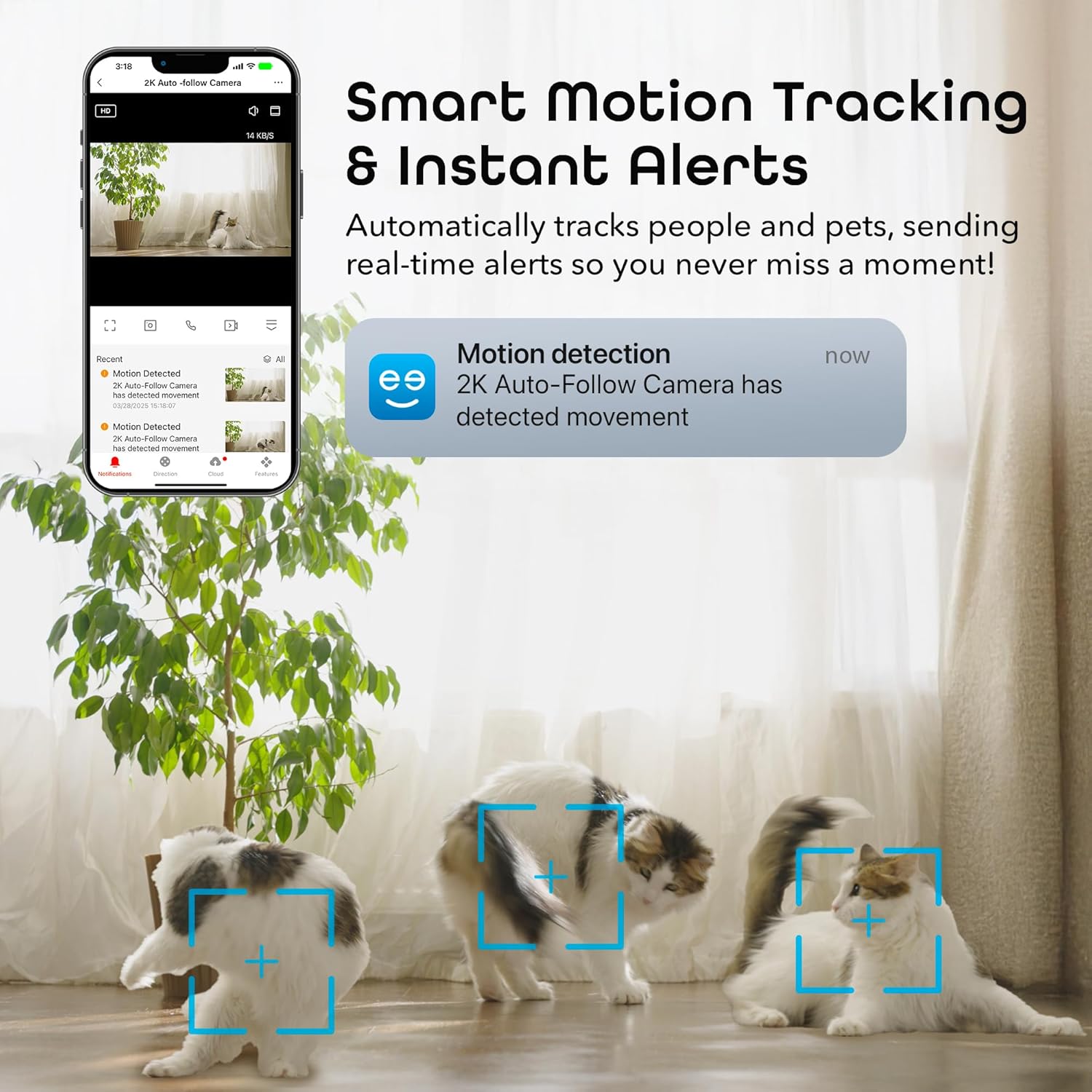
The camera's motion tracking in action, capturing movement and sending alerts.
Official product video demonstrating the crystal clear 2K resolution and auto-tracking capabilities of the Geeni Scope camera.
Two-Way Audio Communication
Utilize the built-in microphone and speaker to communicate with anyone on the camera's end. This feature is perfect for checking in on family members or pets, or even deterring unwanted visitors.

Demonstration of the two-way audio feature, allowing real-time conversation.
Wide Coverage with Pan & Tilt
The camera's pan (355°) and tilt (50°) functionality allows you to remotely adjust the viewing angle, providing comprehensive coverage of your space without blind spots. Control these movements directly from the Geeni app.

Illustrates the extensive coverage provided by the camera's pan and tilt functions.
Enhanced Night Vision
Equipped with infrared night vision, the Geeni Scope 2K camera ensures clear and reliable surveillance even in low-light conditions or complete darkness, maintaining security around the clock.
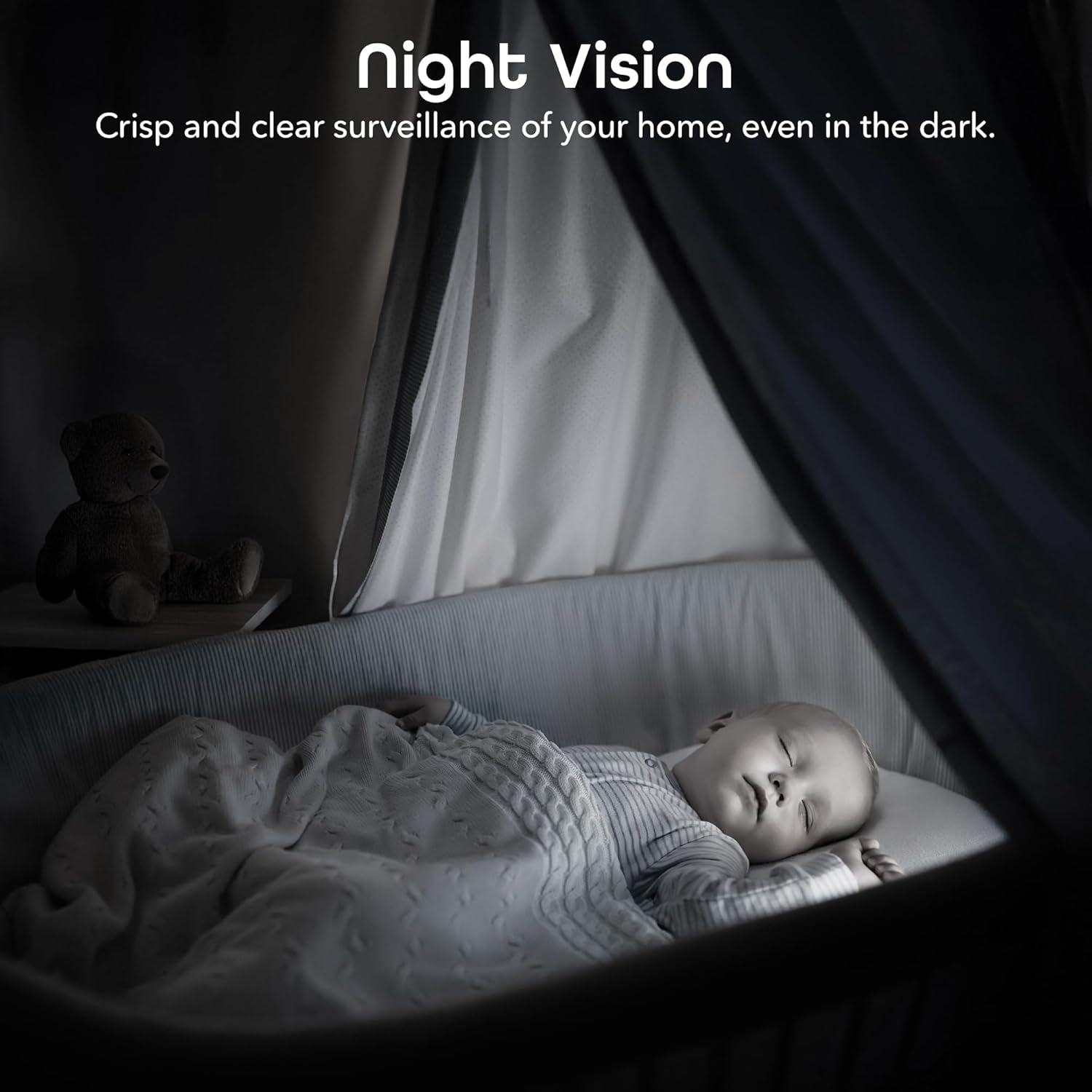
Clear night vision ensures continuous monitoring in dark environments.
Voice Control Integration
Integrate your Geeni Scope 2K camera with Amazon Alexa or Google Assistant for convenient voice control. Use simple commands to view your camera feed on compatible smart displays.

Control your camera and view feeds using voice commands with smart assistants.
Maintenance
- Cleaning: Gently wipe the camera lens and body with a soft, dry cloth. Avoid using harsh chemicals or abrasive cleaners.
- Firmware Updates: Regularly check the Geeni app for available firmware updates to ensure your camera has the latest features and security enhancements.
- Placement: Ensure the camera is placed in a stable location, away from direct sunlight, heat sources, and moisture.
Troubleshooting
| Issue | Possible Solution |
|---|---|
| Camera offline | Check Wi-Fi connection, ensure camera is powered on, and restart the camera and router. Verify Wi-Fi is 2.4GHz. |
| Motion detection not working | Ensure motion detection is enabled in the app settings. Adjust sensitivity settings. Check for obstructions in the camera's view. |
| Poor night vision quality | Ensure there are no reflective surfaces close to the camera that could interfere with infrared light. |
| Cannot connect to Wi-Fi | Confirm correct Wi-Fi password. Ensure camera is within Wi-Fi range. Reset camera and try setup again. |
Specifications
| Feature | Detail |
|---|---|
| Model Name | Scope 2K |
| Item Model Number | GN-CW068-199 |
| Indoor/Outdoor Usage | Indoor |
| Video Capture Resolution | 2K Quad HD (4 MP Effective Still Resolution) |
| Connectivity Protocol | Wi-Fi (2.4GHz) |
| Power Source | Corded Electric |
| Controller Type | Amazon Alexa, Google Assistant |
| Mounting Type | Wall Mount, Freestanding |
| Night Vision Range | 20 Feet |
| Item Dimensions (L x W x H) | 7.09 x 4.13 x 7.87 inches |
| Item Weight | 5.6 ounces (0.35 Pounds) |
| Material | Polycarbonate (PC) |
| Viewing Angle | 100 Degrees (Lens), 355° Pan, 50° Tilt |
| Alert Type | Motion Only |
| UPC | 194383056546 |
About Geeni Smart Home Ecosystem
Geeni offers a wide range of smart home products designed to simplify your daily life, all controllable through a single intuitive app. From security cameras and smart lighting to smart plugs and sensors, Geeni provides seamless convenience and automation for your home.
An overview video showcasing the diverse range of Geeni smart home products and their interconnected functionality.
Warranty and Support
Geeni products typically come with a manufacturer's warranty. For specific warranty details, technical support, or further assistance, please refer to the official Geeni website or contact their customer support directly. You can often find support information within the Geeni app or on the product packaging.
For more information, visit the Geeni Store on Amazon.
Ask a question about this manual
Ask about setup, troubleshooting, compatibility, parts, safety, or missing instructions. Manuals+ will review the question and use this page’s manual context to help answer it.