
SOFLOW So2 Air Gen 3
Contents
SoFlow So2 Air Gen 3 Electric Scooter User Manual
Model: So2 Air Gen 3 | Brand: SOFLOW
Introduction
The SoFlow SO2 Air Gen 3 electric scooter is designed for comfortable and safe urban commuting. It features a large footboard for improved stability, 10-inch pneumatic tires for a smooth ride, and a low center of gravity. This manual provides essential information for the setup, operation, maintenance, and troubleshooting of your SoFlow SO2 Air Gen 3 electric scooter.
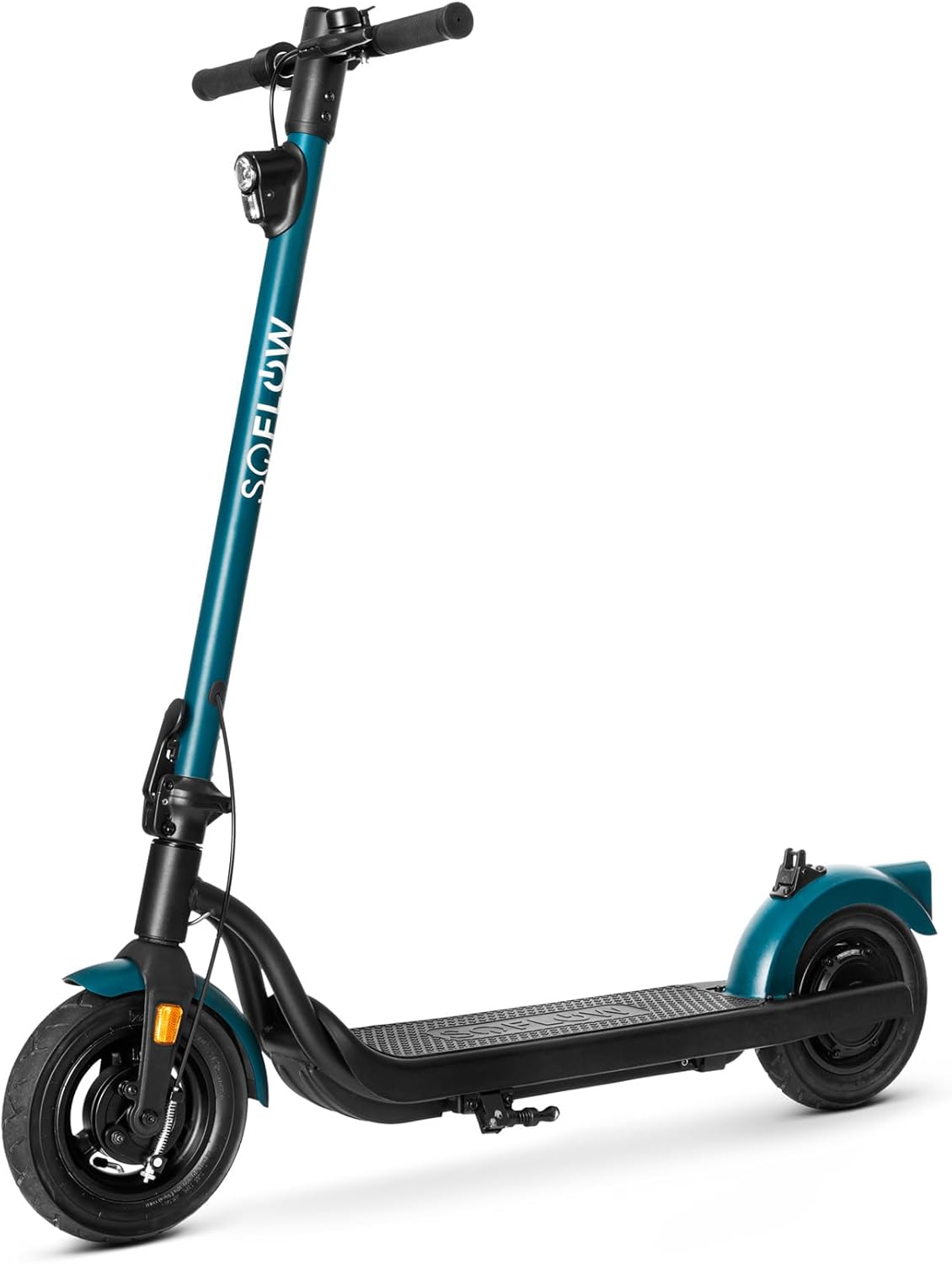
Figure 1: Front view of the SoFlow SO2 Air Gen 3 Electric Scooter.
Setup
Your SoFlow SO2 Air Gen 3 electric scooter comes partially assembled. Follow these steps for initial setup:
- Unboxing: Carefully remove all components from the packaging. Ensure all included items are present: the scooter, user manual, tools, and charger.
- Unfolding the Scooter: The scooter features a simple folding mechanism. Locate the folding latch near the base of the handlebar stem. Release the latch and carefully raise the handlebar stem until it locks securely into the upright position. Ensure it is fully locked before use.
- Handlebar Assembly: If the handlebars are not pre-attached, align them with the stem and secure them using the provided tools. Ensure all screws are tightened firmly.
- Initial Charge: Before first use, fully charge the scooter's battery. Connect the charger to the charging port on the scooter and then to a power outlet. The indicator light on the charger will typically change color when charging is complete.
- Tire Check: Verify that the 10-inch pneumatic tires are properly inflated to the recommended pressure (refer to the tire sidewall or specifications section for details).

Figure 2: The scooter in its folded state, demonstrating the compact design.
Operating Instructions
Familiarize yourself with the controls and features of your SoFlow SO2 Air Gen 3 for a safe riding experience.
- Power On/Off: Press and hold the power button on the handlebar display to turn the scooter on or off.
- Display: The clear display shows important information such as current speed, battery level, and total mileage.
- Acceleration: Use the throttle control (typically a thumb lever) to accelerate. The scooter can reach a maximum speed of 22 km/h.
- Braking: The scooter is equipped with a rear electric brake and a front drum brake for effective stopping. Apply brakes gently and evenly.
- Lighting: Activate the powerful front light for visibility, especially during low-light conditions. The scooter also features a brake light for added safety.
- App Connectivity & NFC: The scooter can be connected to the SoFlow mobile application. Using NFC (Near Field Communication), you can lock and unlock the scooter by simply scanning your mobile phone.
- Riding Tips: The scooter is capable of climbing inclines up to 10 degrees (14%). Always ride responsibly, wear appropriate safety gear, and adhere to local traffic laws. The maximum load capacity is 120 kg.

Figure 3: Handlebar with integrated digital display showing speed and battery status.

Figure 4: The powerful front headlight for enhanced visibility.
Maintenance
Regular maintenance ensures the longevity and optimal performance of your electric scooter.
- Cleaning: Wipe down the scooter with a damp cloth after use. Avoid using high-pressure water jets or harsh chemicals, which can damage electronic components.
- Tire Pressure: Periodically check and maintain the correct tire pressure for the 10-inch pneumatic tires. Proper inflation improves ride quality and extends tire life.
- Brake Inspection: Regularly inspect the front drum brake and rear electric brake for wear and proper function. Adjust or replace components as needed.
- Battery Care: To maximize battery life, avoid fully discharging the battery frequently. Store the scooter in a cool, dry place and charge it periodically if not in use for extended periods.
- Folding Mechanism: Keep the folding mechanism clean and lubricated to ensure smooth operation.
Troubleshooting
This section addresses common issues you might encounter with your SoFlow SO2 Air Gen 3 electric scooter.
| Problem | Possible Cause | Solution |
|---|---|---|
| Scooter does not turn on. | Low battery; loose connection; power button malfunction. | Charge the battery; check all connections; contact support if issue persists. |
| Reduced range or power. | Under-inflated tires; low battery charge; heavy load; cold weather. | Inflate tires to correct pressure; fully charge battery; reduce load; operate in suitable temperatures. |
| Brakes feel weak. | Brake pads worn; cable loose (for drum brake). | Inspect brake pads and replace if worn; adjust brake cable tension; consult a professional. |
| Unusual noises during operation. | Loose components; debris in wheels; motor issue. | Check for loose screws; clear any debris; if motor noise, contact support. |
Specifications
| Feature | Detail |
|---|---|
| Model Name | So2 Air Gen 3 |
| Brand | SOFLOW |
| Maximum Weight Capacity | 120 Kilograms |
| Product Dimensions (L x W x H) | 113.8 x 50 x 119 cm |
| Product Weight | 15.8 Kilograms |
| Wheel Size | 10 Inches |
| Wheel Material | Pneumatic (Air) Tires |
| Frame Material | Aluminum |
| Brakes | Rear Electric Brake, Front Drum Brake |
| Suspension | Double Suspension |
| Battery Type | 1 Lithium-ion (included) |
| Included Components | Scooter, User Manual, Tools, Charger |
| Special Features | Wide footboard, Simple folding mechanism, Powerful front light, NFC connectivity |
Warranty and Support
For detailed warranty information, please refer to the warranty card included with your product or visit the official SOFLOW website. If you require technical support or have questions not covered in this manual, please contact SOFLOW customer service through their official channels.
No official product videos were found in the provided data.
Documents and downloads
Ask a question about this manual
Ask about setup, troubleshooting, compatibility, parts, safety, or missing instructions. Manuals+ will review the question and use this page’s manual context to help answer it.