
Introduction
Thank you for choosing ACwO DwOTS Bliss Truly Wireless Earbuds. This manual provides essential information for setting up, operating, and maintaining your earbuds to ensure optimal performance and longevity. Please read these instructions carefully before use.
What's in the Box?
- 1 x Wireless Earbuds (ACwO DwOTS Bliss)
- 1 x Type-C Fast Charging Cable
- 2 x Extra Earmuffs
- 1 x Warranty Card
- 1 x Catalogue
- 1 x Scan Me Card
Setup
Initial Charge
Before first use, fully charge your ACwO DwOTS Bliss earbuds and charging case. Connect the provided Type-C cable to the charging port on the case and a power source. The charging indicator will show the charging status.
Pairing with a Device
- Ensure the earbuds are in the charging case and the case lid is open.
- On your device (smartphone, tablet, laptop), enable Bluetooth.
- Search for available Bluetooth devices and select "ACwO DwOTS Bliss" from the list.
- Once selected, the earbuds will automatically connect to your device. Subsequent connections will be automatic when the earbuds are removed from the case and Bluetooth is enabled on your device.
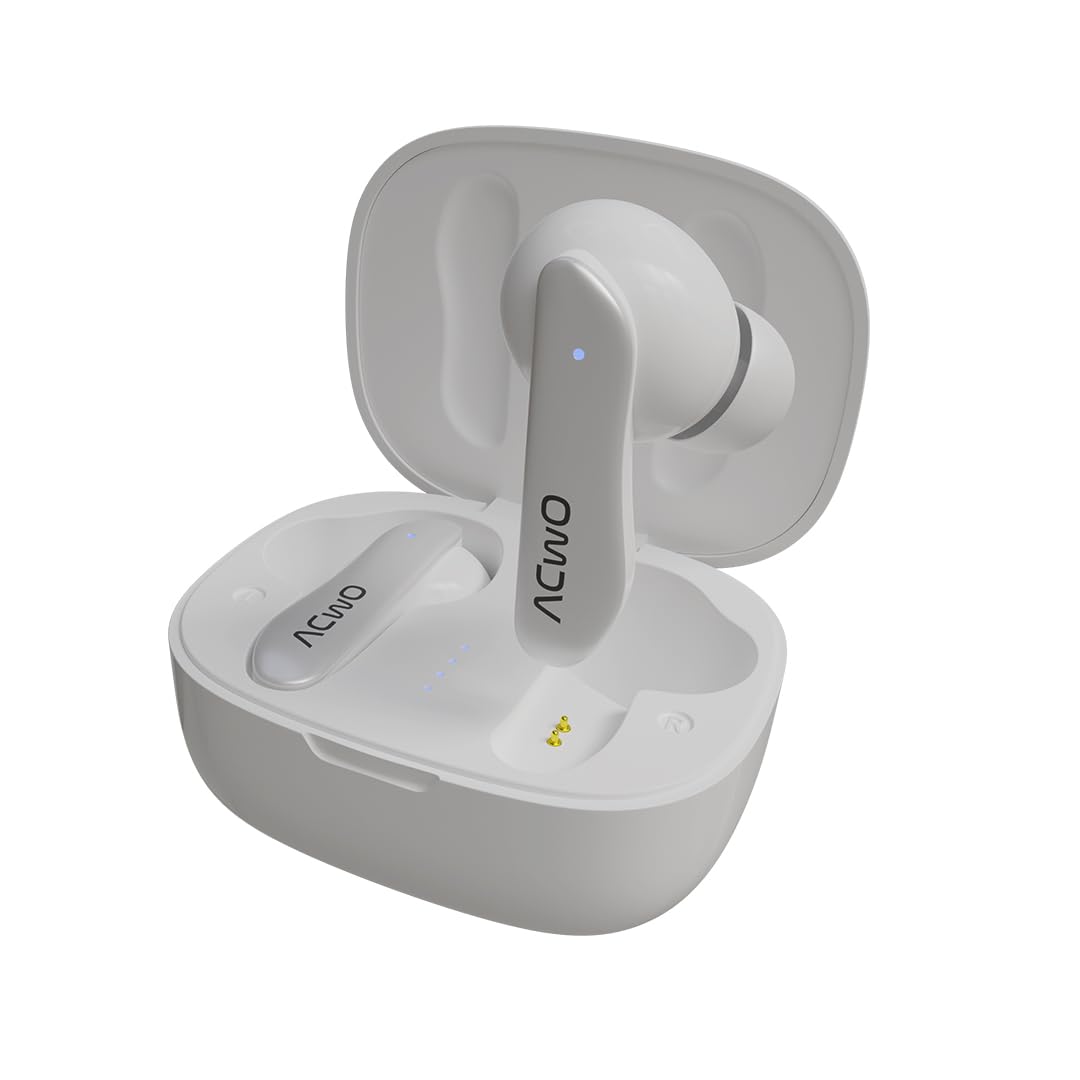
Image: ACwO DwOTS Bliss Earbuds in their charging case.
Operating Instructions
Touch Controls
The earbuds feature intuitive touch controls for managing audio playback, calls, and voice assistants.
- Play/Pause: Single tap on either earbud.
- Next Track: Double tap right earbud.
- Previous Track: Double tap left earbud.
- Answer/End Call: Single tap on either earbud.
- Reject Call: Press and hold either earbud.
- Activate Voice Assistant (Ok Google/Hey Siri): Triple tap on either earbud.
- Volume Control: Specific gestures may vary; refer to the included catalogue for detailed instructions.
Making Calls
The ACwO DwOTS Bliss earbuds are equipped with 4 microphones and Environmental Noise Cancellation (ENC) technology, ensuring clear voice calls by filtering out background noise.
Gaming Mode (Low Latency)
For an optimized gaming experience, the earbuds offer an ultra-low latency mode (up to 50ms). This minimizes audio delay, providing real-time sound synchronization for gaming and video streaming. Refer to the included catalogue for instructions on how to activate gaming mode.

Image: Collage showcasing key features like Bluetooth V5.1, Voice Assistant, NFS for Gamers, IPX5, ENC, Instant Auto Connect, 10mm Drivers, and Sensory Touch Controls.
Features
- Extended Playtime: Enjoy up to 50 hours of music playtime on a single charge, ensuring long-lasting entertainment.
- Ultra-Low Latency: With 50ms low latency, these earbuds provide seamless audio-visual synchronization, ideal for gaming and video consumption.
- Environmental Noise Cancellation (ENC): Four integrated microphones with Sonic Shield ENC technology deliver crystal-clear call quality by effectively reducing ambient noise.
- Advanced Bluetooth V5.3: Experience stable and efficient wireless connectivity with faster pairing and an extended range.
- IPX5 Water & Sweat Resistant: Designed to withstand splashes and sweat, making them suitable for workouts and outdoor activities.
- Instant Auto Connect: Earbuds automatically pair with your last connected device upon opening the charging case.
- 10mm Bass Boom X Driver: Delivers powerful and immersive audio with enhanced bass.
Video: A short preview showcasing the ACwO DwOTS Bliss earbuds' features, including Bluetooth 5.1, Type-C charging, Environmental Noise Cancellation, 10mm bass drivers, and 50ms low latency.
Video: A short preview showcasing the ACwO DwOTS Bliss earbuds' features, including Bluetooth 5.1, Type-C charging, Environmental Noise Cancellation, 10mm bass drivers, and 50ms low latency.
Charging
The ACwO DwOTS Bliss earbuds and case support fast charging via the Type-C port. A full charge for the case and earbuds can be achieved in approximately 1 hour, providing up to 50 hours of total playtime.

Image: ACwO DwOTS Bliss charging case connected via Type-C cable, indicating fast charging capability.
Maintenance
- Clean earbuds regularly with a soft, dry cloth.
- Avoid exposing earbuds to extreme temperatures or direct sunlight.
- Store earbuds in their charging case when not in use to protect them and maintain charge.
- Do not use abrasive cleaners or immerse the earbuds in water, despite their IPX5 rating, to prevent damage.
Troubleshooting
- Earbuds not pairing: Ensure Bluetooth is enabled on your device and the earbuds are charged. Try resetting the earbuds (refer to the catalogue for specific reset instructions).
- No sound: Check volume levels on both your device and the earbuds. Ensure earbuds are properly connected.
- Charging issues: Verify the Type-C cable is securely connected to both the case and the power source. Try a different charging cable or adapter.
- Poor call quality: Ensure microphones are not obstructed. Environmental Noise Cancellation works best in moderately noisy environments.
Specifications
| Feature | Detail |
|---|---|
| Model Name | DwOTS Bliss |
| Connectivity Technology | Wireless (Bluetooth) |
| Bluetooth Version | 5.1 (Note: Product title mentions V5.3, specifications list V5.1. Please refer to product packaging for the most accurate version.) |
| Audio Latency | 50 Milliseconds |
| Audio Driver Type | Dynamic Driver (10mm Bass Boom X Driver) |
| Noise Control | Environmental Noise Cancellation (ENC) |
| Microphone | 4 Mics with ENC (Boom format) |
| Battery Life | Up to 50 Hours (with charging case) |
| Charging Time | Approx. 1 Hour for full charge |
| Water Resistance Level | IPX5 Water & Sweat Resistant |
| Control Type | Touch Control, Voice Control (Voice Assistant) |
| Compatible Devices | Laptops, Mobile Phones, Tablets, PC, Smart TVs, All Bluetooth Devices (iOS, Android) |
| Material | Plastic |
| Item Weight | 37 Grams |
| Product Dimensions | 4.8 x 6 x 2.8 cm |
Warranty and Support
Your ACwO DwOTS Bliss earbuds come with a manufacturer's warranty. Please refer to the included Warranty Card for details on coverage and terms. For technical support or customer service, you can contact ACwO LIFESTYLE PRIVATE LIMITED:
- Email: help@acwo.com
- Customer Support No: +91 9320420001