
1. Introduction
The Beghelli Dom-e Smart Chronothermostat is an advanced device designed to regulate and program indoor temperatures. It features a touch display and can be controlled remotely via a smartphone application. This chronothermostat integrates with smart home systems, offering both comfort and energy efficiency. It also includes a luminous plate with customizable colors and an emergency light function.

Image 1.1: Front view of the Beghelli Dom-e Smart Chronothermostat, displaying the current temperature and various control icons.
2. Package Contents
Verify that all components are present in the package:
- 1 x Beghelli Dom-e Touch Chronothermostat
- 1 x Luminous Plate
- 1 x Support for 3-fruit Electrical Boxes
- 1 x External Temperature Probe
- 1 x Battery (for emergency light function)

Image 2.1: Packaging of the Beghelli Dom-e Smart Chronothermostat, highlighting key features and compatibility.
3. Key Features
The Beghelli Dom-e Smart Chronothermostat offers a range of functionalities for enhanced climate control and user experience:
- Wi-Fi Connectivity: Enables remote control and programming via the "dom-e Beghelli" app.
- Touch Screen Display: Intuitive local control of settings and temperature.
- Voice Assistant Compatibility: Works with Amazon Alexa and Google Assistant for hands-free operation.
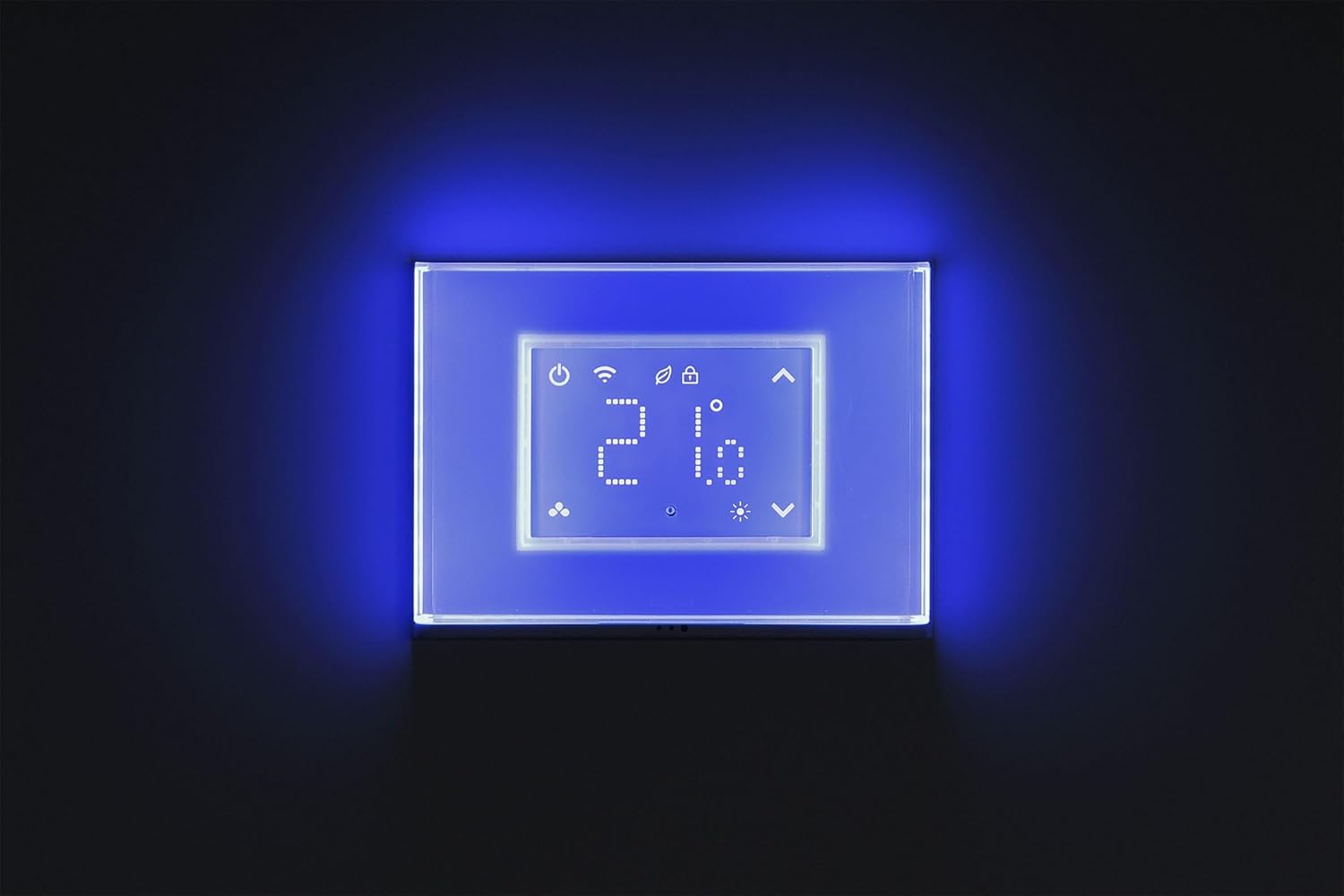
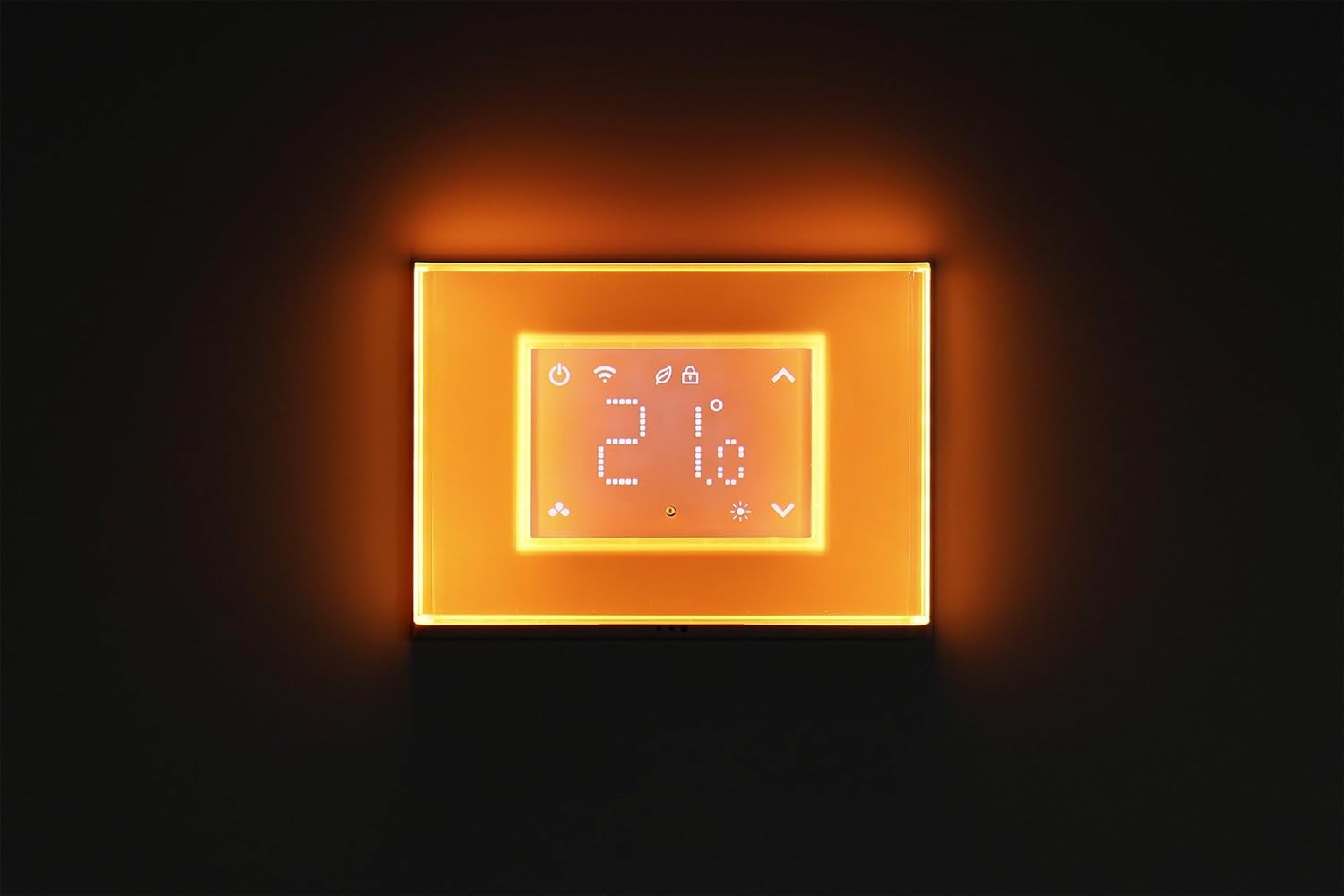
- Customizable Luminous Plate: Backlit with 16 million colors, adjustable via the app to suit ambiance.
- Emergency Light Function: Integrated emergency light with included battery, activating during power outages.
- Light Sensor: Automatically adjusts luminous plate intensity for day and night.
- Operating Modes: Supports both conditioning (cooling) and heating modes.
- Child Lock Function: Prevents unauthorized changes to settings.
- External Temperature Probe: For accurate temperature readings.
- Eco Mode: Optimized settings for energy saving.

Image 3.1: A detailed list of the chronothermostat's features, including RGB backlighting, touch screen, and emergency light.
4. Setup
4.1. Installation
The chronothermostat is designed for flush mounting on standard 3-fruit electrical boxes. It is suitable for both new installations and replacing existing chronothermostats. Professional installation is recommended to ensure proper wiring and safety.
- Ensure power is disconnected before beginning installation.
- Mount the support for 3-fruit electrical boxes.
- Connect the chronothermostat wiring according to the provided electrical diagram (refer to the separate wiring diagram in the full manual).
- Secure the chronothermostat and luminous plate to the support.

Image 4.1: Example of the chronothermostat installed on a wall, demonstrating its flush-mount design and integration into a living space.
4.2. App Connection
To utilize the smart features, download the "dom-e Beghelli" app from your smartphone's app store (available for iOS and Android). Follow the in-app instructions to connect your chronothermostat to your home Wi-Fi network (IEEE802.1 b/g/n - 2.4 GHz). This will enable remote control and advanced programming.
4.3. Voice Assistant Setup
The Beghelli Dom-e is compatible with Amazon Alexa and Google Assistant. Once the device is connected to the "dom-e Beghelli" app, follow the instructions within the Alexa or Google Home app to link your Beghelli account and enable voice control for your chronothermostat.

Image 4.2: Illustration of the chronothermostat's compatibility with Google Assistant and Amazon Alexa, showing a smartphone displaying the app interface.
5. Operating Instructions
5.1. Basic Operation
The chronothermostat can be operated directly via its touch screen display. Icons on the display allow for manual temperature adjustments, mode selection, and access to basic settings.
5.2. Temperature Control and Programming
Set your desired temperature within the range of 5-35°C. For advanced scheduling and programming, use the "dom-e Beghelli" app. The app allows you to create daily or weekly programs, set different temperatures for various times, and switch between heating and cooling modes.
5.3. Luminous Plate Control
The luminous plate can be customized through the "dom-e Beghelli" app. You can select from 16 million colors to match your preference. The integrated light sensor allows for automatic adjustment of the plate's brightness, providing different intensities for day and night to optimize visibility and energy consumption.

5.4. Emergency Light
In the event of a power outage, the chronothermostat's integrated battery will activate the emergency light, providing illumination. This feature also functions as a night guide light.
5.5. Child Lock Function
Activate the child lock feature via the app or device settings to prevent accidental or unauthorized changes to the chronothermostat's settings.
5.6. Eco Mode
Engage Eco Mode for optimized energy consumption. This mode adjusts temperature settings to reduce energy usage while maintaining a comfortable environment.
6. Maintenance
To ensure optimal performance and longevity of your Beghelli Dom-e Smart Chronothermostat:
- Cleaning: Gently wipe the touch screen and luminous plate with a soft, dry cloth. Avoid abrasive cleaners or solvents.
- Battery Check: Periodically check the battery for the emergency light function. Replace if necessary according to the instructions in the full manual.
- Software Updates: Ensure the "dom-e Beghelli" app and chronothermostat firmware are updated to the latest versions for improved functionality and security.
7. Troubleshooting
If you encounter issues with your chronothermostat, consider the following common solutions:
- No Display/Power: Check the main power supply to the chronothermostat. Ensure the internal battery for the emergency light is correctly installed and charged.
- Wi-Fi Connectivity Issues: Ensure your Wi-Fi router is functioning correctly and the chronothermostat is within range. Verify that you are connected to a 2.4 GHz network. Restarting the router or chronothermostat may resolve the issue.
- App Not Responding: Close and reopen the "dom-e Beghelli" app. Ensure your smartphone has a stable internet connection.
- Incorrect Temperature Readings: Ensure the external temperature probe is correctly connected and positioned away from direct heat sources or drafts.
- Voice Control Not Working: Verify that the chronothermostat is correctly linked to your Amazon Alexa or Google Assistant account within their respective apps. Check your internet connection.
For persistent issues, consult the comprehensive troubleshooting guide in the full product manual or contact Beghelli customer support.
8. Specifications
| Specification | Value |
|---|---|
| Product Dimensions | 12 x 91 x 11 cm |
| Weight | 430 grams |
| Specific Uses | Boiler control |
| Batteries Required | Yes (for emergency light) |
| Model Number | 60047 |
| Settable Temperature Range | 5-35°C |
| Operating Temperature Range | 5-40°C |
| Wi-Fi Standard | IEEE802.1 b/g/n - 2.4 GHz |
| Controller Type | Amazon Alexa, Google Assistant |
| Special Features | Illuminated, Emergency Light, Touch Screen, Light Sensor, Child Lock, Eco Mode |
9. Warranty and Support
For information regarding warranty coverage, technical support, or service, please refer to the official Beghelli website or contact Beghelli customer service directly. Keep your purchase receipt as proof of purchase.


